


Dwellzone is a real estate Bricks Builder template for WordPress, made for real estate agencies, brokers and property teams that list homes for sale and rent. It includes 12 pages: Home, About Us, Properties, Property Details, Agents, Agent Details, FAQ, Blog, Blog Details, Search Results, Contact and 404. A header, footer, search results page and mobile menu popup complete the kit.
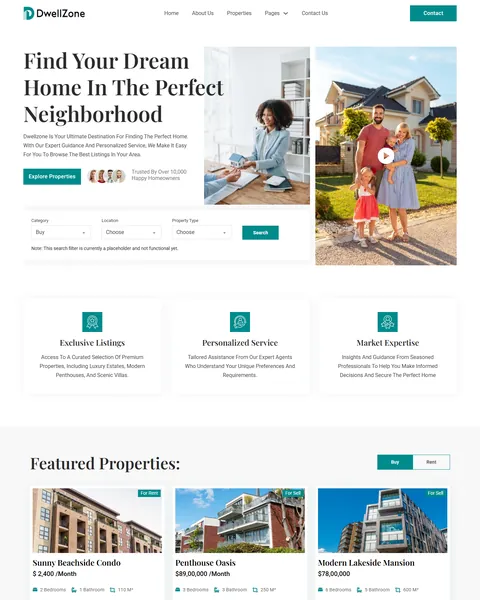
The demo opens with “Find Your Dream Home in the Perfect Neighborhood” above a property search bar with category, location and property type. An Explore Properties button sits beside it. Deep teal, charcoal and elegant serif headlines give your agency a clean, upscale and trustworthy look.
Dwellzone needs two free plugins, Advanced Custom Fields and JetFormBuilder. ACF powers the property and agent post types. Bricks itself is a premium theme and is not included.

Quick Template Details
- Template Name: Dwellzone
- Template Type: Full website template kit
- Required Theme: Bricks (Premium, not included)
- Required Plugins: Advanced Custom Fields (Free) and JetFormBuilder (Free)
- Page Templates: 12, plus header, footer and a mobile menu popup
- Listings: Property and Agent post types, with ACF import files included
- Responsive: Desktop, Tablet, Mobile
- Coding Required: No
Who Is This Real Estate Bricks Builder Template For?
- Real estate agencies. Property listings, agent profiles and a “Want to sell your property?” banner cover buyers, renters and sellers.
- Brokers with a team. An Agents page shows eight agents, each with a detailed profile page.
- Rental and property management firms. Listings are marked For Rent or For Sale, and property management is one of four core services.
- Luxury property specialists. Penthouses, lakeside mansions and villas fill the demo, with large photo galleries.
- Investment consultants. Investment consulting and market expertise are already part of the service copy.
Working alone and need only a one-page site? Our HyperEstate realtor Bricks Builder landing page is a better fit.
See Every Page in the Dwellzone Real Estate Bricks Builder Template
Eleven demo pages are below. Click any page to open it in the live demo.

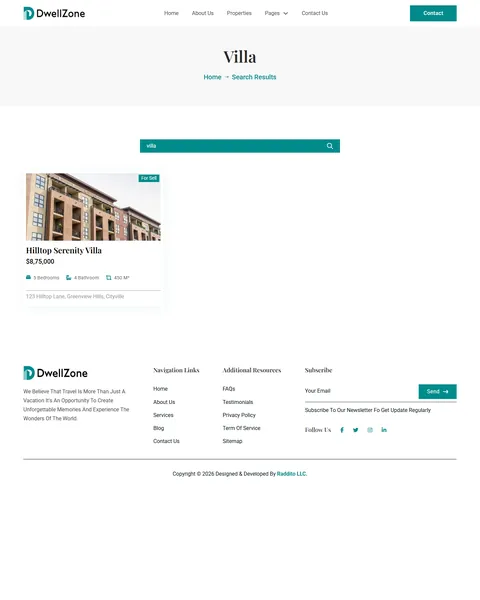
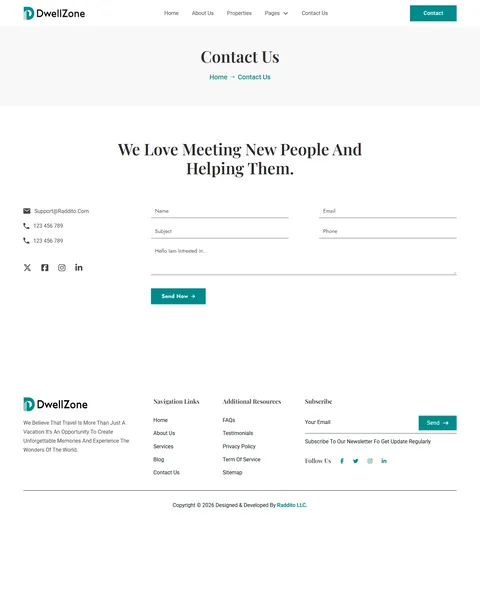
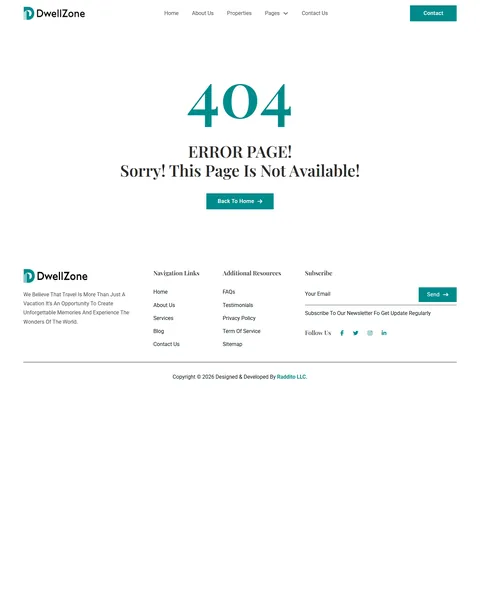
Property Listings With Real Filters
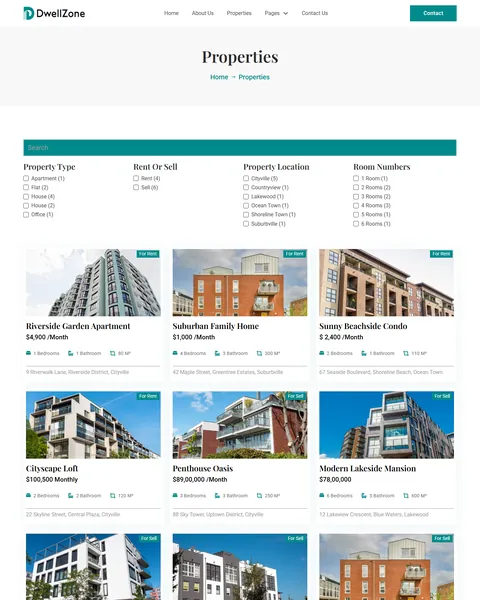
Buyers expect to narrow results fast. The Properties page shows listing cards with a sidebar of Bricks filters for property type, rent or sell, location and number of rooms. Each filter shows how many listings match, and a search box sits above them.
Every card shows the photo, a For Rent or For Sale badge, the price, bedrooms, bathrooms, size in square meters and the address. Because properties are a real post type, you add a new listing from the WordPress dashboard, and it appears in the grid and filters automatically.
Property Detail Pages With Galleries
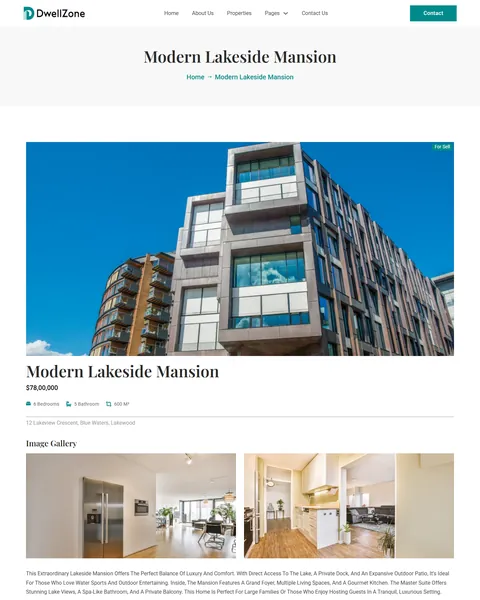
The Property Details template is built once and used for every listing, so your site stays consistent as it grows. It shows the status, title, price, rooms, size and full address at the top, followed by an image gallery and a long description of the home.
Two banners close each listing: “Looking for the new Property?” for buyers and “Want to sell your Property?” for owners. Visitors can keep browsing or reach your team without hunting for a contact page.
Agent Profiles and Customer Reviews
People buy from agents they trust. The Agents page, “Meet Our Expert Agents”, shows eight agents with photos, titles and a call icon. A review section adds a 4.88 overall rating, a happy clients counter and a homeowner quote.
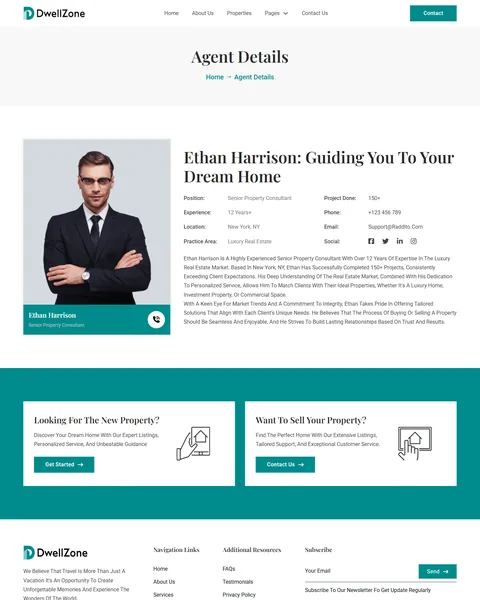
Each Agent Details page lists the agent’s position, years of experience, location, practice area, projects completed, phone, email and social links, followed by a two-paragraph biography. Agents are a post type too, so adding a new team member takes minutes.
About, FAQ, Blog and Contact
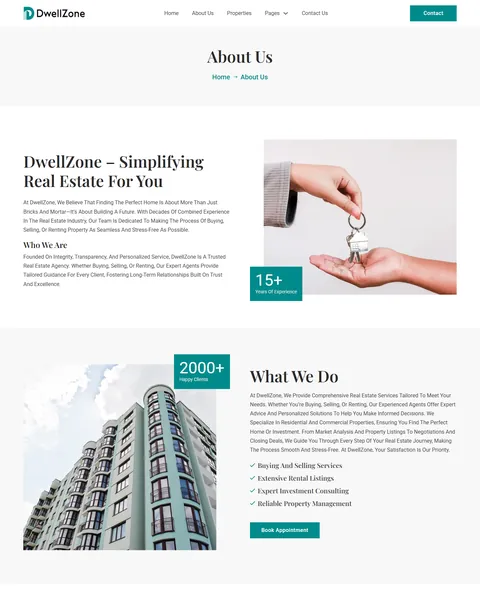
The About page explains who you are and what you do, with experience and client counters. It also lists four services: buying and selling, rental listings, investment consulting and property management.
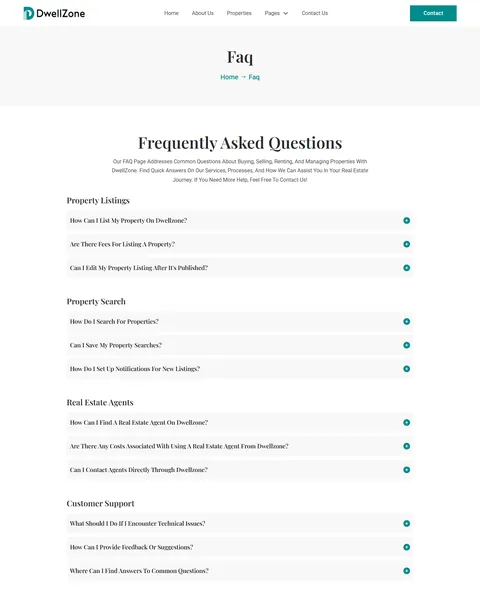
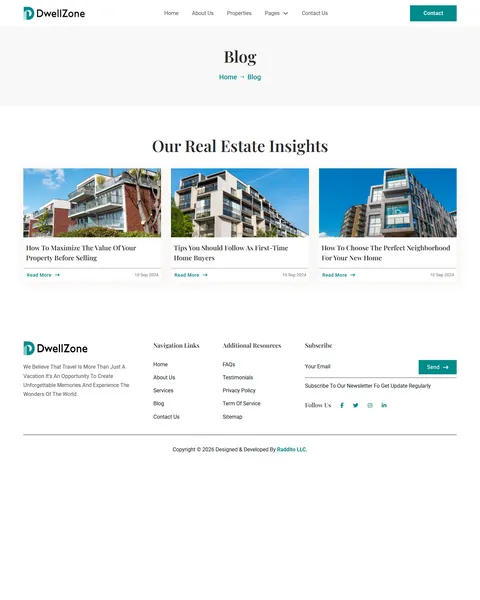
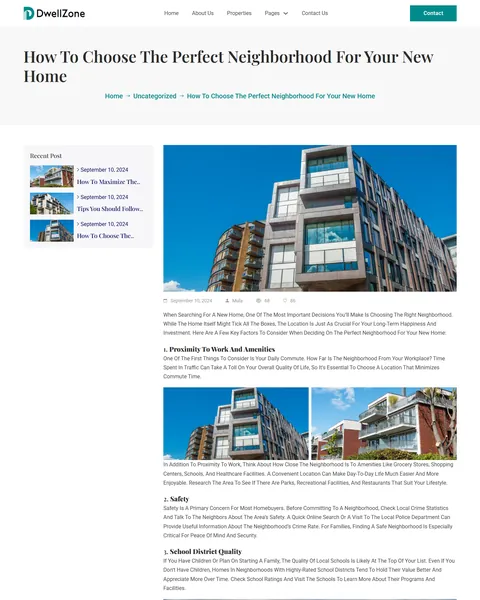
The FAQ page groups questions under property listings, property search, real estate agents and customer support. “Our Real Estate Insights” is the blog, with guides on preparing a home for sale, first-time buying and choosing a neighborhood. The Contact page offers email, phone and social links beside a contact form.
Research-Driven Design for Real Estate Agencies
We looked at how people search for property online. They browse many listings before they call anyone, so photos, prices and filters come first. Sellers, on the other hand, look for proof that an agency is professional and active in their area. This real estate Bricks Builder template is designed to make listings easy to scan while presenting your agents as trusted local experts.
Deep teal and charcoal. Deep teal, #008B8B, marks buttons, badges and the call-to-action band. It feels fresh and calm, like water and green space near a home. Charcoal text, #2B2B2B, and light gray sections, #F8F8F8, keep listing details clear and readable.
Playfair Display and Roboto. Playfair Display headlines are a refined serif that suits upscale property. Roboto body text stays clean and neutral for prices, room counts and addresses.
Architecture-first photography. Modern apartment blocks, bright interiors and professional agent portraits fill the demo. Replace them with your own listings and team photos for the best local trust.
Square, confident buttons. Sharp-cornered teal buttons match the clean lines of modern architecture and stand out against white space. The same style repeats across every page, so calls to action are easy to spot.
Two audiences on every page. Paired banners for buyers and sellers appear on listing, agent and inner pages, so no visitor reaches a dead end. Sellers are often your most valuable leads, and this keeps an easy path open for them.
Mobile friendly. On phones, the menu opens as a popup, listing cards stack into one column and filters stay usable. Many buyers browse listings on their phone during a commute.
What’s Included With the Dwellzone Bricks Builder Template
- 16 Bricks templates. Home, About Us, Properties, Property Details, Agents, Agent Details, FAQ, Blog, Blog Details and Contact, plus property archive, search results, 404, header, footer and a mobile menu popup.
- ACF import files. XML files for the Property and Agent post types and their field groups.
- Theme Style file. Global colors, typography and buttons in one JSON file.
- Assets folder. The images and icons the templates reference.
- READ_ME guide and changelog. Setup steps and the version history, with the latest update on October 2, 2025.
Need help with the template files? Our product support team can help. If you would rather have the whole agency website built with your own listings and agents, see our done-for-you website service.
How to Import the Dwellzone Real Estate Bricks Builder Template
Install and activate Advanced Custom Fields and JetFormBuilder first, then follow these steps:
- In Bricks > Settings > General, enable custom breakpoints, SVG uploads and smooth scroll (CSS), then save.
- In the builder’s breakpoint settings, set Tablet Portrait to 1025px and Mobile Landscape to 768px.
- Go to Bricks > Templates and import the templates zip file.
- Import the Theme Style and set its condition to the entire website or individual pages.
- In ACF, go to Tools > Import and import the post types and field groups files.
- Import the mobile menu template, link it to the bar icon in the header and set its condition. Then save and refresh.
The video below walks through a full Bricks site import. It also shows WooCommerce steps, which you can skip because Dwellzone does not use WooCommerce.
Dwellzone vs Other Bricks Options for Real Estate Websites
Comparing ways to build a real estate website in Bricks? Here is how Dwellzone compares with other popular options online.
| Dwellzone | Other popular Bricks template libraries online* | |
|---|---|---|
| Complete real estate agency website | Yes, ready to import | No, all three are libraries of sections |
| Property and agent post types | Yes, ACF import files included | Not mentioned on any of them |
| Filterable property listings page | Yes | Not as ready pages on any of them |
| Agent profile pages | Yes | Not as ready pages on any of them |
| Same design also sold for Elementor | Yes | No, not on any of them |
Why agencies choose Dwellzone:
- Real listings, not mockups. Add properties and agents from the dashboard.
- Free plugins only. ACF and JetFormBuilder cost nothing.
- One payment. $19.90 once, with no yearly plan.
*We compared Dwellzone with two paid Bricks layout libraries and a free community Bricks template library, each listed on its own website. Details come from each product page on October 26, 2026. Prices and features may change.
More Real Estate Templates by Raddito
Prefer Elementor? Dwellzone is also available as a real estate Elementor landing page with the same look. If you need a smaller one-page site, compare these Bricks options.
HyperEstate – realtor Bricks Builder landing page
Best for independent realtors and small teams.
Single landing page · No extra plugins · Live Preview
Nestpeak – property listing Bricks Builder landing page
Best for showcasing a few premium listings.
Single landing page · No extra plugins · Live Preview
MetroNest – real estate agency Bricks Builder landing page
Best for agencies that want a one-page site.
Single landing page · Bricks · Live Preview
Want more choices? Browse our real estate and construction website templates or every WordPress Bricks Builder template we sell.
Frequently Asked Questions
Is Dwellzone a WordPress theme?
No. Dwellzone is a real estate Bricks Builder template, a set of layouts you import into Bricks. Bricks is the theme, and you need your own Bricks license.
How do I add a new property?
Go to Properties in the WordPress dashboard and add a new post with its photos, price and details. It then appears in the listings grid.
Does the homepage search work?
The homepage search bar is a design placeholder. Connect it to the Properties page filters, or link the button to the Properties page.
Can I show prices in my own currency?
Yes. Prices are plain fields, so you can enter them in any currency and format, such as euros, pounds or dirhams.
Can I import listings from an MLS feed?
Not out of the box. You would need an MLS or IDX plugin that can map listings into the Property post type.
Is it suitable for a rental or property management company?
Yes. Mark listings For Rent, show monthly prices, and use the services and FAQ to explain your management packages.
Should I replace the sample listings and agents?
Yes, please. The properties, prices, agents, ratings and reviews are placeholders, so use only your own real listings and licensed team.