


Health Guard is a health insurance Bricks Builder template for WordPress, made for health insurance agencies, independent brokers, family and senior coverage advisors and Medicare specialists. It includes 10 pages, such as About Us, Services, Service Details, Claims Process, FAQ, Blog, Blog Details, Contact and 404, plus a header, footer, hero section and mobile menu popup.
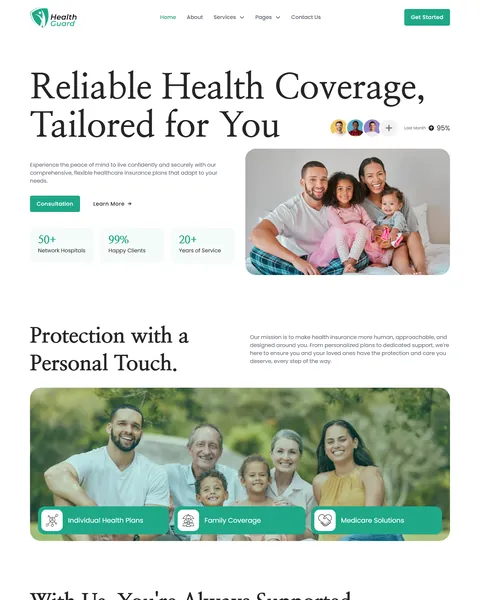
The demo opens with “Reliable Health Coverage, Tailored for You” in a classic serif beside a happy family photo. A 95% satisfaction badge, Consultation and Learn More buttons and three counters sit nearby. Fresh teal, warm charcoal and soft gray give your agency a calm, caring and dependable look.
Health Guard needs one free plugin, JetFormBuilder, for its contact form. Bricks itself is a premium theme and is not included.

Quick Template Details
- Template Name: Health Guard
- Template Type: Full website template kit
- Required Theme: Bricks (Premium, not included)
- Required Plugin: JetFormBuilder (Free)
- Page Templates: 10, plus header, footer, a hero section and a mobile menu popup
- Contact Form: JetFormBuilder form file included
- Responsive: Desktop, Tablet, Mobile
- Coding Required: No
Who Is This Health Insurance Bricks Builder Template For?
- Health insurance agencies. Individual, family and senior plans are already presented as clear service options.
- Independent brokers. A personal mission and consultation buttons help brokers sell their advice, not just a policy.
- Family coverage advisors. Warm family photography and family-focused plan pages speak directly to parents.
- Medicare and senior plan specialists. Medicare solutions and retirement planning appear as named services.
- Agencies that handle claims. A dedicated Claims Process page explains cashless and reimbursement claims step by step.
Selling life, auto and home insurance as well? Our Trustins insurance company Bricks Builder template kit is a better fit.
See Every Page in the Health Guard Health Insurance Bricks Builder Template
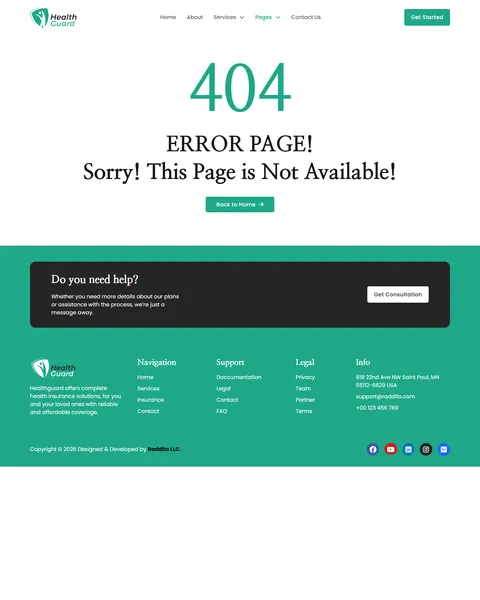
Ten demo pages are below. Click any page to open it in the live demo.

A Claims Process Page Clients Actually Need
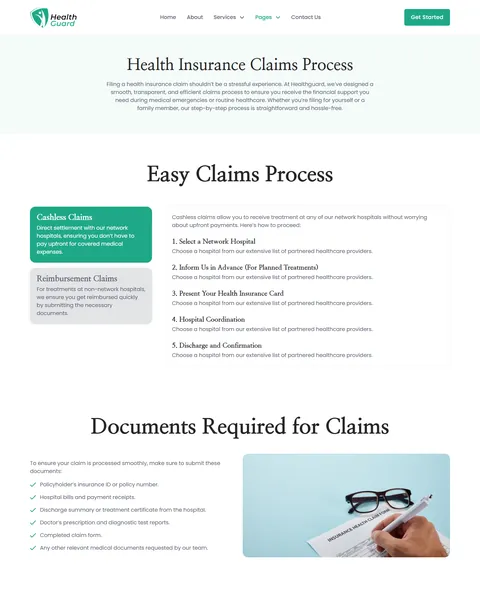
The moment a client files a claim is when they judge their insurer most. Health Guard includes a full “Health Insurance Claims Process” page. It compares cashless claims with direct hospital settlement and reimbursement claims for treatment at non-network hospitals.
A numbered list walks through each step, from choosing a network hospital to discharge and settlement. A “Documents Required for Claims” checklist covers ID, policy card, prescriptions, bills and reports. Clear instructions reduce support calls and build trust before anyone needs to claim.
Plans and Service Detail Pages
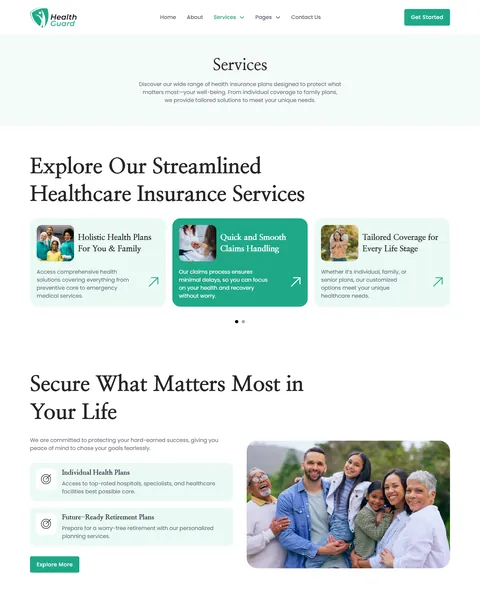
The Services page introduces your main offers in a card slider: holistic health plans for families, quick claims handling and coverage for every life stage. A “Secure What Matters Most in Your Life” block adds individual health plans and retirement planning.
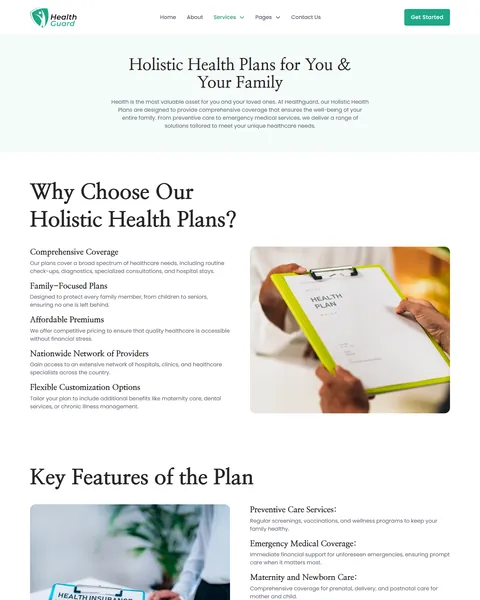
The Service Details page, shown for holistic family health plans, explains why to choose the plan. Reasons run from comprehensive, family-focused coverage to affordable premiums and a nationwide provider network. A “Key Features of the Plan” list covers preventive care, emergency coverage, and maternity and newborn care.
A Homepage That Builds Trust
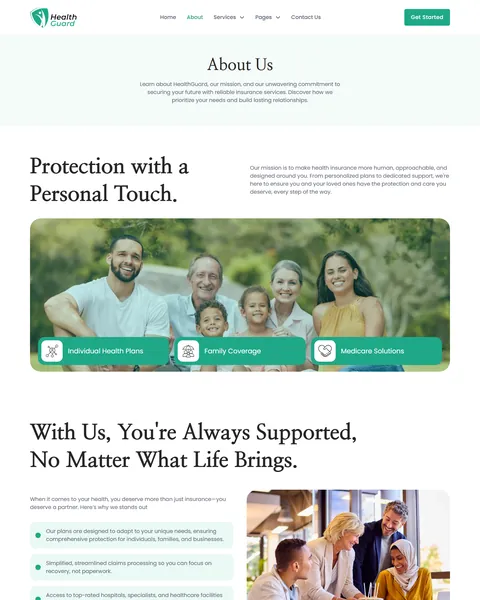
After the hero, “Protection with a Personal Touch” shares your mission beside a family photo with three plan tags: individual plans, family coverage and Medicare solutions. “With Us, You’re Always Supported” lists three reasons to choose you.
Counters for network hospitals, happy clients and years of service show experience at a glance. A homepage FAQ answers common questions, and a “Do you need help?” banner with a Get Consultation button sits above the teal footer on every page.
FAQ, Blog and Contact
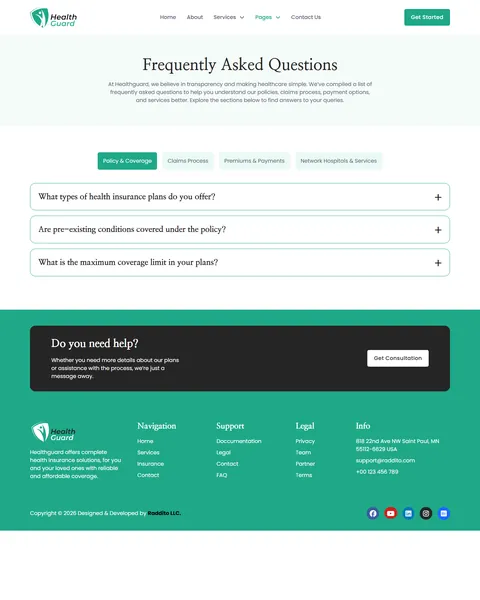
The FAQ page sorts questions into four tabs: policy and coverage, claims process, premiums and payments, and network hospitals and services. It already covers plan types, pre-existing conditions, coverage limits, cashless claims and documents.
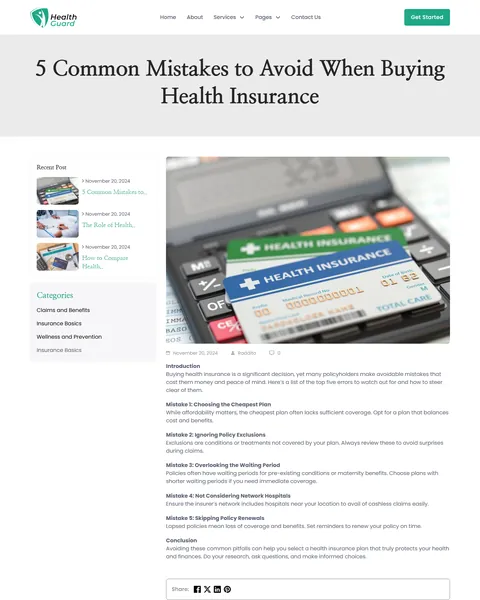
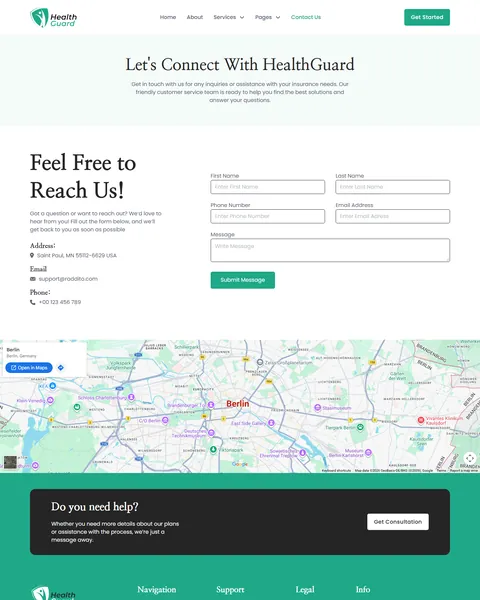
The blog shares insurance guides in a three-column grid, like mistakes to avoid when buying health insurance. Single posts have a sidebar with recent posts and categories. The Contact page lists address, email and phone beside a form, with a map below.
Research-Driven Design for Health Insurance Agencies
We looked at how people choose health insurance online. The topic feels complex and a little stressful. They want to understand plan types, what is covered, how claims work and who they can talk to. Trust and clarity matter more than flashy design. This health insurance Bricks Builder template is designed to explain coverage simply and invite a personal consultation.
Fresh teal and charcoal. A fresh teal, #1FA888, marks buttons, the footer and help banners, suggesting health, growth and calm. Warm charcoal headings and soft gray body text keep long explanations easy on the eyes.
Nanum Myeongjo and Poppins. Large Nanum Myeongjo serif headlines feel classic and reassuring, like a trusted family advisor. Poppins body text stays clean and modern for policy details and FAQs.
Family-focused photography. Smiling parents, grandparents and children show what insurance really protects. Use photos of real local families or your own team to make it personal and believable.
Clear explanations. A claims guide, document checklist and tabbed FAQ turn confusing insurance terms into simple steps. Clients who understand their cover are more likely to renew and refer friends.
Consultation everywhere. Consultation buttons in the hero, service sections and a help banner on every page make it easy to talk to an advisor. Most people still want a human to confirm they picked the right plan.
Mobile friendly. On phones, the menu opens as a popup, service sliders become swipeable and the contact form stacks into a single column. Many people compare plans on their phone during a lunch break.
What’s Included With the Health Guard Bricks Builder Template
- 15 Bricks templates. Home, About, Services, Service Single, Claims Process, FAQ, Blog, Blog Details and Contact, plus 404, blog archive, header, footer, a hero section and a mobile menu popup.
- JetFormBuilder contact form. Ready to import into JetFormBuilder.
- Theme Style file. Global colors, typography and buttons in one JSON file.
- Assets folder. The images and icons the templates reference.
- READ_ME guide and changelog. Setup steps and the version history.
Need help with the template files? Our product support team can help. If you would rather have the whole agency website built with your own plans and branding, see our done-for-you website service.
How to Import the Health Guard Health Insurance Bricks Builder Template
Install and activate JetFormBuilder first, then follow these steps:
- In Bricks > Settings > General, enable custom breakpoints, SVG uploads and smooth scroll (CSS), then save.
- In the builder’s breakpoint settings, set Tablet Portrait to 1025px and Mobile Landscape to 769px.
- Go to Bricks > Templates and import the templates zip file.
- Import the Theme Style and set its condition to the entire website.
- Import the contact form into JetFormBuilder and link the mobile menu popup to the header icon.
The video below walks through a full Bricks site import. It also shows WooCommerce steps, which you can skip because Health Guard does not use WooCommerce.
Health Guard vs Other Bricks Options for Insurance Websites
Comparing ways to build an insurance website in Bricks? Here is how Health Guard compares with other popular options online.
| Health Guard | Other popular Bricks template libraries online* | |
|---|---|---|
| Complete health insurance website | Yes, ready to import | No, all three are libraries of sections |
| Claims process page with document checklist | Yes | Not mentioned on any of them |
| Plan detail pages with key features | Yes | Not as ready pages on any of them |
| Tabbed insurance FAQ | Yes | Not as ready pages on any of them |
| Same design also sold for Elementor | Yes | No, not on any of them |
Why insurance agencies choose Health Guard:
- Made for insurance. Plans, claims and FAQ pages are ready.
- One free plugin. JetFormBuilder is all you need besides Bricks.
- One payment. $19.90 once, with no yearly plan.
*We compared Health Guard with two paid Bricks layout libraries and a free community Bricks template library, each listed on its own website. Details come from each product page on October 26, 2026. Prices and features may change.
More Insurance and Finance Templates by Raddito
Prefer Elementor? Health Guard is also available as a health insurance Elementor template kit with the same look. If you sell other types of cover or offer financial advice, compare these Bricks options.
Lifeguard – medical insurance Bricks Builder template kit
Best for medical insurance consultants and agencies.
11 pages · Bricks with JetFormBuilder · Live Preview
Trustins – insurance company Bricks Builder template kit
Best for life, health, auto and home insurers.
9 pages · Bricks · Live Preview
Relvise – financial consulting Bricks Builder landing page
Best for financial advisors and consultancies.
Single landing page · No extra plugins · Live Preview
Want more choices? Browse our finance and law website templates or every WordPress Bricks Builder template we sell.
Frequently Asked Questions
Is Health Guard a WordPress theme?
No. Health Guard is a health insurance Bricks Builder template, a set of layouts you import into Bricks. Bricks is the theme, and you need your own Bricks license.
Where do consultation requests go?
The contact form is built with JetFormBuilder, so each request is emailed to your agency and can also be saved as a record in WordPress.
Can I add a quote calculator?
Yes. Build a multi-step quote form with JetFormBuilder, or embed the quoting tool from your carrier or agency software.
Can I list partner hospitals?
Yes. Add a network hospitals page or a searchable list, and link to it from the claims process and FAQ pages.
Can I use it for other types of insurance?
Yes. Rename the plans and swap the photos to cover life, dental, travel or business insurance with the same layouts.
Can I change the teal color?
Yes. Update the colors in the imported Theme Style, and buttons, banners and the footer change across the site.
Should I replace the sample statistics and plan details?
Yes, please. The counters, plan features, claim steps and FAQ answers are samples, so use your real policies and regulated wording.