


Fitnova is a fitness Bricks Builder template for WordPress and WooCommerce, made for gyms, CrossFit and HIIT boxes, personal training studios and fitness brands that sell gear online. It includes 17 pages, such as Services, Team, Pricing, FAQ, Shop, Product, Wishlist, Cart and My Account. Product, archive, login and 404 templates complete the kit.
The demo opens with a bold slider of “Start Strong”, “Push Further” and “Get Moving” over gritty gym photos, each with a Read More button. A numbered service slider follows. Deep black, electric yellow and steel gray give your gym an intense, high-energy and modern look.
Fitnova uses two free plugins: WooCommerce for the shop and the MoreConvert WooCommerce Wishlist plugin for saved products. Bricks itself is a premium theme and is not included.

Quick Template Details
- Template Name: Fitnova
- Template Type: Full ecommerce website template kit
- Required Theme: Bricks (Premium, not included)
- Required Plugins: WooCommerce and WooCommerce Wishlist (both free)
- Page Templates: 17, plus header and footer
- Wishlist Settings: Ready-made settings file included
- Responsive: Desktop, Tablet, Mobile
- Coding Required: No, one small hover script is copy and paste
Who Is This Fitness Bricks Builder Template For?
- Gyms and fitness centers. Membership plans, open gym hours and a full trainer team page fit busy local gyms.
- CrossFit and HIIT boxes. A “Know the Code” section explains WOD, HIIT, EMOM, AMRAP and DOMS for new members.
- Personal training studios. Trainer profiles with skills and a direct contact form help clients pick the right coach.
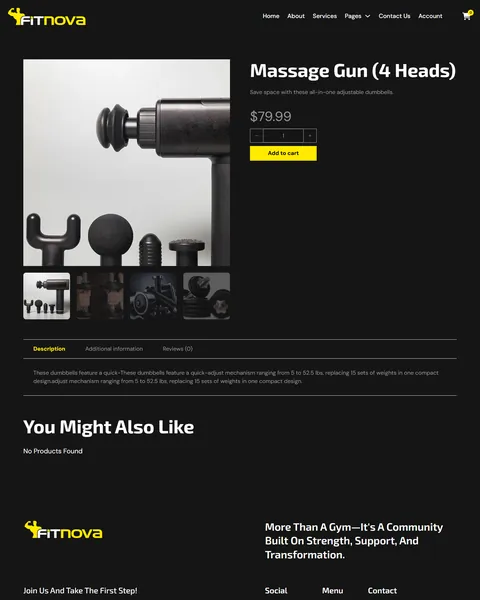
- Gyms that sell gear and supplements. A full WooCommerce shop with a wishlist sells belts, massage guns and accessories.
- Bricks developers with fitness clients. A complete gym and store build saves days on every project.
Only need a single page for a gym campaign? Our Fithub Pro gym Bricks Builder landing page is a better fit.
See Every Page in the Fitnova Fitness Bricks Builder Template
Seventeen demo pages are below. Click any page to open it in the live demo.
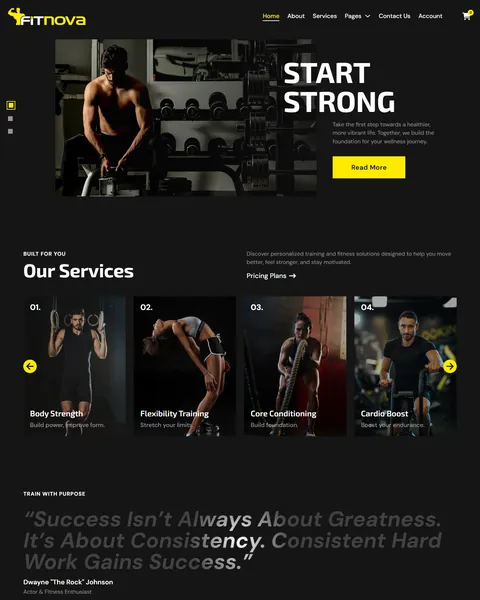
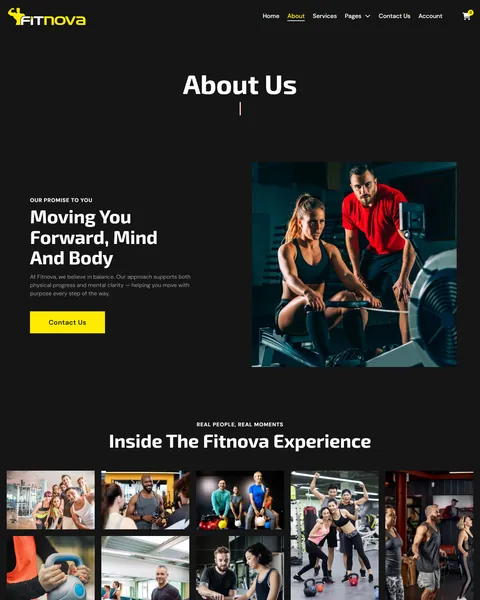
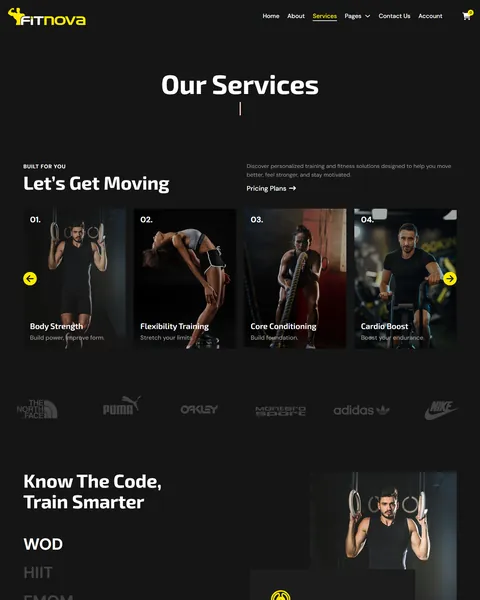
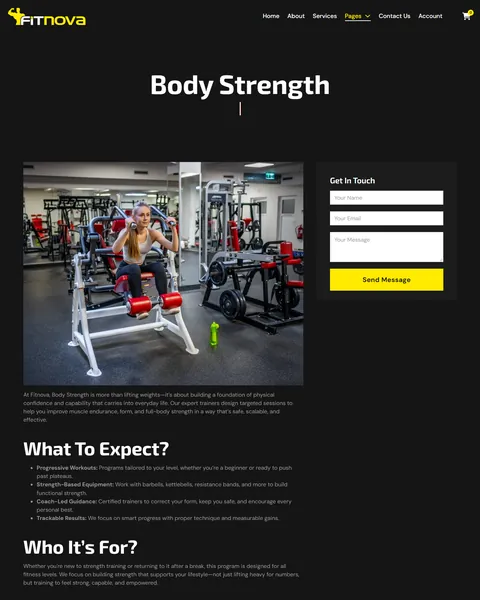
Nine Training Programs With Detail Pages
Members want to know which program fits their goal. Fitnova’s numbered service slider lists nine programs: body strength, flexibility training, core conditioning, cardio boost, total recovery, fat loss focus, power lift, mobility training and speed training.
Each Service Details page, shown here for body strength, explains the program and adds “What To Expect?” and “Who It’s For?” sections. A “Get In Touch” form sits in the sidebar. The Services page also includes “Know the Code, Train Smarter”, a tabbed glossary of common workout terms.
A Gym Store With Wishlist
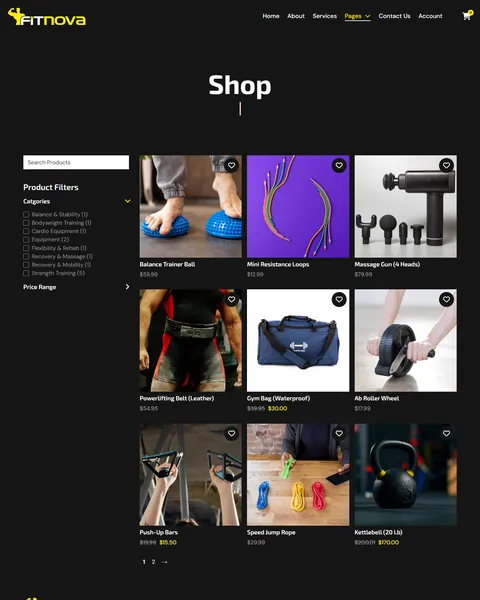
Selling gear brings in revenue between memberships. The homepage shows “Shop Our Top Fitness Essentials” with four products. The Shop page adds a product search, category checkboxes and a price range filter beside a product grid.
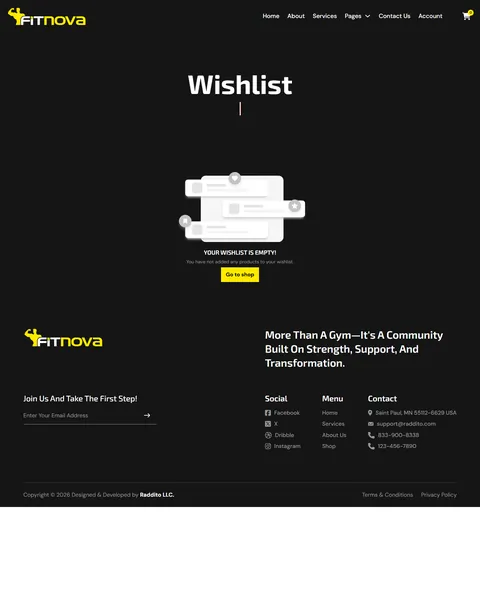
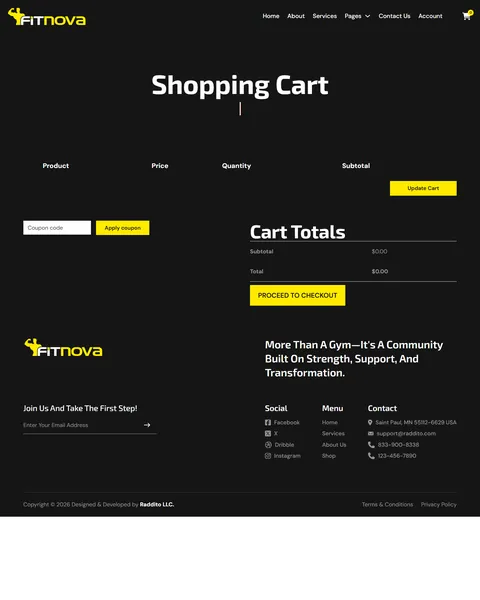
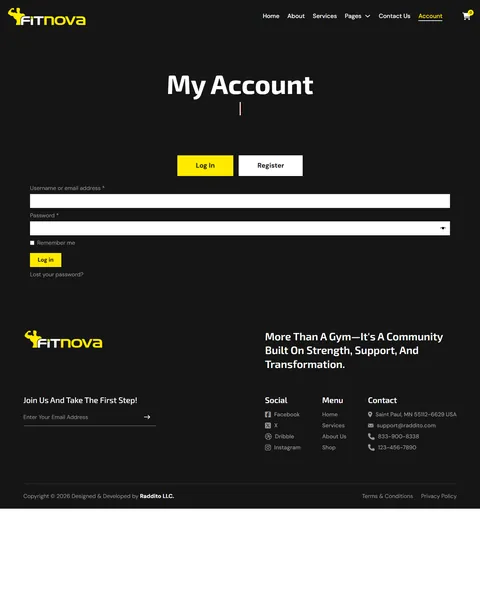
Product pages show a large photo with thumbnails, price, quantity and an Add to cart button, plus description, additional information and review tabs. Heart icons on product cards let members save items to the Wishlist page, and styled Cart, Checkout and My Account pages complete the store.
Trainers, Pricing and Community
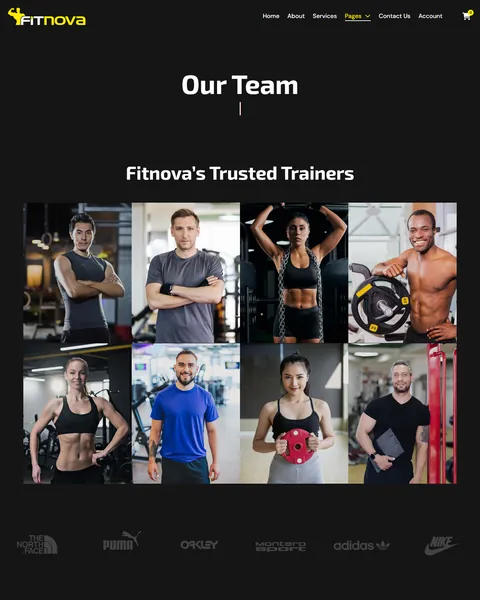
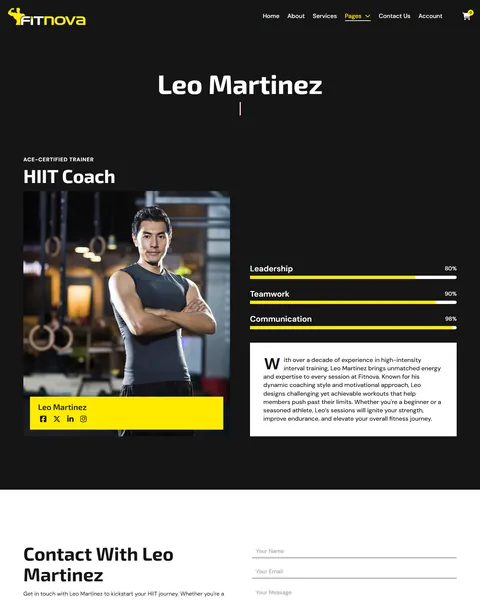
The Team page shows “Fitnova’s Trusted Trainers” in a photo grid, and each Team Details page profiles one coach with certifications, skill bars and a story. A “Contact with” form on the profile lets members reach that coach directly.
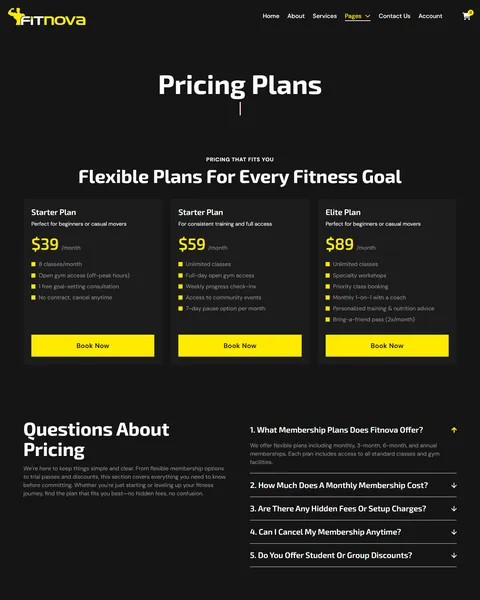
The Pricing page offers three monthly plans with class limits, open gym access and extras such as coach check-ins, followed by a pricing FAQ. The About page adds a photo gallery of real gym moments, member counters and four member stories.
Blog, FAQ and Contact
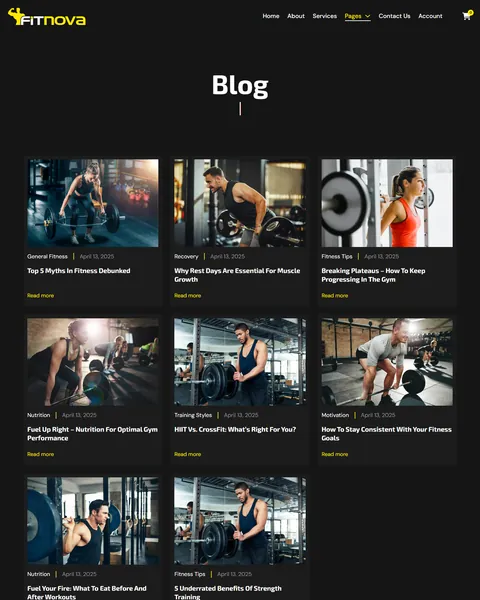
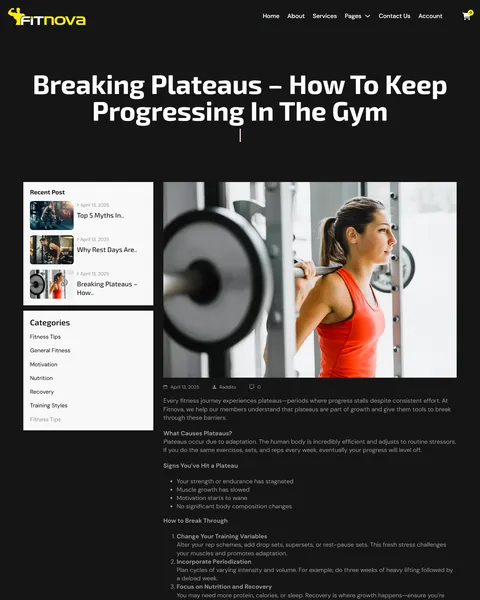
The “Fitnova Feed” blog shows training, nutrition and recovery articles in a three-column grid. Single posts include a sidebar with recent posts and categories, which suits long guides like breaking through a training plateau.
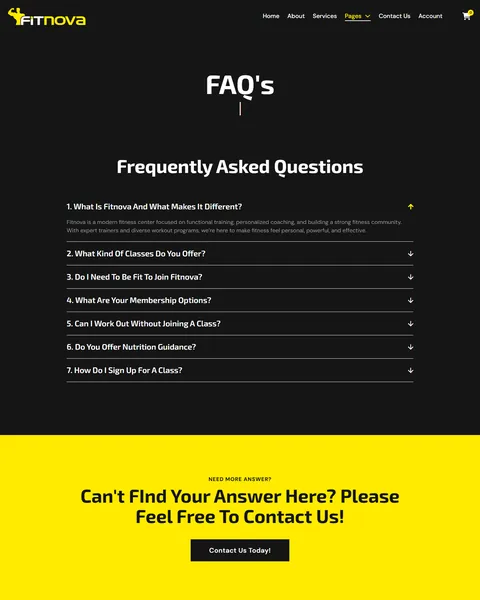
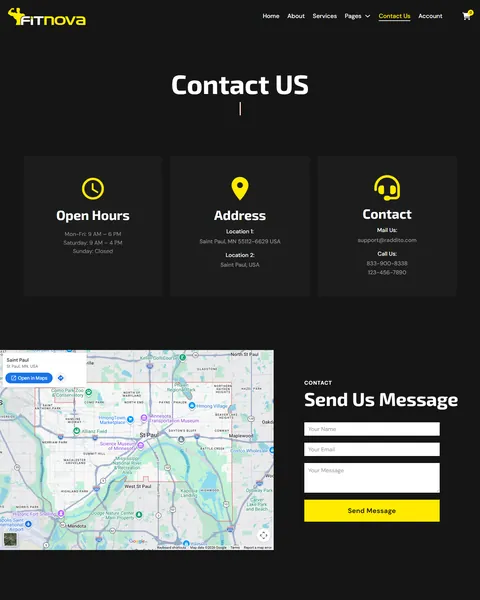
The FAQ page answers seven common questions about classes, fitness levels, memberships, open gym hours, nutrition and sign-up. The Contact page shows opening hours, two addresses and phone details above a map and a message form.
Research-Driven Design for Gyms and Fitness Brands
We looked at how people choose a gym online. They want to feel the energy of the place, see the programs and trainers, check membership prices and know they will fit in, whatever their level. Many also buy gear and supplements from brands they trust. This fitness Bricks Builder template is designed to inspire action and make joining, booking and buying easy.
Black and electric yellow. Deep black, #151515, sets an intense, focused mood like a training floor at night. Electric yellow, #FFEA00, marks buttons, plans and highlights and pulls the eye straight to the next step.
Exo 2 and DM Sans. Bold, uppercase Exo 2 headlines feel athletic and powerful. DM Sans body text stays clean and easy to read on dark backgrounds, even in small sizes.
Gritty training photography. Athletes lifting, stretching and sprinting in moody light show effort and results. Use photos of your own members, coaches and equipment to make it real and local.
Proof and community. Member counters, stories and a photo gallery show that real people train and succeed here. Beginners in particular want to see members who look like them before they sign up.
Clear paths to join. Book Now buttons on every plan, Read More buttons on the hero slides and contact forms on service and trainer pages keep visitors moving toward a sign-up.
Mobile friendly. On phones, the menu folds into a toggle, sliders become swipeable and shop filters stack above products. Many members check class times and plans on their phones.
What’s Included With the Fitnova Bricks Builder Template
- 24 Bricks templates. 17 pages, plus checkout, product archive, blog archive, blog category, account login, header and footer.
- Wishlist settings file. Import it to match the demo’s wishlist setup in one step.
- Hover effect scripts. Two short scripts for the service hover and spotlight effects.
- Theme Style and color palette files. Global typography, buttons and the full Fitnova color set.
- READ_ME guide and changelog. Setup steps, plugin links and the version history.
Need help with the template files? Our product support team can help. If you would rather have the whole gym website built with your own programs, trainers and products, see our done-for-you website service.
How to Import the Fitnova Fitness Bricks Builder Template
Install and activate WooCommerce and the WooCommerce Wishlist plugin first, then follow these steps:
- In Bricks > Settings > General, enable custom breakpoints, SVG uploads and smooth scroll (CSS), then save.
- In the builder’s breakpoint settings, set Tablet Portrait to 1025px and Mobile Landscape to 769px.
- Go to Bricks > Templates and import the templates zip file.
- Import the Theme Style and color palette, then set the style condition to the entire website.
- Import the wishlist settings file and paste the included scripts into Bricks custom code.
The video below shows a complete Bricks site import, including the WooCommerce setup.
Fitnova vs Other Bricks Options for Gym Websites
Comparing ways to build a gym website in Bricks? Here is how Fitnova compares with other popular options online.
| Fitnova | Other popular Bricks options online* | |
|---|---|---|
| Design made for gyms and trainers | Yes | No, none of them is made for fitness |
| Program, trainer and pricing pages | Yes | Not all, two are libraries of sections |
| Gear shop with wishlist | Yes | Not mentioned on any of them |
| Styled cart, checkout and account pages | Yes | Not all, only one covers store pages |
| Same design also sold for Elementor | Yes | No, not on any of them |
Why gyms choose Fitnova:
- Gym and store in one. Programs, trainers, plans and a shop are ready.
- Free plugins only. WooCommerce and the wishlist plugin cost nothing.
- One payment. $19.90 once, with no yearly plan.
*We compared Fitnova with a free WooCommerce starter kit shared on the Bricks community forum and two paid Bricks layout libraries sold on their own websites. Details come from each product page on October 26, 2026. Prices and features may change.
More Fitness Templates by Raddito
Prefer Elementor? Fitnova is also available as a fitness Elementor template kit with the same look. If you run a yoga studio or need a one-page gym site, compare these Bricks options.
Fithub Pro – gym Bricks Builder landing page
Best for gyms and fitness centers running a campaign.
Single landing page · Bricks · Live Preview
YogaJoy – yoga studio Bricks Builder landing page
Best for yoga studios and wellness classes.
Single landing page · Bricks · Live Preview
Namaste – online yoga classes Bricks Builder landing page
Best for online yoga teachers and studios.
Single landing page · Bricks · Live Preview
Want more choices? Browse our sport and fitness website templates or every WordPress Bricks Builder template we sell.
Frequently Asked Questions
Is Fitnova a WordPress theme?
No. Fitnova is a fitness Bricks Builder template, a set of layouts you import into Bricks. Bricks is the theme, and you need your own Bricks license.
Do I have to run a shop?
No. If you don’t sell products, remove the Shop, Wishlist and Cart links from the menu. The gym pages work on their own.
Can members pay for memberships online?
Yes. Create each plan as a WooCommerce product, or add a subscription extension, and link the Book Now buttons to it.
Can I add a class schedule?
Yes. Add a timetable section with Bricks elements, or embed the schedule from your gym booking software.
How does the wishlist work?
The free MoreConvert wishlist plugin adds heart icons to products. Import the included settings file to match the demo setup.
Can I change the yellow accent color?
Yes. Update the colors in the imported Theme Style and palette, and buttons, plans and highlights change across the site.
Should I replace the sample trainers, quotes and logos?
Yes, please. The trainers, member stories, quotes and partner logos are placeholders, so use only your own real details and brands you work with.