


UpFix is a home renovation Bricks Builder template for WordPress, made for renovation contractors, kitchen and bath remodelers, general contractors and small commercial fit-out teams. It includes 17 pages, such as Services, Service Details, Projects, Project Details, Gallery, Team, Team Details, Pricing, Book Now, FAQ and 404, plus header and footer templates.
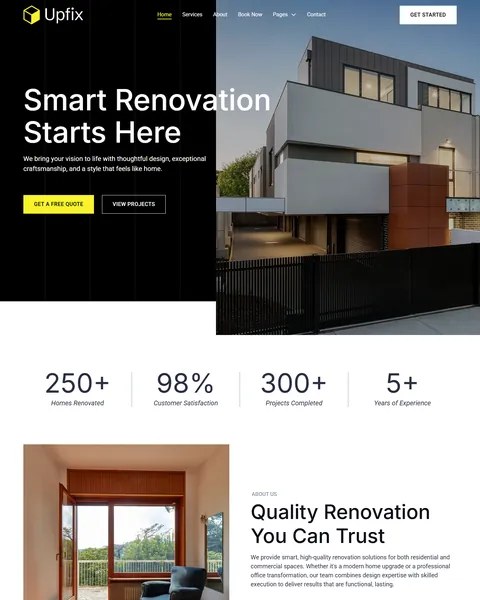
The demo opens with “Smart Renovation Starts Here” over a modern house with dark cladding and warm wood. Get a Free Quote and View Projects buttons sit below, followed by four counters. Deep black, electric yellow and clean white give your company a bold, modern and confident look.
UpFix needs one free plugin, JetFormBuilder, for its consultation booking form. Bricks itself is a premium theme and is not included.

Quick Template Details
- Template Name: UpFix
- Template Type: Full website template kit
- Required Theme: Bricks (Premium, not included)
- Required Plugin: JetFormBuilder (Free)
- Page Templates: 17, plus header, footer and a hero section
- Booking Form: JetFormBuilder form file included
- Responsive: Desktop, Tablet, Mobile
- Coding Required: No
Who Is This Home Renovation Bricks Builder Template For?
- Renovation contractors. Fourteen service links cover full homes, kitchens, bathrooms, basements, flooring, painting and more.
- Kitchen and bath remodelers. Kitchen and bathroom projects lead the gallery and case studies.
- General contractors. Room additions, garage conversions, decks and exterior upgrades are already listed as services.
- Commercial fit-out teams. Commercial renovation and office makeover stories suit firms that also update workspaces.
- Bricks agencies with contractor clients. A complete renovation website with a booking form saves days on every project.
Only need a single page for a renovation campaign? Our RevoHome renovation Bricks Builder landing page is a better fit.
See Every Page in the UpFix Home Renovation Bricks Builder Template
Seventeen demo pages are below. Click any page to open it in the live demo.
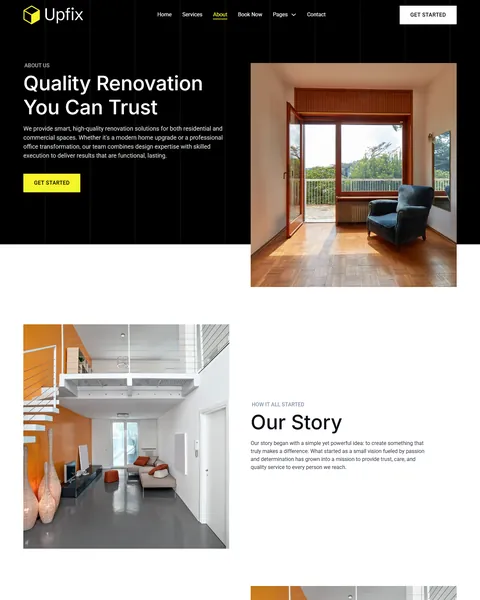
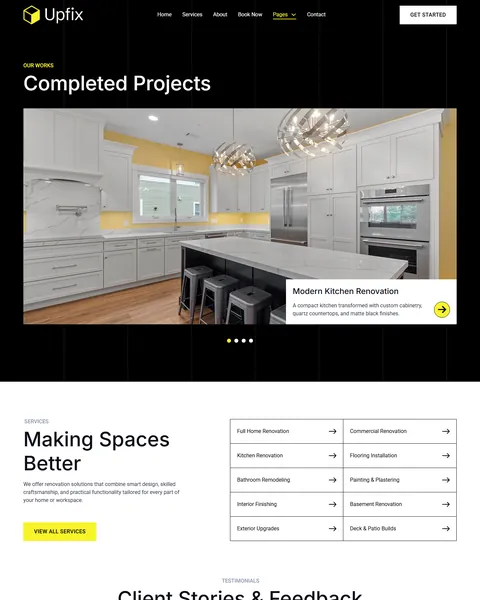
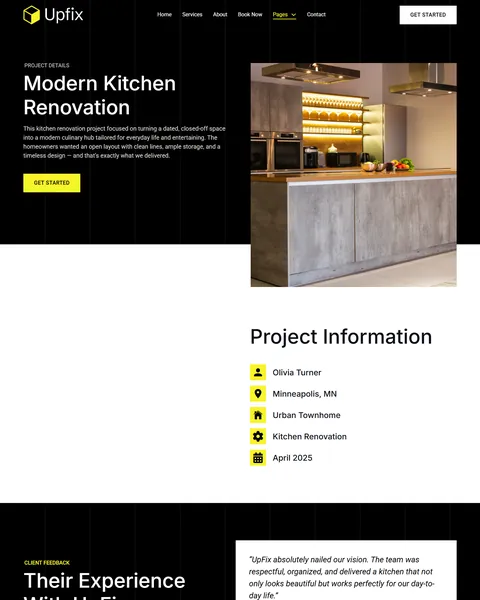
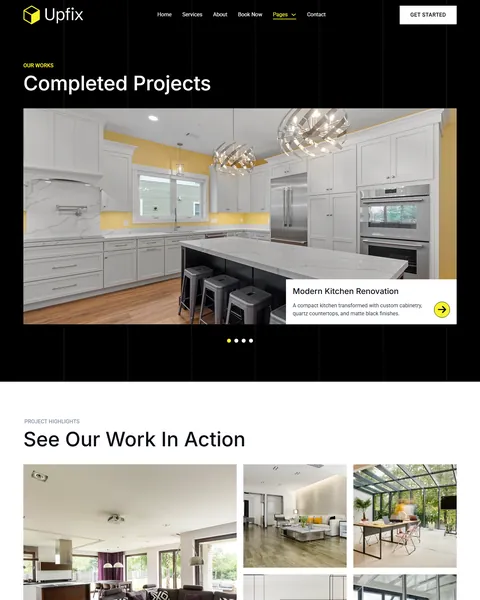
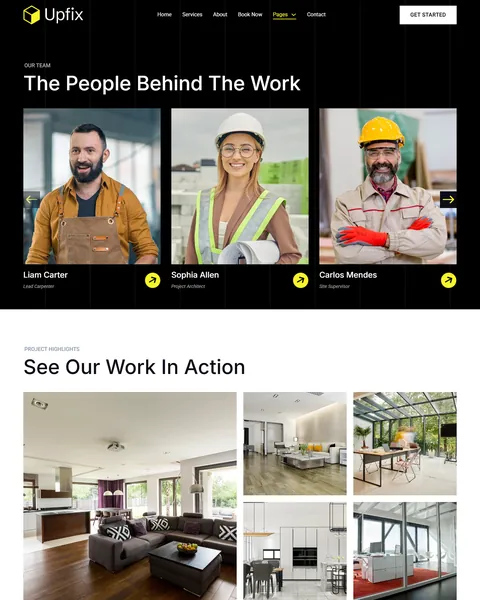

Projects, Case Studies and a Gallery
Renovation clients buy with their eyes, so UpFix gives your work plenty of space. The Projects page shows completed jobs in a large slider with titles and short descriptions. Examples include a modern kitchen with quartz countertops and a bathroom with a walk-in glass shower.
Each Project Details page lists the client, location, property type, service and completion date, then adds a client quote and a “See the Transformation” photo gallery. The Gallery page collects your best interiors in a photo grid with a consultation form below.
Fourteen Services and Detailed Service Pages
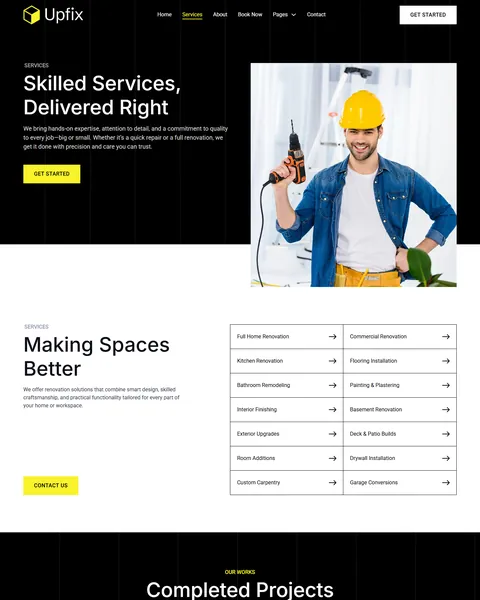
The Services page lists every service in a clean two-column link grid with arrows, from full home renovation and commercial work to drywall, custom carpentry and garage conversions. Short descriptions under “Making Spaces Better” explain your approach.
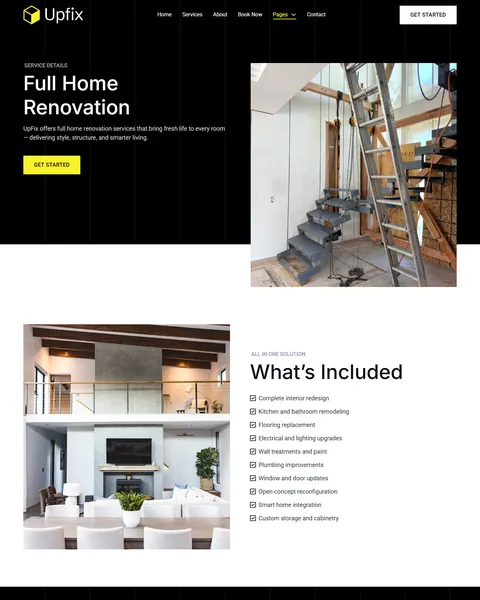
Each Service Details page, shown here for full home renovation, has a large photo, a description and a “What’s Included” checklist. Items such as kitchen and bathroom remodeling, flooring, electrical and lighting upgrades and smart home integration help clients understand the full scope.
Free Consultation Booking and Clear Pricing
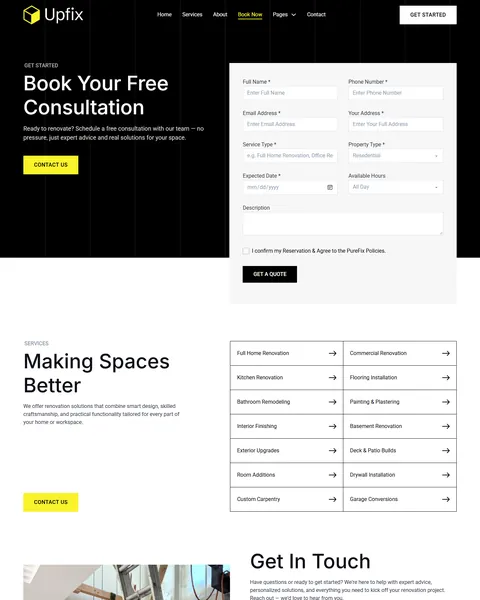
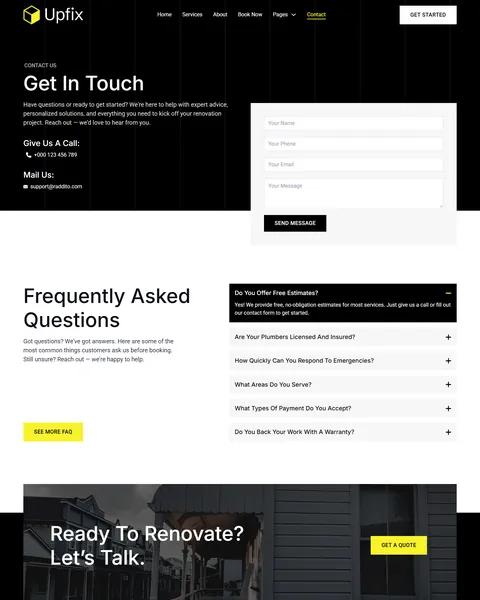
Most renovation projects start with a visit. The Book Now page invites visitors to “Book Your Free Consultation”. Its form asks for name, phone, email, address, service type, property type, preferred date and time of day. The same form also appears on the Gallery and Team Details pages.
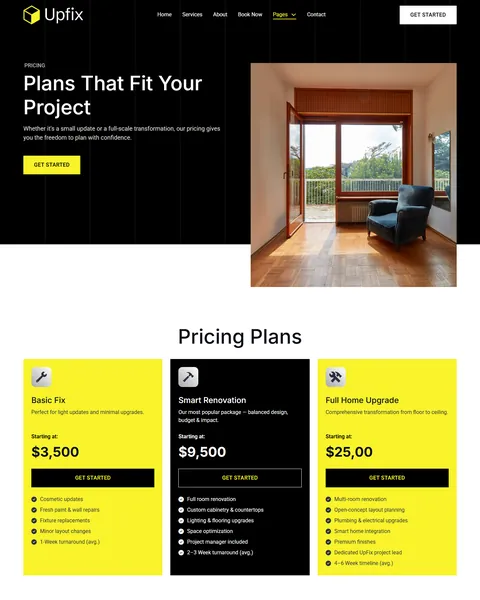
The Pricing page shows three packages with starting prices and average timelines. Basic Fix covers light updates, Smart Renovation a full room and Full Home Upgrade multi-room projects. The FAQ page answers questions in four tabs, from timelines and moving out to quotes, materials and project management.
Team Profiles, Testimonials and Blog
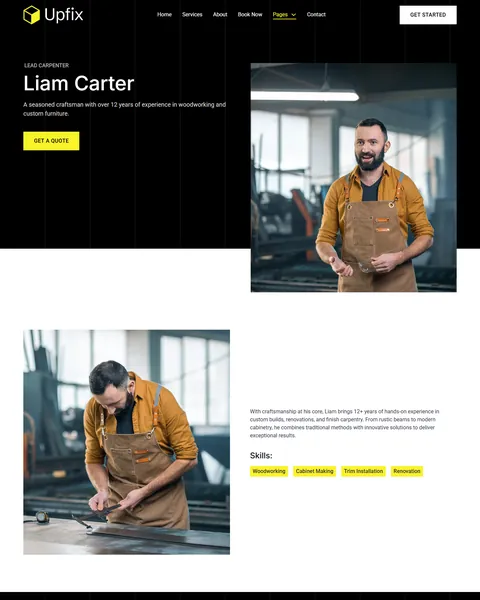
Clients let renovators into their homes, so trust in the people matters. The Team page introduces your crew with portraits and roles. Each Team Details page shows experience, a short story, skills tags and a client quote, here for a lead carpenter.
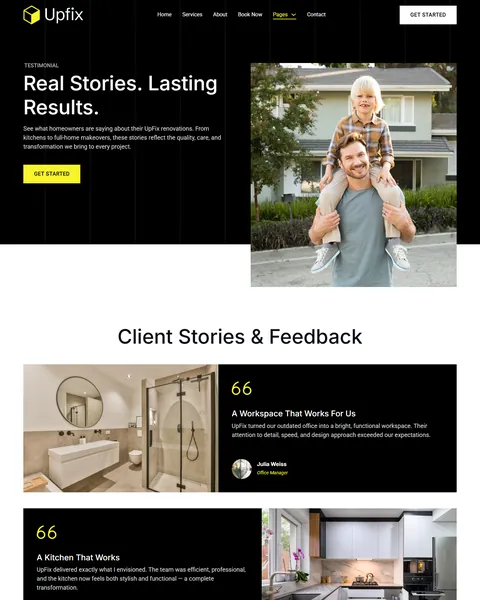
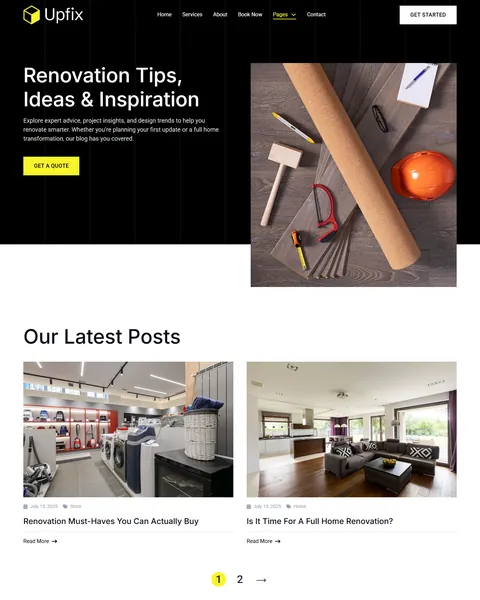
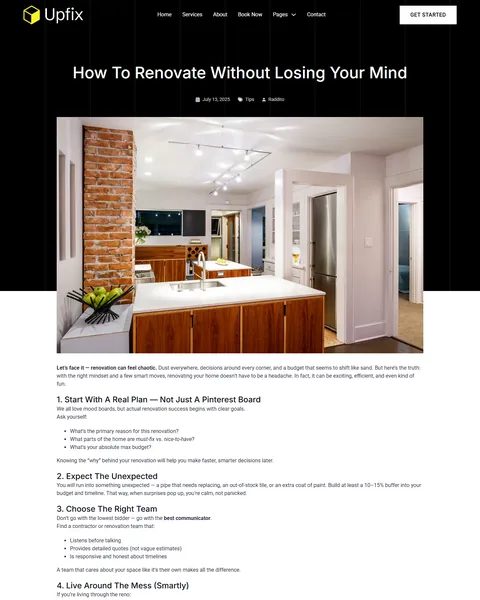
The Testimonials page shares longer client stories with photos. The blog, “Renovation Tips, Ideas & Inspiration”, shows articles in a card grid. Single posts give practical guides a clean reading layout.
Research-Driven Design for Renovation Companies
We looked at how homeowners choose a renovation company. A remodel is a big, personal investment, so they spend time comparing. They want to see finished projects, understand the scope and rough cost, meet the people who will be in their home and read what past clients say. They also want an easy, no-pressure first step. This home renovation Bricks Builder template is designed to answer each of those needs.
Black and electric yellow. Deep black, #0C0E17, frames hero sections and the footer and feels modern and premium. Electric yellow, #F8F32B, marks buttons, pricing cards and highlights, echoing hard hats and safety tape on site.
Inter and Roboto. Large Inter headings are clean and architectural, and Roboto body text keeps service details and prices easy to read.
Interior and on-site photography. Bright finished kitchens, living spaces and craftsmen at work show both the result and the skill behind it. Use your own project photos for the strongest proof.
Proof at every step. Counters, case studies, client stories and team profiles show that you have done this many times before. A homeowner who sees a kitchen like theirs already finished feels far more confident about hiring you.
A low-pressure first step. Free consultation and Get a Quote buttons appear across the site, so ready clients can act without calling. Many people prefer to share details in a form before they talk to anyone.
Mobile friendly. On phones, the menu folds into a toggle, project sliders become swipeable and the booking form stacks into a single column.
What’s Included With the UpFix Bricks Builder Template
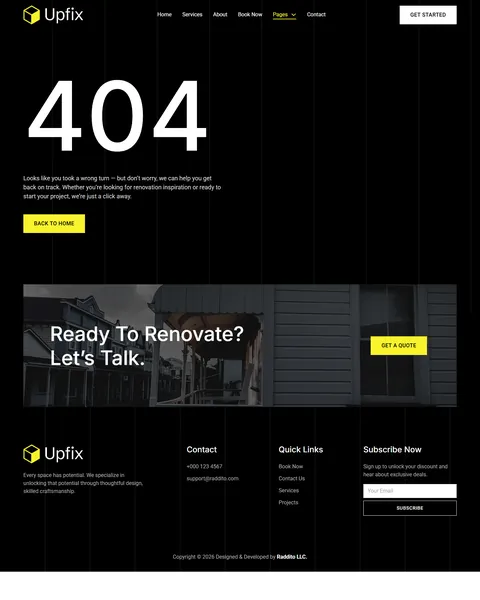
- 20 Bricks templates. Home, About Us, Services, Service Details, Projects, Project Details, Gallery, Team, Team Details, Testimonials, Pricing, Book Now, FAQ, Blog, Blog Details and Contact, plus header, footer, 404 and a hero section.
- JetFormBuilder booking form. The consultation request form, ready to import.
- Theme Style and color palette files. Global typography, buttons and the full UpFix color set.
- READ_ME guide and changelog. Setup steps and the version history.
Need help with the template files? Our product support team can help. If you would rather have the whole website built with your own projects, team and branding, see our done-for-you website service.
How to Import the UpFix Home Renovation Bricks Builder Template
Install and activate JetFormBuilder first, then follow these steps:
- In Bricks > Settings > General, enable custom breakpoints, SVG uploads and smooth scroll (CSS), then save.
- In the builder’s breakpoint settings, set Tablet Portrait to 1025px and Mobile Landscape to 768px.
- Go to Bricks > Templates and import the templates zip file.
- Import the Theme Style and color palette, then set the style condition to the entire website.
- Import the booking form into JetFormBuilder.
The video below walks through a full Bricks site import. It also shows WooCommerce steps, which you can skip because UpFix does not use WooCommerce.
UpFix vs Other Bricks Options for Renovation Websites
Comparing ways to build a renovation site in Bricks? Here is how UpFix compares with other popular options online.
| UpFix | Other popular Bricks template libraries online* | |
|---|---|---|
| Complete renovation company website | Yes, ready to import | No, all three are libraries of sections |
| Project case studies and gallery | Yes | Not as ready pages on any of them |
| Consultation booking form | Yes | Not as ready pages on any of them |
| Team member profile pages | Yes | Not mentioned on any of them |
| Same design also sold for Elementor | Yes | No, not on any of them |
Why renovators choose UpFix:
- Shows your work. Projects, gallery and case studies are ready.
- One free plugin. JetFormBuilder is all you need besides Bricks.
- One payment. $19.90 once, with no yearly plan.
*We compared UpFix with two paid Bricks layout libraries and a free community Bricks template library, each listed on its own website. Details come from each product page on October 26, 2026. Prices and features may change.
More Renovation and Home Service Templates by Raddito
Prefer Elementor? UpFix is also available as a home renovation Elementor template kit with the same look. If you need a one-page site or run a plumbing company, compare these Bricks options.
RevoHome – home renovation Bricks Builder landing page
Best for renovation campaigns and local ads.
Single landing page · No extra plugins · Live Preview
Revixo – kitchen and commercial renovation Bricks Builder landing page
Best for kitchen remodelers and commercial renovators.
Single landing page · No extra plugins · Live Preview
PureFix – plumbing service Bricks Builder template kit
Best for plumbing companies and emergency plumbers.
14 pages · Bricks with JetFormBuilder · Live Preview
Want more choices? Browse our real estate and construction website templates or every WordPress Bricks Builder template we sell.
Frequently Asked Questions
Is UpFix a WordPress theme?
No. UpFix is a home renovation Bricks Builder template, a set of layouts you import into Bricks. Bricks is the theme, and you need your own Bricks license.
Where do consultation requests go?
The booking form is built with JetFormBuilder, so each request is emailed to you and can also be saved as a record in WordPress.
Can I add more projects?
Yes. Duplicate the Project Details page, add your photos, client details and quote, then add a slide to the Projects page.
Do I have to show starting prices?
No. Edit the Pricing page to show “From” ranges, or replace prices with a “Request a quote” button.
Can I use it for roofing or landscaping?
Yes. Swap the services, photos and copy. The layouts suit roofers, landscapers, painters and other home improvement trades.
Can I change the yellow accent color?
Yes. Update the colors in the imported Theme Style and palette, and buttons, pricing cards and highlights change across the site.
Should I replace the sample team, projects and reviews?
Yes, please. The team, projects, prices and client stories are placeholders, so use only your own real details.