


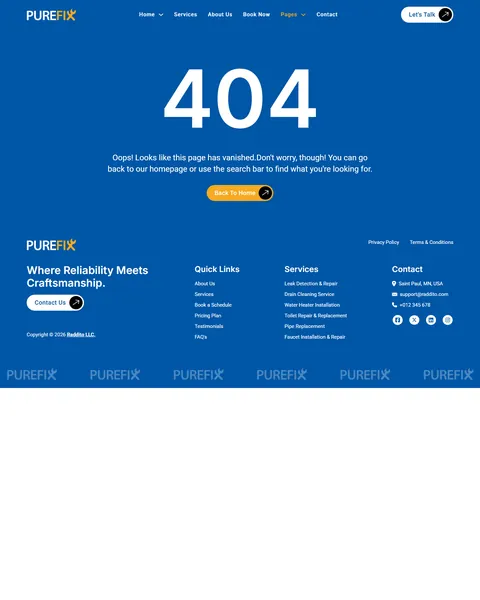
PureFix is a plumbing service Bricks Builder template for WordPress, made for plumbing companies, emergency plumbers, drain and water heater specialists and small renovation contractors. It includes 14 ready pages, such as two homepages, Services, Book Now, Projects, Pricing Plan, FAQ and 404. A header and footer complete the kit.
The demo opens with “Reliable Plumbing Services You Can Count On” beside a plumber in a hard hat at work under a sink. A Get A Free Quote button and two project counters sit below. Bold blue, bright safety orange and clean white give your company a dependable, energetic and professional look.
PureFix needs one free plugin, JetFormBuilder, for its booking form. Bricks itself is a premium theme and is not included.

Quick Template Details
- Template Name: PureFix
- Template Type: Full website template kit
- Required Theme: Bricks (Premium, not included)
- Required Plugin: JetFormBuilder (Free)
- Page Templates: 14, plus header and footer
- Homepage Designs: 2
- Booking Form: JetFormBuilder form file included
- Responsive: Desktop, Tablet, Mobile
- Coding Required: No, one small scroll script is copy and paste
Who Is This Plumbing Service Bricks Builder Template For?
- Local plumbing companies. Eight service cards with starting prices cover drains, water heaters, leaks, toilets, pipes and faucets.
- Emergency plumbers. An emergency service card and phone numbers in the header and footer help urgent callers reach you fast.
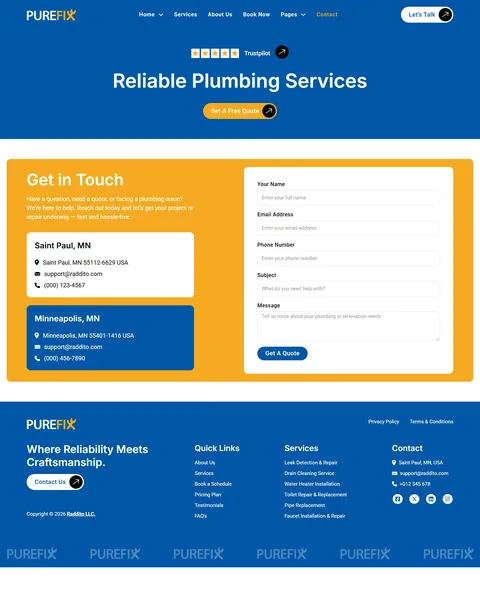
- Plumbers with several locations. The Contact page already shows two offices with their own address, email and phone.
- Plumbing and renovation contractors. Project case studies with cost, duration and process suit bathroom and kitchen remodels.
- Bricks agencies with trade clients. A complete booking-ready trade website you can rebrand for any home service business.
Only need a single page for ads or a local campaign? Our Hydrofix plumbing Bricks Builder landing page is a better fit.
See Every Page in the PureFix Plumbing Service Bricks Builder Template
Fourteen demo pages are below. Click any page to open it in the live demo.
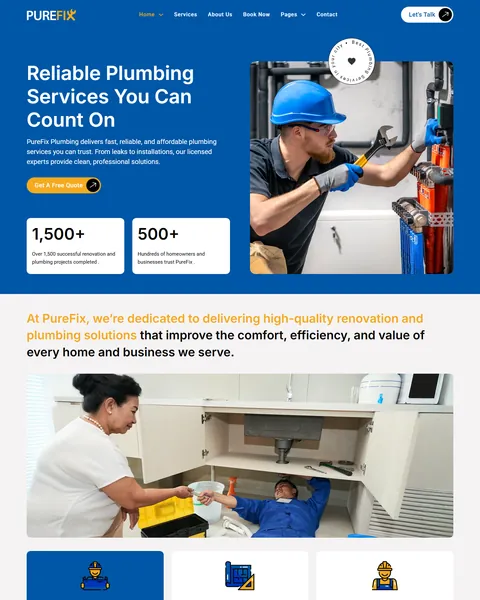
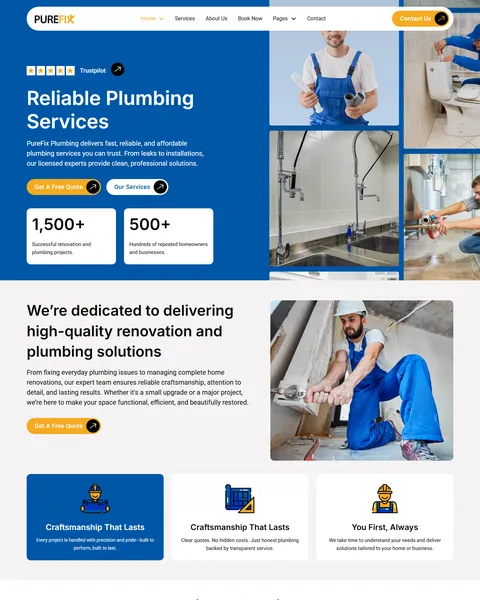
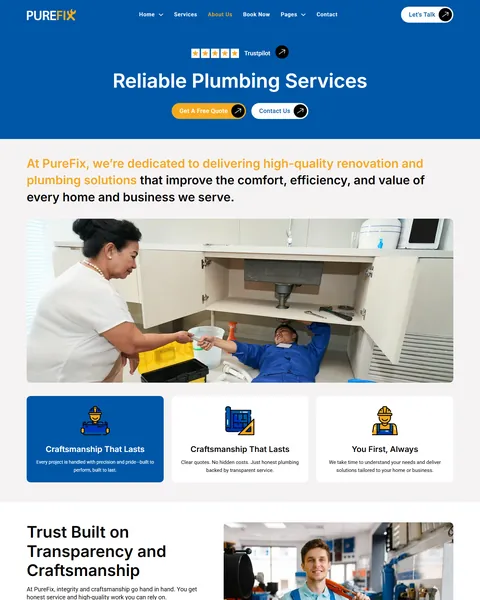

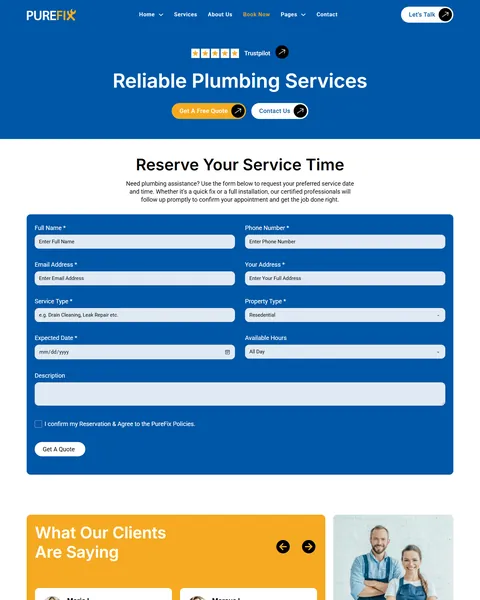
Service Cards With Starting Prices
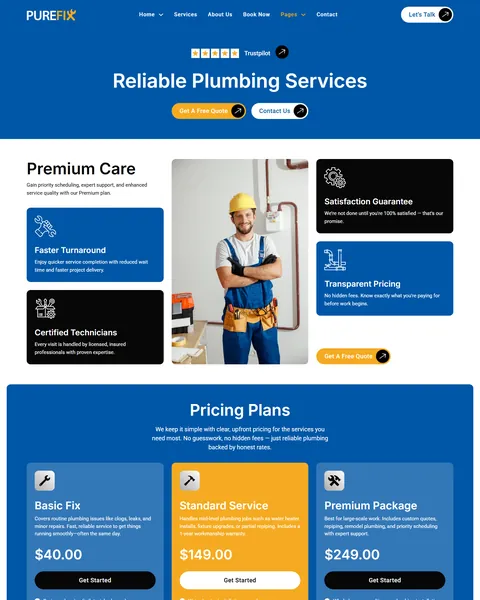
Homeowners want to know what a job will roughly cost before they call. PureFix shows every service with a photo, a short description, a starting price and a Book Now button. Drain cleaning starts at $89, water heater installation at $499 and emergency plumbing at $149 in the demo.
The Pricing Plan page adds three packages, Basic Fix, Standard Service and Premium Package, with clear inclusions. A Premium Care block above the plans highlights faster turnaround, certified technicians, a satisfaction guarantee and transparent pricing.
A Detailed Booking Page
Phone calls are not always convenient, so the Book Now page lets customers request a visit online. The “Reserve Your Service Time” form asks for name, phone, email, address, service type, property type, expected date, preferred time of day and a description.
A confirmation checkbox for your service policies sits above the Get A Quote button. Because the form is built with JetFormBuilder, every request arrives in your inbox and can be stored in WordPress. Client reviews below the form reassure first-time customers.
Projects That Prove Your Work
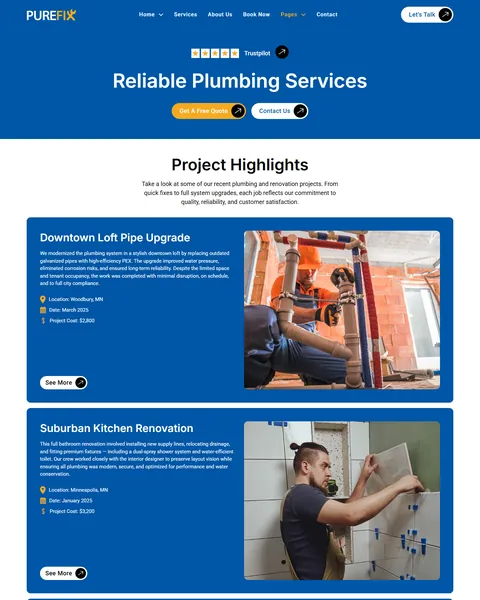
The Project Showcase page lists real-looking jobs such as a downtown loft pipe upgrade and a suburban bathroom renovation. Each card shows the location, date and project cost with a See More link.
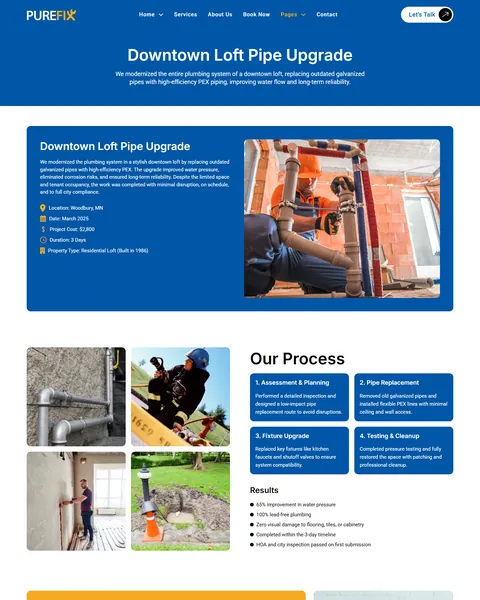
The Project Details page tells one story in full, with a summary, location, date, cost, duration and property type. A four-step process then runs from assessment and planning to testing and cleanup. A photo gallery and a results list close the case study and show the value of your work.
Two Homepages, About, Testimonials and FAQ
The main homepage leads with the hero and counters, then three values, the service grid, four “Why Choose Us” reasons, project highlights, pricing, reviews and an FAQ preview. Home V2 uses a white header and a tighter layout with a photo collage, which suits companies that want a lighter feel.
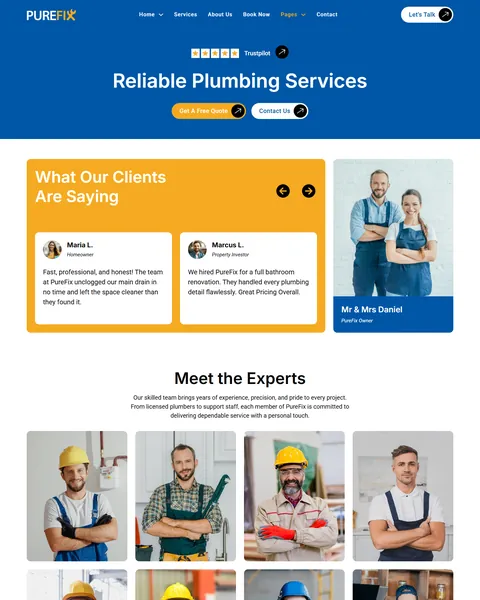
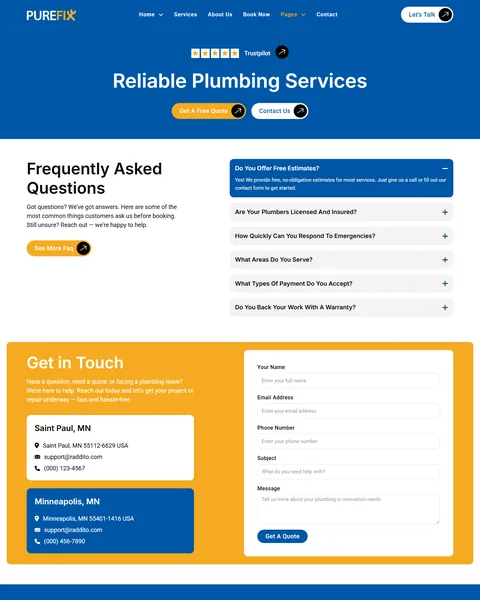
The About page introduces your team with eight expert cards, and the Testimonials page combines customer reviews with the owners’ photo. The FAQ page answers questions on free estimates, licensing, emergency response, service areas, payments and warranties.
Research-Driven Design for Plumbing Companies
We looked at how people choose a plumber online. Most are dealing with an urgent or stressful problem. They want to know you can come soon, that you are licensed, roughly what it will cost and that past customers were happy. They often call the first company that answers those questions clearly. This plumbing service Bricks Builder template is designed to give those answers on every page.
Blue and safety orange. A strong blue, #0056A6, fills the header area, footer and key sections. Blue suggests water and reliability. Safety orange, #F5AA21, marks quote buttons and highlights, like the high-visibility gear plumbers wear on site.
Inter and Roboto. Bold Inter headings are clear and confident, and Roboto body text keeps service details easy to scan on any phone.
Real trade photography. Plumbers at work under sinks, fixing pipes and installing fixtures show competence in action. Replace them with photos of your own crew and vans for even more trust.
Prices and proof. Starting prices, project costs, counters, reviews and a Trustpilot rating strip remove doubt before the first call. Homeowners compare several plumbers, and the one with clear proof usually gets the job.
Quotes everywhere. A Let’s Talk button stays in the header, and Get A Free Quote and Book Now buttons appear throughout every page. A worried customer never has to scroll back up to find a way to reach you.
Mobile friendly. On phones, the menu folds into a toggle, service cards stack into one column and the booking form stays easy to fill in.
What’s Included With the PureFix Bricks Builder Template
- 16 Bricks templates. Home, Home V2, About Us, Services, Book Now, Project Showcase, Project Details, Pricing, Testimonials, FAQ, Blog, Blog Details and Contact, plus header, footer and 404.
- JetFormBuilder booking form. The service request form, ready to import.
- Scroll script. A short script for the moving image effect, pasted into Bricks custom code.
- Theme Style and color palette files. Global typography, buttons and the full PureFix color set.
- READ_ME guide and changelog. Setup steps and the version history, with the latest update on October 4, 2025.
Need help with the template files? Our product support team can help. If you would rather have the whole website built with your own services, team and branding, see our done-for-you website service.
How to Import the PureFix Plumbing Service Bricks Builder Template
Install and activate JetFormBuilder first, then follow these steps:
- In Bricks > Settings > General, enable custom breakpoints, SVG uploads and smooth scroll (CSS), then save.
- In the builder’s breakpoint settings, set Tablet Portrait to 1025px and Mobile Landscape to 768px.
- Go to Bricks > Templates and import the templates zip file.
- Import the Theme Style and color palette, then set the style condition to the entire website.
- Import the booking form into JetFormBuilder and paste the included script into Bricks > Settings > Custom Code.
The video below walks through a full Bricks site import. It also shows WooCommerce steps, which you can skip because PureFix does not use WooCommerce.
PureFix vs Other Bricks Options for Plumbing Websites
Comparing ways to build a plumbing site in Bricks? Here is how PureFix compares with other popular options online.
| PureFix | Other popular Bricks template libraries online* | |
|---|---|---|
| Complete plumbing company website | Yes, ready to import | No, all three are libraries of sections |
| Online booking page with service request form | Yes | Not as ready pages on any of them |
| Project case studies with cost and process | Yes | Not mentioned on any of them |
| Two homepage designs | Yes | Not mentioned on any of them |
| Same design also sold for Elementor | Yes | No, not on any of them |
Why plumbers choose PureFix:
- Built for bookings. Prices, a booking form and quote buttons are ready.
- One free plugin. JetFormBuilder is all you need besides Bricks.
- One payment. $19.90 once, with no yearly plan.
*We compared PureFix with two paid Bricks layout libraries and a free community Bricks template library, each listed on its own website. Details come from each product page on October 26, 2026. Prices and features may change.
More Plumbing and Home Service Templates by Raddito
Prefer Elementor? PureFix is also available as a plumbing service Elementor template kit with the same look. If you need a one-page site or run a renovation company, compare these Bricks options.
Hydrofix – plumbing repair Bricks Builder landing page
Best for leak repair and water heater services.
Single landing page · No extra plugins · Live Preview
Wrenchly – emergency plumber Bricks Builder landing page
Best for emergency repair and home maintenance plumbers.
Single landing page · No extra plugins · Live Preview
UpFix – home renovation Bricks Builder template kit
Best for remodeling and renovation contractors.
17 pages · Bricks with JetFormBuilder · Live Preview
Want more choices? Browse our business service website templates or every WordPress Bricks Builder template we sell.
Frequently Asked Questions
Is PureFix a WordPress theme?
No. PureFix is a plumbing service Bricks Builder template, a set of layouts you import into Bricks. Bricks is the theme, and you need your own Bricks license.
Where do booking requests go?
The booking form is built with JetFormBuilder, so each request is emailed to you and can also be saved as a form record in WordPress.
Can I connect a scheduling tool?
Yes. Link the Book Now buttons to tools like Calendly or your field service software, or keep the included form for simple requests.
Do I have to show prices?
No. Change the starting prices to “Call for a quote”, or remove the price labels from the service cards and Pricing Plan page.
Can I use it for other trades?
Yes. Swap the services and photos to suit electricians, HVAC technicians, handymen or roofers. The layouts work for any home service business.
What is the included script for?
It adds a gentle moving effect to some images as visitors scroll. Paste it into Bricks custom code, or skip it if you prefer static images.
Should I replace the sample team, projects and reviews?
Yes, please. The team, projects, prices, ratings and reviews are placeholders, so use only your own real details.