


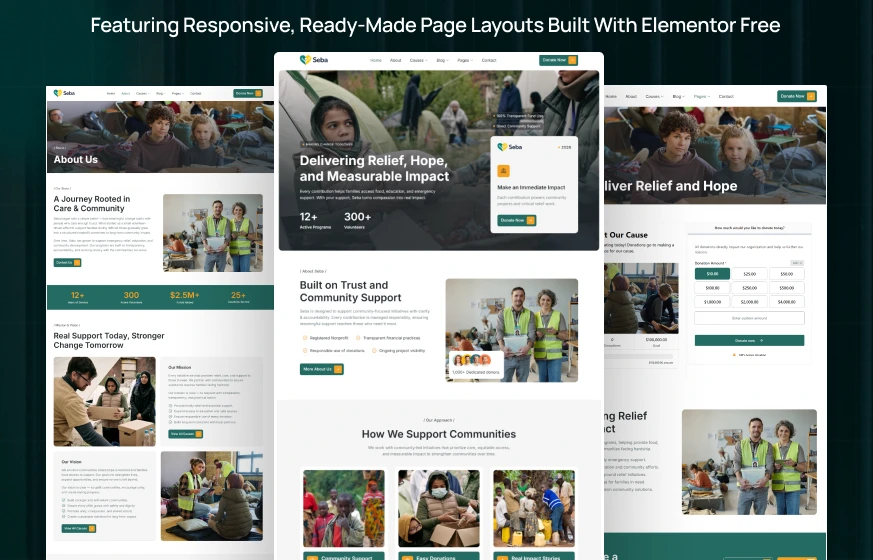
Seba is a charity Elementor template kit for WordPress, built for nonprofits, NGOs and relief organizations that raise money online. It comes with 12 ready pages, including Our Causes, Cause Details, Donation, Volunteer and Gallery.
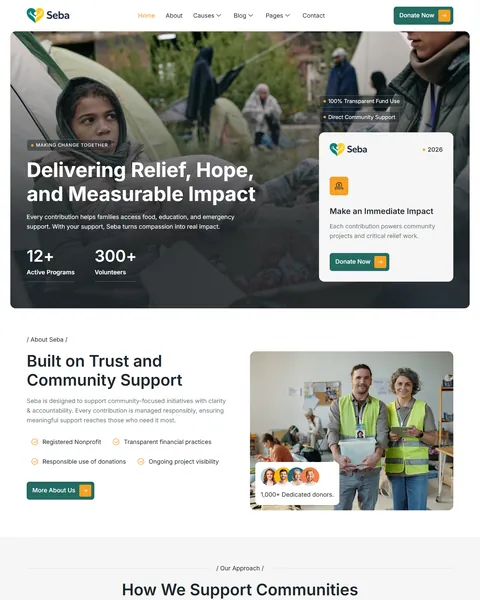
The demo opens with a full-width photo, impact numbers and a “Make an Immediate Impact” card with a Donate Now button. Deep teal and warm amber give the site a calm, trustworthy feel, and the amber buttons make giving easy to find.
Only free plugins are needed to run it: Elementor, ElementsKit Lite, Jeg Kit for Elementor and MetForm. There is no Elementor Pro to buy, and we handle the setup for you at no charge.
Quick Template Details
- Template Name: Seba
- Required Theme: Hello Elementor (Free)
- Elementor Pro Required: No
- Premium Plugins Required: No
- Page Templates: 12
- Forms: MetForm
- Responsive: Desktop, Tablet, Mobile
- Coding Required: No
Who Is This Nonprofit Website Template For?
- Charities and NGOs with several causes. The Our Causes page holds six causes, and each one opens its own details page.
- Relief and humanitarian groups. Emergency relief, clean water, food supplies and shelter are already part of the demo content.
- Volunteer-driven organizations. A Volunteer page profiles your helpers, and a “Join as Volunteer” button appears at the bottom of every page.
- Community foundations and local nonprofits that want to show donors exactly how their money is used.
Running a single fundraising campaign rather than a full organization site? Our HopeUnit charity Elementor landing page is built for that.
See Every Page in the Seba Charity Template
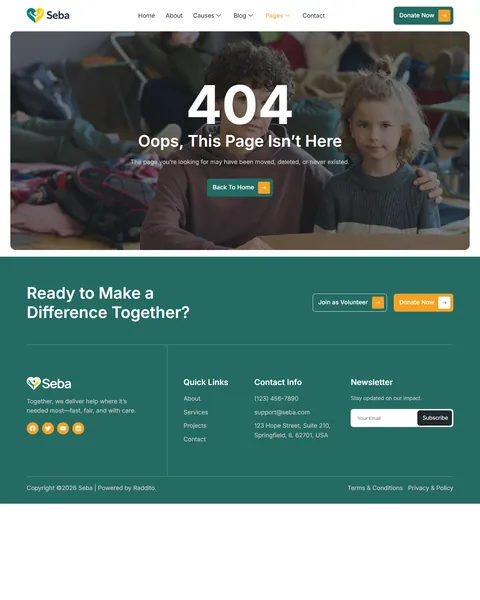
Here are all 12 pages. Click any page to explore it in the live demo.
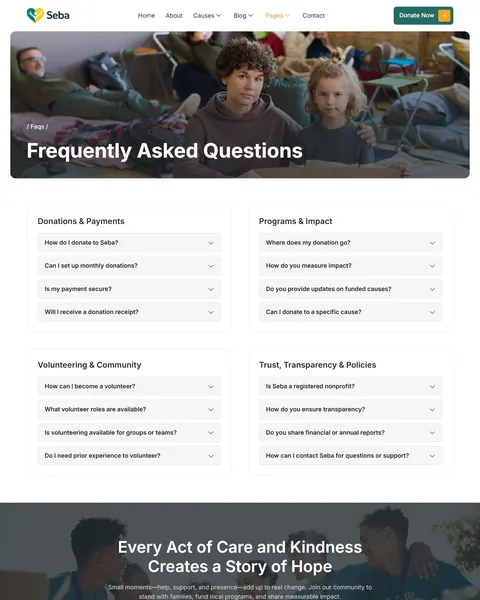
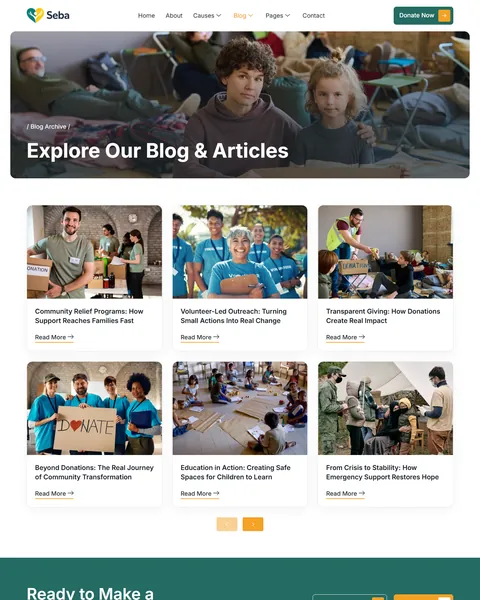
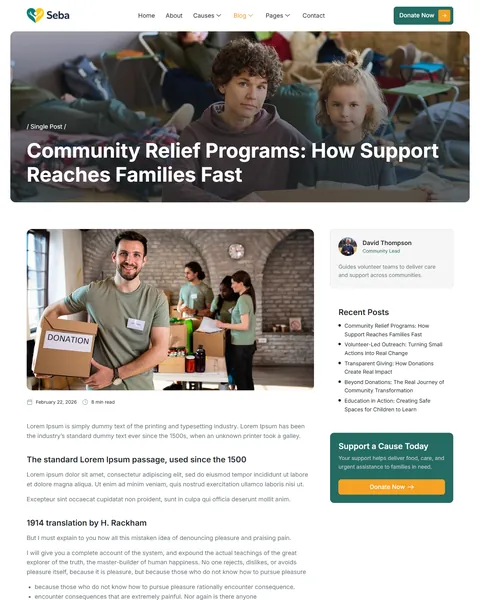
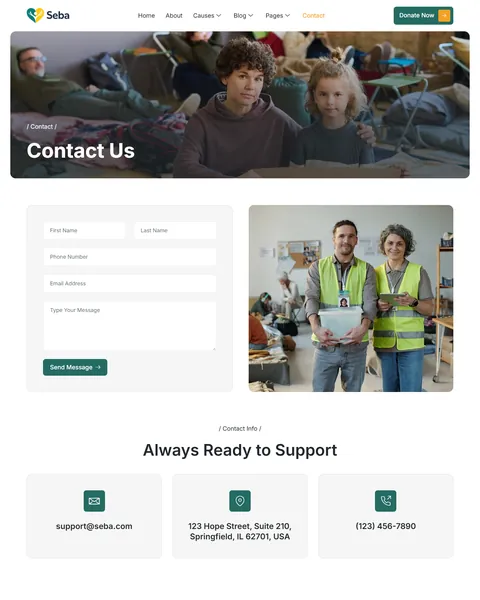
Causes and Cause Detail Pages That Show Where Money Goes
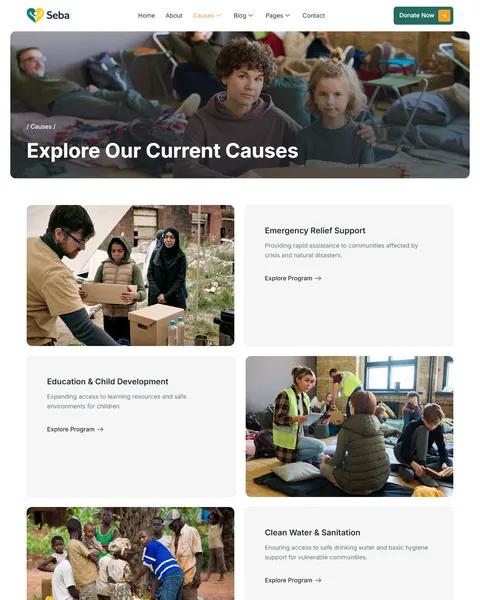
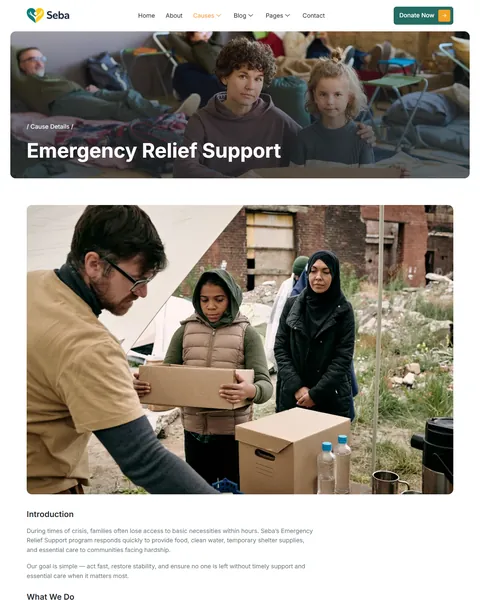
Donors want to know what their gift will fund before they give. Seba answers that with an Our Causes page of six cards. They cover Emergency Relief Support, Education & Child Development, Clean Water & Sanitation, Food & Essential Supplies, Healthcare & Medical Support, and Disaster Recovery & Shelter.
Every card links to a Cause Details page. The demo walks through one cause in five parts: Introduction, What We Do, Elements of Support, Our Approach and Conclusion. Copy that page for each program you run, and your supporters get a full picture of every campaign.
Donation Buttons Where Supporters Decide
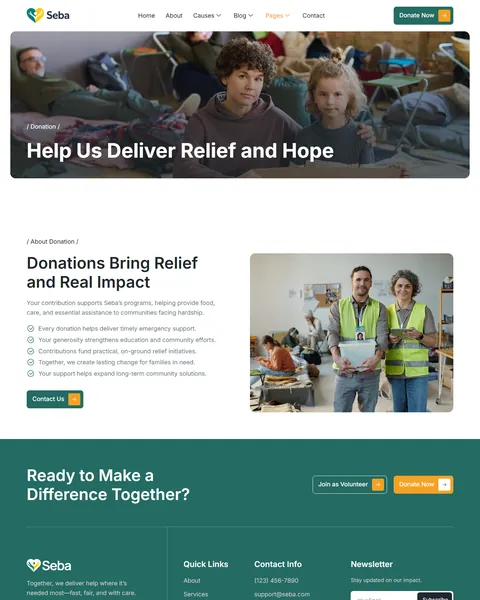
A donor who is ready to give should never have to search for the button. Seba places Donate Now in the header and on a donation card right in the hero. Every page then ends with a teal band that asks “Ready to Make a Difference Together?” and offers both Donate Now and Join as Volunteer.
The Donation page explains why giving matters, with a checklist of what each gift supports. Blog posts carry a “Support a Cause Today” box in the sidebar, so readers can move from a story straight to a donation.
Volunteer, Team and Gallery Pages
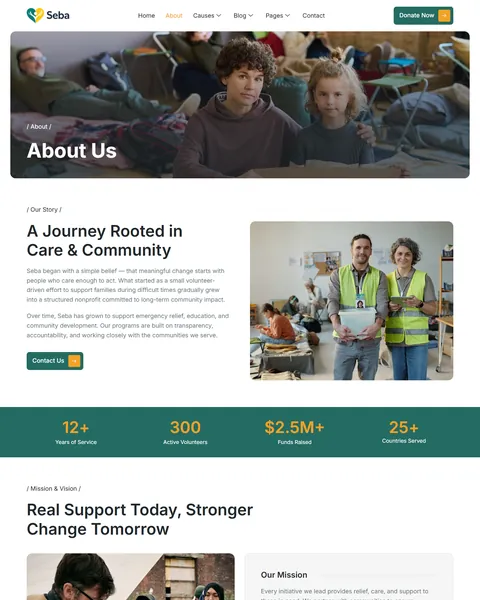
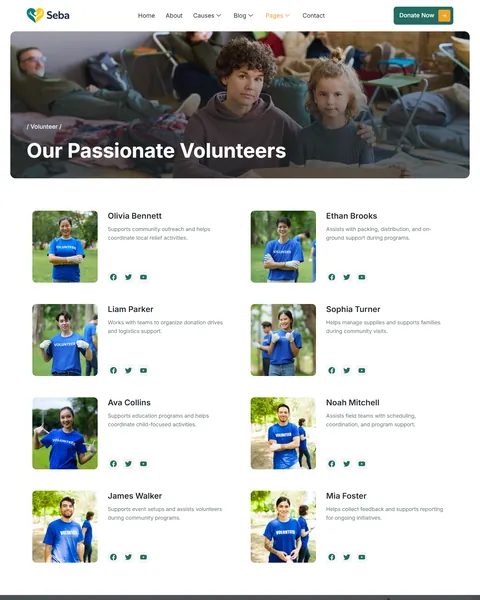
People give to people. The Volunteer page shows eight volunteers, each with a photo, a short role description and social links. On the About page, a team section introduces four staff members behind the organization.
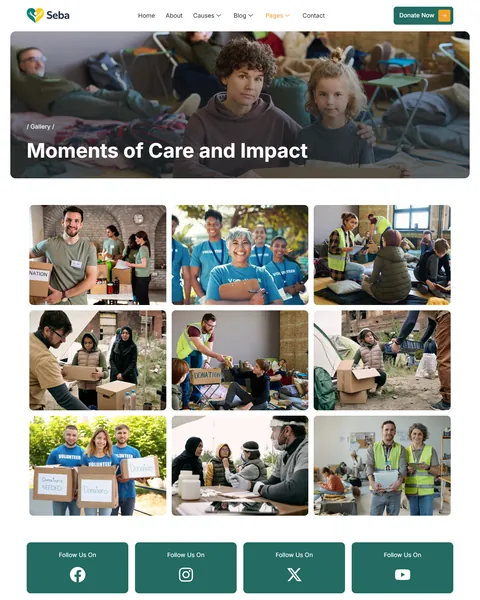
The Gallery page is a 12-photo grid of outreach work, with social follow buttons underneath. It gives supporters a visual record of what your team does in the field, which is often more convincing than any paragraph.
Trust and Transparency Built Into the Homepage
Nonprofits live on trust, so Seba puts proof up front. The homepage About section lists four promises: Registered Nonprofit, Transparent financial practices, Responsible use of donations and Ongoing project visibility. Next to it, a row of donor photos marks 1,000+ dedicated donors.
A four-step section, from Needs & Planning to Tracking & Reporting, explains how a gift turns into results. The About page adds impact numbers such as $2.5M+ raised and 25+ countries served. A full FAQ page groups questions into Donations & Payments, Programs & Impact, Volunteering & Community, and Trust, Transparency & Policies.
Research-Driven Design for Nonprofit & Charity Organizations
Before designing Seba, we looked at what makes people donate online. They give when they trust the organization, believe the need is real and can act quickly. Each part of the design supports one of those three things.
Teal for trust, amber for action. The main color is a deep teal, a shade linked with stability and growth. It colors the header buttons, the closing band and the impact bar. Warm amber is kept mostly for donation buttons, so the most important action stands out on every page. Light gray sections keep long pages easy to scan.
Large, clear type. Seba uses Inter throughout, a plain font built for screens. Headlines run up to 60px and body text sits at 18px, a little bigger than usual. That makes the site comfortable for every donor, including older supporters who often read on small phones.
Real photos of real work. The demo uses documentary-style photos of volunteers handing out supplies and of families receiving help. These images show the impact in a way stock icons cannot. Swap them for your own field photos to make the story even more personal.
No dead ends. Numbers and a donation card come first, followed by trust badges, causes, process steps, stories and articles. Because every page closes with the same donate and volunteer band, a visitor who scrolls to the bottom always has a next step.
Short forms. The contact form asks for five things: first name, last name, phone, email and a message. The newsletter needs only an email. Fewer fields mean more people finish the form.
Ready for mobile. On phones, the menu folds into one button, the headline scales down to fit and every section stacks into a single column with no sideways scrolling.
Free Installation for This Charity Elementor Template Kit
We install Seba on your WordPress site for free and set it up exactly like the demo. Every plugin it needs is free, so the setup costs you nothing.
The demo photos come from Envato and are not included, so plan to add your own images or license them. Adding your content and connecting a donation payment tool are not part of the free installation. If you would rather hand over the whole project, see our done-for-you website service.
How to Install the Seba Charity Template Kit
Want to set it up yourself? This step-by-step video shows how to import the kit and install the plugins.
Seba vs Other Charity Elementor Template Kits
Comparing charity and nonprofit kits? Here is how Seba measures up against other popular options online.
| Seba | Other popular charity kits online* | |
|---|---|---|
| Cost to get started | $19.90 one-time | $24 one-time on both |
| Free installation | Yes, included | No, not listed on either |
| Donation, Causes and Gallery pages | Yes, all three | Not listed on either |
| Separate Cause Details page | Yes | Not listed on either |
| Last updated | Recently updated | June 2023, or not listed |
Why nonprofits choose Seba:
- Built for fundraising. Causes, cause details and a donation page work together to turn visitors into donors.
- Lower price, free setup. It costs less than the others and is the only one here we install for you.
- Kept up to date. We refresh our kits regularly, while one alternative has not changed since 2023.
*We compared Seba with two popular charity Elementor template kits that appear on Google’s first page, sold on ThemeForest and Kitpixel. Details come from each product page on October 24, 2026. Prices and features may change.
More Nonprofit and Event Templates by Raddito
Seba is our full charity website kit. If you need just a campaign page, use a different builder or run fundraising events, these templates may suit you better.
HopeUnit – charity Elementor landing page
Best for a single donation campaign or appeal.
Single landing page · Needs Elementor Pro · Live Preview
HopeUnit – charity Bricks Builder landing page
Best for nonprofits whose website runs on Bricks instead of Elementor.
Single landing page · Built for Bricks Builder · Live Preview
Inconfe – conference and event Elementor template kit
Best for charity galas, fundraising events and community conferences.
11 pages · Works with Elementor Free · Live Preview
Looking for something else? See our nonprofit and religious website templates or every WordPress Elementor template kit in the library.
Frequently Asked Questions
Is Seba a WordPress theme?
No. Seba is a charity Elementor template kit, which means it is a set of ready pages you import into Elementor. It runs on the free Hello Elementor theme.
Do I need Elementor Pro to use Seba?
No. Seba works with Elementor Free together with three other free plugins: ElementsKit Lite, Jeg Kit for Elementor and MetForm.
Can I accept online donations with Seba?
The Donate Now buttons and the Donation page are ready, but payments are not built in. To collect donations, add a donation plugin such as the free GiveWP and place its form on the Donation page.
Can I add more causes than the six in the demo?
Yes. Duplicate a cause card on the Our Causes page and copy the Cause Details page for the new program. There is no limit on how many causes you show.
Can volunteers sign up through the website?
The “Join as Volunteer” button leads to your Volunteer page. To collect applications, build a short sign-up form with MetForm, which is already part of the kit.
Will Seba work for a church or faith-based charity?
Yes. Replace the causes, photos and wording with your own ministries and outreach programs. The donation, volunteer and gallery pages fit faith-based organizations just as well.
Is the installation really free?
Yes. We install Seba exactly like the demo at no cost. Adding your own text, photos and donation tools is up to you, or our Done For You service can build the complete site.