


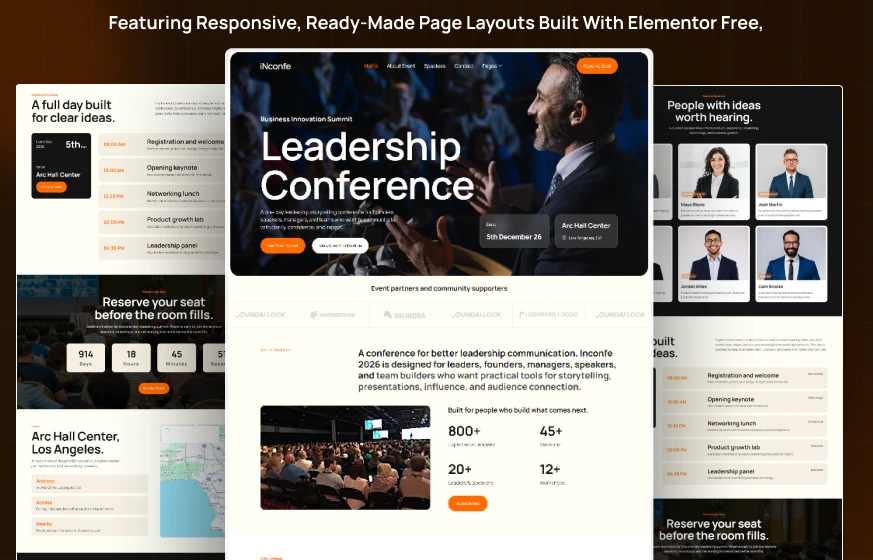
Inconfe is a conference Elementor template kit for WordPress, designed for business summits, leadership conferences, seminars and one-day industry events that sell tickets and attract sponsors. It includes 11 page templates, including About Event, Speakers, Schedule, Tickets, Sponsors, FAQs and Contact.
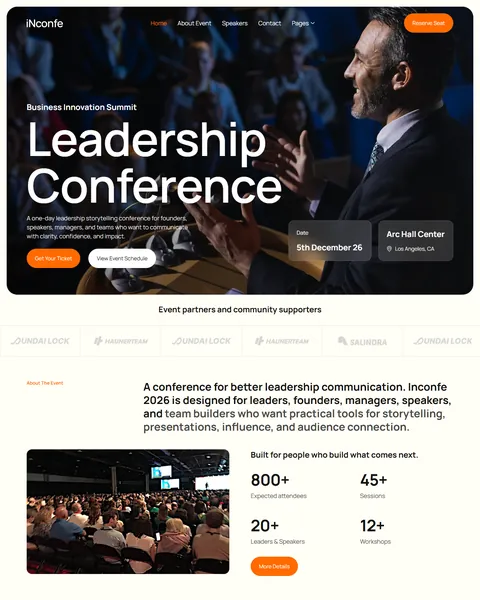
The demo opens on a dark stage photo with the headline “Leadership Conference”, plus Get Your Ticket and View Event Schedule buttons. A date and venue card shows when and where the event happens. Deep black, bright orange and warm cream give your event a bold, energetic and premium look.
Inconfe runs on free plugins only: Elementor, ElementsKit Lite, Jeg Kit for Elementor and MetForm. No Elementor Pro is needed, and our team installs it for you at no cost.
Quick Template Details
- Template Name: Inconfe
- Required Theme: Hello Elementor (Free)
- Elementor Pro Required: No
- Premium Plugins Required: No
- Page Templates: 11
- Forms: MetForm
- Responsive: Desktop, Tablet, Mobile
- Coding Required: No
Who Is This Conference Website Template For?
- Business and leadership summits. Keynotes, founder panels, workshops and networking breaks are ready to promote.
- Industry conferences and expos. Sponsor tiers, partner logos and booth options help you sell exhibitor space.
- Seminars and one-day workshops. A timed schedule shows every session, room and break.
- Tech and startup events. Speakers include product leaders, founders and an AI advisor, with a product growth lab on the agenda.
- Event organizers and associations. Ticket passes for individuals and teams suit member and corporate audiences, and a sponsor deck request is built in.
Planning weddings and private celebrations instead? Our Marvio wedding planner Elementor landing page is a better fit.
See Every Page in the Inconfe Conference Template
Click any page below to open it in the live demo.
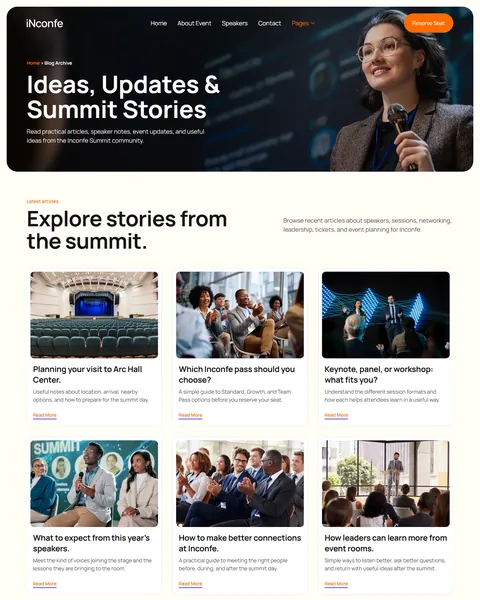
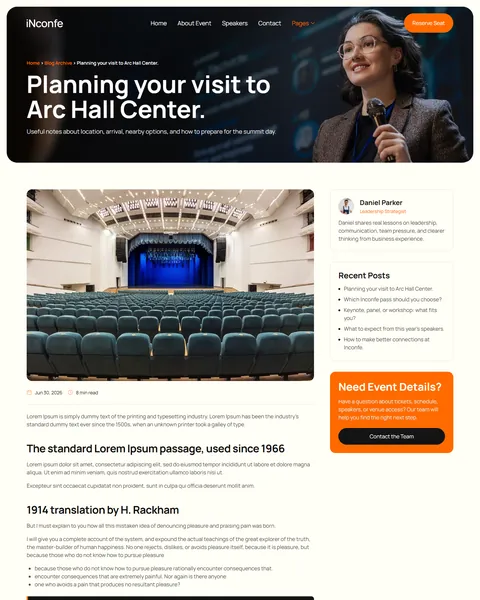
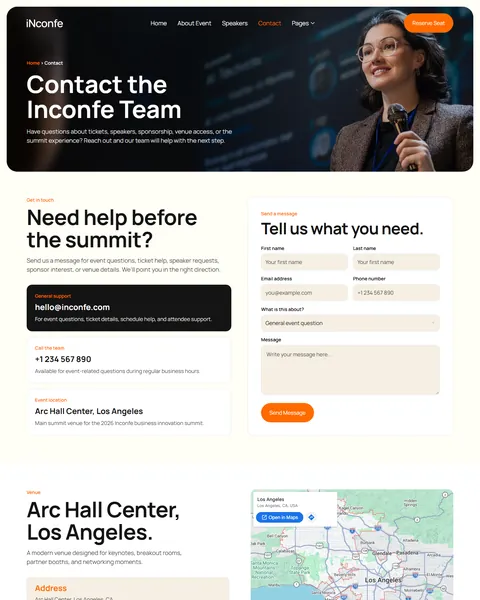
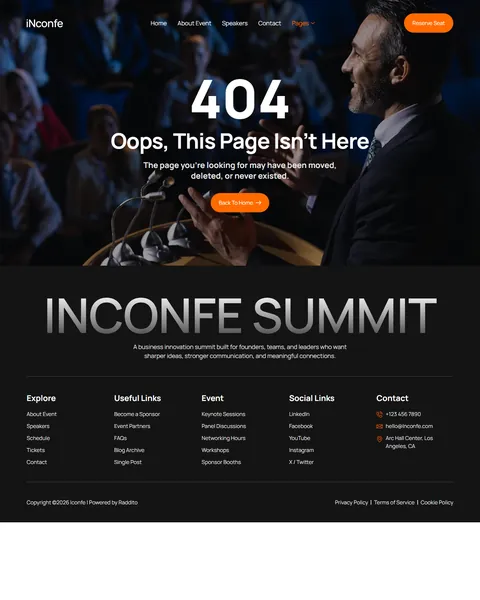
Speakers and a Schedule That Sell the Event
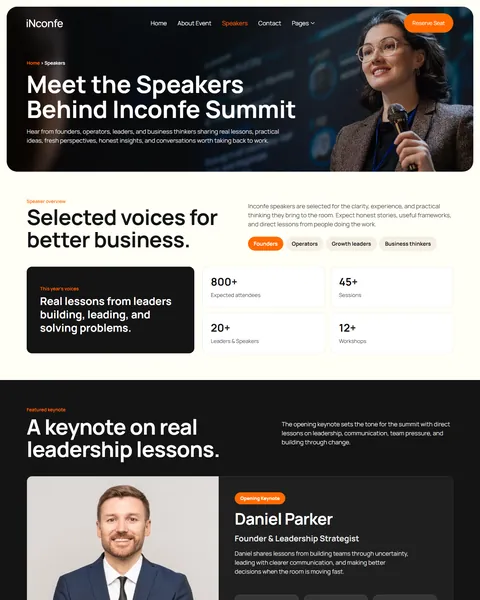
People buy conference tickets for the speakers. The Speakers page opens with a featured keynote card showing the speaker’s topic, time, room and format. Six speaker profiles follow, each with a session label like “Opening keynote” or “Product lab” and a short bio. An “Apply to Speak” section invites new voices to pitch a talk.
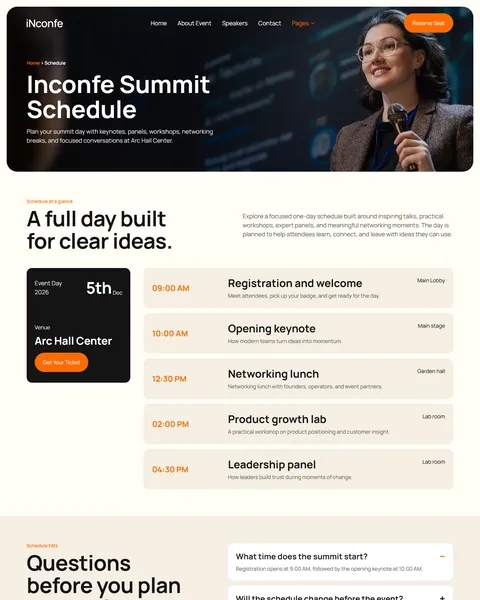
The Schedule page lays out the day hour by hour, from registration at 9:00 AM to the closing leadership panel. Each slot shows the time, session title, a one-line summary and the room. A schedule FAQ answers start times, changes, workshop access and networking breaks.
A Tickets Page With Passes and a Countdown
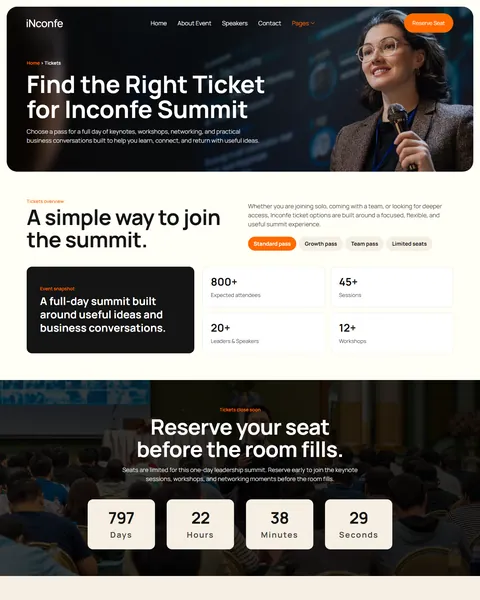
The Tickets page presents three passes: Standard at $49, Growth at $129 marked “Most popular”, and Team at $390 for groups. Each card lists what is included, such as VIP seating, speaker Q&A, recordings or invoice support.
A live countdown shows the days, hours, minutes and seconds left before tickets close, which creates real urgency. The same countdown also appears on the homepage. “What is included” cards, a team pass section and a ticket FAQ follow. Every Get Your Ticket button can link to your ticketing platform or a WooCommerce product.
A Sponsors Page That Brings in Revenue
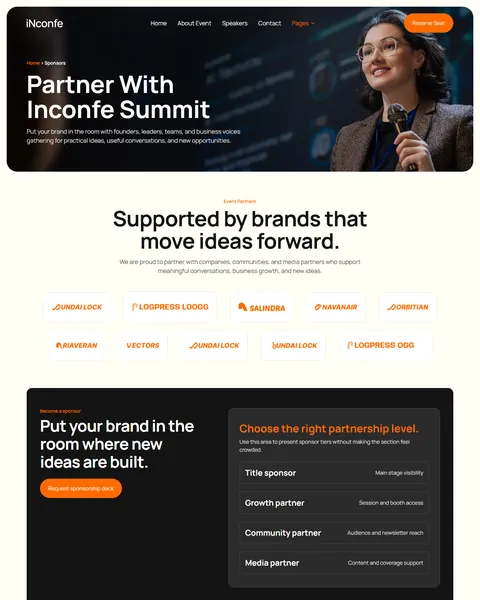
Sponsors often fund a large share of an event. The Sponsors page shows partner logos, then four partnership levels from title sponsor to media partner. Three sponsor packages follow, Support Partner, Growth Partner and Stage Partner, each with clear benefits like logo placement, booth options and team passes.
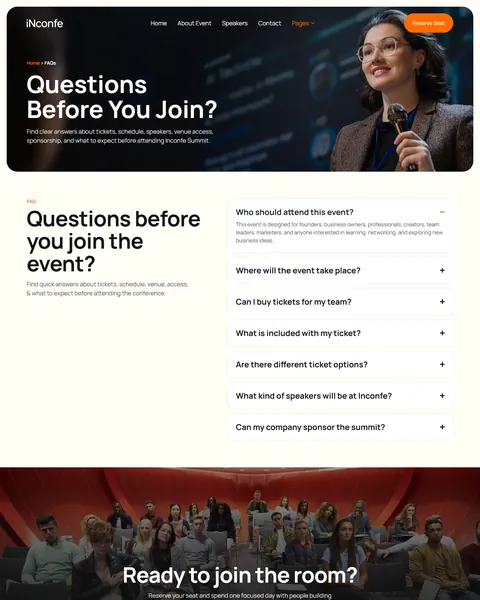
A sponsor FAQ covers who can sponsor, what packages include, booth availability, passes and how to apply. A “Request sponsorship deck” button and “Join as Sponsor” calls to action on other pages keep partners moving toward a conversation. Sponsors can also pick “Sponsorship or partnership” in the contact form menu.
Homepage, About, Blog and Contact
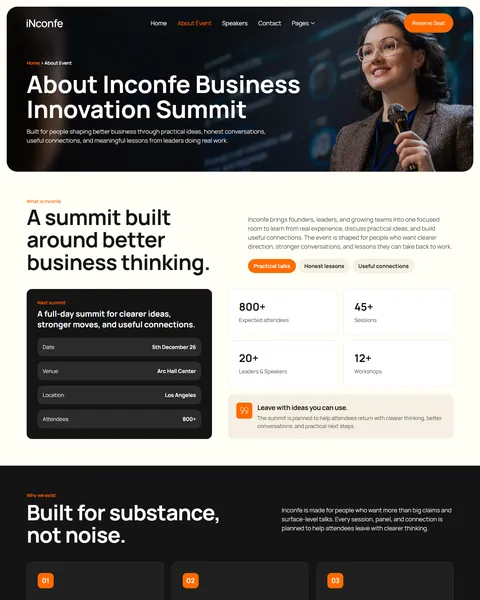
The homepage brings the whole event together: partner logos, attendee and session counters, four reasons to attend, featured speakers and the schedule. Ticket passes, venue details, attendee reviews, sponsor tiers and FAQs follow. The About Event page explains your mission, event format and six values, with a quote from your story.
The blog shares event articles, such as which pass to choose and how to network at the summit, and each post has an author box and recent posts. The Contact page offers a form with a topic menu for tickets, sponsorship, speaking or venue questions, plus email, phone, venue details and a map.
Research-Driven Design for Conferences & Business Events
We looked at how people decide to attend a conference. They check who is speaking, what the day looks like, where it is and how much it costs, often all in one visit. Sponsors look for audience size, visibility options and a simple way to get in touch. This conference Elementor template kit is designed to answer every one of those questions fast and turn interest into registrations.
Black, orange and cream. Dark stage photos and black sections feel dramatic and premium, like the moment before a keynote starts. Bright orange buttons stand out clearly against the dark photos on every page, and warm cream sections keep long pages calm and readable.
Bold, modern type. Inconfe uses Manrope throughout, with large, confident headlines. It feels contemporary and businesslike, which suits leadership and industry events. Clean numbers in the schedule and ticket cards stay easy to scan.
Stage-first photography. Photos show speakers with microphones, full auditoriums and networking crowds, so visitors can picture themselves in the room. Every inner page opens with the same speaker banner for a consistent event brand.
Urgency built in. A countdown timer and “Tickets close soon” messages encourage early registration without feeling pushy or cheap.
Two audiences, one site. Clear paths for attendees and sponsors appear side by side, so every visitor finds their next step. “Reserve Your Seat” and “Join as Sponsor” buttons close most pages.
Mobile friendly. On phones, the menu folds into a toggle, headlines scale down and every section stacks without sideways scrolling.
Free Installation for This Conference Elementor Template Kit
We install Inconfe on your WordPress site free of charge, set up exactly like the demo. Every plugin it uses is free, so there is nothing more to buy.
The demo photos are placeholders and are not included. Adding your own speakers, schedule, prices and sponsors, or connecting a ticketing platform or payment gateway, is not part of the free installation. If you want the full site built for you, see our done-for-you website service.
How to Install the Inconfe Conference Template Kit
Prefer to set it up yourself? This video shows each step of the import.
Inconfe vs Other Conference Elementor Template Kits
Comparing event templates? Here is how Inconfe compares with other popular conference kits online.
| Inconfe | Other popular conference kits online* | |
|---|---|---|
| Free installation | Yes, included | No, not listed on any of them |
| Works without Elementor Pro | Yes | No, 2 of 3 need it |
| Ticket countdown timer | Yes | Not listed on any of them |
| Separate FAQs for tickets, schedule and sponsors | Yes | Not listed on any of them |
Why event organizers choose Inconfe:
- Built for conferences. Speakers, schedule, tickets and sponsors are ready.
- Made to sell seats. Passes, a countdown and clear calls to action drive registrations.
- Free plugins, free setup. Nothing extra to buy, installed for you.
*We compared Inconfe with three popular conference Elementor template kits that appear on Google’s first page, sold on ThemeForest, Envato Elements and an independent template shop. Details come from each product page on October 24, 2026. Prices and features may change.
More Event and Business Templates by Raddito
Inconfe is our conference Elementor template kit. If you plan weddings, coach leaders or consult for businesses, compare these.
Marvio – wedding planner Elementor landing page
Best for wedding and event planners who need one page.
Single landing page · Needs Elementor Pro · Live Preview
Marie – coaching Elementor template kit
Best for business and leadership coaches.
11 pages · Works with Elementor Free · Live Preview
Growvia – business consulting Elementor template kit
Best for business and strategy consultants.
12 pages · Works with Elementor Free · Live Preview
Want more choices? Browse our events and entertainment website templates or every WordPress Elementor template kit we sell.
Frequently Asked Questions
Is Inconfe a WordPress theme?
No. Inconfe is a conference Elementor template kit, a set of ready pages you import into Elementor. It runs on the free Hello Elementor theme.
Do I need Elementor Pro for Inconfe?
No. Inconfe works with the free Elementor plugin, and its forms use the free MetForm plugin. You don’t need to buy anything extra.
Can I sell tickets directly on the site?
The ticket buttons can link to any ticketing platform. To sell on your own site, add WooCommerce or an event tickets plugin and connect the buttons.
Can I use it for a multi-day event?
Yes. Duplicate the schedule section for each day, or add tabs, and update the dates in the hero and countdown.
Can I use it for a virtual or hybrid event?
Yes. Replace the venue section with your streaming details and add an online pass to the ticket options.
How do I update the countdown timer?
Open the Tickets page in Elementor, select the countdown widget and set your ticket deadline or event date.
Is the installation really free?
Yes. We install Inconfe exactly like the demo at no cost. Adding your own speakers, schedule and content is up to you, or our Done For You team can build the full site.