


TelMed is a telemedicine Elementor template kit for WordPress, designed for online doctor consultation services, virtual clinics and telehealth startups. It includes 12 ready pages, including Services, Service Details, Doctors, Doctor Details, Pricing, FAQ, Blog and a 404 page.
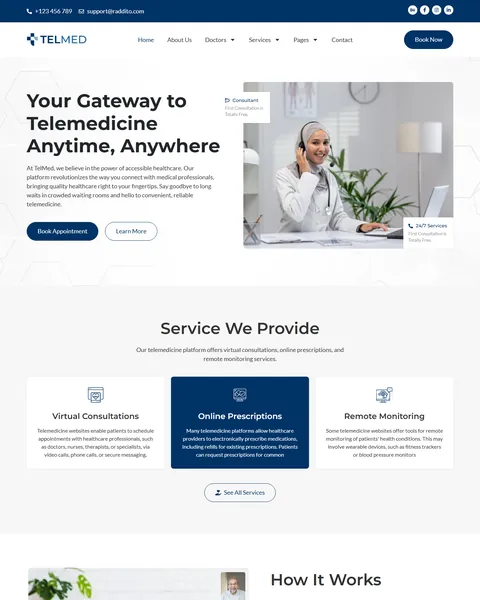
The demo opens with a smiling doctor on a headset at her laptop under the headline “Your Gateway to Telemedicine Anytime, Anywhere”. Book Appointment and Learn More buttons sit below, and small badges promise a free first consultation and 24/7 services. Deep navy, bright blue and clean white give your practice a trustworthy, modern and clinical look.
TelMed is built with Elementor Pro, which powers its appointment forms. You provide the Pro license, and our team installs the kit for you free of charge.

Quick Template Details
- Template Name: TelMed
- Required Theme: Hello Elementor (Free)
- Elementor Pro Required: Yes
- Premium Plugins Required: Elementor Pro only
- Page Templates: 12
- Forms: Elementor Pro Form
- Responsive: Desktop, Tablet, Mobile
- Coding Required: No
Who Is This Telehealth Website Template For?
- Telemedicine startups and platforms. A three-step How It Works section guides patients from sign-up to booking to a video consultation.
- Virtual primary care practices. A Virtual Consultations page lists conditions treated online, such as cold and flu, skin conditions and minor injuries.
- Online prescription and chronic care services. Online prescriptions, remote monitoring and chronic disease support are ready as services, with their own FAQ tabs.
- Multi-specialty virtual clinics. Six specialties, from primary care and psychiatry to cardiology and orthopedics, sit beside a team of eight doctors.
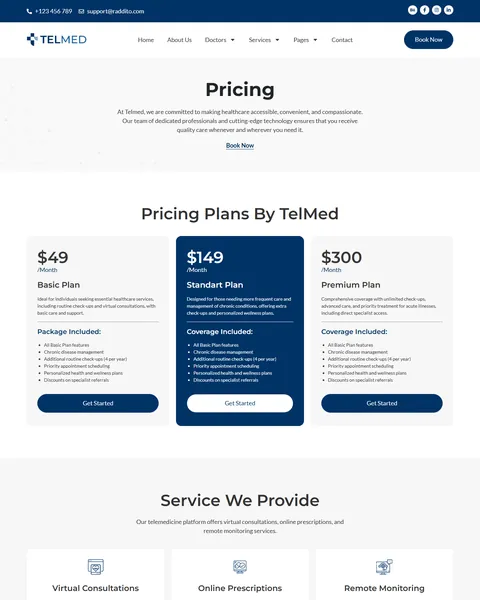
- Membership-based virtual care. A Pricing page offers three monthly plans for patients who want ongoing care.
Running an in-person clinic rather than a virtual one? Our Clinara medical clinic Elementor template kit is a better fit.
See Every Page in the TelMed Telemedicine Template
Here are all the pages, including the 404 page. Click any page to open it in the live demo.



A Clear Path From Sign-Up to Video Visit
Many patients are new to virtual care and unsure how it works. TelMed explains it in three numbered steps: sign up or log in, book an appointment, then connect with a healthcare provider by video. The How It Works section appears on the homepage, Services and Service Details pages, so the process is never more than a scroll away.
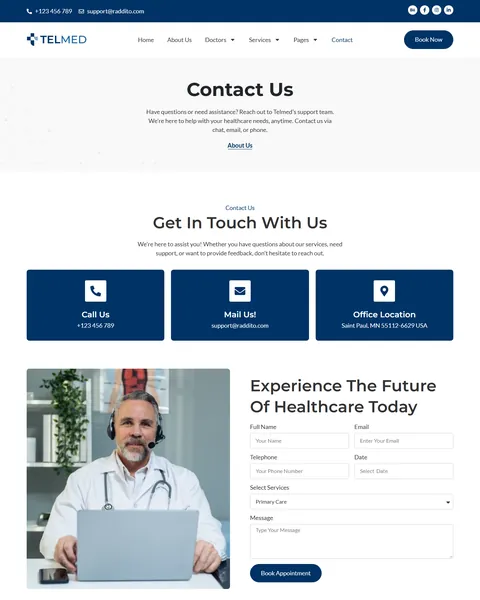
An appointment form appears on the homepage, About, Service Details, Pricing and Contact pages under the heading “Experience the future of healthcare today”. It asks for full name, email, telephone, a preferred date and a message. A Select Services dropdown lists all six specialties, so you know which doctor to assign before you reply. A Book Now button also sits in the header on every page.
Services and a Detailed Virtual Consultation Page
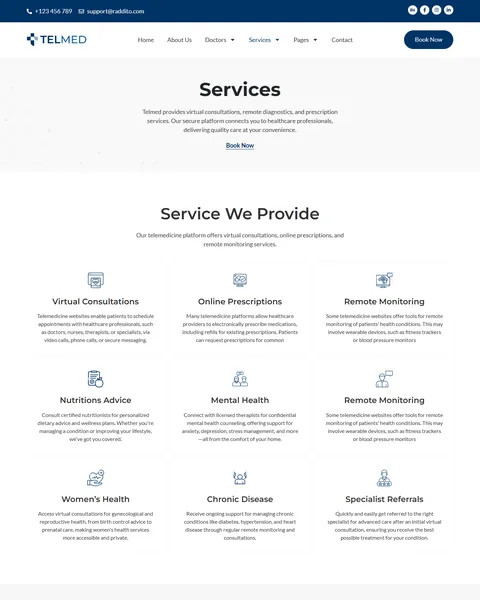
The Services page presents virtual care in cards. They include Virtual Consultations, Online Prescriptions, Remote Monitoring, Nutrition Advice, Mental Health, Women’s Health, Chronic Disease and Specialist Referrals. Each card explains how the service works online, such as electronic prescription refills or monitoring with wearable devices.
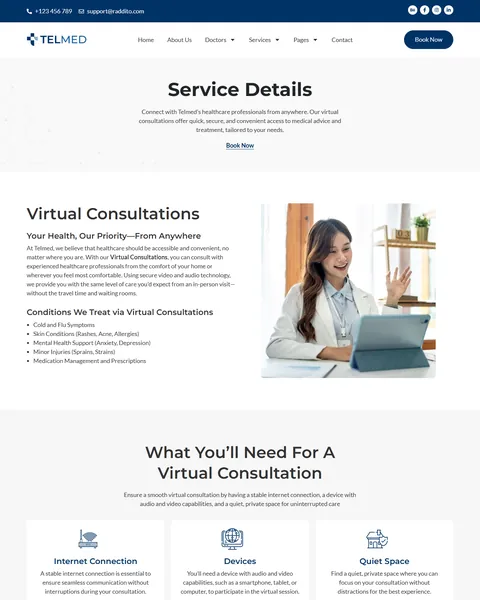
The Service Details page explains virtual consultations in depth. A “Conditions We Treat” list covers cold and flu symptoms, skin conditions, mental health support, minor injuries and medication management. A “What You’ll Need” section lists a stable internet connection, a device with audio and video, and a quiet space. Patients arrive prepared, so your consultations start on time.
Doctor Profiles That Build Confidence
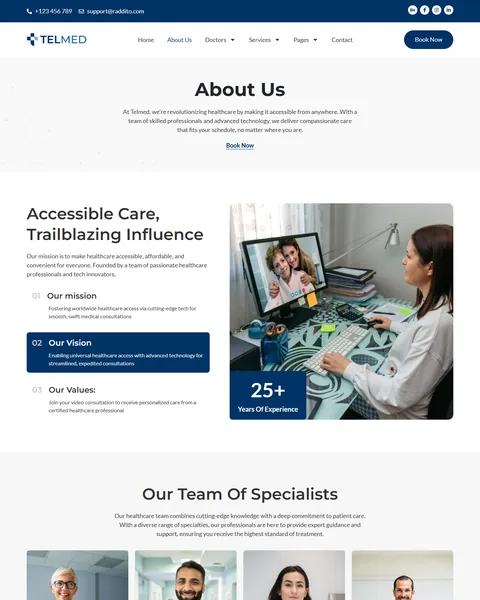
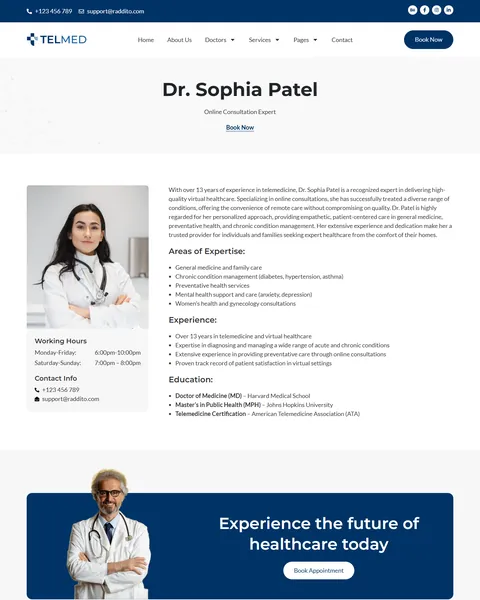
Patients want to know who is on the other side of the screen. The Doctors page introduces eight doctors with photos and titles, such as Telemedicine Physician, Virtual Care Specialist and Primary Care Doctor. The About page repeats four of them to put faces to your service early.
The Doctor Details page gives each doctor a full profile. It shows working hours, phone and email, followed by a biography. Lists cover areas of expertise, experience and education, such as general medicine, chronic condition management and women’s health. A Book Now button sits at the top of the profile, so patients can book the doctor they just read about.
Pricing, FAQ, Blog and Contact
The Pricing page shows three monthly plans in the demo: Basic at $49, Standard at $149 and Premium at $300. Each lists what is included, such as chronic disease management, priority scheduling and personalized wellness plans. The service cards repeat below, so patients can match a plan to their needs.
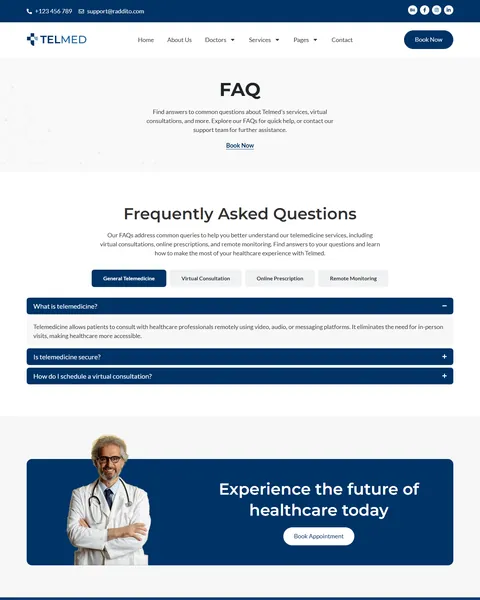
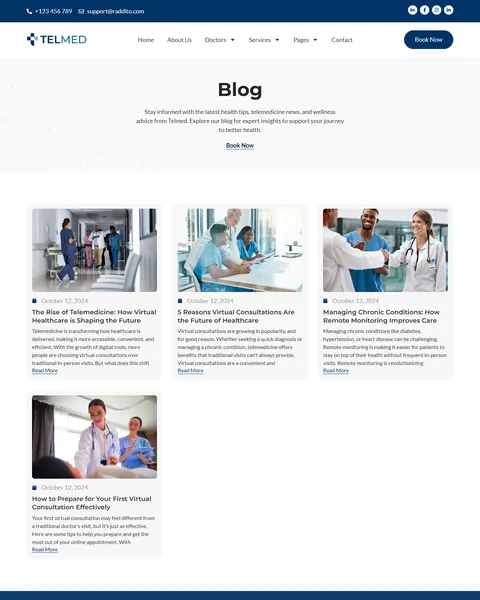
The FAQ page sorts answers into four tabs: general telemedicine, virtual consultations, online prescriptions and remote monitoring. Topics include security, consultation length and how prescriptions reach the pharmacy. The Contact page lists phone, email and office location above the appointment form. The blog covers topics such as preparing for a first virtual consultation, with a sidebar of recent posts, categories and tags on each article.
Research-Driven Design for Telemedicine & Online Doctor Services
We looked at how patients choose an online doctor. They want to know the service is safe, the doctors are qualified and booking is simple. Many are trying telehealth for the first time, so a clear explanation of how it works matters as much as the services. TelMed’s design is built around that first-time patient.
Deep navy and bright blue. Deep navy buttons, headers and featured cards signal trust and medical expertise. Bright blue accents keep the page fresh and modern. Light gray and white sections keep medical details calm and easy to read, even for older patients or anyone reading on a small phone screen.
Clear, professional type. Headlines use Montserrat at about 56px in the hero, with Lato for body text. The pairing looks confident and clinical without feeling cold.
Friendly, human photography. Photos show doctors on headsets and video calls, smiling and attentive. They show virtual care as personal, which reassures patients who miss the in-person visit.
Process before promises. The three-step process and the “What You’ll Need” list answer how it works before patients have to ask.
Low-risk first step. Hero badges for a free first consultation and 24/7 services lower the barrier to booking, and a Book Now button stays in the header.
Credentials visible. Doctor profiles with education, experience and working hours help patients trust a doctor they may never meet in person.
Mobile friendly. On phones, the menu folds into a toggle, the headline scales to about 29px and every section stacks without sideways scrolling.
Free Installation for This Telemedicine Elementor Template Kit
We install TelMed on your WordPress site for free and set it up exactly like the demo. TelMed needs Elementor Pro, and we don’t provide paid plugins, so please have your Pro license ready before we begin.
The demo photos come from Envato and are not included. Adding your own services, doctors, plans and articles, or connecting a video consultation, e-prescription or patient portal system, is not part of the free installation. If you want the full site built for you, see our done-for-you website service.
How to Install the TelMed Telemedicine Template Kit
Want to handle the setup? This video walks through the import from start to finish.
TelMed vs Other Telemedicine Elementor Template Kits
Comparing telehealth templates? Here is how TelMed compares with other popular telemedicine kits online.
| TelMed | Other popular telemedicine kits online* | |
|---|---|---|
| Free installation | Yes, included | No, not listed on any of them |
| Needs Elementor Pro | Yes | Yes, all 3 need it |
| Service page with conditions treated online | Yes | Not listed on any of them |
| FAQ sorted by telehealth topic | Yes, four tabs | Not listed on any of them |
| Last updated | Recently updated | September 2021, or not listed |
Why virtual clinics choose TelMed:
- Made for virtual care. Video visits, online prescriptions and remote monitoring are built in.
- Patients know what to expect. A clear process and preparation list build confidence.
- Installed for you. Bring your Pro license, and we set it up free.
*We compared TelMed with three popular telemedicine and doctor Elementor template kits that appear on Google’s first page, sold on ThemeForest, Envato Elements and an independent template shop. Details come from each product page on October 24, 2026. Prices and features may change.
More Healthcare Templates by Raddito
TelMed is our telemedicine Elementor template kit. If you run a virtual care platform, a medical clinic or a single GP practice, compare these.
Healvia – healthcare Elementor template kit
Best for virtual care and health monitoring providers.
11 pages · Needs Elementor Pro · Live Preview
Clinara – medical clinic Elementor template kit
Best for general clinics and hospitals with several departments.
11 pages · Works with Elementor Free · Live Preview
FirstCare – private GP Elementor landing page
Best for a single GP or small practice that needs one page.
Single landing page · Built for Elementor · Live Preview
Want more choices? Browse our health and medical website templates or every WordPress Elementor template kit we sell.
Frequently Asked Questions
Is TelMed a WordPress theme?
No. TelMed is a telemedicine Elementor template kit, a set of ready pages you import into Elementor. It runs on the free Hello Elementor theme.
Does TelMed need Elementor Pro?
Yes. The appointment forms use the Pro Form widget. No other paid plugin is required.
Does TelMed include video calling?
No. TelMed is the website design. Link the Book Appointment buttons to your telehealth platform’s booking page or video tool.
Where do appointment requests go?
The form sends each request, including the chosen specialty and date, to your email. You can add fields such as insurance details or symptoms.
How do I add a new doctor?
Add a card on the Doctors page, then duplicate the Doctor Details page and update the photo, bio, hours, expertise and education.
Can I hide the pricing plans?
Yes. Remove the Pricing page from the menu, or replace the plans with per-visit fees or a note to contact you for pricing.
Is the installation really free?
Yes. We install TelMed exactly like the demo at no cost. You provide the Elementor Pro license, and adding your own content is up to you.