


Healvia is a healthcare Elementor template kit for WordPress, built for virtual care clinics, digital health providers and modern medical practices. It includes 11 ready pages, including Services, Service Details, Features, Our Team, FAQ and Contact, plus a login and sign-up popup.
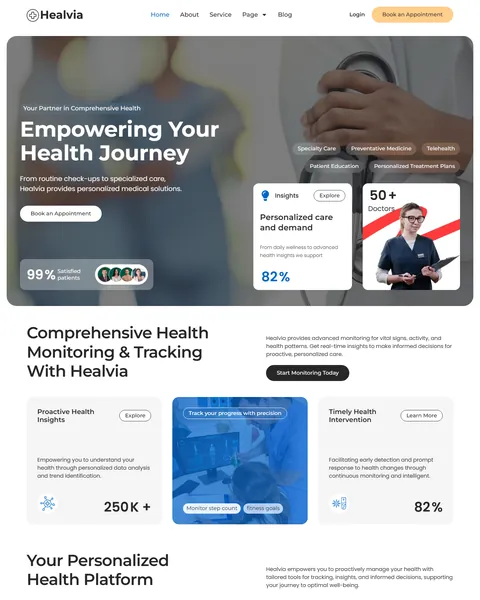
The demo opens with a rounded hero card showing a doctor and the headline “Empowering Your Health Journey”. Small tags for specialty care, telehealth and personalized treatment plans float beside a Book an Appointment button. Clinical blue, soft peach and clean white give your practice a calm, trustworthy and tech-forward look.
Healvia is built with Elementor Pro, which powers its forms, login popup and sign-up form. You provide the Pro license, and our team installs the kit for you free of charge.

Quick Template Details
- Template Name: Healvia
- Required Theme: Hello Elementor (Free)
- Elementor Pro Required: Yes
- Premium Plugins Required: Elementor Pro only
- Page Templates: 11
- Forms: Elementor Forms (Pro)
- Responsive: Desktop, Tablet, Mobile
- Coding Required: No
Who Is This Medical Website Template For?
- Virtual care and telehealth clinics. Virtual TeleMed, emergency virtual support and online doctor consultations are part of the service list.
- Digital health and remote monitoring providers. Sections for health tracking, data integration and a personal health hub explain connected care in plain words.
- Primary care and general practice clinics. A full General CheckUp page, diagnostic lab tests and pharmacy support suit everyday family care.
- Multi-service healthcare practices. Six services and a team page with doctors, a surgeon and a senior nurse show the full range of your care.
- Practices planning patient accounts. A ready login and sign-up popup sits in the header, so you can grow into a patient area later.
Running a doctor-led clinic that sees patients mainly in person? Our Clinara medical clinic Elementor template kit is a better fit.
See Every Page in the Healvia Healthcare Template
Here are all 11 pages. Click any page to explore it in the live demo.

Health Monitoring and Virtual Care, Explained Simply
Patients are open to digital care, but only when they understand how it works. Healvia’s homepage explains it step by step. A health monitoring section covers proactive insights and timely intervention, with sample stats for step counts and progress tracking. A “Your Personalized Health Platform” block then presents four features: expert health guidance, comprehensive virtual care, a personal health hub and proactive health management.
A three-step section shows how patients start: integrate health data, plan personal goals, then monitor, analyze and thrive. Further down, a success story prompt with a Share Your Video button invites patient stories. A risk-reduction band and a closing “Talk to a Healvia expert” call to action finish the page.
Six Care Services and a Detailed Checkup Page
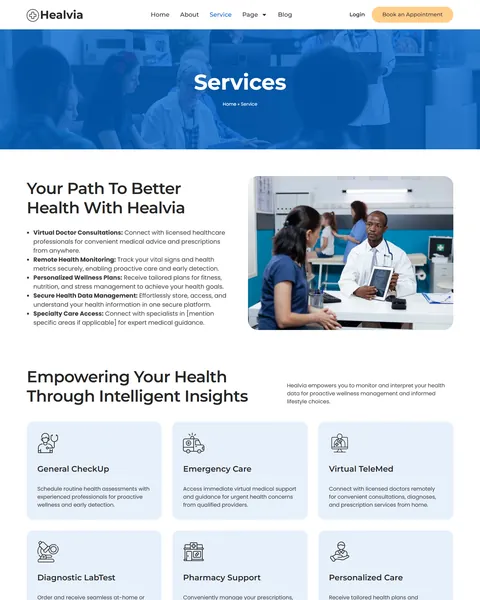
The Services page opens with five promises, such as virtual doctor consultations, remote health monitoring and secure health data management. Six service cards follow: General CheckUp, Emergency Care, Virtual TeleMed, Diagnostic LabTest, Pharmacy Support and Personalized Care. Together they cover both in-clinic and online care.
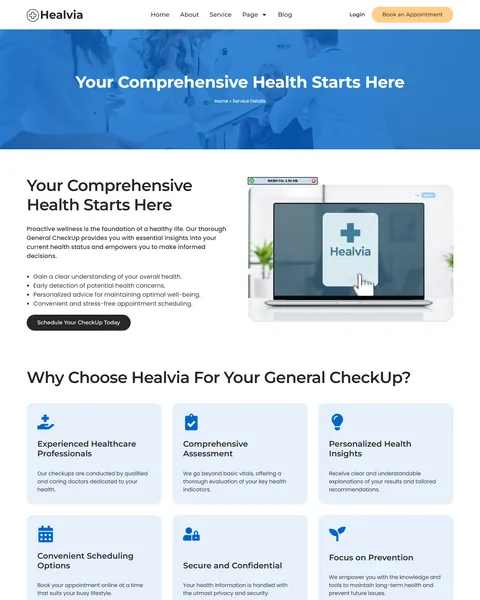
The Service Details page explains a general checkup in depth. Four benefits and a Schedule Your CheckUp Today button lead the page. Six “why choose” cards cover experienced professionals, convenient scheduling and confidential care. An eight-step “Your General CheckUp Experience” list walks patients through the visit, from the first consultation and vital signs to follow-up planning. A short guide on who should book and a five-question FAQ remove the last doubts.
Login and Sign-Up Popup for Patient Accounts
Many digital health services need patients to sign in. Healvia includes a Login button in the header that opens a popup with username, password, remember me and lost password options. A sign-up form beside it asks for full name and email, so new patients can register in seconds. Its labels, colors and fields are editable in Elementor, so the popup matches the rest of your brand.
This gives you the front door for a future patient area, newsletter list or member content. Pair it with a membership or patient portal plugin when you are ready to show records or results behind the login.
Features, Team and Patient Trust
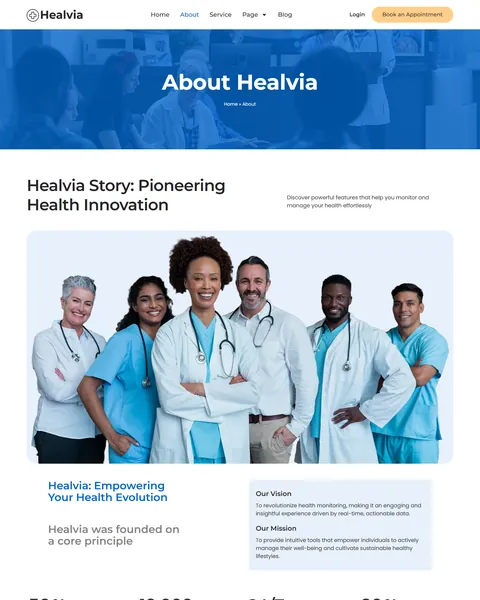
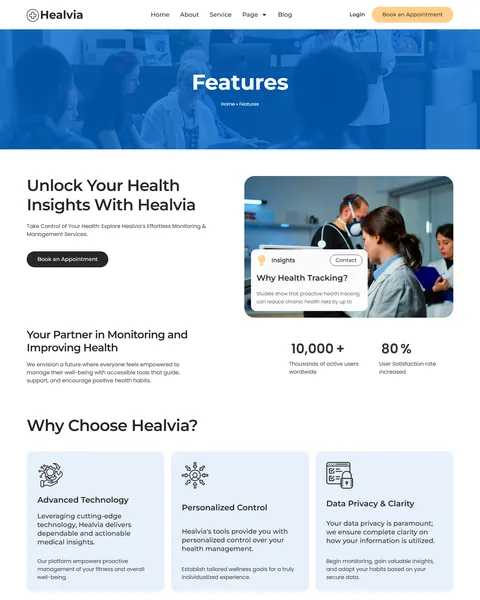
The Features page presents your platform in one place. It gives three reasons to choose you: advanced technology, personalized control, and data privacy and clarity. Counters for active users and satisfaction add proof. The About page shares your story, vision and mission, with counters for fewer emergency visits, active users, 24/7 monitoring and patient satisfaction.
The Our Team page introduces eight people, from a chief adviser and medical surgeon to a senior nurse and head professor. Four patient reviews appear on the About and Our Team pages, each with a short headline. A title such as “I love the doctor chat feature!” makes the praise easy to scan.
FAQ, Contact Form and Health Articles
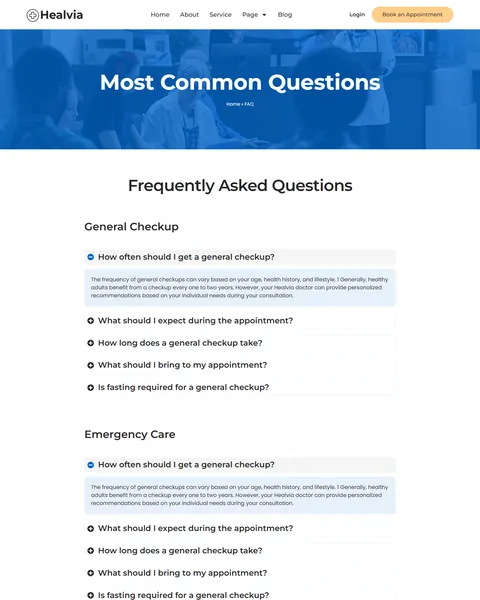
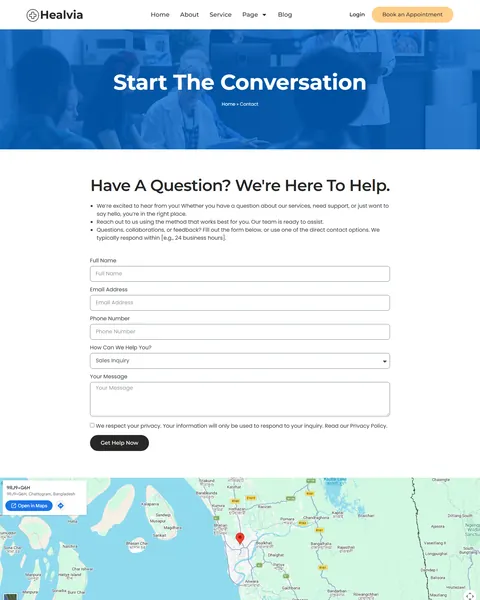
The FAQ page groups patient questions under three services, General Checkup, Emergency Care and Virtual TeleMed, in tidy accordions. The Contact page offers a form with full name, email, phone and message. A “How Can We Help You?” dropdown sorts sales, technical support, general questions, partnership and feedback, and a privacy note reassures visitors before they send.
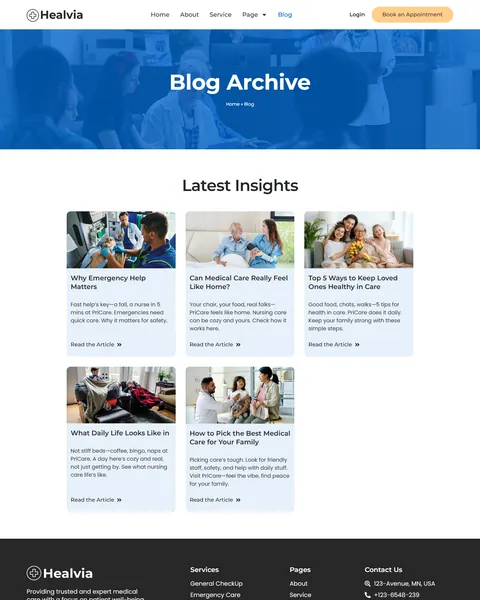
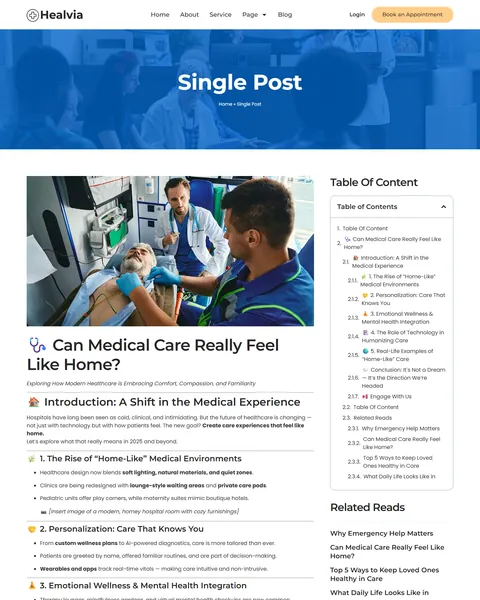
The blog shows five health articles in a card grid. The Single Post layout supports long, helpful content with a table of contents and related reads. This keeps visitors on your site and supports search visibility for health topics.
Research-Driven Design for Healthcare & Virtual Care Providers
We looked at how patients choose a healthcare provider online, especially for virtual care. They want to feel safe, see real doctors and understand how their data is handled. They also expect the site to feel as modern as the care it promises. Healvia’s design balances clinical trust with a friendly, digital feel.
Clinical blue with soft peach. A strong medical blue fills page banners and accents, a color patients link with hospitals, calm and reliability. Soft peach Book an Appointment buttons add warmth and stand out clearly against the blue. Pale blue cards and a dark charcoal footer keep pages structured and easy to read.
Confident, readable type. Headlines use Montserrat in capitalized style, up to 64px in the hero, for a firm, professional voice. Body text uses Poppins, a clean, rounded font that keeps medical explanations friendly and easy to follow.
Real care teams. Photos show doctors, nurses and patients in bright clinical settings. Visitors see the people behind the platform, which matters when care happens through a screen.
Data shown with care. Monitoring cards, progress charts and counters make health tracking feel clear rather than technical, which helps less tech-savvy patients feel comfortable.
Privacy front and center. Data privacy appears as a core value, and the contact form carries a privacy note. Patients sharing health details want that reassurance before anything else.
One clear action. A Book an Appointment button stays in the header, and a “Book your appointment” call to action closes the pages, so every patient has an easy next step.
Mobile friendly. On phones, the menu folds into a toggle, the headline scales to about 32px and every section stacks without sideways scrolling.
Free Installation for This Healthcare Elementor Template Kit
We install Healvia on your WordPress site for free and set it up exactly like the demo. Healvia needs Elementor Pro, and we don’t provide paid plugins, so please have your Pro license ready before we begin.
The demo photos come from Envato and are not included. Adding your own services, team, articles and FAQs, or connecting a booking, telehealth video or patient portal tool, is not part of the free installation. If you want the full site built for you, see our done-for-you website service.
How to Install the Healvia Healthcare Template Kit
Installing it on your own? This video guides you through every import step.
Healvia vs Other Healthcare Elementor Template Kits
Comparing medical templates? Here is how Healvia compares with other popular healthcare and clinic kits online.
| Healvia | Other popular healthcare kits online* | |
|---|---|---|
| Free installation | Yes, included | No, not listed on any of them |
| Login and sign-up popup | Yes | Not listed on any of them |
| Platform features page | Yes | Not listed on any of them |
| Service detail page | Yes | Listed on 1 of 3 |
| Last updated | Recently updated | October 2025, or not listed |
Why practices choose Healvia:
- Made for modern care. Virtual care, monitoring and in-clinic services fit in one site.
- Ready for patient accounts. A login and sign-up popup is already built.
- Free installation. We set it up exactly like the demo.
*We compared Healvia with three popular medical clinic Elementor template kits that appear on Google’s first page, sold on ThemeForest, Etsy and an independent template shop. Details come from each product page on October 24, 2026. Prices and features may change.
More Healthcare and Medical Templates by Raddito
Healvia is one of several healthcare templates we make. If you run an online doctor service, a traditional clinic or a private GP practice, compare these.
TelMed – telemedicine Elementor template kit
Best for online doctor consultation services.
12 pages · Needs Elementor Pro · Live Preview
Clinara – medical clinic Elementor template kit
Best for clinics and hospitals with in-person departments.
11 pages · Works with Elementor Free · Live Preview
FirstCare – private GP Elementor landing page
Best for a single GP or small practice that needs one page.
Single landing page · Built for Elementor · Live Preview
Want more options? Browse our health and medical website templates or every WordPress Elementor template kit we offer.
Frequently Asked Questions
Is Healvia a WordPress theme?
No. Healvia is a healthcare Elementor template kit, a set of ready pages you import into Elementor. It runs on the free Hello Elementor theme.
Does Healvia need Elementor Pro?
Yes. The contact form, login popup and sign-up form use Pro widgets. No other paid plugin is required.
Can patients book appointments online?
The Book an Appointment buttons are ready to link. Connect them to a booking or scheduling plugin, or to your existing practice software, to take appointments online.
Does Healvia include video consultations?
No. Healvia presents your virtual care services, but video calls run through a separate telehealth platform. Link the Virtual TeleMed service to that platform’s booking page.
What does the login popup do?
It lets users sign in to your WordPress site or register with their name and email. To show patient records or results, add a membership or patient portal plugin.
Can I use Healvia for an in-person clinic?
Yes. Edit the services to match your departments, and the General CheckUp page works well for any in-clinic service. The design suits clinics of all sizes.
Is the installation really free?
Yes. We install Healvia exactly like the demo at no cost once your Pro license is ready. Adding your own content is up to you, or our Done For You team can build the full site.