


Mentivia is a mental health Bricks Builder template for WordPress, made for therapy practices, psychiatrists, counseling centers and online therapy services. It includes 14 pages, such as Services, Sessions, Team, Success Stories, Pricing, FAQ, Blog and 404. Header, footer, blog archive and 404 templates complete the kit.
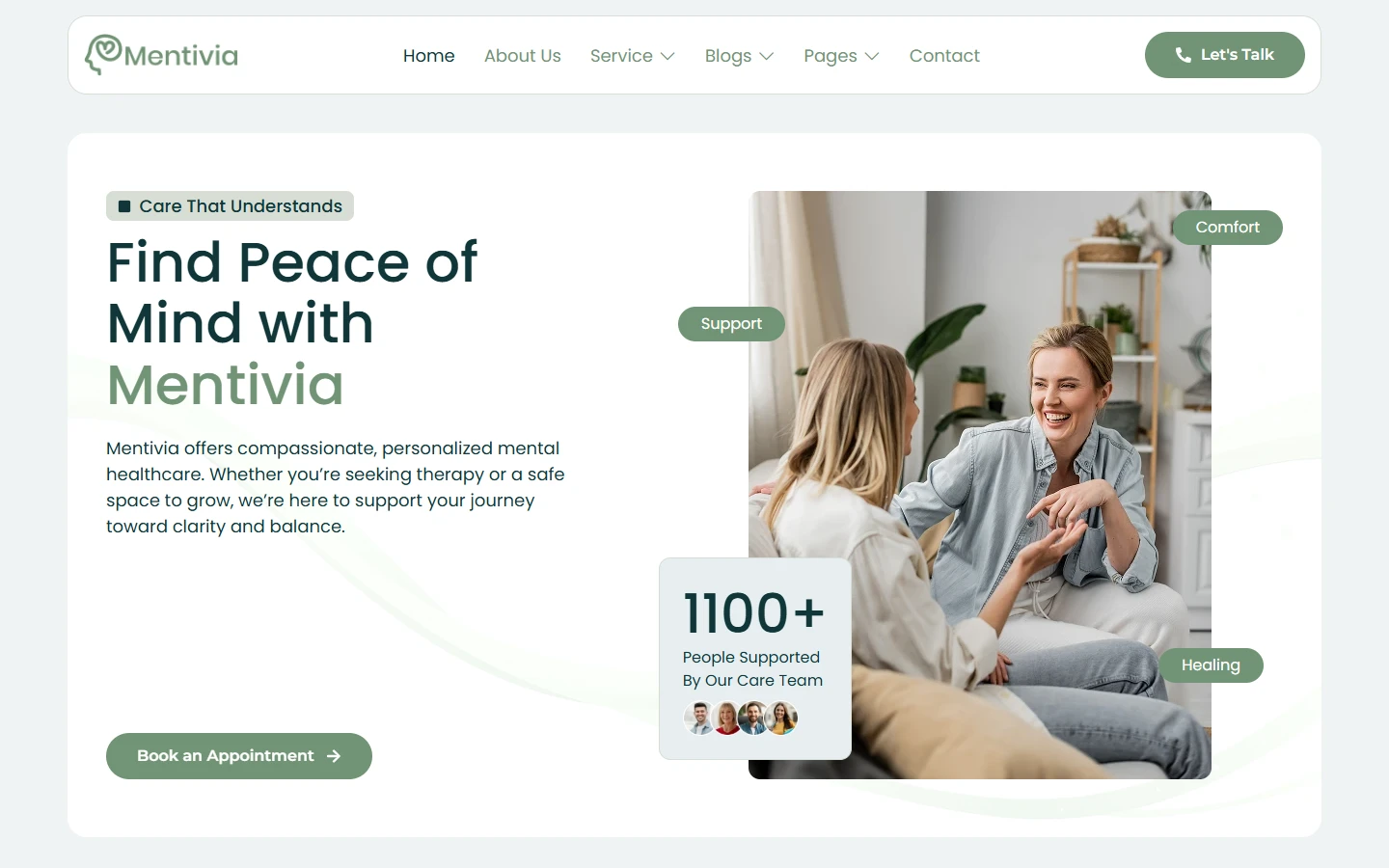
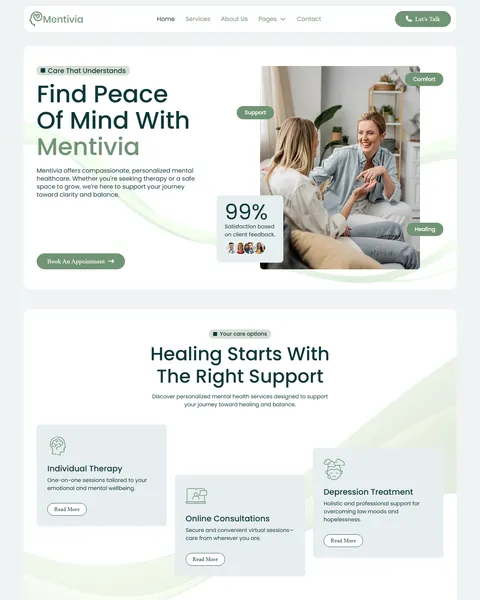
The demo opens with “Find Peace of Mind with Mentivia” beside a warm photo of a client and therapist, with floating Comfort, Support and Healing tags. A 99% satisfaction badge and a Book An Appointment button sit nearby. Soft sage green, deep teal and gentle off-white give your practice a calm, safe and welcoming feel.
Mentivia is built with native Bricks elements, including its contact forms. Its setup guide also lists the free MoreConvert WooCommerce Wishlist plugin. Bricks itself is a premium theme and is not included.
Quick Template Details
- Template Name: Mentivia
- Template Type: Full website template kit
- Required Theme: Bricks (Premium, not included)
- Listed Plugin: WooCommerce Wishlist (Free)
- Premium Plugins Required: No
- Page Templates: 14, plus header and footer
- Forms: Built-in Bricks forms
- Responsive: Desktop, Tablet, Mobile
- Coding Required: No
Who Is This Mental Health Bricks Builder Template For?
- Private therapy practices. Individual therapy, anxiety and depression support and life transitions are ready as services.
- Psychiatrists and psychologists. A psychiatric evaluation service and doctor profiles with credentials suit clinical practices.
- Counseling centers with several therapists. A team of eight specialists, each with their own profile, helps clients choose the right fit.
- Online and phone therapy services. A Sessions page explains in-person, video and phone sessions side by side.
- Couples and family counselors. Couples counseling and child and teen therapy are already part of the service list.
Only need a single page for a counseling practice? Our MindEase mental health Bricks Builder landing page is a better fit.
See Every Page in the Mentivia Mental Health Bricks Builder Template
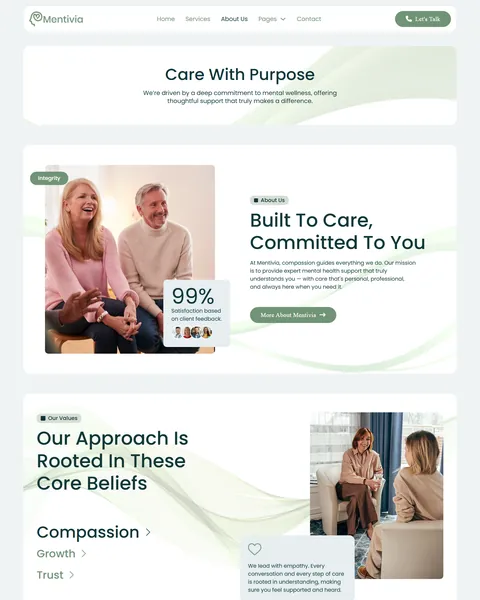
Fourteen demo pages are below. Click any page to open it in the live demo.
Nine Services With Gentle, Clear Descriptions
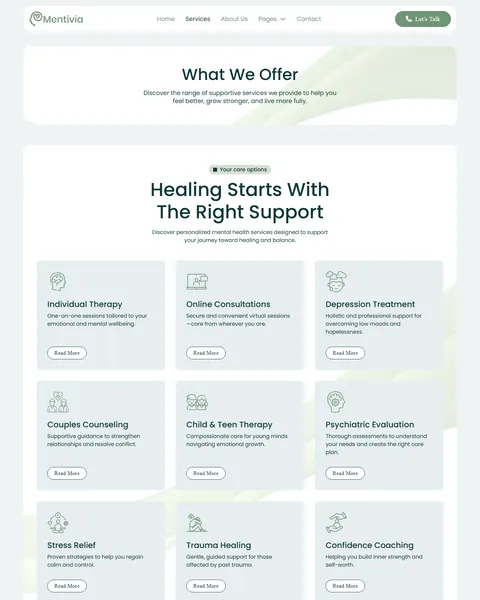
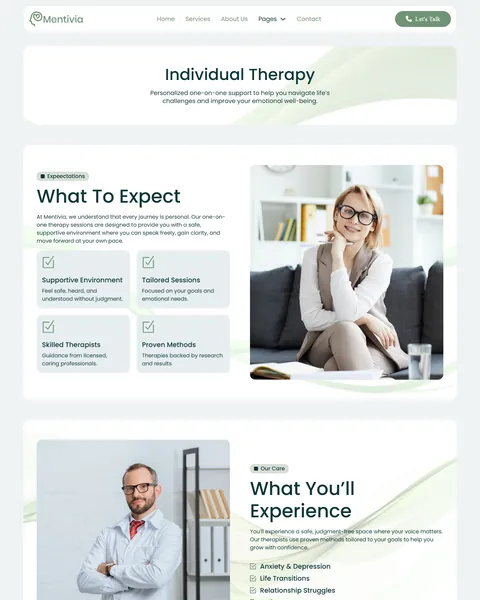
People looking for therapy often struggle to name what they need. Mentivia’s Services page lists nine options in soft cards. They run from individual therapy, online consultations and depression treatment to couples counseling, child and teen therapy, psychiatric evaluation, stress relief, trauma healing and confidence coaching.
Each Service Details page, shown here for individual therapy, explains what to expect with four reassurances: a supportive environment, tailored sessions, skilled therapists and proven methods. A “What You’ll Experience” list names common concerns, from anxiety and grief to burnout, so visitors recognize themselves.
In-Person, Online and Phone Sessions
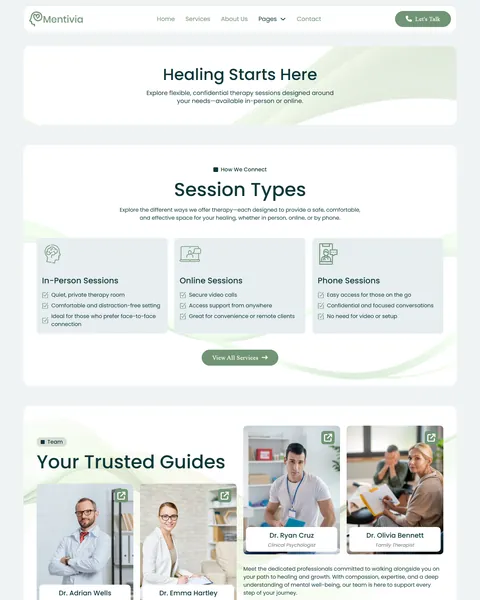
Many clients want help but can’t or don’t want to visit an office. The Sessions page compares three formats in clear cards. In-person sessions offer a quiet, private room, online sessions use secure video calls, and phone sessions need no camera or setup.
A “Your Trusted Guides” team section on the same page shows four therapists with their roles and a direct phone number on each card. Visitors can choose the format and the person in one place, then book with confidence.
Therapist Profiles and Success Stories
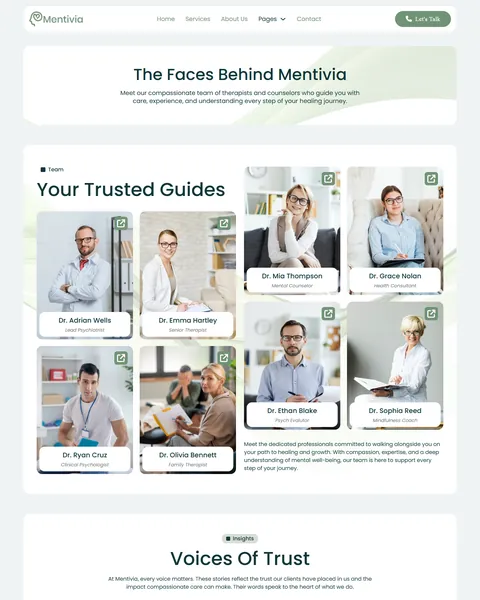
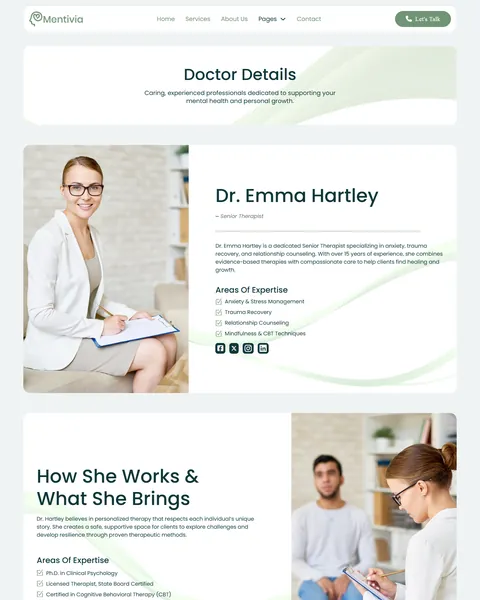
Trust in the therapist is the biggest factor in starting therapy. The Team page, “The Faces Behind Mentivia”, introduces eight professionals, from a lead psychiatrist to a family therapist. Each Team Details page covers areas of expertise, a personal approach and credentials such as licensing and CBT certification.
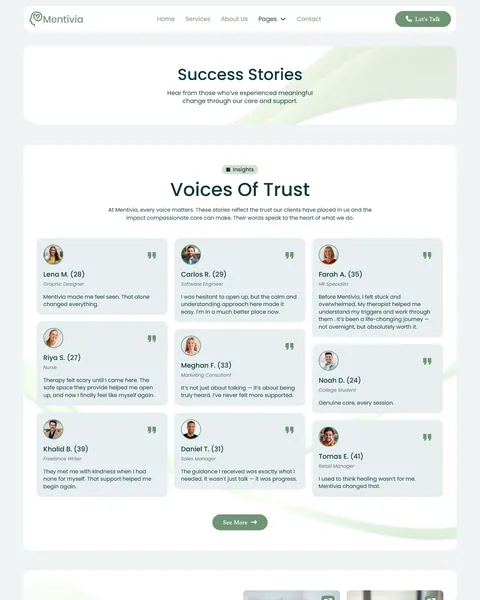
The Success Stories page shares short client quotes in a three-column grid, with first names, ages and jobs to keep them relatable while protecting privacy. A shorter “Voices of Trust” section repeats on several pages.
Pricing, FAQ, Journal and Contact
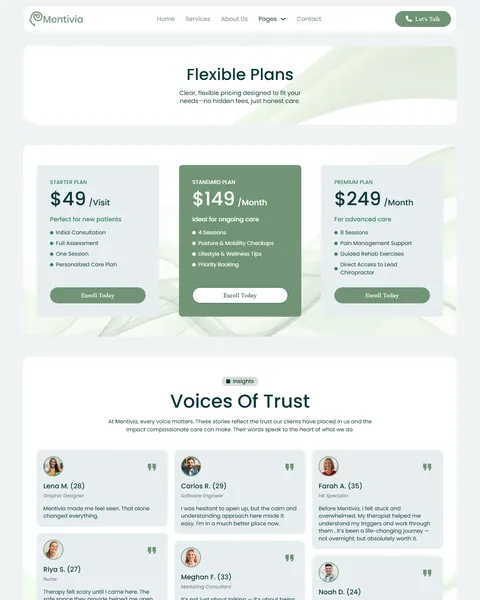
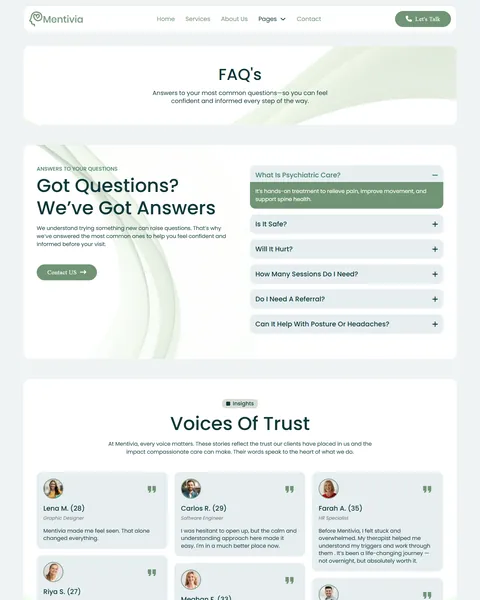
The Pricing page offers a per-visit starter option and two monthly plans with session counts, with the middle plan highlighted. The FAQ page uses an accordion beside a short introduction and a Contact Us button, ready for your own answers about confidentiality, insurance and first sessions.
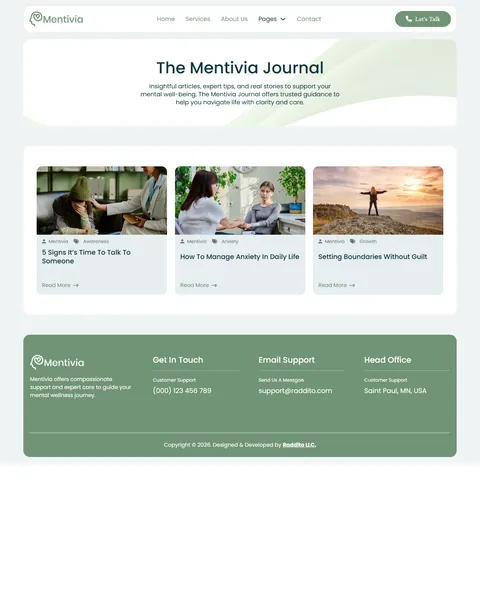
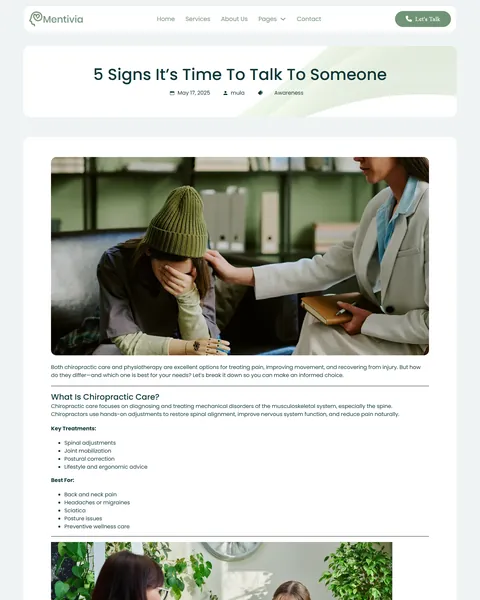
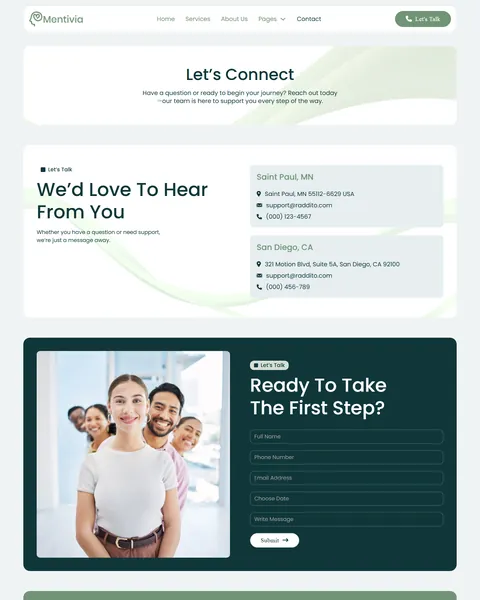
“The Mentivia Journal” blog shows articles in a card grid, and single posts give long reads a calm layout. The Contact page lists two office locations next to a “Ready To Take The First Step?” form that also appears at the end of service and team pages.
Research-Driven Design for Mental Health Practices
We looked at how people find a therapist online. Most arrive feeling anxious, unsure and vulnerable. They want to feel safe before anything else. Then they check what kinds of help you offer, who the therapists are, how sessions work, what it costs and how private it is. This mental health Bricks Builder template is designed to feel calm and gentle while answering those questions.
Sage green and deep teal. Soft sage green, #719475, is used for buttons and tags and feels natural and soothing. Deep teal, #103739, for headings adds quiet confidence, and pale off-white backgrounds with soft wave shapes keep every page airy.
Poppins and Funnel Sans. Rounded Poppins headings feel friendly and approachable. Clean body text with generous spacing makes longer explanations easy to read when someone feels overwhelmed.
Warm, human photography. Real conversations, relaxed clients and smiling therapists show connection rather than clinical settings. Use photos of your own team and rooms to make the space feel familiar before the first visit.
Privacy and reassurance. Initials instead of full names in reviews, clear session options and calm wording help clients feel in control. Feeling in control is often the first step toward reaching out.
Gentle calls to action. Let’s Talk and Book An Appointment buttons stay visible without pressure, and contact forms appear at natural moments on service and team pages.
Mobile friendly. On phones, the menu folds into a toggle and cards stack neatly. Many people search for help privately on their phones late at night.
What’s Included With the Mentivia Bricks Builder Template
- 18 Bricks templates. Home, About Us, Services, Service Details, Sessions, Team, Team Details, Success Stories, Pricing, FAQ, Blog, Blog Details and Contact, plus header, footer, blog archives and 404.
- Theme Style and color palette files. Global typography, buttons and the full Mentivia color set.
- READ_ME guide and changelog. Setup steps and the version history.
Need help with the template files? Our product support team can help. If you would rather have the whole practice website built with your own team, services and branding, see our done-for-you website service.
How to Import the Mentivia Mental Health Bricks Builder Template
Follow these steps after activating Bricks:
- In Bricks > Settings > General, enable custom breakpoints, SVG uploads and smooth scroll (CSS), then save.
- In the builder’s breakpoint settings, set Tablet Portrait to 1025px and Mobile Landscape to 769px.
- Go to Bricks > Templates and import the templates zip file.
- Import the Theme Style and color palette, then set the style condition to the entire website.
- Set the email address for each contact form in the Bricks form settings.
The video below walks through a full Bricks site import. It also shows WooCommerce steps, which you only need if you add a shop to your practice site.
Mentivia vs Other Bricks Options for Therapy Websites
Comparing ways to build a therapy website in Bricks? Here is how Mentivia compares with other popular options online.
| Mentivia | Other popular Bricks template libraries online* | |
|---|---|---|
| Complete mental health practice website | Yes, ready to import | No, all three are libraries of sections |
| Session types page for in-person, online and phone | Yes | Not mentioned on any of them |
| Therapist profile pages with credentials | Yes | Not as ready pages on any of them |
| Client success stories page | Yes | Not as ready pages on any of them |
| Same design also sold for Elementor | Yes | No, not on any of them |
Why therapists choose Mentivia:
- Calm by design. Soft colors and kind wording help clients feel safe.
- No paid plugins. Forms use built-in Bricks elements.
- One payment. $19.90 once, with no yearly plan.
*We compared Mentivia with two paid Bricks layout libraries and a free community Bricks template library, each listed on its own website. Details come from each product page on October 26, 2026. Prices and features may change.
More Mental Health Templates by Raddito
Prefer Elementor? Mentivia is also available as a mental health therapy Elementor template kit with the same look. If you need a different style or a one-page site, compare these Bricks options.
Doctor X – psychiatry Bricks Builder template kit
Best for psychiatrists and mental health clinics.
9 pages · Bricks with JetFormBuilder · Live Preview
MindEase – mental health Bricks Builder landing page
Best for counselors who want a one-page site.
Single landing page · Bricks with JetFormBuilder · Live Preview
Solhaven – counseling Bricks Builder landing page
Best for counseling and therapy practices.
Single landing page · No extra plugins · Live Preview
Want more choices? Browse our health and medical website templates or every WordPress Bricks Builder template we sell.
Frequently Asked Questions
Is Mentivia a WordPress theme?
No. Mentivia is a mental health Bricks Builder template, a set of layouts you import into Bricks. Bricks is the theme, and you need your own Bricks license.
Do I need the WooCommerce Wishlist plugin?
Only if you add a shop. The setup guide lists this free plugin, but the demo pages have no products, so a practice site works without it.
Can clients book sessions online?
Yes. Link the Book An Appointment buttons to your practice booking or telehealth platform, or use the included contact forms for requests.
Is the contact form secure enough for health details?
Keep forms short and avoid asking for clinical details. Use your HIPAA or GDPR compliant platform for intake forms and records.
Should I rewrite the FAQ answers?
Yes. The FAQ layout is ready, but write your own answers about confidentiality, insurance, cancellations and what a first session looks like.
Can I add more therapists?
Yes. Duplicate a team card and the Team Details page, then add each therapist’s photo, focus areas and credentials.
Should I replace the sample stories and prices?
Yes, please. The therapists, success stories, plans and statistics are placeholders, so use only your own real details with client consent.