


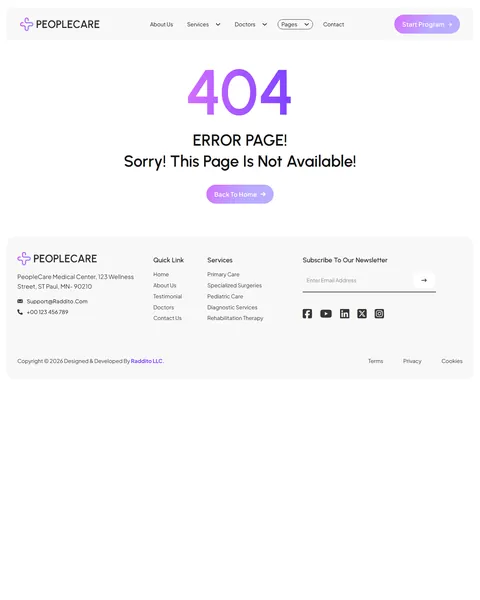
PeopleCare is a hospital Bricks Builder template for WordPress, made for multi-specialty hospitals, medical centers, larger clinics and healthcare groups with many departments. It includes 12 pages, such as Services, Service Details, Doctors, Doctor Details, Appointment, FAQ, Blog and 404, plus a header, footer, blog archive and a mobile menu popup.
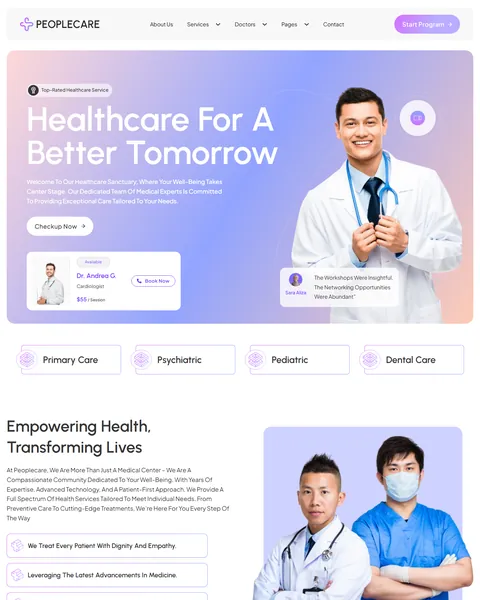
The demo opens with “Healthcare for a Better Tomorrow” beside a smiling doctor, on a soft purple and peach gradient. A doctor availability card with a session fee and a Book Now button floats in the hero. Vivid violet, soft lavender and clean white give your center a modern, friendly and trustworthy look.
PeopleCare needs one free plugin, JetFormBuilder, for its appointment and contact forms. Bricks itself is a premium theme and is not included.

Quick Template Details
- Template Name: PeopleCare
- Template Type: Full website template kit
- Required Theme: Bricks (Premium, not included)
- Required Plugin: JetFormBuilder (Free)
- Page Templates: 12, plus header, footer and a mobile menu popup
- Forms: Appointment and contact forms included as JetFormBuilder files
- Responsive: Desktop, Tablet, Mobile
- Coding Required: No
Who Is This Hospital Bricks Builder Template For?
- Multi-specialty hospitals. Nine service areas, from surgery and diagnostics to emergency care, are ready to fill in.
- Medical centers with many doctors. A team of eight specialists and a detailed doctor profile page introduce your staff.
- Clinics that take online bookings. A dedicated Appointment page explains the booking steps and collects the visit details.
- Pediatric and family care providers. Pediatric care, primary care and nutritional counseling suit family-focused practices.
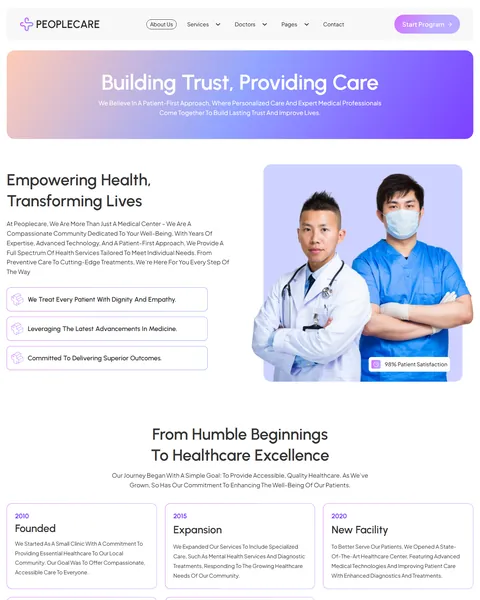
- Healthcare groups and networks. A company timeline on the About page shows growth from one clinic to several facilities.
Running a smaller general practice instead? Our FirstCare private GP Bricks Builder template kit is a better fit.
See Every Page in the PeopleCare Hospital Bricks Builder Template
Twelve demo pages are below. Click any page to open it in the live demo.
Nine Departments With Detailed Service Pages
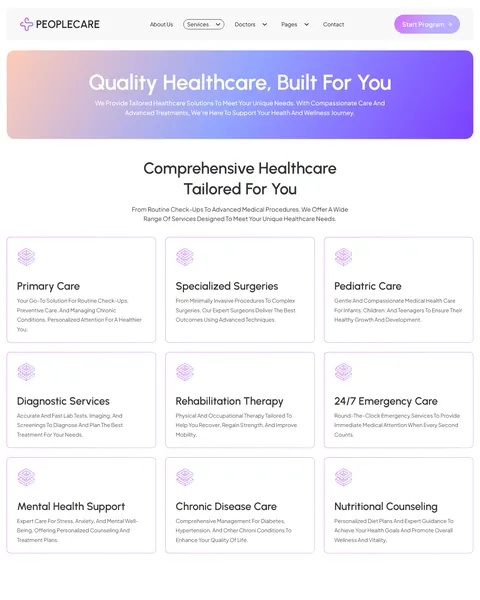
Patients usually look for a department before they look for a doctor. PeopleCare’s Services page shows nine cards with icons. They cover primary care, specialized surgeries, pediatric care, diagnostics, rehabilitation, 24/7 emergency care, mental health support, chronic disease care and nutritional counseling.
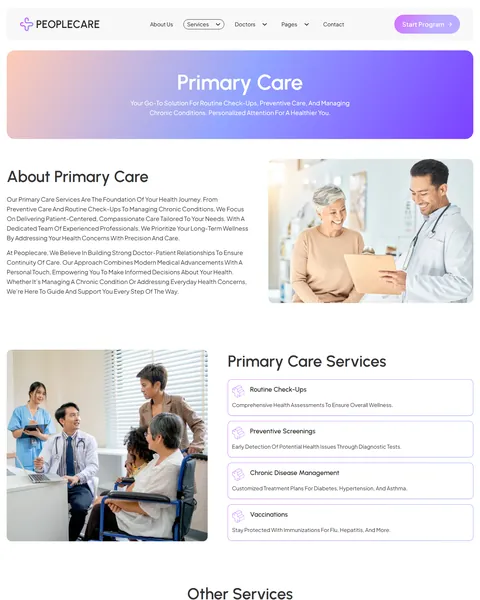
Each Service Details page, shown here for primary care, opens with a full description and photos. A “Primary Care Services” list covers routine check-ups, preventive screenings, chronic disease management and vaccinations, and an “Other Services” section links to the rest.
A Four-Step Appointment Page
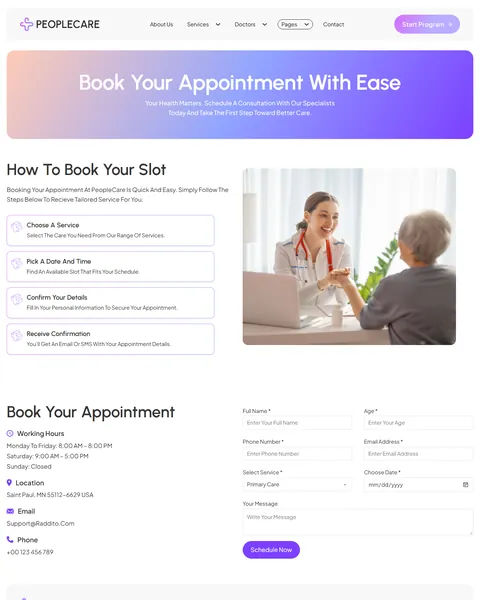
Booking should feel simple, especially for worried patients. The Appointment page explains the process in four steps: choose a service, pick a date and time, confirm your details and receive confirmation by email or SMS.
The booking form asks for name, age, phone, email, service, preferred date and a message, with every department listed in the service menu. Working hours, location, email and phone sit beside the form, so patients can also call if they prefer.
Doctor Profiles and Patient Reviews
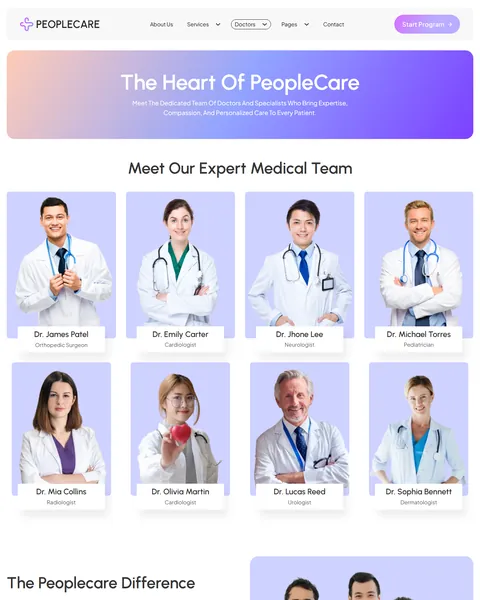
The Doctors page, “The Heart of PeopleCare”, shows eight specialists in a photo grid, from an orthopedic surgeon and cardiologist to a radiologist and dermatologist. “The PeopleCare Difference” follows with four reasons to choose your hospital, then patient reviews.
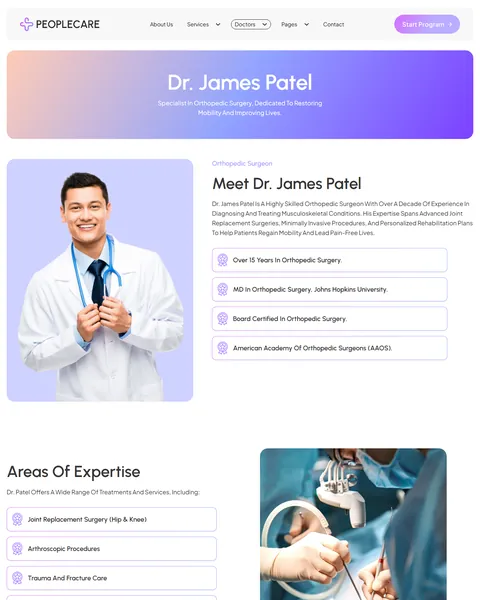
The Doctor Details page gives each specialist a full profile with experience, education, board certification and memberships. An “Areas of Expertise” list, shown for joint replacement, arthroscopy and trauma care, explains exactly what the doctor treats, and a booking form sits below.
About, FAQ, Blog and Contact
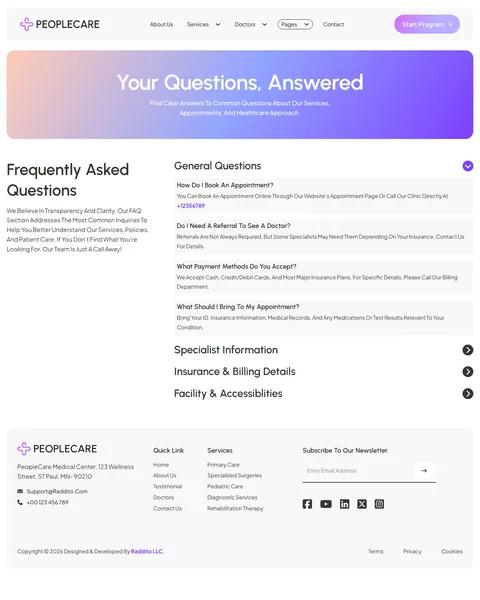
The About page shares your mission with a 98% patient satisfaction badge and a “From Humble Beginnings to Healthcare Excellence” timeline. The FAQ page groups questions under general questions, specialist information, insurance and billing, and facility and accessibility.
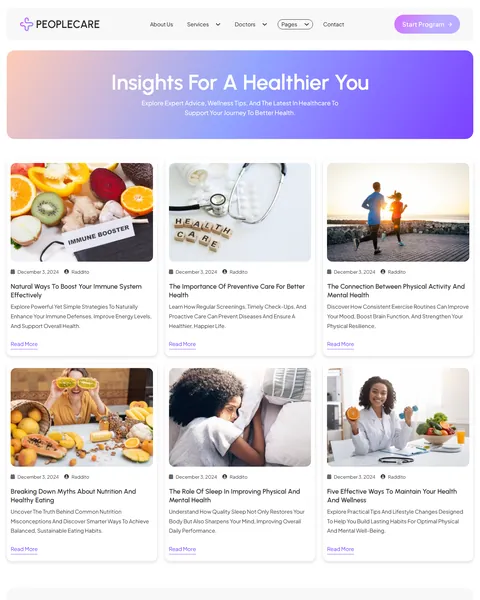
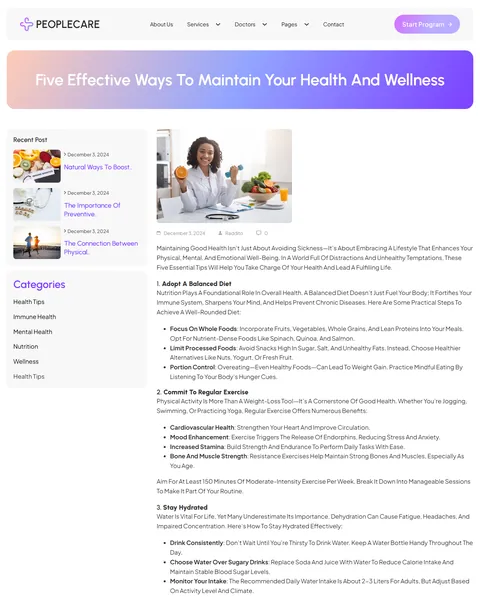
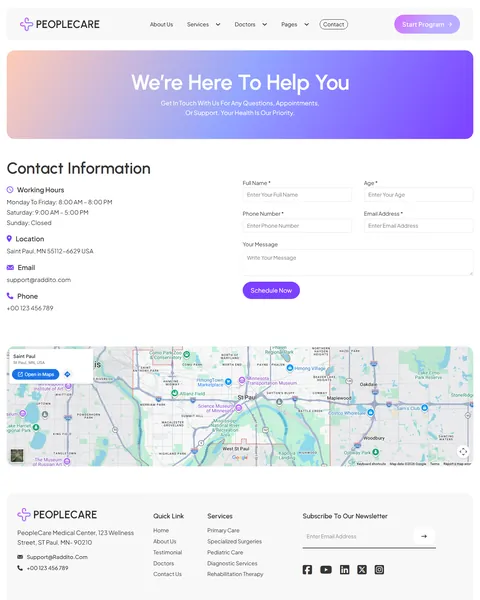
“Insights for a Healthier You” presents health articles in a three-column grid, and single posts give wellness guides a clean layout. The Contact page shows hours, location, email and phone beside a form, with a map below.
Research-Driven Design for Hospitals and Medical Centers
We looked at how patients choose a hospital or medical center online. They want to know which departments and specialists are available, how quickly they can be seen, what insurance is accepted and how to book. Many visit on behalf of a parent or child, so clarity and reassurance matter. This hospital Bricks Builder template is designed to answer those questions and make booking easy.
Violet and lavender. A vivid violet, #7C40FF, marks buttons and highlights and gives the site a fresh, modern feel that stands out from typical blue hospital sites. Soft lavender and peach gradient banners keep each page warm and calm.
Urbanist and Plus Jakarta Sans. Urbanist headlines are geometric and friendly, and Plus Jakarta Sans body text stays clear for long service descriptions and doctor biographies.
Friendly clinical photography. Smiling doctors in white coats and caring consultations show professionalism without feeling cold. Use photos of your own staff, wards and waiting areas for the strongest effect.
Credentials and proof. Board certifications, education, years of experience and a satisfaction badge show that patients are in expert hands. Families comparing hospitals often decide based on the doctors they can see before they book.
Booking everywhere. A Start Program button in the header, Book Now in the hero and forms on the appointment, doctor and contact pages make it easy to act.
Mobile friendly. On phones, the menu opens as a popup, department cards stack into one column and the booking form stays easy to complete with one thumb.
What’s Included With the PeopleCare Bricks Builder Template
- 17 Bricks templates. Home, About Us, Services, Service Details, Team, Team Single, Appointment, FAQ, Blog, Blog Details and Contact, plus header, footer, blog archive, blog category, 404 and a mobile menu popup.
- Two JetFormBuilder forms. The appointment form and the contact form, ready to import.
- Theme Style file. Global colors, typography and buttons in one JSON file.
- READ_ME guide and changelog. Setup steps and the version history.
Need help with the template files? Our product support team can help. If you would rather have the whole hospital website built with your own departments, doctors and branding, see our done-for-you website service.
How to Import the PeopleCare Hospital Bricks Builder Template
Install and activate JetFormBuilder first, then follow these steps:
- In Bricks > Settings > General, enable custom breakpoints, SVG uploads and smooth scroll (CSS), then save.
- In the builder’s breakpoint settings, set Tablet Portrait to 1025px and Mobile Landscape to 769px.
- Go to Bricks > Templates and import the templates zip file.
- Import the Theme Style and set its condition to the entire website.
- Import the two forms into JetFormBuilder, then link the mobile menu popup to the menu icon in the header.
The video below walks through a full Bricks site import. It also shows WooCommerce steps, which you can skip because PeopleCare does not use WooCommerce.
PeopleCare vs Other Bricks Options for Hospital Websites
Comparing ways to build a hospital website in Bricks? Here is how PeopleCare compares with other popular options online.
| PeopleCare | Other popular Bricks template libraries online* | |
|---|---|---|
| Complete hospital website | Yes, ready to import | No, all three are libraries of sections |
| Department pages for nine services | Yes | Not as ready pages on any of them |
| Appointment page with booking steps and form | Yes | Not as ready pages on any of them |
| Doctor profile pages with credentials | Yes | Not as ready pages on any of them |
| Same design also sold for Elementor | Yes | No, not on any of them |
Why medical centers choose PeopleCare:
- Built for many departments. Services, doctors and booking are ready.
- One free plugin. JetFormBuilder is all you need besides Bricks.
- One payment. $19.90 once, with no yearly plan.
*We compared PeopleCare with two paid Bricks layout libraries and a free community Bricks template library, each listed on its own website. Details come from each product page on October 26, 2026. Prices and features may change.
More Medical Bricks Templates by Raddito
Prefer Elementor? PeopleCare is also available as a hospital Elementor template kit with the same look. If you run a smaller clinic or a dental practice, compare these Bricks options.
LifeLine – medical clinic Bricks Builder template kit
Best for primary care and multi-specialty clinics.
9 demo pages · Bricks with JetFormBuilder · Live Preview
FirstCare – private GP Bricks Builder template kit
Best for private general practitioners and family doctors.
12 pages · No extra plugins · Live Preview
Medvil – dental clinic Bricks Builder template kit
Best for dental practices and cosmetic dentists.
13 pages · No extra plugins · Live Preview
Want more choices? Browse our health and medical website templates or every WordPress Bricks Builder template we sell.
Frequently Asked Questions
Is PeopleCare a WordPress theme?
No. PeopleCare is a hospital Bricks Builder template, a set of layouts you import into Bricks. Bricks is the theme, and you need your own Bricks license.
Where do appointment requests go?
The appointment form is built with JetFormBuilder, so each request is emailed to your team and can also be saved as a record in WordPress.
Can patients choose a time slot online?
The form collects a preferred date for your team to confirm. For live slots, link the booking buttons to your scheduling or patient portal system.
Can I add more departments?
Yes. Duplicate a service card and the Service Details page, then change the icon, text and photos for each new department.
Can I add more doctors?
Yes. Add a card to the Doctors page and duplicate the Doctor Details page with the new doctor’s photo, credentials and expertise.
Can I change the purple color?
Yes. Update the colors in the imported Theme Style, and buttons, banners and highlights change across the site.
Should I replace the sample doctors and reviews?
Yes, please. The doctors, credentials, timeline and patient reviews are placeholders, so use only your own real details.