


Medvil is a dental clinic Bricks Builder template for WordPress, made for dental practices, cosmetic dentists, dental hospitals and group practices with several dentists. It includes 13 page templates, including two homepage designs, Services, Doctors, Doctor Details, Pricing, FAQ and News. A header, footer and video popup are part of the kit too.
The demo opens with a big, friendly headline, “Maintain That Wonderful, Clean Smile”, with photos of smiling patients set inside pill shapes between the words. A “99% Pure” badge and a Book Appointment button sit nearby. Deep teal, slate navy and soft mint give your practice a fresh, clean and calming look.
Medvil is built only with native Bricks elements, including the contact and booking forms, so no extra plugins are required. Bricks itself is a premium theme and is not included.

Quick Template Details
- Template Name: Medvil
- Template Type: Full website template kit
- Required Theme: Bricks (Premium, not included)
- Required Plugins: None
- Page Templates: 13, plus header, footer and a video popup
- Homepage Designs: 2
- Forms: Built-in Bricks forms for contact and appointments
- Responsive: Desktop, Tablet, Mobile
- Coding Required: No
Who Is This Dental Clinic Bricks Builder Template For?
- Family dental practices. Services such as whitening, root canals, gum care and check-ups match what local patients search for.
- Cosmetic dentists. A large smile-focused hero and a teeth whitening service card suit cosmetic work and smile makeovers.
- Group practices. Doctors and Doctor Details pages introduce every dentist, with fees, schedules and an appointment form.
- Dental hospitals and multi-specialty clinics. A second, more general medical homepage lets you cover dental care alongside other departments.
- Bricks developers with dental clients. A complete practice website you can brand and hand over in days instead of weeks.
Running a general medical clinic rather than a dental practice? Our LifeLine medical clinic Bricks Builder template kit is a better fit.
See Every Page in the Medvil Dental Clinic Bricks Builder Template
Thirteen demo pages are below. Click any page to open it in the live demo.
Two Homepage Styles for Different Practices
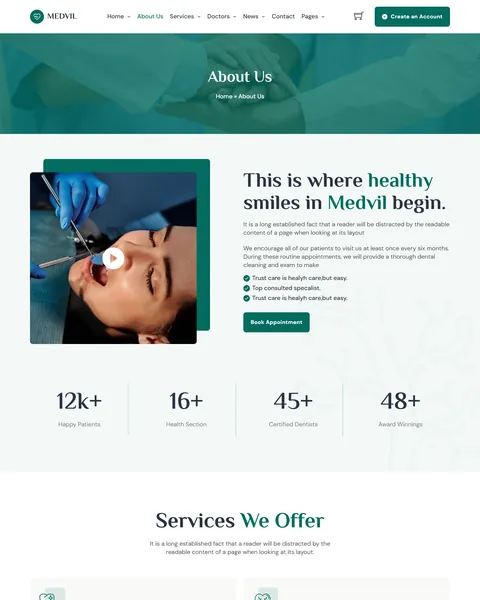
The main homepage is all about smiles. After the hero and a partner logo strip, four service cards cover teeth whitening, root canals, dental surgery and gum treatment. An about block with a video button, patient counters and a “Why Choose Medvil?” list follow. A doctor picker, a specialists row and patient feedback complete the page.
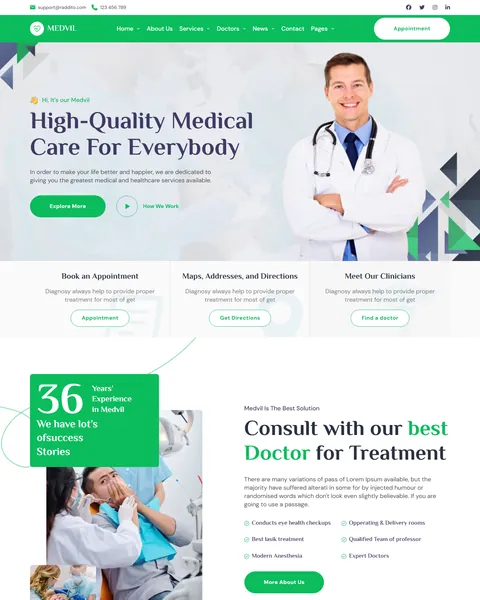
Home V2 takes a broader medical approach. A smiling doctor stands beside the headline “High-quality medical care for everybody”, with quick links to book an appointment, get directions and meet the clinicians. An experience badge, department cards and a built-in contact form make it a good choice for a dental hospital that offers more than one specialty.
Doctor Profiles With Fees and Online Booking
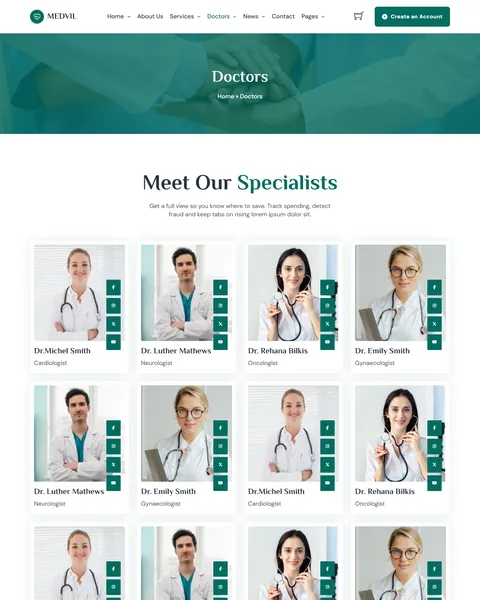
Patients like to know who will treat them before they book. The Doctors page shows your team in a photo grid with names, specialties and social links. Each profile can then open a Doctor Details page with a full biography.
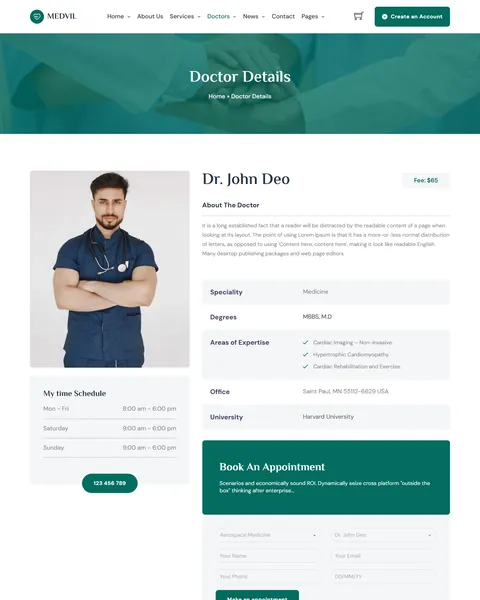
The Doctor Details page lists the consultation fee, specialty, degrees, areas of expertise, office address and university. A weekly schedule shows opening hours, and a call button sits below it. A Book An Appointment form asks for the patient’s name, email, phone and preferred date, so new patients can request a visit in under a minute.
Services, Pricing and a Tabbed FAQ
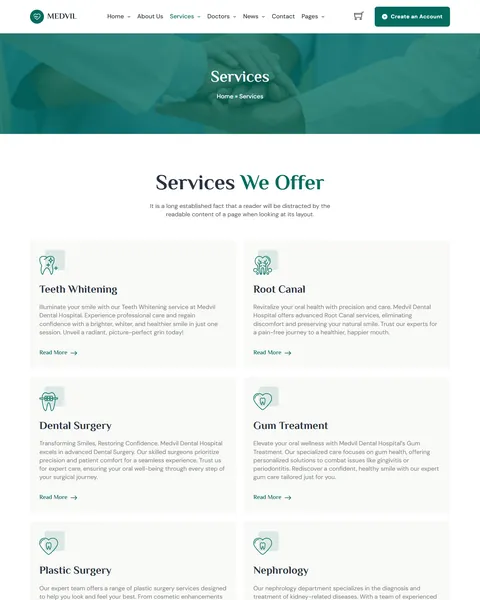
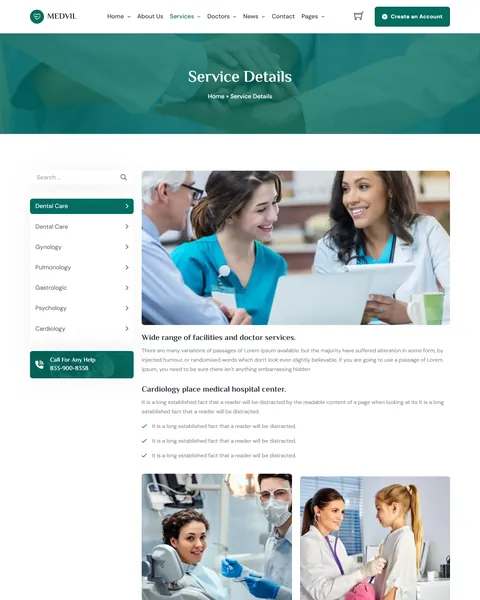
The Services page lays out every treatment as a card with an icon, a short description and a Read More link. The Service Details template adds a service menu in the sidebar, a call-for-help box, large treatment photos and checklists, plus previous and next links for easy browsing.
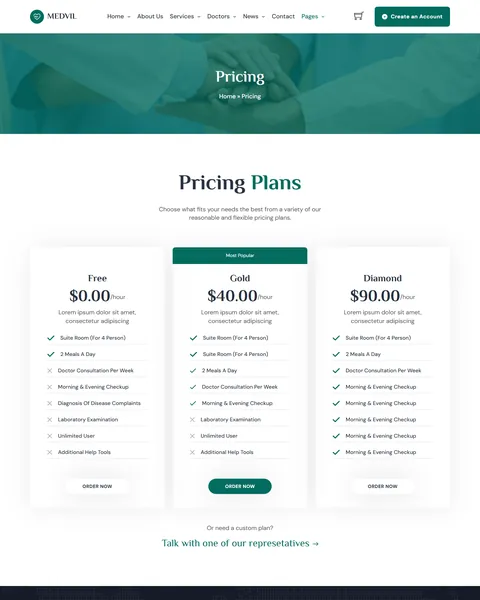
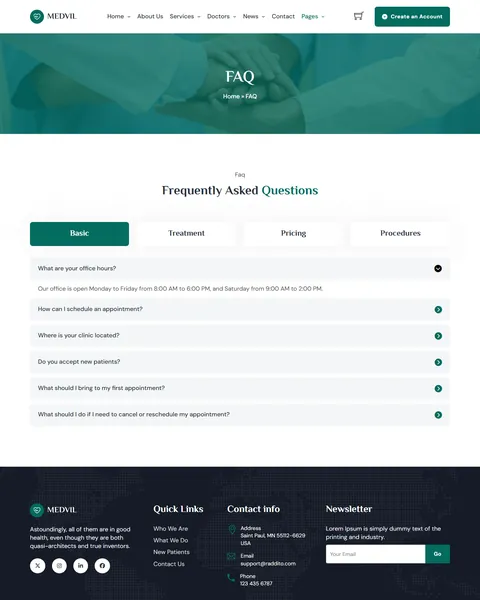
The Pricing page offers three plans in clean cards, with a highlighted Most Popular plan and a link to request a custom plan. The FAQ page splits questions into Basic, Treatment, Pricing and Procedures tabs. It already covers office hours, first visits, check-up costs, financing and cancellations, which saves your front desk many phone calls.
News, Contact and a Friendly 404 Page
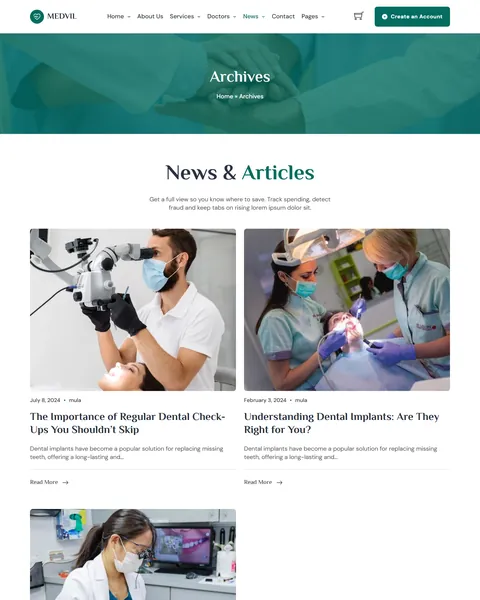
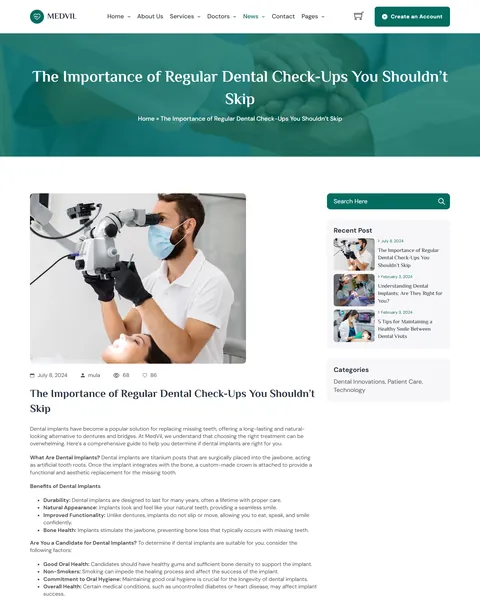
The News page shows dental articles in a two-column card layout with date, author and excerpt. Single posts have a large cover image, a search box, recent posts and categories in the sidebar. The sample articles cover regular check-ups, dental implants and keeping a healthy smile between visits.
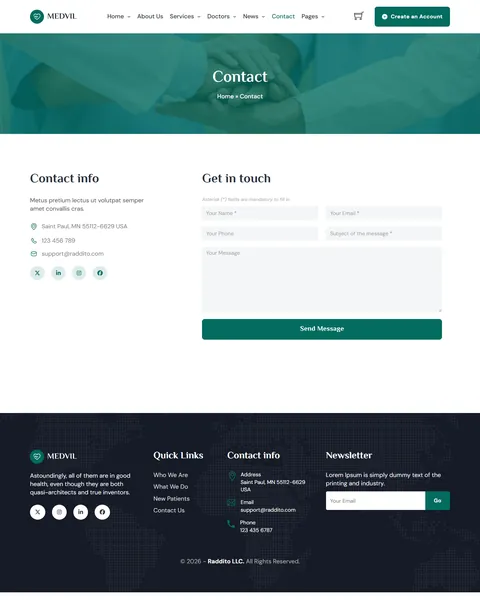
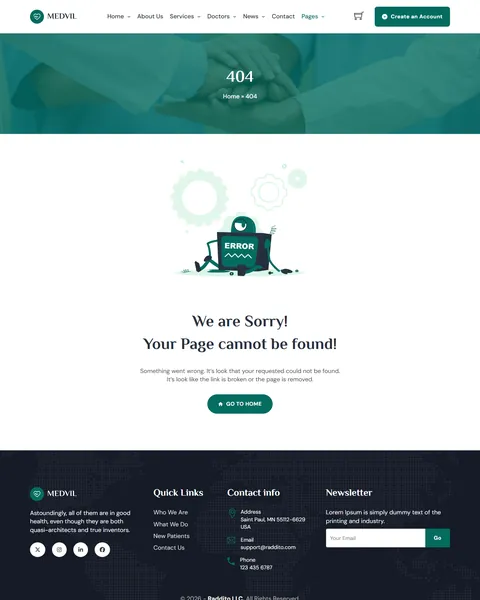
The Contact page lists your address, phone and email with social icons beside a “Get in touch” form. Every page closes with a dark navy footer holding quick links, contact details and a newsletter box. Even the 404 page helps visitors find their way back with a Go To Home button.
Research-Driven Design for Dental Clinics
We looked at how patients choose a new dentist. Many feel nervous about dental visits, so they look for a calm, clean and caring practice. They check the treatments offered, read about the dentists, look for prices or insurance details and want an easy way to book. This dental clinic Bricks Builder template is designed to reassure anxious patients and turn visits into appointments.
Teal, navy and mint. Deep teal, #036C5F, is used for buttons and highlights and feels clinical yet warm. Slate navy headings and a dark footer add trust, while soft mint backgrounds keep every page light and fresh.
El Messiri and DM Sans. Bold El Messiri headlines have soft, rounded curves that feel friendly rather than cold. DM Sans body text is clean and easy to read, even for older patients on small screens.
Smiles in the spotlight. Close-up photos of bright smiles and dentists at work show the result patients want and the care they will receive. Swap in photos of your own team and clinic for the strongest effect.
Answers before the call. Fees on doctor profiles, plans on the Pricing page and a detailed FAQ remove common doubts, so patients arrive ready to book. Clear prices also cut down on no-shows from patients surprised by the bill.
Booking in reach. Book Appointment buttons appear in the hero, the about block and a comfort section lower down. Doctor profiles also carry their own appointment form.
Mobile friendly. On phones, the menu folds into a toggle, headlines scale down and every grid stacks into a single column.
What’s Included With the Medvil Bricks Builder Template
- 18 Bricks templates. Home, Home V2, About Us, Services, Service Details, Doctors, Doctor Details, Pricing, FAQ, Blog, Blog Single and Contact, plus header, footer, blog archive, 404 and a video popup.
- Theme Style file. Global colors, typography and buttons in one JSON file.
- Assets folder. The images and icons the templates reference.
- READ_ME guide and changelog. Setup steps and the version history. Medvil is at version 1.0.3, updated October 1, 2025.
Need help with the template files? Our product support team can help. If you would rather have the whole practice website built with your own team, treatments and branding, see our done-for-you website service.
How to Import the Medvil Dental Clinic Bricks Builder Template
Medvil needs nothing besides Bricks. Follow these steps:
- In Bricks > Settings > General, enable custom breakpoints, SVG uploads and smooth scroll (CSS), then save.
- In the builder’s breakpoint settings, set Tablet Portrait to 1025px and Mobile Landscape to 768px.
- Go to Bricks > Templates and import the templates zip file. Pages are imported one by one.
- Import the Theme Style once and set its condition to the entire website.
- Link the popup templates to the menu and search icons in the header through Bricks interactions.
The video below walks through a full Bricks site import. It also shows WooCommerce steps, which you can skip because Medvil does not use WooCommerce.
Medvil vs Other Bricks Options for Dental Websites
Comparing ways to build a dental website in Bricks? Here is how Medvil compares with other popular options online.
| Medvil | Other popular Bricks template libraries online* | |
|---|---|---|
| Complete dental clinic website | Yes, ready to import | No, all three are libraries of sections |
| Design made for dental practices | Yes | No, none of them is made for dentists |
| Doctor profile page with booking form | Yes | Not as ready pages on any of them |
| Two homepage designs | Yes | Not mentioned on any of them |
| Same design also sold for Elementor | Yes | No, not on any of them |
Why dentists choose Medvil:
- A whole practice website. Services, doctors, pricing and FAQ are ready.
- Pure Bricks. No add-ons, so your site stays fast.
- One payment. $19.90 once, with no yearly plan.
*We compared Medvil with two paid Bricks layout libraries and a free community Bricks template library, each listed on its own website. Details come from each product page on October 26, 2026. Prices and features may change.
More Dental and Medical Templates by Raddito
Prefer Elementor? Medvil is also available as a dental practice Elementor template kit with the same look. If you run a medical clinic or a specialist practice, compare these Bricks options.
LifeLine – medical clinic Bricks Builder template kit
Best for general medical clinics and healthcare centers.
9 pages · Bricks with JetFormBuilder · Live Preview
FirstCare – private GP Bricks Builder template kit
Best for private general practitioners and family doctors.
12 pages · No extra plugins · Live Preview
Alivio – chiropractic Bricks Builder template kit
Best for chiropractors and physiotherapy clinics.
12 pages · Bricks with WooCommerce Wishlist · Live Preview
Want more choices? Browse our health and medical website templates or every WordPress Bricks Builder template we sell.
Frequently Asked Questions
Is Medvil a WordPress theme?
No. Medvil is a dental clinic Bricks Builder template, a set of layouts you import into Bricks. Bricks is the theme, and you need your own Bricks license.
Do I need any plugins besides Bricks?
No. All pages, the contact form and the appointment form use built-in Bricks elements, so there is nothing else to install.
Where do appointment requests go?
The appointment form is a Bricks form, so you choose the email address that receives each request in the form settings.
Can I connect online booking software?
Yes. You can replace the form with an embed or link from your practice booking system, or point the Book Appointment buttons to it.
The demo lists non-dental services. Can I remove them?
Yes. Some sample cards mention other medical departments. Delete them or rename them to dental treatments such as implants, braces or veneers.
Can I use only one of the two homepages?
Yes. Set the homepage you prefer in WordPress settings and delete or keep the other one as a landing page.
Should I replace the sample doctors, prices and reviews?
Yes, please. The doctors, fees, plans and patient reviews are placeholders, so use only your own real team, prices and patient feedback.