


FirstCare is a general practitioner Bricks Builder template for WordPress, made for private GPs, family doctors and small primary care clinics that offer in-person and video visits. It includes 12 pages: Home, About Us, Services, Service Details, Doctors, Doctor Details, FAQ, Blog, Blog Details, Search Results, Contact and 404. A header, footer, search results page, video popup and mobile menu popup complete the kit.
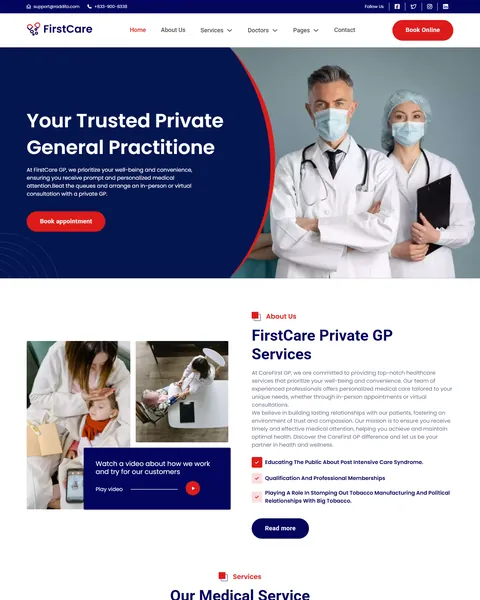
The demo opens with “Your Trusted Private General Practitioner” on a deep navy hero beside two doctors in masks, with a red Book appointment button below. Deep navy, bold red and soft lavender give your practice a clinical, confident and caring look.
FirstCare is built only with native Bricks elements, including its appointment forms, so no extra plugins are required. Bricks itself is a premium theme and is not included.

Quick Template Details
- Template Name: FirstCare
- Template Type: Full website template kit
- Required Theme: Bricks (Premium, not included)
- Required Plugins: None
- Page Templates: 12, plus header, footer, a video popup and a mobile menu popup
- Forms: Built-in Bricks appointment forms
- Responsive: Desktop, Tablet, Mobile
- Coding Required: No
Who Is This General Practitioner Bricks Builder Template For?
- Private GPs. The homepage invites patients to “beat the queues” with a fast private appointment, in person or online.
- Family doctors. A family medicine service covers every generation, from newborns to the elderly.
- Small primary care clinics. A Doctors page and profile pages present a team of eight physicians.
- GPs offering video visits. Telemedicine consultations have their own service, banner and FAQ group.
- Women’s health and wellness practices. Women’s health, fertility checks and mental health already sit in the service list.
Running an online-only practice instead? Our Telmed telemedicine Bricks Builder template kit is a better fit.
See Every Page in the FirstCare General Practitioner Bricks Builder Template
Eleven demo pages are below. Click any page to open it in the live demo.
Private GP Services With Telemedicine Built In
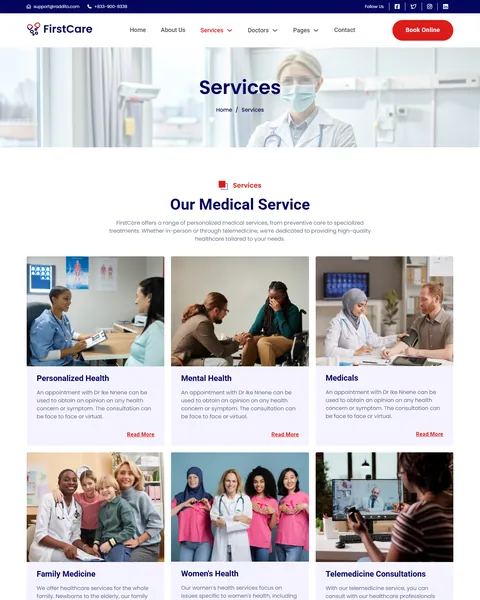
The Services page shows six medical services in photo cards: personalized health, mental health, medicals, family medicine, women’s health and telemedicine consultations. A “Telemedicine Consultations Available!” banner below explains how secure video appointments work and how quickly they can be arranged.
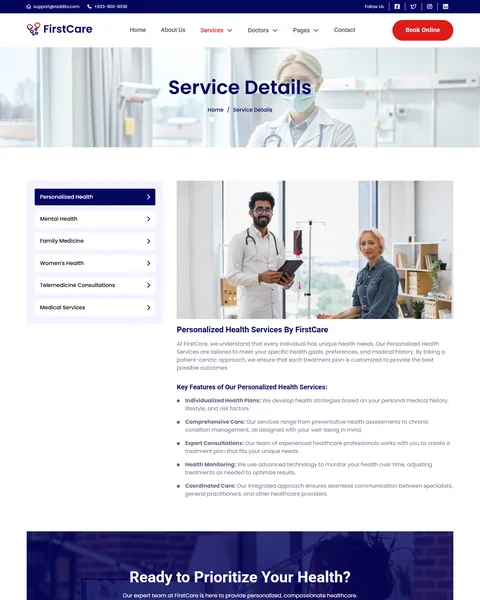
The Service Details page, shown for personalized health, has a sidebar with all six services. The main column explains the service and lists five key features, from individual health plans to coordinated care with specialists. A “Ready to Prioritize Your Health?” banner with a Book Now button closes the page.
Doctor Profiles With Credentials
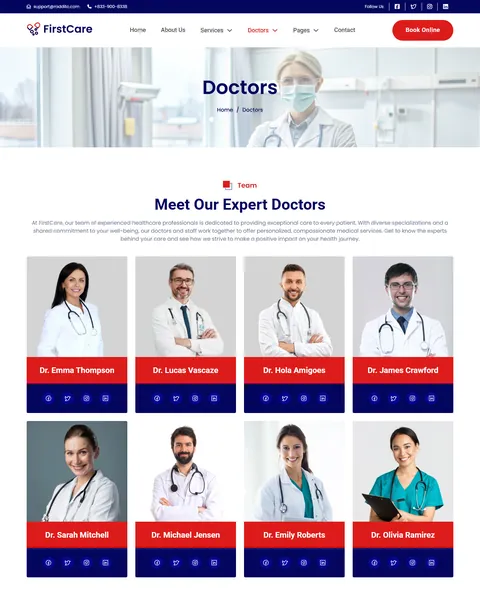
Patients choosing a private GP want to see who they will meet. The Doctors page, “Meet Our Expert Doctors”, shows eight physicians in a photo grid with social links. The About page features three of them in a “Meet Our Team” section.
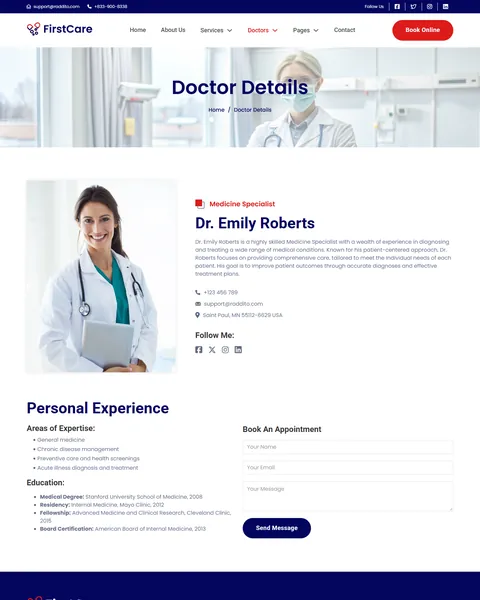
Each Doctor Details page lists a specialty, biography, contact details and areas of expertise. An education block covers medical degree, residency, fellowship and board certification. A Book An Appointment form sits beside it, so a patient can book with that doctor right away.
About, Video and Patient Reviews
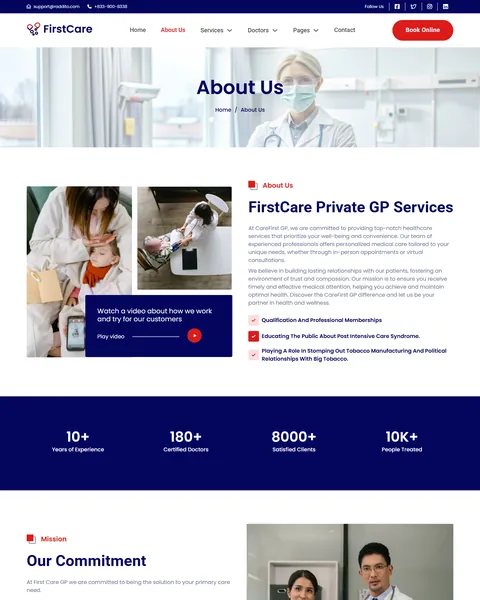
The About page starts with a “watch a video about how we work” panel that opens in a video popup. It then covers your practice story, qualifications and professional memberships, and counters for years of experience, doctors, patients and people treated.
An “Our Commitment” section explains trusted expertise and personalized medicine. Patient reviews in a “Our Happy Clients” slider appear on both the homepage and the About page. Short, honest quotes about listening, friendly staff and easy video visits answer the worries new patients have before choosing a private doctor.
FAQ, Health Blog and Contact
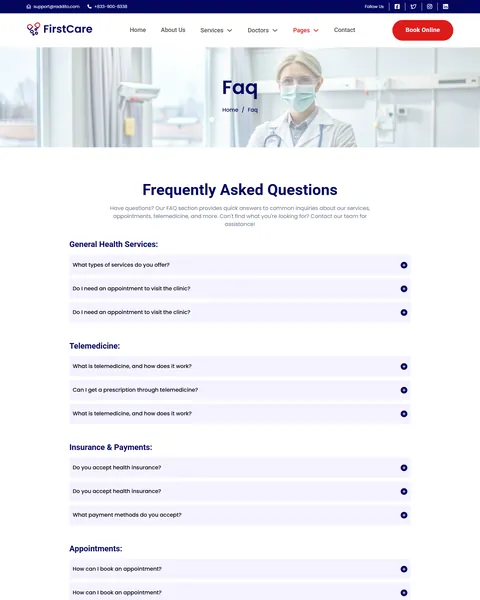
The FAQ page groups questions under general health services, telemedicine, insurance and payments, appointments and medical records. These are the topics new patients ask about most before they book.
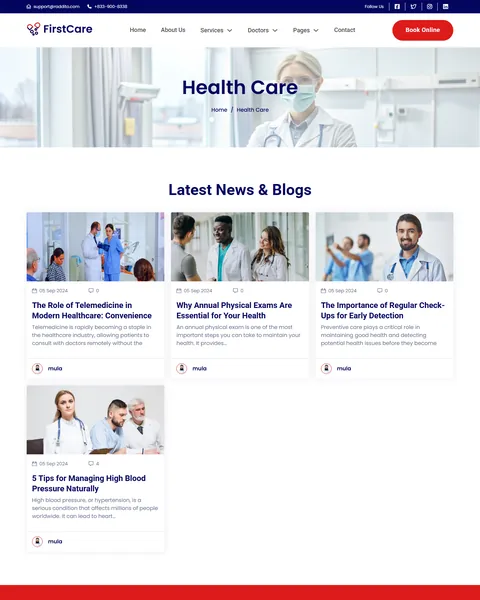
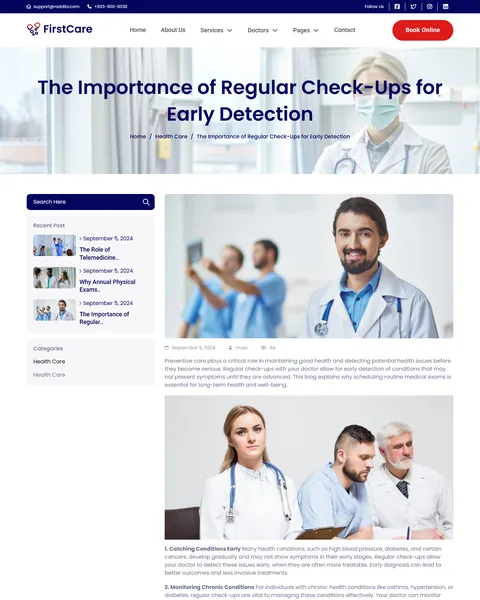
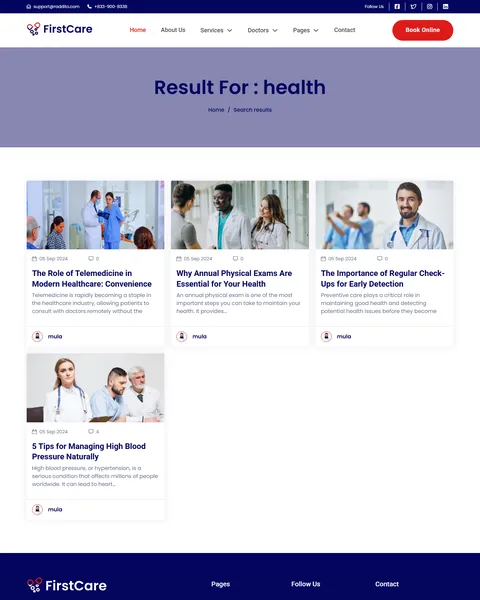
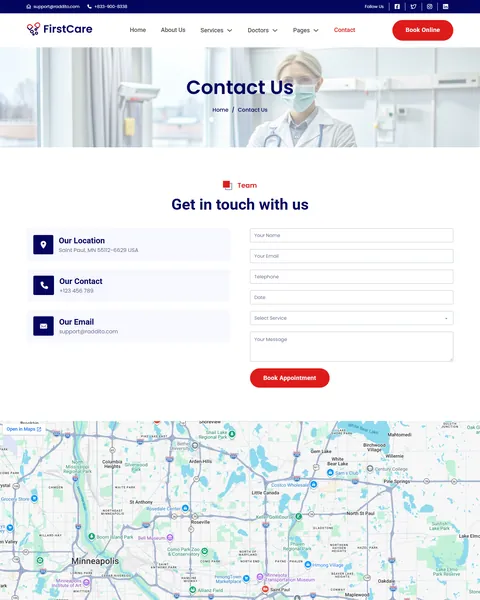
“Latest News & Blogs” shows articles on telemedicine, annual physical exams, regular check-ups and managing high blood pressure. Single posts have a search box, recent posts and categories. The Contact page offers location, phone and email cards beside a booking form with a service dropdown, plus a map.
Research-Driven Design for General Practitioners
We looked at how patients choose a private GP online. They often want an appointment soon, sometimes the same day, and they compare doctors, services and whether video visits are offered. Credentials, clear service lists and an easy booking path matter more than flashy design. This general practitioner Bricks Builder template is designed to look clinical and trustworthy while keeping booking one click away.
Deep navy and bold red. Deep navy, #04055E, fills the hero, headings and footer and signals medical authority. Bold red, #DD1C1A, marks the Book Online button and section labels, like the red cross on a first aid kit. Soft lavender, #F4F3FF, separates sections gently.
Poppins and Roboto. A Poppins hero headline feels modern and friendly, while Roboto section titles and body text stay clear and familiar for medical information.
Real clinical photography. Doctors in white coats, consultations and examination rooms show a working practice. Replace them with photos of your own doctors and clinic for the strongest trust.
A top bar for quick contact. Email, phone and social links sit above the main header on every page. Patients who prefer to call can find your number without scrolling.
Booking on every key page. A red Book Online button stays in the header, and forms appear on the Contact and Doctor Details pages. A newsletter signup above the footer keeps patients in touch between visits.
Mobile friendly. On phones, the menu opens as a popup, doctor cards stack neatly and forms stay easy to fill in. Many patients book a GP from their phone when they feel unwell.
What’s Included With the FirstCare Bricks Builder Template
- 16 Bricks templates. Home, About Us, Services, Service Details, Doctors, Doctor Details, FAQ, Contact Us and Blog Details, plus blog archive, search results, 404, header, footer, a video popup and a mobile menu popup.
- Theme Style file. Global colors, typography and buttons in one JSON file.
- Assets folder. The images and icons the templates reference.
- READ_ME guide and changelog. Setup steps, mobile menu steps and the version history.
Need help with the template files? Our product support team can help. If you would rather have the whole practice website built with your own doctors and services, see our done-for-you website service.
How to Import the FirstCare General Practitioner Bricks Builder Template
FirstCare needs nothing besides Bricks. Follow these steps:
- In Bricks > Settings > General, enable custom breakpoints, SVG uploads and smooth scroll (CSS), then save.
- In the builder’s breakpoint settings, set Tablet Portrait to 1025px and Mobile Landscape to 768px.
- Go to Bricks > Templates and import the templates zip file.
- Import the Theme Style and set its condition to the entire website or individual pages.
- Import the mobile menu template, link it to the bar icon in the header, set its condition and select it from the close icon. Then save and refresh.
The video below walks through a full Bricks site import. It also shows WooCommerce steps, which you can skip because FirstCare does not use WooCommerce.
FirstCare vs Other Bricks Options for GP Websites
Comparing ways to build a general practitioner website in Bricks? Here is how FirstCare compares with other popular options online.
| FirstCare | Other popular Bricks template libraries online* | |
|---|---|---|
| Complete private GP website | Yes, ready to import | No, all three are libraries of sections |
| Doctor profiles with education and credentials | Yes | Not as ready pages on any of them |
| Telemedicine service and FAQ | Yes | Not mentioned on any of them |
| Appointment form with service choice | Yes | Not as ready pages on any of them |
| Same design also sold for Elementor | Yes | No, not on any of them |
Why GPs choose FirstCare:
- Made for primary care. Services, doctors, FAQ and booking are ready.
- Pure Bricks. No add-ons, so your site stays fast.
- One payment. $19.90 once, with no yearly plan.
*We compared FirstCare with two paid Bricks layout libraries and a free community Bricks template library, each listed on its own website. Details come from each product page on October 26, 2026. Prices and features may change.
More Medical Bricks Templates by Raddito
Prefer Elementor? FirstCare is also available as a private GP Elementor landing page with the same look. If you run a larger clinic or an online practice, compare these Bricks options.
Telmed – telemedicine Bricks Builder template kit
Best for virtual clinics and online doctor consultations.
12 pages · No extra plugins · Live Preview
LifeLine – medical clinic Bricks Builder template kit
Best for primary care and multi-specialty clinics.
9 demo pages · Bricks with JetFormBuilder · Live Preview
PeopleCare – hospital Bricks Builder template kit
Best for hospitals and larger healthcare centers.
12 pages · Bricks with JetFormBuilder · Live Preview
Want more choices? Browse our health and medical website templates or every WordPress Bricks Builder template we sell.
Frequently Asked Questions
Is FirstCare a WordPress theme?
No. FirstCare is a general practitioner Bricks Builder template, a set of layouts you import into Bricks. Bricks is the theme, and you need your own Bricks license.
Do I need any plugins besides Bricks?
No. All pages, the appointment forms and both popups use built-in Bricks elements, so there is nothing else to install.
Can patients book online?
Yes. The Bricks forms email each request to you. You can also link the Book Online buttons to your practice booking system.
Can I offer video consultations?
Yes. The telemedicine service and FAQ are ready. Link them to the secure video platform your practice already uses.
Can I change the services in the booking form?
Yes. Edit the Select Service options in the form element to match your own clinics, such as travel health or minor surgery.
Is it suitable for a solo doctor?
Yes. Remove the extra doctor cards and keep one profile page. The rest of the site works the same for a single GP.
Should I replace the sample doctors and credentials?
Yes, please. The doctor names, education, counters and reviews are placeholders, so use only your own real team and qualifications.