


Matrizen is a maternity clinic Bricks Builder template for WordPress, made for maternity clinics, obstetricians and gynecologists, birth centers, midwives and prenatal and postnatal care providers. It includes 12 pages, such as About Us, Services, Service Details, Pregnancy Guide, Specialists, Testimonials, FAQ, Blog, Contact Us and 404, plus header, footer and mobile menu templates.
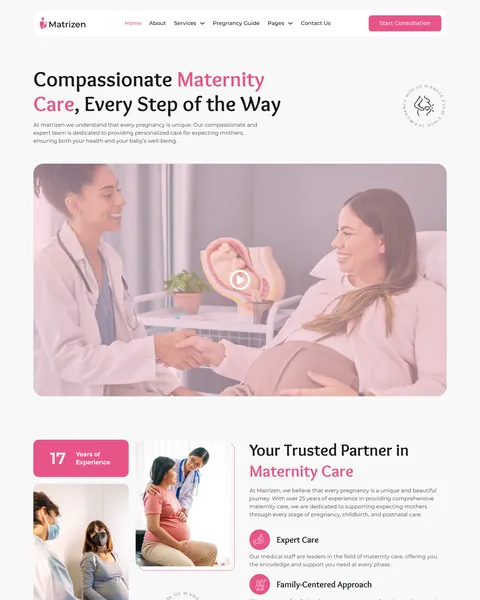
The demo opens with “Compassionate Maternity Care, Every Step of the Way” above a warm photo of a doctor holding hands with an expecting mother. A round pregnancy badge and a video button add a gentle touch. Rose pink, blush and soft white give your clinic a tender, caring and modern feel.
Matrizen needs one free plugin, JetFormBuilder, for its consultation booking form. Bricks itself is a premium theme and is not included.

Quick Template Details
- Template Name: Matrizen
- Template Type: Full website template kit
- Required Theme: Bricks (Premium, not included)
- Required Plugin: JetFormBuilder (Free)
- Page Templates: 12, plus header, footer and a mobile menu popup
- Booking Form: Consultation form with service and date fields
- Responsive: Desktop, Tablet, Mobile
- Coding Required: No
Who Is This Maternity Clinic Bricks Builder Template For?
- Maternity clinics. Labor and delivery, prenatal care, postpartum care and newborn guidance are ready as services.
- Obstetricians and gynecologists. A Specialists page introduces obstetricians, perinatologists and pediatricians with photos and roles.
- Birth centers and midwives. Water birth, natural birth and personalized birth plans are described on the service pages.
- Lactation and postnatal support services. Breastfeeding support and lactation consultants have their own place in the site.
- Women’s health practices that educate. A full Pregnancy Guide and a blog help expecting parents learn before every visit.
Running a general hospital with many departments instead? Our PeopleCare hospital Bricks Builder template kit is a better fit.
See Every Page in the Matrizen Maternity Clinic Bricks Builder Template
Twelve demo pages are below. Click any page to open it in the live demo.
A Pregnancy Guide That Parents Will Bookmark
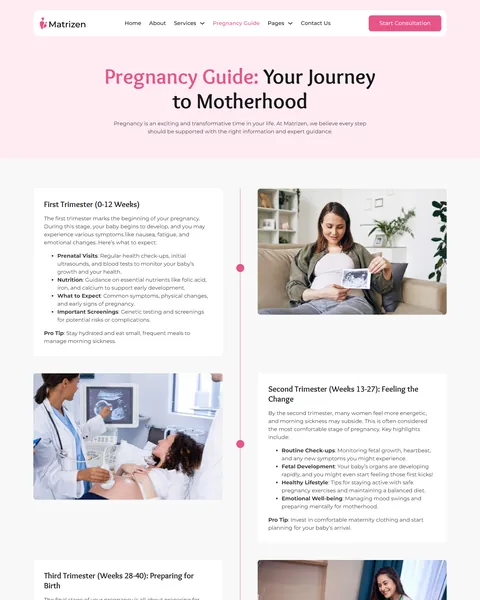
Expecting parents search for answers at every stage, and Matrizen gives them a dedicated Pregnancy Guide page. It walks through the first, second and third trimesters in a timeline layout with photos.
Each trimester covers prenatal visits, nutrition, what to expect, important screenings and a short pro tip, such as eating small, frequent meals to manage morning sickness. A guide like this brings parents back again and again, and it shows your clinic as a trusted source of advice long before the birth.
Six Maternity Services With Detailed Birth Options
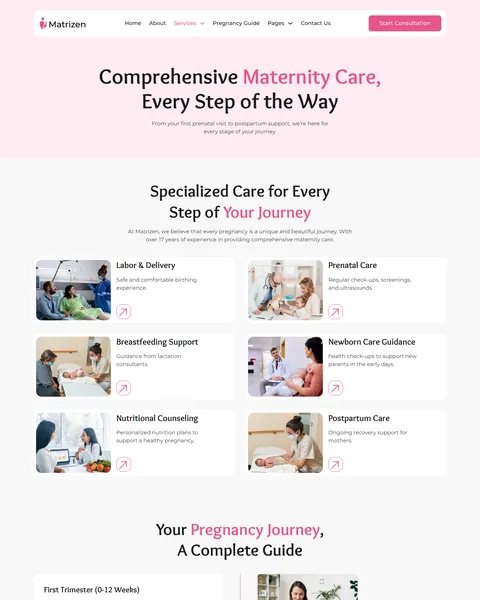
The Services page lists six core services with photos: labor and delivery, prenatal care, breastfeeding support, newborn care guidance, nutritional counseling and postpartum care. A short trimester overview sits below.
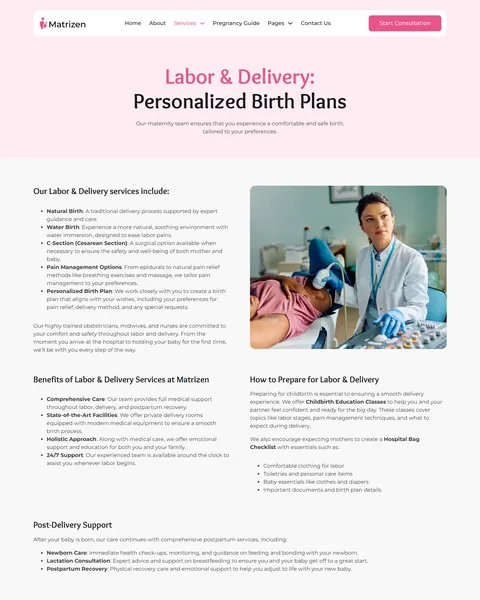
The Service Details page, shown for labor and delivery, explains natural birth, water birth, C-section, pain management options and personalized birth plans. Sections on benefits, preparing for labor and post-delivery support complete the picture, so parents understand their choices before they book.
Specialists, Testimonials and Consultation Booking
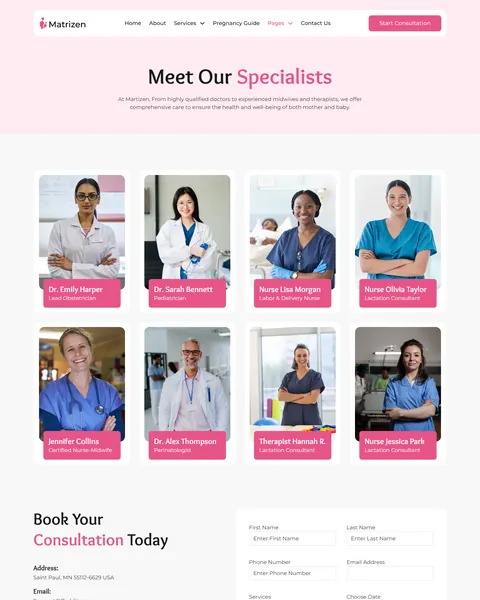
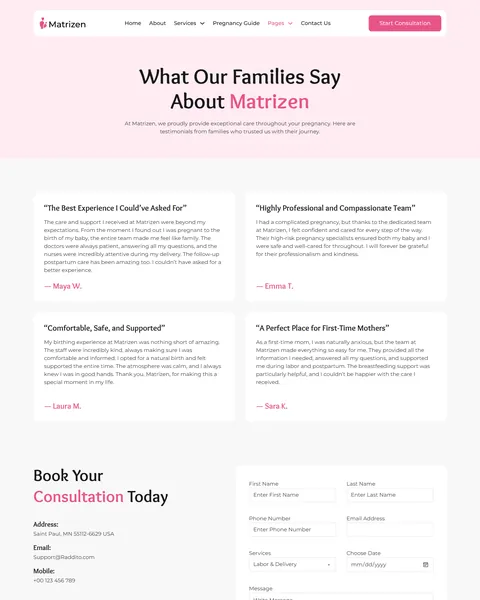
Parents want to meet their care team. The Specialists page shows eight team members in a photo grid, including a lead obstetrician, pediatrician, perinatologist, certified nurse-midwife and lactation consultants. The Testimonials page shares longer family stories with titles like “The Best Experience I Could’ve Asked For”.
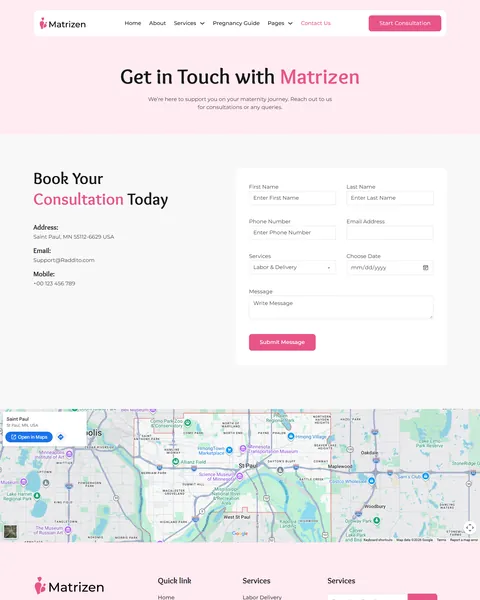
A “Book Your Consultation Today” form appears on several pages. It asks for name, phone, email, the service needed, a preferred date and a message, with address, email and phone details beside it.
About, FAQ, Blog and Contact
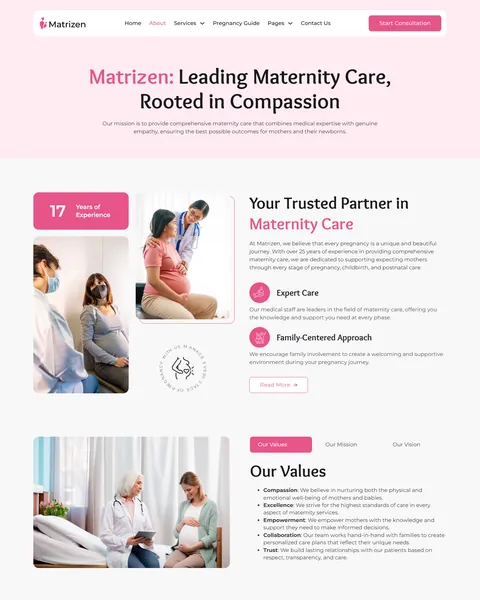
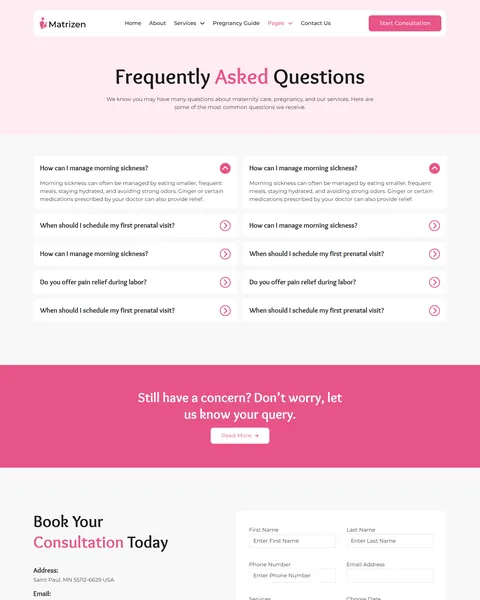
The About page shares your mission, your years of experience and values such as compassion and excellence, with tabs for mission, vision and values. The FAQ page answers common questions about morning sickness, first prenatal visits and pain relief during labor in a two-column layout.
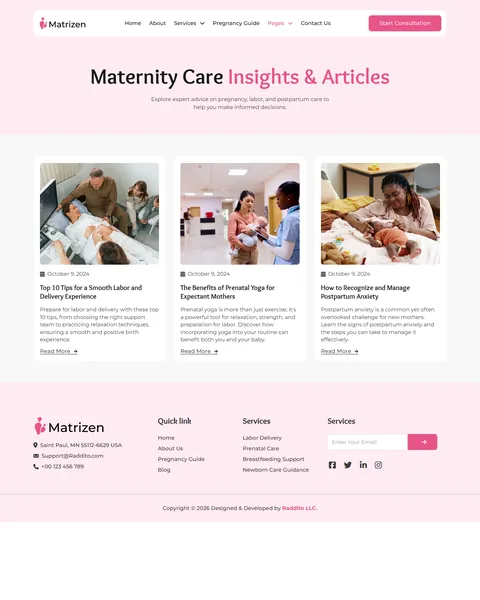
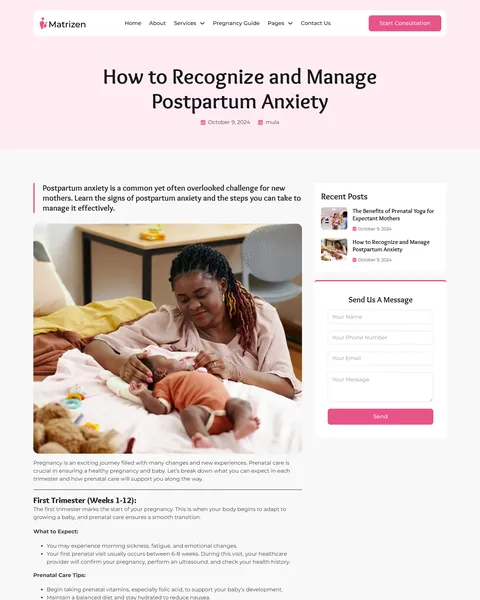
The “Insights & Articles” blog shares guides on labor, prenatal yoga and postpartum anxiety, and single posts include recent posts and a quick message form. The Contact page pairs the consultation form with a map.
Research-Driven Design for Maternity Clinics
We looked at how expecting parents choose a maternity clinic. They want to feel safe and cared for, understand their birth options, meet the doctors and midwives and know what each trimester brings. Many are first-time parents with lots of questions and some anxiety. This maternity clinic Bricks Builder template is designed to feel warm and reassuring while answering those questions clearly.
Rose pink and blush. A warm rose pink, #E85489, marks buttons, highlights and the help banner. It feels caring and feminine without being childish. Soft blush backgrounds frame page titles and sections, and white space keeps every page calm.
Overlock and Montserrat. Rounded Overlock headlines feel gentle and personal, with key words highlighted in pink. Montserrat body text stays clear and modern for medical explanations.
Tender, real-life photography. Mothers, babies, doctors and midwives in warm, soft light show the human side of care. Use photos of your own team and rooms to help parents feel at home before they visit.
Education builds trust. The Pregnancy Guide, detailed birth options and a blog show expertise and give parents a reason to stay on your site. Parents who learn from you are far more likely to choose you for the birth.
Consultations in reach. A Start Consultation button in the header and booking forms across the site make it easy to take the first step.
Mobile friendly. On phones, the menu opens as a popup, timelines stack neatly and forms stay easy to fill. Expecting parents often browse late at night on their phones.
What’s Included With the Matrizen Bricks Builder Template
- 16 Bricks templates. Home, About Us, Services, Service Details, Pregnancy Guide, Specialists, Testimonials, FAQ, Blog, Blog Details and Contact Us, plus blog archive, 404, header, footer and a mobile menu popup.
- Theme Style file. Global colors, typography and buttons in one JSON file.
- Assets folder. The images and icons the templates reference.
- READ_ME guide and changelog. Setup steps and the version history, with the latest update on October 2, 2025.
Need help with the template files? Our product support team can help. If you would rather have the whole clinic website built with your own team and branding, see our done-for-you website service.
How to Import the Matrizen Maternity Clinic Bricks Builder Template
Install and activate JetFormBuilder first, then follow these steps:
- In Bricks > Settings > General, enable custom breakpoints, SVG uploads and smooth scroll (CSS), then save.
- In the builder’s breakpoint settings, set Tablet Portrait to 1025px and Mobile Landscape to 768px.
- Go to Bricks > Templates and import the templates zip file.
- Import the Theme Style and set its condition to the entire website.
- Link the mobile menu popup to the menu icon in the header and set the email address for the consultation form.
The video below walks through a full Bricks site import. It also shows WooCommerce steps, which you can skip because Matrizen does not use WooCommerce.
Matrizen vs Other Bricks Options for Maternity Websites
Comparing ways to build a maternity clinic website in Bricks? Here is how Matrizen compares with other popular options online.
| Matrizen | Other popular Bricks template libraries online* | |
|---|---|---|
| Complete maternity clinic website | Yes, ready to import | No, all three are libraries of sections |
| Trimester-by-trimester pregnancy guide | Yes | Not mentioned on any of them |
| Birth options service page | Yes | Not as ready pages on any of them |
| Specialists and testimonials pages | Yes | Not as ready pages on any of them |
| Same design also sold for Elementor | Yes | No, not on any of them |
Why maternity clinics choose Matrizen:
- Made for mothers. Guides, birth options and specialists are ready.
- One free plugin. JetFormBuilder is all you need besides Bricks.
- One payment. $19.90 once, with no yearly plan.
*We compared Matrizen with two paid Bricks layout libraries and a free community Bricks template library, each listed on its own website. Details come from each product page on October 26, 2026. Prices and features may change.
More Healthcare Templates by Raddito
Prefer Elementor? Matrizen is also available as a maternity clinic Elementor template kit with the same look. If you run a hospital, a general clinic or a baby store, compare these Bricks options.
PeopleCare – hospital Bricks Builder template kit
Best for multi-specialty hospitals and medical centers.
12 pages · Bricks with JetFormBuilder · Live Preview
LifeLine – medical clinic Bricks Builder template kit
Best for primary care and multi-specialty clinics.
9 demo pages · Bricks with JetFormBuilder · Live Preview
BabyHub – baby store Bricks Builder template kit
Best for baby care product shops.
10 pages · Bricks with WooCommerce and MC Wishlist · Live Preview
Want more choices? Browse our health and medical website templates or every WordPress Bricks Builder template we sell.
Frequently Asked Questions
Is Matrizen a WordPress theme?
No. Matrizen is a maternity clinic Bricks Builder template, a set of layouts you import into Bricks. Bricks is the theme, and you need your own Bricks license.
Where do consultation requests go?
The booking form uses JetFormBuilder, so each request is emailed to your clinic and can also be saved as a record in WordPress.
Can I add prenatal classes or workshops?
Yes. Duplicate the Service Details page for each class, or add an events plugin and link it from the Services page.
Can I edit the Pregnancy Guide?
Yes. Each trimester section is regular Bricks content, so you can rewrite the advice, add weeks or swap the photos.
Can I use it for a gynecology practice?
Yes. Rename the services and adjust the guide to cover fertility, gynecology or women’s wellness with the same layouts.
Can I change the pink color?
Yes. Update the colors in the imported Theme Style, and buttons, highlights and banners change across the site.
Should I replace the sample specialists and testimonials?
Yes, please. The specialists, family stories and medical advice are samples, so use your own team and have your doctors review all health content.