


BabyHub is a baby store Bricks Builder template for WordPress and WooCommerce, made for baby product brands, organic baby care shops, diaper stores and baby toy boutiques. It includes 10 pages: Home, Shop, Category, Product, Blog, Blog Details, FAQ, Cart, My Account and 404, plus checkout and login templates.
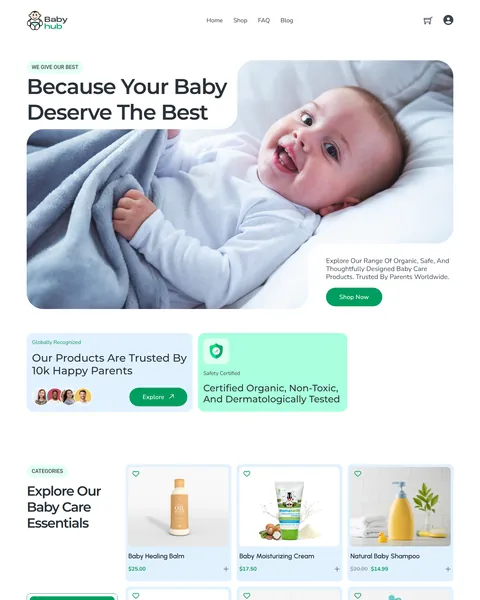
The demo opens with “Because Your Baby Deserve the Best” beside a close-up of a smiling baby on soft white sheets. A Shop Now button, a “trusted by 10k happy parents” badge and a safety certified card sit below. Fresh green, soft sky blue and clean white give your store a gentle, caring and trustworthy feel.
BabyHub uses two free plugins: WooCommerce for the store and MC Wishlist for saved products. Bricks itself is a premium theme and is not included.

Quick Template Details
- Template Name: BabyHub
- Template Type: Full ecommerce website template kit
- Required Theme: Bricks (Premium, not included)
- Required Plugins: WooCommerce and MC Wishlist (both free)
- Page Templates: 10, plus header and footer
- Demo Products: Included as a WooCommerce import file
- Responsive: Desktop, Tablet, Mobile
- Coding Required: No
Who Is This Baby Store Bricks Builder Template For?
- Baby product brands. A brand story with mission, vision and values helps parents connect with who you are.
- Organic baby care shops. Skincare such as balms, lotions, shampoo and sunscreen sits in its own category.
- Diaper and wipes stores. A Diapers and Wipes category with sale prices suits repeat, everyday purchases.
- Feeding essentials sellers. Bottles, bibs, spoons and food containers are ready as a Feeding Essentials collection.
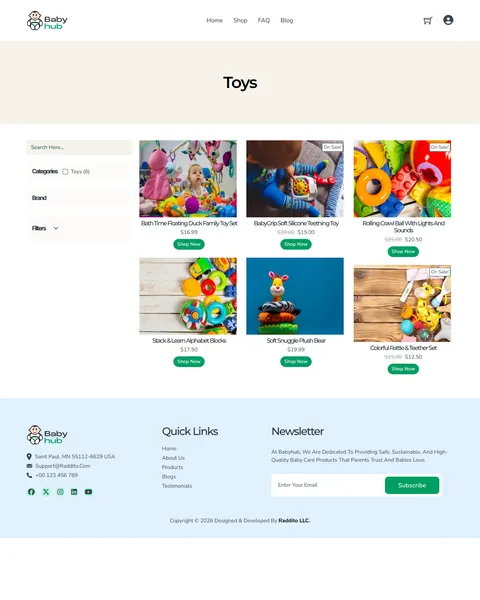
- Toy boutiques for babies. Teethers, rattles, plush toys and learning blocks fill a Baby Toys category.
Only need a single page for one baby product line? Our BabyHub baby products Elementor landing page is a better fit.
See Every Page in the BabyHub Baby Store Bricks Builder Template
Thirteen demo pages are below. Click any page to open it in the live demo.
Five Baby Care Categories on the Homepage
Parents shop by need. Right below the hero, “Explore Our Baby Care Essentials” switches between five tabs: baby skincare, diapers and wipes, feeding essentials, baby toys and baby foods. Each tab shows product cards with prices and sale savings, so parents can browse a whole category without leaving the homepage.
A “Featured Products” section then highlights top picks for your little one, and a View All Products button leads to the full shop. Sale prices with crossed-out originals appear throughout, which works well for bundles and seasonal offers.
Trust Built Into Every Section
Nothing matters more to parents than safety. Two badges in the hero highlight happy parents and safety certification. An “About Us” block shares your mission, vision and values, focused on safety, sustainability and care.
“Why Parents Choose BabyHub” lists four reasons: organic materials, eco-friendly products, high parent ratings and safety testing. A homepage FAQ answers questions about safety, eco-friendliness, shipping and ordering, and a “Join the BabyHub Family Today” banner closes the page with a clear call to shop.
Product Pages and a Smooth Checkout
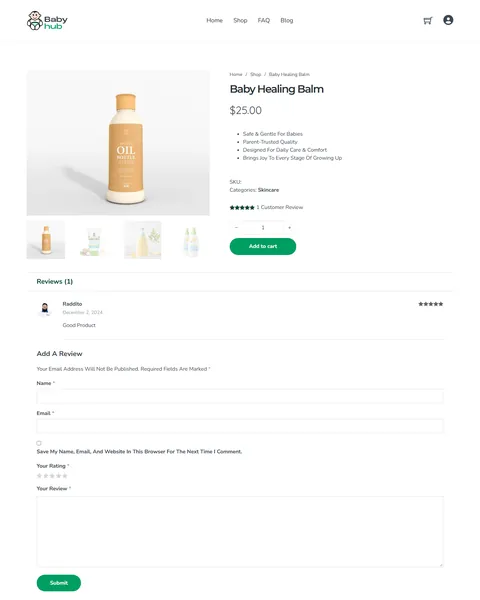
Product pages show a large photo with a thumbnail gallery, price and sale saving. A short benefits checklist with points like gentle on skin and parent trusted sits beside the category and SKU. Description and Reviews tabs sit below, with “Explore Related Products” to suggest what else parents might need.
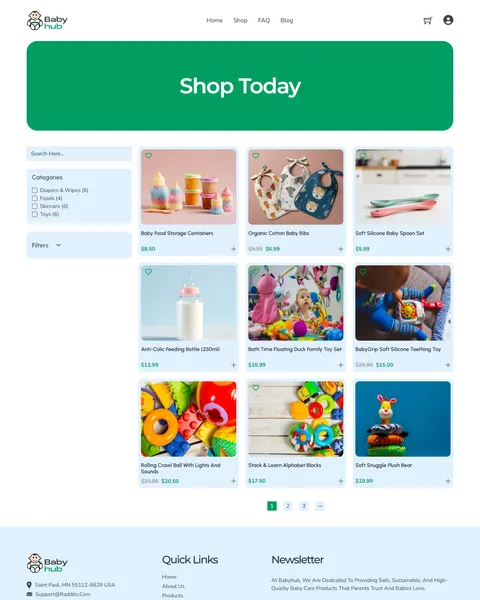
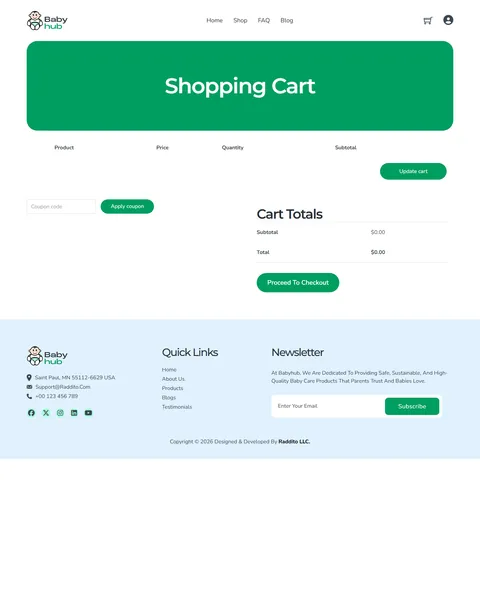
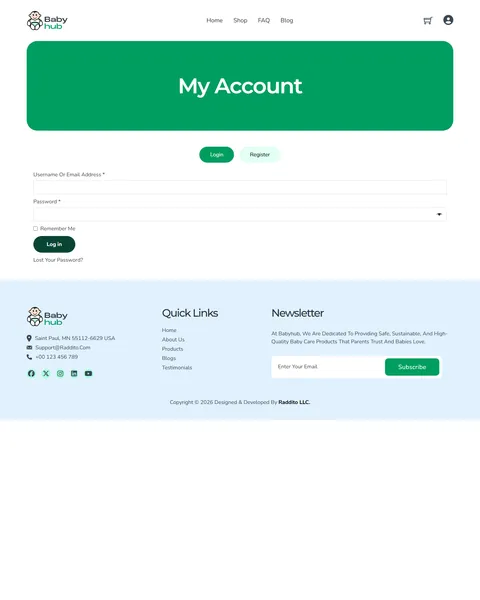
The Shop page lists every item with category filters, and styled Cart, Checkout and My Account pages keep the experience consistent. Heart icons let parents save favorites with the MC Wishlist plugin.
Parenting Blog and FAQ
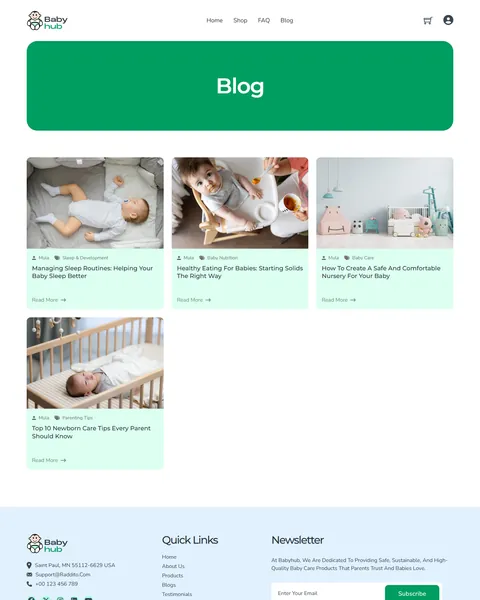
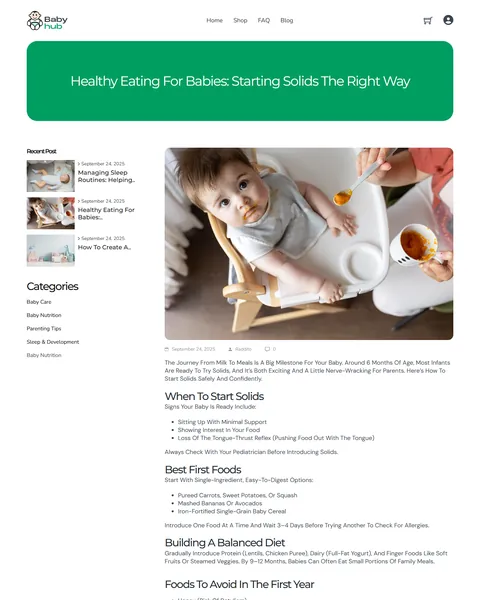
New parents search for advice constantly. The blog shows parenting guides in a card grid, such as sleep routines, starting solids and nursery setup. Single posts include a sidebar with recent posts and categories for baby care, nutrition, parenting tips and sleep.
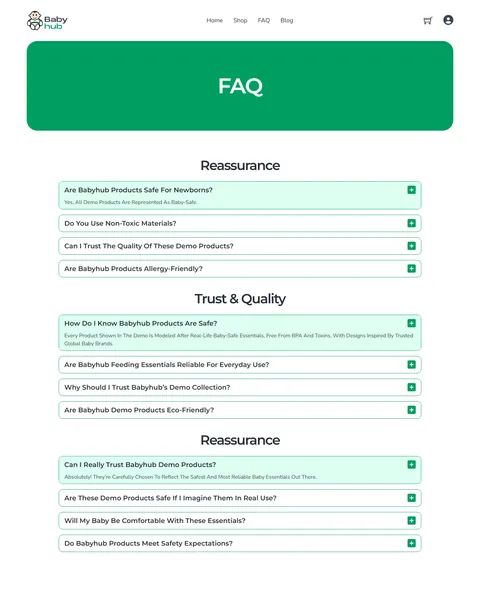
The FAQ page groups questions under reassurance and trust and quality headings in an accordion layout. Replace the sample answers with your own product safety details, certifications and return policy.
Research-Driven Design for Baby Stores
We looked at how parents shop for baby products online. They are careful and often anxious, especially first-time parents. They look for safety certifications, natural ingredients, honest reviews and a brand they can trust with their child. They also buy essentials like diapers and wipes again and again. This baby store Bricks Builder template is designed to feel gentle and trustworthy while making repeat orders easy.
Fresh green and sky blue. A fresh green, #019E60, marks buttons and banners and suggests natural, healthy products. A soft sky blue, #E0F1FE, frames the footer and cards with a calm, nursery-like feel, and white space keeps every page clean.
Montserrat and Nunito Sans. Rounded Montserrat headlines feel friendly and modern. Nunito Sans body text is soft and easy to read, which suits tired parents browsing late at night.
Gentle, real-life photography. Happy babies, soft fabrics and pastel product shots create a warm, reassuring mood. Use photos of your own products in soft natural light for the best results, and show them in real use where you can.
Safety front and center. Certification badges, ingredient promises and parent ratings appear before the first product, answering the biggest worry first.
Easy reordering. Clear categories, a wishlist and an account page help parents restock diapers, wipes and food quickly. Busy parents value a store that remembers what they bought last time.
Mobile friendly. On phones, the menu folds into a toggle, product tabs become swipeable and cards stack neatly. Many parents shop one-handed while holding a baby.
What’s Included With the BabyHub Bricks Builder Template
- 16 Bricks templates. Home, Shop, Category, Product, Blog, Blog Details, FAQ, Cart, My Account and 404, plus checkout, account login, blog archive, blog category, header and footer.
- Demo products. A WooCommerce import file that fills all five categories.
- Theme Style and wishlist style files. Global typography, buttons and a matching wishlist look.
- Assets folder. The images the templates reference.
- READ_ME guide and changelog. Setup steps and the version history, including the WooCommerce pages added in version 2.0.0.
Need help with the template files? Our product support team can help. If you would rather have the whole store built with your own products and branding, see our done-for-you website service.
How to Import the BabyHub Baby Store Bricks Builder Template
Install and activate WooCommerce and MC Wishlist first, then follow these steps:
- In Bricks > Settings > General, enable custom breakpoints, SVG uploads and smooth scroll (CSS), then save.
- In the builder’s breakpoint settings, set Tablet Portrait to 1025px and Mobile Landscape to 769px.
- Go to Bricks > Templates and import the templates zip file.
- Import the Theme Style and set its condition to the entire website.
- Import the demo products from Tools > Import in WordPress.
The video below shows a complete Bricks site import, including the WooCommerce setup.
BabyHub vs Other Bricks Options for Baby Stores
Comparing ways to build a baby store in Bricks? Here is how BabyHub compares with other popular options online.
| BabyHub | Other popular Bricks store options online* | |
|---|---|---|
| Design made for baby products | Yes | No, none of them is made for baby stores |
| Ready homepage with category tabs and trust badges | Yes | Not all, two are libraries of sections |
| Parenting blog templates | Yes | Not mentioned on any of them |
| Styled shop, product, cart and account pages | Yes, all included | Not all, only one covers store pages |
| Demo products to import | Yes | Not mentioned on any of them |
Why baby brands choose BabyHub:
- Gentle and trusted. Safety and care come first in every section.
- Free plugins only. WooCommerce and MC Wishlist cost nothing.
- One payment. $19.90 once, with no yearly plan.
*We compared BabyHub with a free WooCommerce starter kit shared on the Bricks community forum and two paid Bricks layout libraries sold on their own websites. Details come from each product page on October 26, 2026. Prices and features may change.
More Store Templates by Raddito
BabyHub is our baby store Bricks Builder template. If you sell wellness products, supplements or gifts, compare these.
Wellivia – wellness store Bricks Builder template kit
Best for health, wellness and personal care shops.
9 pages · Bricks with WooCommerce · Live Preview
NutriCore – supplement store Bricks Builder landing page
Best for vitamin and supplement brands.
Single landing page · Bricks with MC Wishlist · Live Preview
Leaf & Love – flower shop Bricks Builder template kit
Best for florists, plant stores and gift shops.
17 pages · Bricks with WooCommerce and ACF · Live Preview
Want more choices? Browse our kids and baby website templates or every WordPress Bricks Builder template we sell.
Frequently Asked Questions
Is BabyHub a WordPress theme?
No. BabyHub is a baby store Bricks Builder template, a set of layouts you import into Bricks. Bricks is the theme, and you need your own Bricks license.
Which plugins do I need?
WooCommerce for the store and MC Wishlist for saved products. Both are free, and a wishlist style file is included.
Can I import the demo products?
Yes. The demo products file fills all five categories, so you can test the tabs, shop and product pages before adding your own items.
Can I sell diaper subscriptions?
Yes. Add a WooCommerce subscriptions extension, and recurring prices will show in the same product and cart styles.
Can I add age ranges or product filters?
Yes. Add attributes like age range or size in WooCommerce, then add matching Bricks filter elements to the shop sidebar.
Should I rewrite the safety claims?
Yes, please. Badges such as certified organic or dermatologically tested are samples. Only show claims and certifications your products truly have.
Can I change the green color?
Yes. Update the colors in the imported Theme Style, and buttons, banners and highlights change across the store.