


FurClinic is a veterinary clinic Bricks Builder template for WordPress, made for vet clinics, animal hospitals and pet care centers that also sell food, treats and toys online. It includes 14 pages, such as Services, Vets, Vet Details, Shop, Single Product, Cart, FAQ and Blog, plus checkout and account templates. A header, footer and mobile menu popup complete the kit.
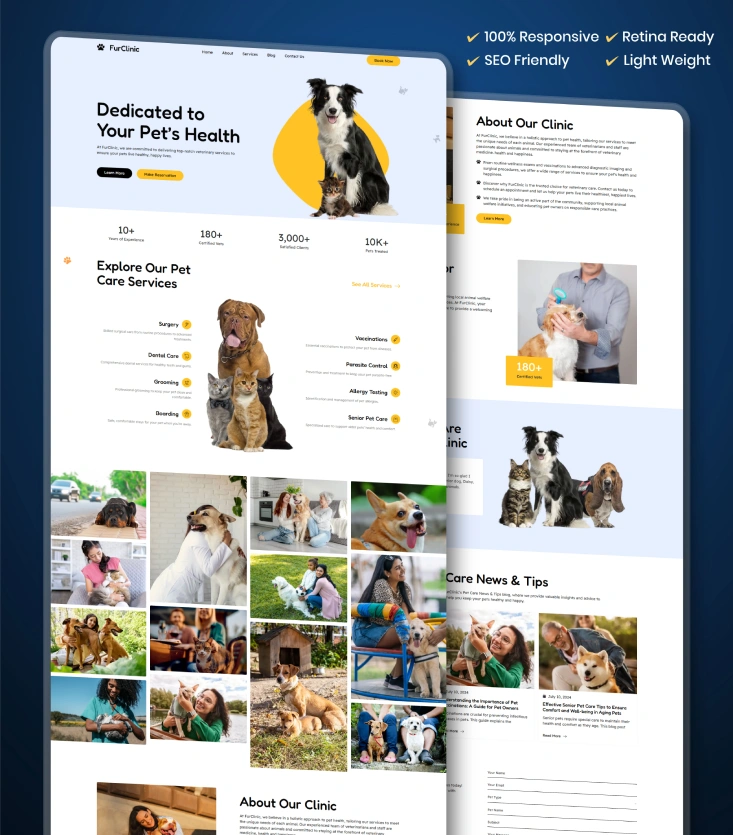
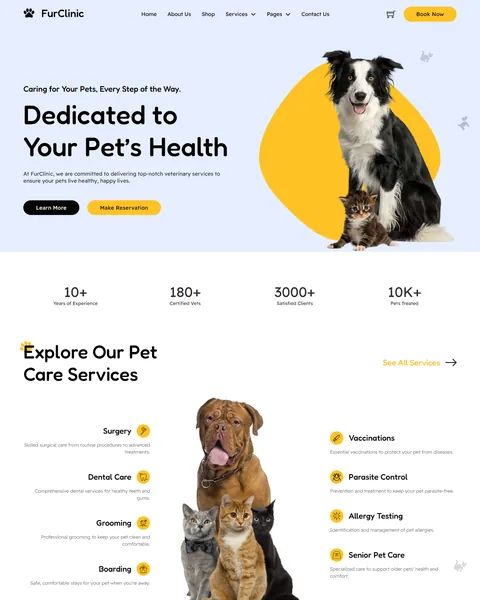
The demo opens with “Dedicated to Your Pet’s Health” beside a happy dog on a bright yellow shape, with Learn More and Make Reservation buttons below. Sunny yellow, soft sky blue and friendly rounded headlines give your clinic a cheerful, caring and approachable look.
FurClinic needs one free plugin, WooCommerce, for its pet shop, cart and checkout. Its appointment forms use native Bricks elements. Bricks itself is a premium theme and is not included.
Quick Template Details
- Template Name: FurClinic
- Template Type: Full ecommerce website template kit
- Required Theme: Bricks (Premium, not included)
- Required Plugin: WooCommerce (Free)
- Page Templates: 14, plus header, footer and a mobile menu popup
- Demo Content: Sample products and blog posts included
- Responsive: Desktop, Tablet, Mobile
- Coding Required: No
Who Is This Veterinary Clinic Bricks Builder Template For?
- Veterinary clinics. Surgery, dental care, vaccinations and parasite control are ready as services.
- Animal hospitals with several vets. A Vets page shows eight veterinarians, each linking to a profile page.
- Clinics that sell pet food and supplies. A WooCommerce shop with categories for cat food, dog food and toys is built in.
- Grooming and boarding centers. Grooming, boarding and senior pet care sit beside the medical services.
- Mobile and exotic pet vets. The appointment form asks for pet type, with options from cats and dogs to rabbits, parrots and turtles.
Need only a one-page site for a pet care business? Our FurNest pet care Bricks Builder landing page is a better fit.
See Every Page in the FurClinic Veterinary Clinic Bricks Builder Template
Fourteen demo pages are below. Click any page to open it in the live demo.
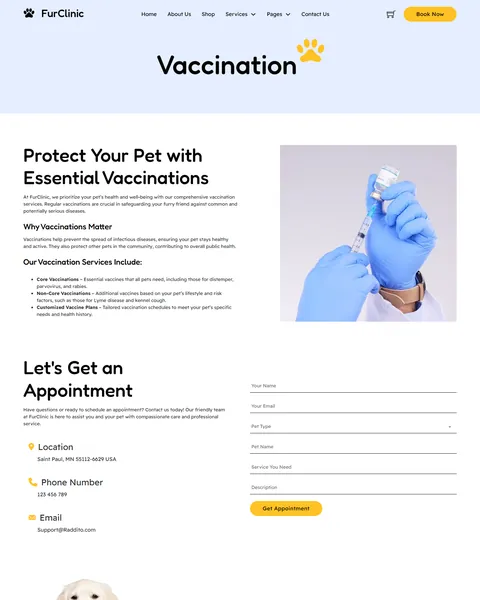
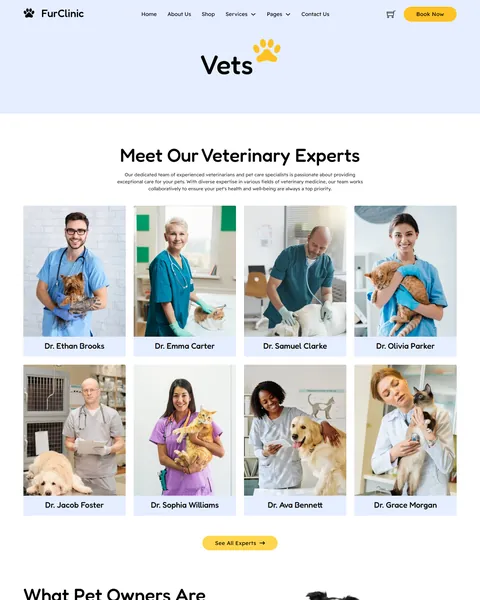
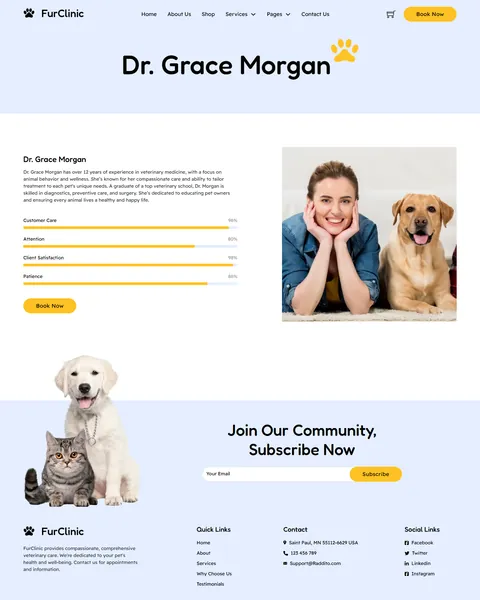
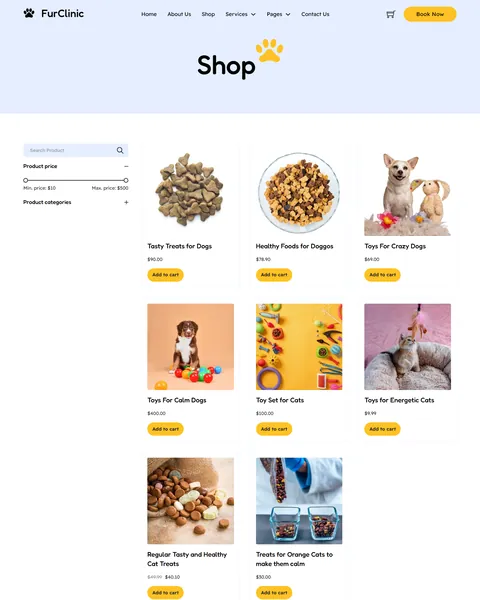
Pet Care Services With Appointment Forms
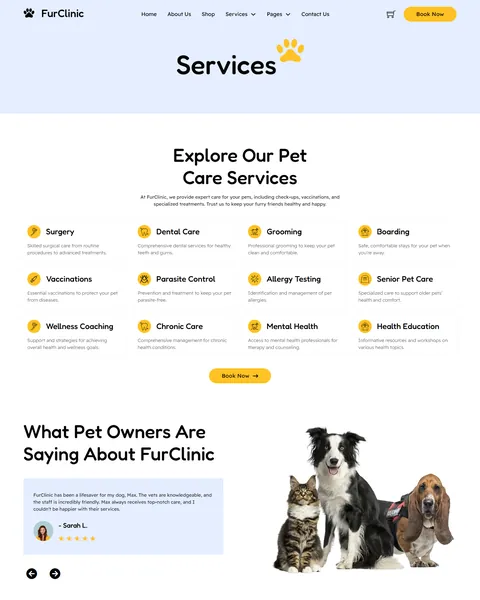
The homepage shows eight core services around a photo of a dog and cats: surgery, dental care, grooming, boarding, vaccinations, parasite control, allergy testing and senior pet care. The Services page lists them as icon cards with a Book Now button and pet owner reviews.
The Service Details page, shown for vaccinations, explains why vaccines matter and lists core, non-core and custom vaccine plans. A “Let’s Get an Appointment” form sits right below. It asks for the pet type, so your front desk knows whether a cat, dog or rabbit is coming in.
Meet the Vets With Profile Pages
Pet owners want to know who will treat their animal. The Vets page, “Meet Our Veterinary Experts”, shows eight veterinarians in a photo grid, most of them holding a dog or cat. A See All Experts button and three pet owner reviews follow.
Each Vet Details page shares a biography with years of experience and focus areas. Progress bars for customer care, attention, client satisfaction and patience add a friendly touch, and a Book Now button keeps the next step close.
A Built-In Pet Shop
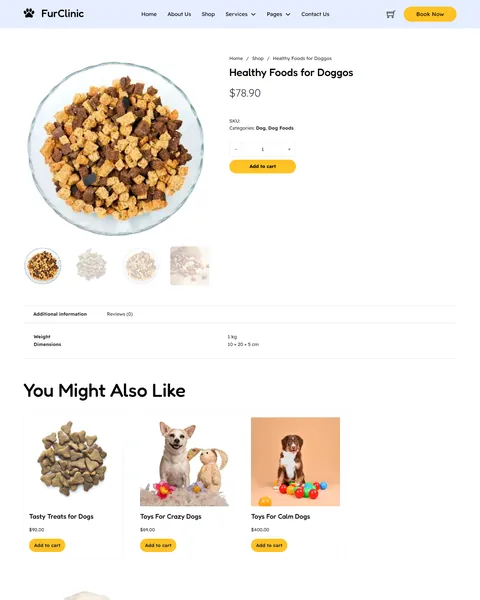
Many clinics already sell food, treats and toys at the front desk. FurClinic moves that online with a WooCommerce shop. It has a search box, a price filter and categories such as cat food, dog foods and pet toys.
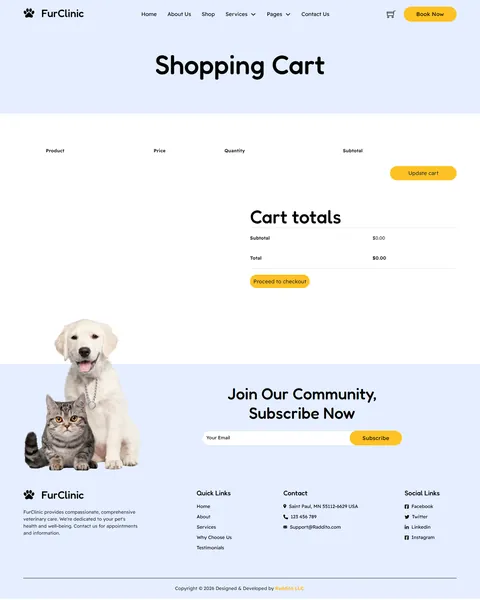
The single product page shows the price, categories, weight and dimensions, with reviews and a “You Might Also Like” row. Custom cart and checkout templates match the rest of the site, and a cart icon in the header keeps the basket one click away.
FAQ, Pet Care Blog and Contact
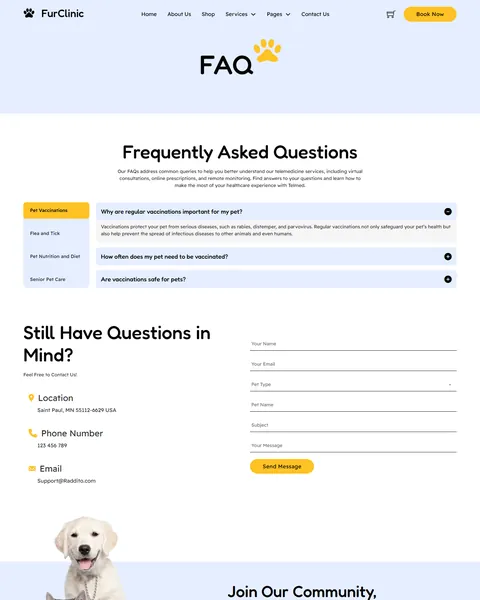
The FAQ page groups questions into tabs for vaccinations, flea and tick, nutrition and diet, and senior pet care. A “Still Have Questions in Mind?” form sits below, so owners can ask anything the list missed.
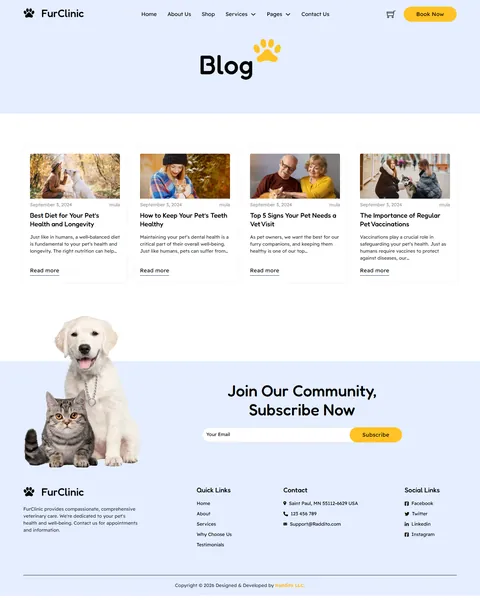
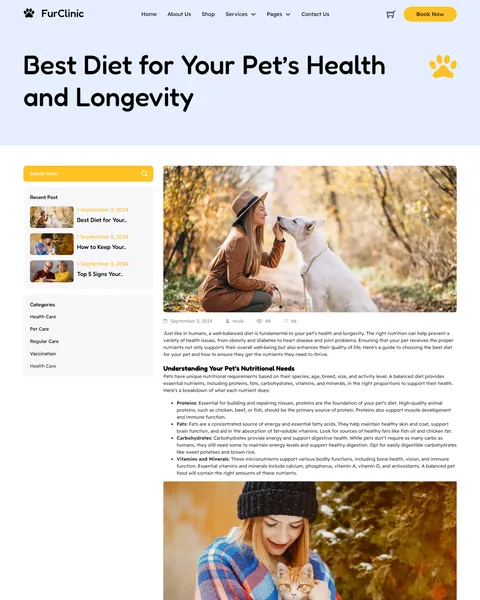
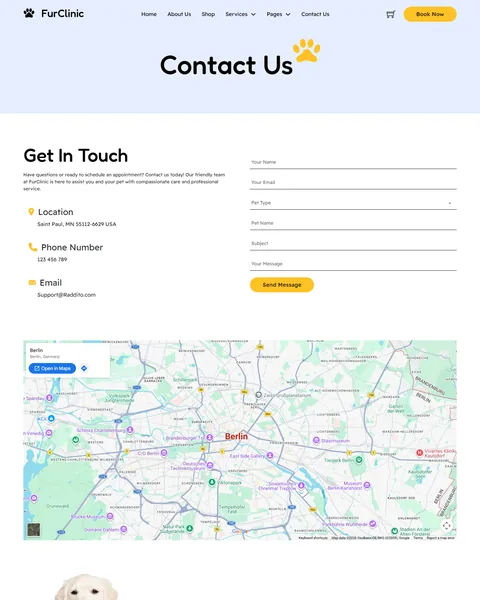
“Pet Care News & Tips” is the blog, with articles on diet, dental health, signs your pet needs a vet visit and vaccinations. The Contact page adds location, phone and email beside the appointment form and a map, and a newsletter signup appears above every footer.
Research-Driven Design for Veterinary Clinics
We looked at how pet owners choose a vet online. They see their pet as family, so they look for warmth and kindness as much as medical skill. They want to see the vets, know which services are offered, and book quickly when something is wrong. Many also buy food and treats from a vet they trust. This veterinary clinic Bricks Builder template is designed to feel happy and caring while making booking and buying simple.
Sunny yellow and sky blue. Yellow, #FEC224, marks buttons, icons and hero shapes. It feels playful and optimistic, like a wagging tail. Soft sky blue, #E5EEFF, fills banner sections for a clean, calm clinical touch, and near-black text, #040404, keeps everything easy to read.
Fredoka and Readex Pro. Fredoka headlines are round and friendly, which suits a brand built around pets. Readex Pro body text stays clean and simple for service details and care advice.
Happy pet photography. Dogs, cats and smiling vets appear on almost every page. Real photos of your own patients, with owner consent, make the site feel even more personal.
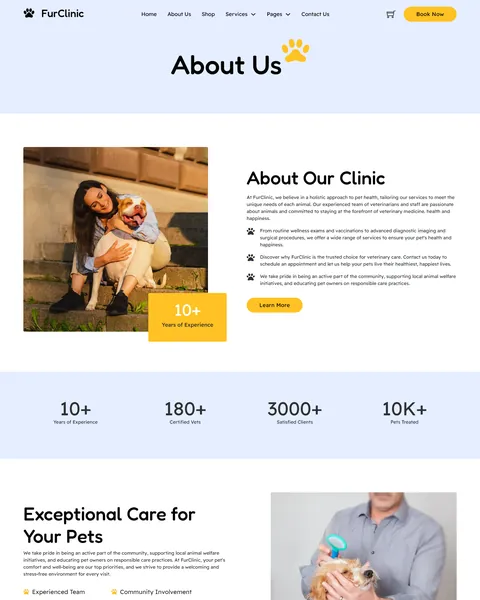
Trust in numbers. Counters for years of experience, certified vets, satisfied clients and pets treated appear on the homepage and About page. Owner reviews that mention pets by name add warm social proof.
Booking on every key page. A Book Now button stays in the header, and appointment forms sit on the home, service, FAQ and contact pages. A worried owner can reach you from wherever they land.
Mobile friendly. On phones, the menu opens as a popup, service cards and products stack neatly and forms stay easy to complete. Most owners look up a vet on their phone, often while their pet needs help.
What’s Included With the FurClinic Bricks Builder Template
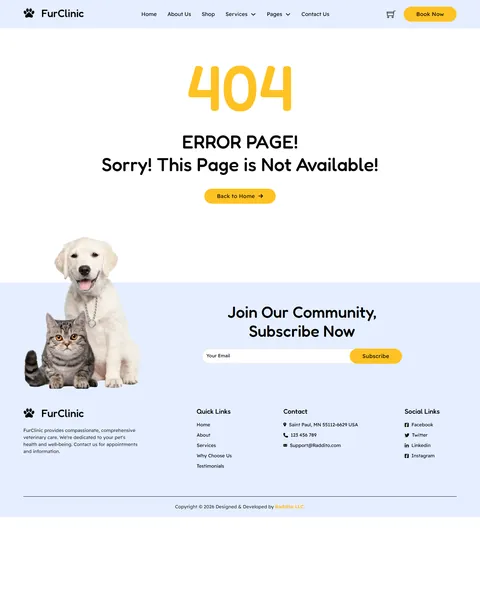
- Bricks templates. Home, About, Services, Service Details, Vets, Vet Details, Shop, Single Product, Cart, Checkout, Account, FAQ, Blog, Blog Details and Contact, plus 404, blog archives, header, footer and a mobile menu popup.
- Demo products and posts. XML files with the sample pet products and blog articles.
- Theme Style file. Global colors, typography and buttons in one JSON file.
- Assets folder. The images and icons the templates reference.
- READ_ME guide and changelog. Setup steps and the version history.
Need help with the template files? Our product support team can help. If you would rather have the whole clinic website and shop built with your own vets and products, see our done-for-you website service.
How to Import the FurClinic Veterinary Clinic Bricks Builder Template
Install and activate WooCommerce first, then follow these steps:
- In Bricks > Settings > General, enable custom breakpoints, SVG uploads and smooth scroll (CSS), then save.
- In the builder’s breakpoint settings, set Tablet Portrait to 1025px and Mobile Landscape to 768px.
- Go to Bricks > Templates and import the templates zip file.
- Import the Theme Style and set its condition to the entire website or individual pages.
- Import the demo products and posts with the WordPress importer, then save and refresh.
The video below walks through a full Bricks site import, including the WooCommerce setup steps for your pet shop.
FurClinic vs Other Bricks Options for Veterinary Websites
Comparing ways to build a vet clinic website with a shop in Bricks? Here is how FurClinic compares with other popular options online.
| FurClinic | Other popular Bricks store options online* | |
|---|---|---|
| Complete veterinary clinic website | Yes, ready to import | No, all three are general store or section kits |
| Vet team and profile pages | Yes | Not as ready pages on any of them |
| Appointment form with pet type | Yes | Not mentioned on any of them |
| Pet shop with cart and checkout | Yes | Yes, store pages on some of them |
| Pet care FAQ and blog templates | Yes | Not mentioned on any of them |
Why vet clinics choose FurClinic:
- Clinic and shop in one. Book visits and sell supplies on one site.
- One free plugin. WooCommerce is all you need besides Bricks.
- One payment. $19.90 once, with no yearly plan.
*We compared FurClinic with a free WooCommerce starter kit shared on the Bricks community forum and two paid Bricks layout libraries sold on their own websites. Details come from each product page on October 26, 2026. Prices and features may change.
More Pet and Clinic Templates by Raddito
Prefer Elementor? FurClinic is also available as a one-page animal hospital Elementor landing page. If you need a smaller pet site or run a clinic for people, compare these Bricks options.
FurNest – pet care Bricks Builder landing page
Best for pet sitters, groomers and small pet care services.
Single landing page · No extra plugins · Live Preview
LifeLine – medical clinic Bricks Builder template kit
Best for primary care and multi-specialty clinics.
9 demo pages · Bricks with JetFormBuilder · Live Preview
Medvil – dental clinic Bricks Builder template kit
Best for dental practices and cosmetic dentists.
13 pages · No extra plugins · Live Preview
Want more choices? Browse our health and medical website templates or every WordPress Bricks Builder template we sell.
Frequently Asked Questions
Is FurClinic a WordPress theme?
No. FurClinic is a veterinary clinic Bricks Builder template, a set of layouts you import into Bricks. Bricks is the theme, and you need your own Bricks license.
Do I have to use the pet shop?
No. WooCommerce is required for the shop, cart and checkout templates. If you do not sell online, remove the Shop link and the cart icon from the header.
Where do appointment requests go?
The forms are built with native Bricks elements, so each request is emailed to the address you set in the form settings.
Can I connect online booking software?
Yes. Link the Book Now and Make Reservation buttons to your clinic’s booking system, or embed its widget on the Contact page.
Can I change the pet types in the form?
Yes. Edit the Pet Type options in the form element to match the animals you treat, such as horses, reptiles or exotic birds.
Is it suitable for a grooming or boarding business?
Yes. Rename the services to grooming packages and boarding options, and use the Vets pages to introduce your groomers or carers.
Should I replace the sample vets and reviews?
Yes, please. The vet names, counters, reviews and products are placeholders, so use only your own real team, prices and owner consent.