


LegalMark is a notary Bricks Builder template for WordPress, made for notary public offices, mobile notaries, document authentication and apostille services, and real estate signing agents. It includes 12 page templates, such as Services, Service Details, Pricing, Team, FAQ and Blog. A header, footer, video popup and mobile menu popup complete the kit.
The demo opens with “Secure Your Legacy with Expert Notary Services” on a deep navy background beside a professional with a video play button. A Get Consultations button sits below. Deep navy, rich burgundy and antique gold give your office a formal, trustworthy and established look.
LegalMark is built only with native Bricks elements, including its contact forms, so no extra plugins are required. Bricks itself is a premium theme and is not included.

Quick Template Details
- Template Name: LegalMark
- Template Type: Full website template kit
- Required Theme: Bricks (Premium, not included)
- Required Plugins: None
- Page Templates: 12, plus header, footer, a video popup and a mobile menu popup
- Forms: Built-in Bricks contact forms
- Responsive: Desktop, Tablet, Mobile
- Coding Required: No
Who Is This Notary Bricks Builder Template For?
- Notary public offices. Document authentication, signature witnessing, certified copies and oaths are ready as services.
- Mobile notaries. The FAQ and blog already cover mobile notary visits to clients’ homes and offices.
- Real estate signing agents. A real estate closings service fits loan signing agents and closing specialists.
- Document authentication and apostille services. A detailed authentication page explains the process for domestic and international use.
- Small law offices that offer notary services. A team of attorneys with detailed profiles suits firms that combine legal advice and notarization.
Running a full law firm with litigation and practice areas instead? Our Veritas law firm Bricks Builder landing page is a better fit.
See Every Page in the LegalMark Notary Bricks Builder Template
Twelve demo pages are below. Click any page to open it in the live demo.


A Six-Step Notarization Journey
Many people have never visited a notary and don’t know what to bring. LegalMark’s homepage answers that with “Your Notarization Journey” in six numbered steps. They run from scheduling an appointment and preparing documents to bringing ID, meeting the notary and receiving notarized papers.
Each step includes one or two short tips, such as leaving documents unsigned until the appointment. A homepage FAQ then answers what to bring, how to book, which documents you notarize, if mobile visits are available and how fees work. Fewer surprises mean fewer wasted trips for clients and staff.
Five Notary Services With a Detailed Service Page
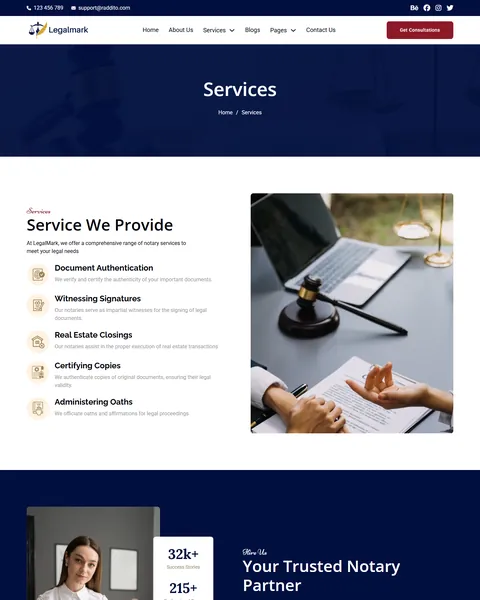
The Services page lists five core services with icons: document authentication, witnessing signatures, real estate closings, certifying copies and administering oaths. Counters for success stories, team size, branches and clients follow, with your opening hours in a “Your Trusted Notary Partner” block.
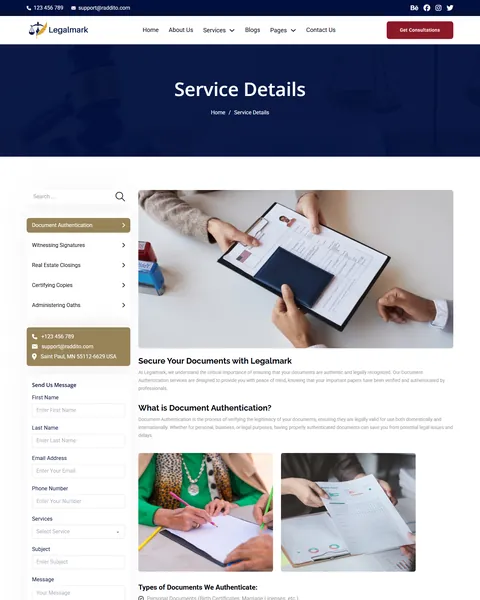
The Service Details page, shown for document authentication, has a sidebar with all services, contact details and a “Send Us Message” form. The main column explains what authentication is, why it matters and which document types you handle, with supporting photos.
Clear Pricing and a Professional Team
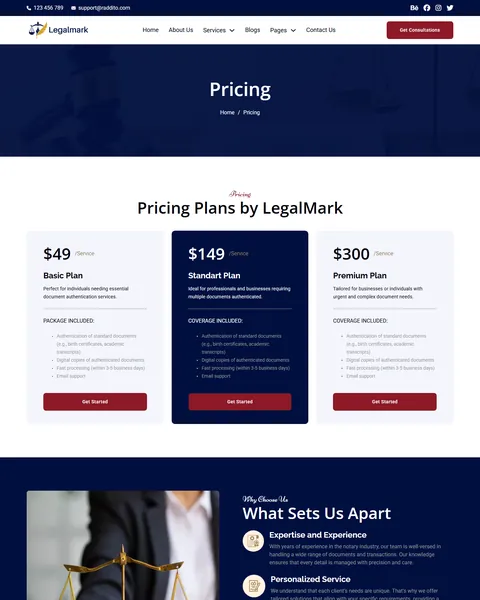
Clients want to know the cost before they book. The Pricing page shows three per-service plans, Basic, Standard and Premium, with inclusions and processing times, followed by a “Why Choose Us” section.
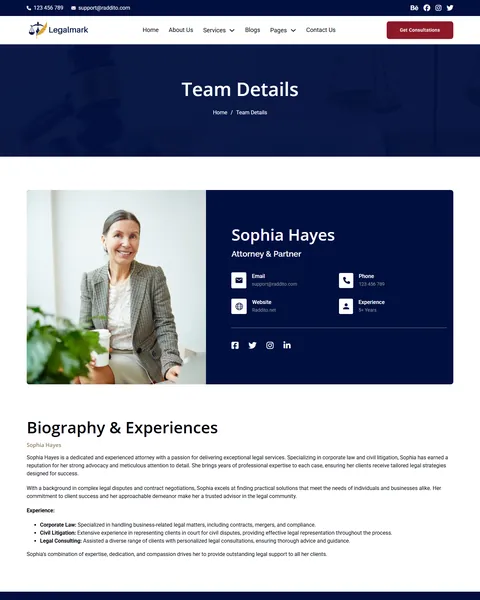
The Team page, “Meet the Lawyers”, presents eight attorneys and notaries in a photo grid. Each Team Details page includes contact details, years of experience, a biography and areas of expertise, which helps clients pick the right professional for complex matters.
About, Blog, FAQ and Contact
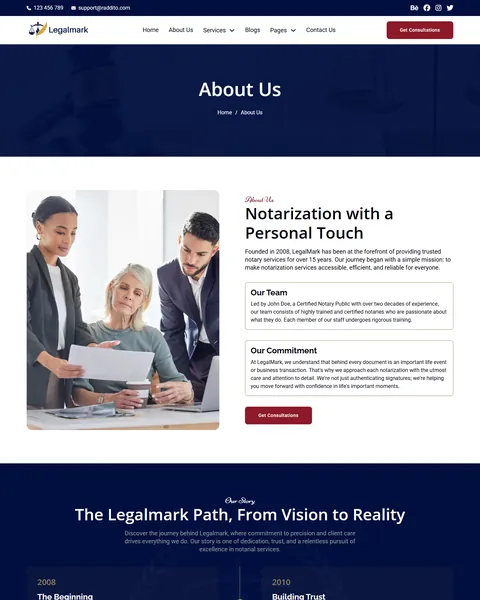
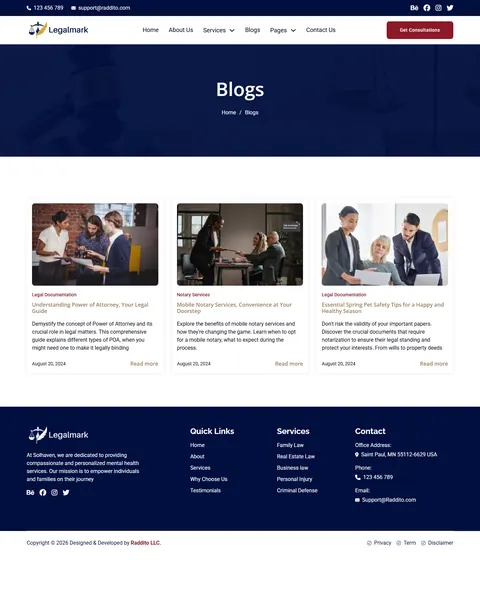
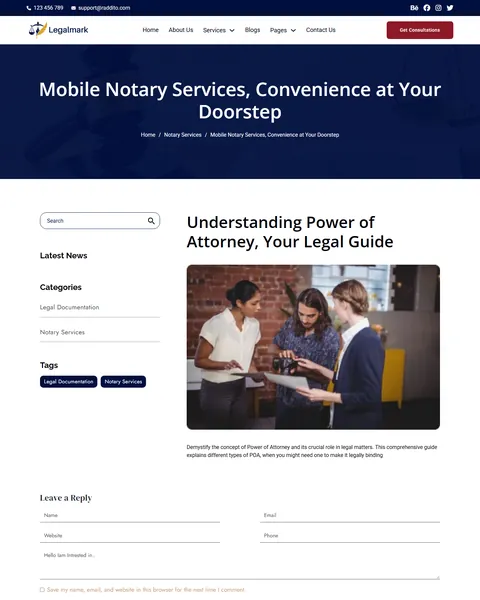
The About page tells your story with a team and commitment summary and a timeline from founding to today. The blog shares guides on power of attorney, mobile notary services and documents that need notarization, with a sidebar of categories, tags and latest posts.
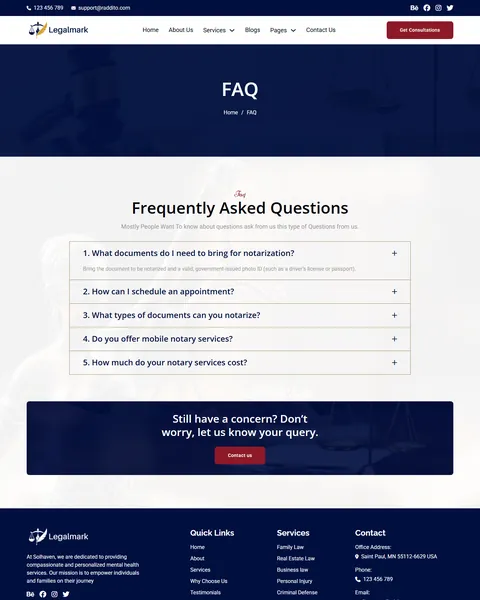
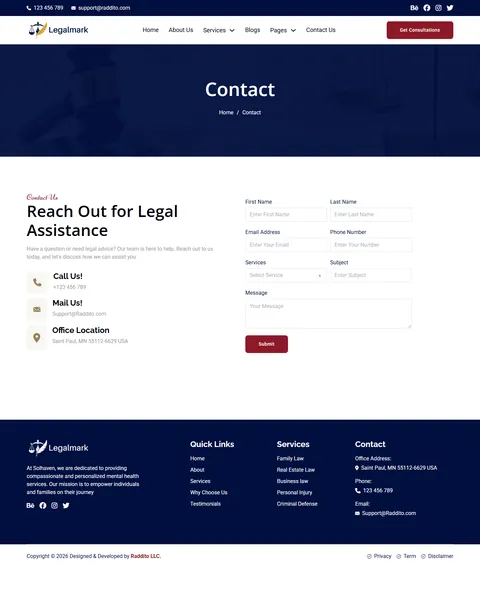
The FAQ page repeats the key questions with a contact banner. The Contact page shows phone, email and office cards beside a form with name, email, phone, service, subject and message.
Research-Driven Design for Notary Services
We looked at how people find a notary online. They usually need one quickly, often for a single important document. They want to know if you can notarize their document, what to bring, how much it costs, where you are and if you can come to them. Trust and professionalism matter because the papers are legally important. This notary Bricks Builder template is designed to answer those questions fast and look established.
Navy, burgundy and gold. Deep navy, used across hero and banner sections, feels formal and dependable, like a legal office. Burgundy, #8C1928, marks buttons and calls to action, and antique gold, #988358, adds a touch of tradition and prestige.
Open Sans, Roboto and Raleway. Clear Open Sans headlines and Roboto body text keep legal explanations easy to read, while Raleway accents add a refined feel.
Professional photography. Signing documents, handshakes and suited professionals show the seriousness of the work. Use photos of your own office and team to build local trust.
Answers up front. A step-by-step journey, FAQ and pricing reduce the calls and emails that ask the same basic questions. Clients arrive prepared, and appointments run faster.
Consultations everywhere. A Get Consultations button stays in the header, and forms sit on the contact, team and service pages. Someone with a deadline can request help from whichever page they land on.
Mobile friendly. On phones, the menu opens as a popup, service lists stack neatly and forms stay easy to complete. Many clients search for a notary on their phone while on the go.
What’s Included With the LegalMark Bricks Builder Template
- 17 Bricks templates. Home, About Us, Services, Service Details, Pricing, Team, Team Details, FAQ, Blog, Post Single and Contact, plus blog archive, 404, header, footer, a video popup and a mobile menu popup.
- Theme Style file. Global colors, typography and buttons in one JSON file.
- Assets folder. The images and icons the templates reference.
- READ_ME guide and changelog. Setup steps and the version history, with the latest update on October 1, 2025.
Need help with the template files? Our product support team can help. If you would rather have the whole website built with your own services, team and branding, see our done-for-you website service.
How to Import the LegalMark Notary Bricks Builder Template
LegalMark needs nothing besides Bricks. Follow these steps:
- In Bricks > Settings > General, enable custom breakpoints, SVG uploads and smooth scroll (CSS), then save.
- In the builder’s breakpoint settings, set Tablet Portrait to 1025px and Mobile Landscape to 768px.
- Go to Bricks > Templates and import the templates zip file.
- Import the Theme Style and set its condition to the entire website.
- Link the mobile menu popup to the header icon and set the email address for each contact form.
The video below walks through a full Bricks site import. It also shows WooCommerce steps, which you can skip because LegalMark does not use WooCommerce.
LegalMark vs Other Bricks Options for Notary Websites
Comparing ways to build a notary website in Bricks? Here is how LegalMark compares with other popular options online.
| LegalMark | Other popular Bricks template libraries online* | |
|---|---|---|
| Complete notary office website | Yes, ready to import | No, all three are libraries of sections |
| Step-by-step notarization guide | Yes, six steps | Not mentioned on any of them |
| Notary service and pricing pages | Yes | Not as ready pages on any of them |
| Team profile pages | Yes | Not as ready pages on any of them |
| Same design also sold for Elementor | Yes | No, not on any of them |
Why notaries choose LegalMark:
- Made for notaries. Services, steps, pricing and FAQ are ready.
- Pure Bricks. No add-ons, so your site stays fast.
- One payment. $19.90 once, with no yearly plan.
*We compared LegalMark with two paid Bricks layout libraries and a free community Bricks template library, each listed on its own website. Details come from each product page on October 26, 2026. Prices and features may change.
More Legal and Finance Templates by Raddito
Prefer Elementor? LegalMark is also available as a notary Elementor template kit with the same look. If you run a law firm, a consultancy or an insurance agency, compare these Bricks options.
Veritas – law firm Bricks Builder landing page
Best for law firms and legal consultancies.
Single landing page · Bricks · Live Preview
Relvise – financial consulting Bricks Builder landing page
Best for financial advisors and consultancies.
Single landing page · No extra plugins · Live Preview
Health Guard – health insurance Bricks Builder template kit
Best for health insurance agencies and brokers.
10 pages · Bricks with JetFormBuilder · Live Preview
Want more choices? Browse our finance and law website templates or every WordPress Bricks Builder template we sell.
Frequently Asked Questions
Is LegalMark a WordPress theme?
No. LegalMark is a notary Bricks Builder template, a set of layouts you import into Bricks. Bricks is the theme, and you need your own Bricks license.
Do I need any plugins besides Bricks?
No. All pages, the contact forms and both popups use built-in Bricks elements, so there is nothing else to install.
Can clients book appointments online?
Yes. Link the Get Consultations buttons to your scheduling tool, or set the Bricks contact form to email you each request.
Can I add remote online notarization?
Yes. Add it as a service and link to your approved remote notarization platform, if your state allows it.
Can I show different fees for mobile visits?
Yes. Edit the pricing plans or add a travel fee note to the Pricing page and the mobile notary FAQ answer.
Is it suitable for a law firm?
Yes, for a small firm that offers notary services. Rename the services to your practice areas and update the team profiles.
Should I replace the sample team and figures?
Yes, please. The team names, counters, prices and history are placeholders, so use only your own real details and licensed staff.