


Selhono is an interior design Bricks Builder template for WordPress, made for interior designers, home decor studios and small architecture firms that sell through their portfolio. It includes 14 page templates, such as Services, Service Details, Projects, Project Details, Pricing, Team, Team Details, FAQ and Blog. A header, footer, search popup and mobile menu popup complete the kit.
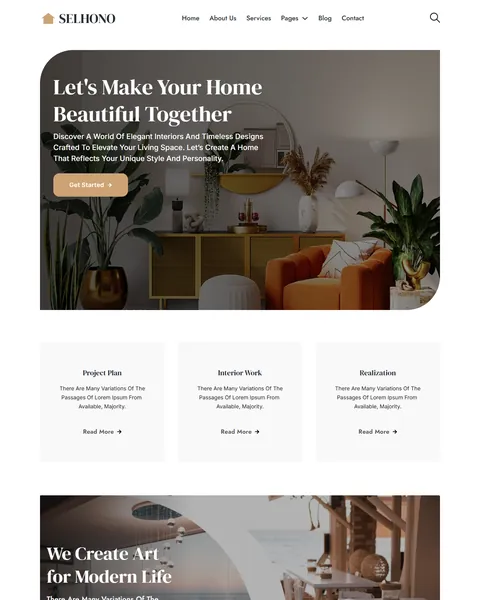
The demo opens with “Let’s Make Your Home Beautiful Together” over a warm living room photo with rounded corners, and a Get Started button below. Soft caramel, deep charcoal and creamy beige give your studio a calm, elegant and inviting look.
Selhono is built only with native Bricks elements, including its contact forms, so no extra plugins are required. Bricks itself is a premium theme and is not included.

Quick Template Details
- Template Name: Selhono
- Template Type: Full website template kit
- Required Theme: Bricks (Premium, not included)
- Required Plugins: None
- Page Templates: 14, plus header, footer, a search popup and a mobile menu popup
- Forms: Built-in Bricks contact forms
- Responsive: Desktop, Tablet, Mobile
- Coding Required: No
Who Is This Interior Design Bricks Builder Template For?
- Interior designers. A filterable Projects page and detailed project pages put your finished rooms first.
- Home decor and styling studios. Decoration work, interior work and 2D/3D art work are ready as services.
- Small architecture firms. Project plans and realization sit beside interior services on the homepage.
- Furniture designers. A Furniture Design pricing plan covers sofas, tables, chairs and kitchens.
- Online design consultants. Monthly advice plans suit designers who sell remote consultations and styling sessions.
Need only a one-page site for a luxury studio? Our Serene interior design Bricks Builder landing page is a better fit.
See Every Page in the Selhono Interior Design Bricks Builder Template
Fourteen demo pages are below. Click any page to open it in the live demo.
A Portfolio Built Around Rooms
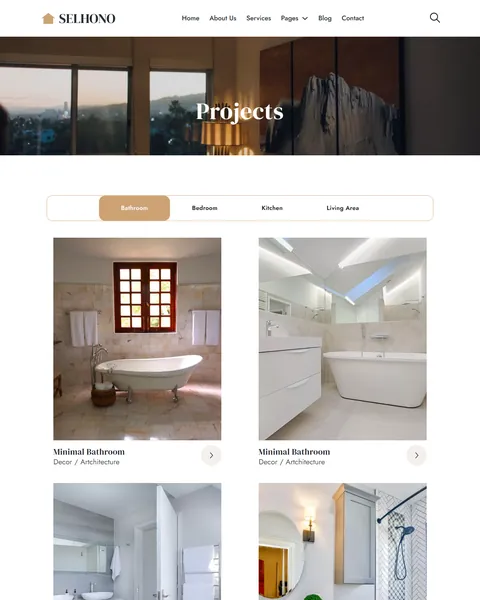
Clients hire interior designers by looking at past work. The Projects page shows a large grid of finished rooms. Filter tabs for bathroom, bedroom, kitchen and living area let visitors jump to the space they want to change.
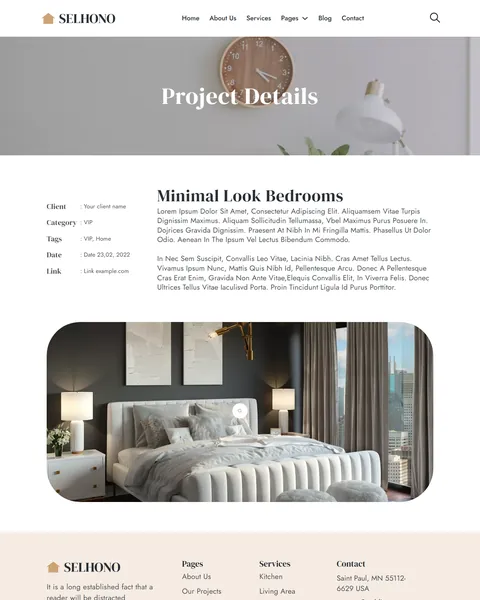
Each Project Details page lists the client, category, tags, date and a link in a neat side panel, with a large photo and a full project story. The homepage also features a “Follow Our Projects” row with a modern bedroom, kitchen, bathroom and drawing room.
Services and a Four-Step Design Process
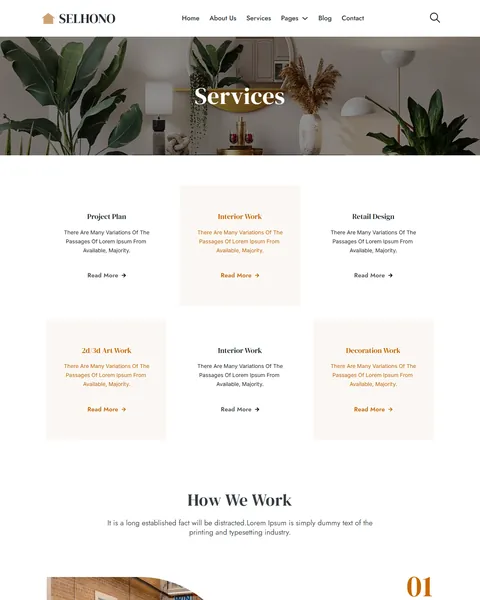
The Services page shows six service cards, including project plan, interior work, retail design, 2D/3D art work and decoration work. A “How We Work” section follows with four numbered steps: concept and details, idea, design and perfection.
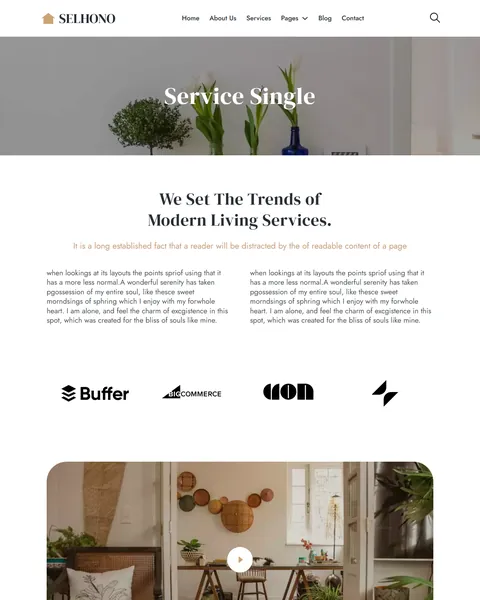
The Service Details page adds two numbered benefit lists, a video section and a row of partner logos. It closes with experience counters, so each service page builds trust on its own. Duplicate it for every service you offer and swap in your own photos and steps.
Clear Pricing for Design Advice
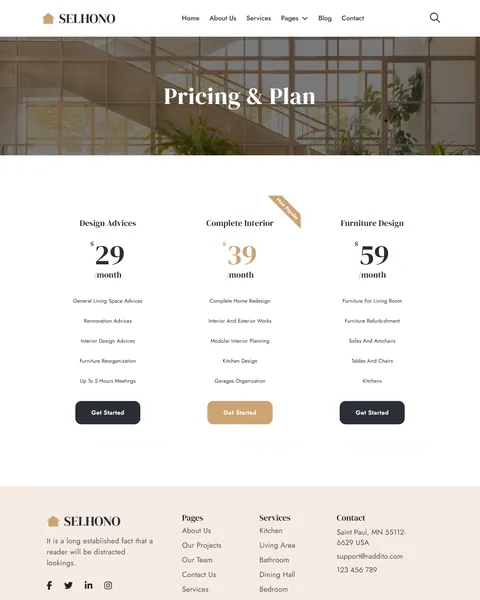
Many people hesitate to contact a designer because they fear the cost. The Pricing page answers that with three monthly plans: Design Advices, Complete Interior and Furniture Design. Each lists what is included, from renovation advice and kitchen design to furniture refurbishment.
The middle plan carries a “Most Popular” ribbon and a caramel button, which draws the eye to your main offer. You can switch the plans to one-time project fees in minutes. Clear prices filter out poor-fit leads and help serious clients book a first consultation with confidence.
Team, About, Blog and Contact
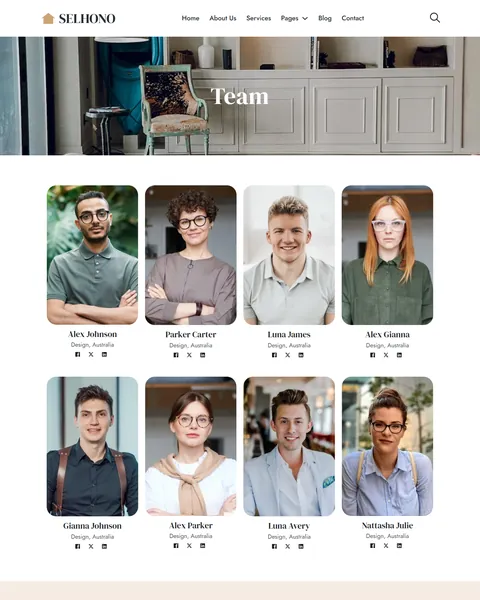
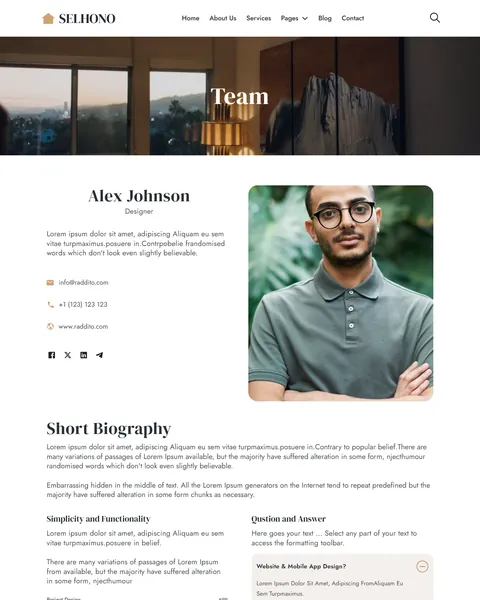
The Team page shows eight designers in a photo grid with social links. Each Team Details page adds contact details, a short biography, skill bars for project design, team management and client satisfaction, and a Q&A accordion.
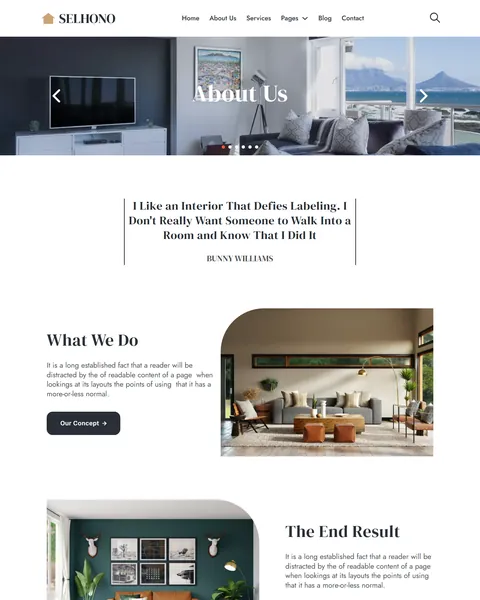
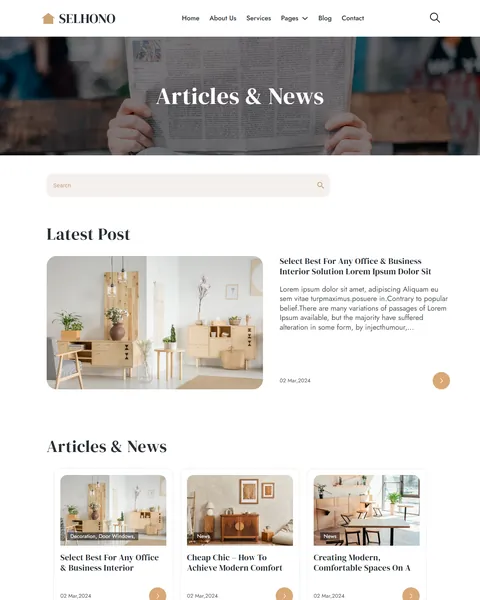
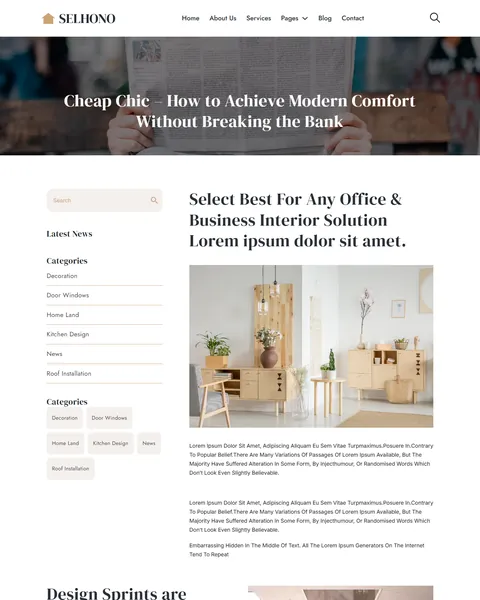
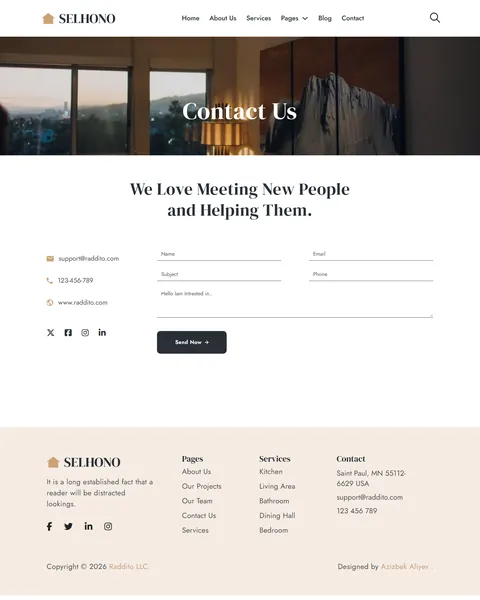
The About page opens with a designer quote, then covers what you do, your concept and the end result, plus client reviews. The blog has a search box, categories such as decoration and kitchen design, and a sidebar on single posts. The Contact page shows email, phone and website beside a contact form, and a search popup opens from the header icon.
Research-Driven Design for Interior Designers
We looked at how homeowners choose an interior designer online. They browse many portfolios, save photos of rooms they love and look for a style that matches their taste. Price is a big worry, and so is whether the designer will listen. This interior design Bricks Builder template is designed to let your rooms speak first, then make pricing and contact feel easy.
Caramel, charcoal and beige. Soft caramel, #CDA274, marks buttons and highlights and echoes natural wood and warm lighting. Deep charcoal, #292F36, grounds headings and dark buttons, while a pale beige tint behind the footer and cards keeps every page warm.
DM Serif Display, Jost and Inter. DM Serif Display headlines feel elegant, like the titles in a home design magazine. Jost and Inter keep body text and buttons clean and modern, so the photos stay the focus.
Rounded, photo-led layouts. Large room photos with rounded corners appear on almost every page. Soft curves feel calm and homey, and match the cozy interiors most clients want.
Space to breathe. Generous white space around every section gives the site the same uncluttered feel a good interior has. Visitors read it as a sign of taste before they see a single project.
Contact in a few clicks. Get Started and Get Free Estimate buttons appear on the homepage, and a “Let’s have a productive talk” form closes the About page. A phone number with “Call Us Anytime” sits in the main feature block.
Mobile friendly. On phones, the menu opens as a popup, project photos stack into one column and forms stay easy to fill in. Many clients browse design inspiration on their phone in the evening.
What’s Included With the Selhono Bricks Builder Template
- 18 Bricks templates. Home, About Us, Services, Service Details, Projects, Project Details, Pricing, Team, Team Details, FAQ, Blog, Post Single, Contact and 404, plus header, footer, a search popup and a mobile menu popup.
- Theme Style file. Global colors, typography and buttons in one JSON file.
- Media folder. The images and icons the templates reference.
- READ_ME guide and changelog. Setup steps, mobile menu steps and the version history, with the latest update on January 19, 2025.
Need help with the template files? Our product support team can help. If you would rather have the whole studio website built with your own projects and branding, see our done-for-you website service.
How to Import the Selhono Interior Design Bricks Builder Template
Selhono needs nothing besides Bricks. Follow these steps:
- In Bricks > Settings > General, enable custom breakpoints, SVG uploads and smooth scroll (CSS), then save.
- In the builder’s breakpoint settings, set Tablet Portrait to 1025px and Mobile Landscape to 768px.
- Go to Bricks > Templates and import the templates zip file.
- Import the Theme Style and set its condition to the entire website or individual pages.
- Import the mobile menu template, link it to the bar icon in the header, set its condition and select it from the close icon. Then save and refresh.
The video below walks through a full Bricks site import. It also shows WooCommerce steps, which you can skip because Selhono does not use WooCommerce.
Selhono vs Other Bricks Options for Interior Design Websites
Comparing ways to build an interior design website in Bricks? Here is how Selhono compares with other popular options online.
| Selhono | Other popular Bricks template libraries online* | |
|---|---|---|
| Complete interior design studio website | Yes, ready to import | No, all three are libraries of sections |
| Projects page with room filters | Yes | Not as ready pages on any of them |
| Project, service and team detail pages | Yes | Not as ready pages on any of them |
| Design service pricing page | Yes | Not mentioned on any of them |
Why interior designers choose Selhono:
- Portfolio first. Rooms, projects and process lead every page.
- Pure Bricks. No add-ons, so your site stays fast.
- One payment. $19.90 once, with no yearly plan.
*We compared Selhono with two paid Bricks layout libraries and a free community Bricks template library, each listed on its own website. Details come from each product page on October 26, 2026. Prices and features may change.
More Interior and Architecture Templates by Raddito
Selhono is our full interior design Bricks Builder template. If you need a smaller one-page site, compare these Bricks options.
Serene – luxury interior Bricks Builder landing page
Best for high-end interior studios.
Single landing page · No extra plugins · Live Preview
Artisian – home decor Bricks Builder landing page
Best for decor stylists and home interior brands.
Single landing page · Bricks · Live Preview
Structura – architecture Bricks Builder landing page
Best for architectural design agencies.
Single landing page · No extra plugins · Live Preview
Want more choices? Browse our creative and design website templates or every WordPress Bricks Builder template we sell.
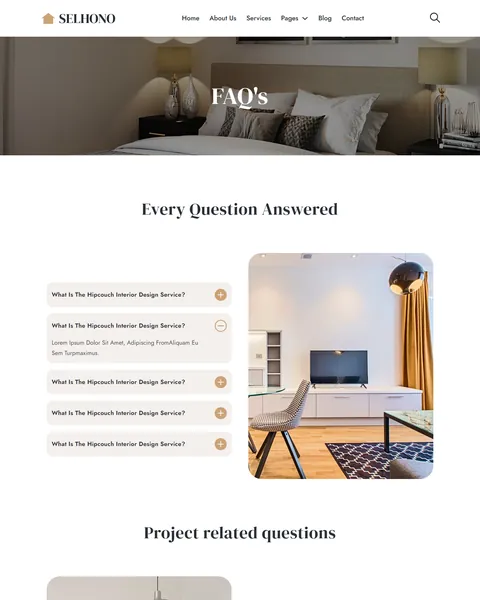
Frequently Asked Questions
Is Selhono a WordPress theme?
No. Selhono is an interior design Bricks Builder template, a set of layouts you import into Bricks. Bricks is the theme, and you need your own Bricks license.
Do I need any plugins besides Bricks?
No. All pages, the contact forms and both popups use built-in Bricks elements, so there is nothing else to install.
Does the demo include finished text?
No. Much of the demo uses placeholder text, so plan to write your own service, project and team copy before launch.
How do I add a new project?
Duplicate a project card on the Projects page, set its room filter, and copy the Project Details page for the full story.
Can I show one-time project fees instead of monthly plans?
Yes. Edit the plan names, prices and labels on the Pricing page, or replace them with “from” prices for each room type.
Is it suitable for an architecture firm?
Yes, for a small firm. Rename the services to design stages, and use the project pages for buildings instead of rooms.
Should I replace the sample photos and team?
Yes, please. The photos, names, reviews, quote and partner logos are placeholders, so use only your own projects and team.