


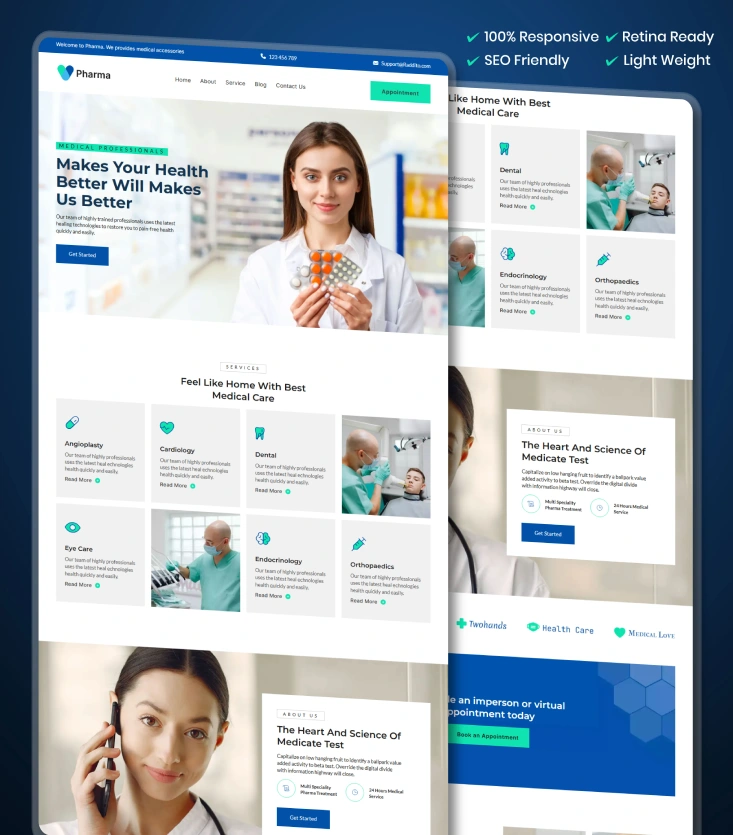
Pharma is a healthcare center Elementor landing page for WordPress, designed for multi-specialty healthcare centers, clinics with an in-house pharmacy, specialist medical groups and community health centers. It is a single scrolling page with six medical services, an appointment banner, patient feedback, a doctor team, counters and health articles.
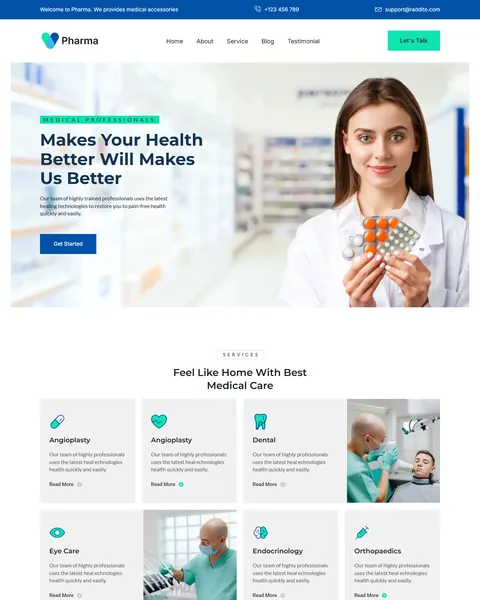
The demo opens with a bold headline about better health beside a smiling pharmacist holding a pack of tablets in a bright pharmacy. A Get Started button sits below, and a mint Let’s Talk button stays in the header. Royal blue, fresh mint and clean white give your center a bright, clinical and trustworthy look.
Pharma runs on free plugins only: Elementor and ElementsKit Lite. No Elementor Pro is needed, and our team installs it for you at no cost.
Quick Template Details
- Template Name: Pharma
- Template Type: Single landing page, 11 sections
- Required Theme: Hello Elementor (Free)
- Elementor Pro Required: No
- Premium Plugins Required: No
- Free Plugins: Elementor, ElementsKit Lite
- Responsive: Desktop, Tablet, Mobile
- Coding Required: No
Who Is This Healthcare Center Landing Page For?
- Multi-specialty healthcare centers. Cardiology, dental, eye care, endocrinology and orthopedics fit a center with several departments.
- Clinics with an in-house pharmacy. The pharmacist hero and pharmacy partner counter suit clinics that dispense medicines.
- Specialist medical groups. A doctor team section and a specialist spotlight introduce your experts.
- Community health centers. Patient feedback and health articles build trust with local families.
- Centers offering virtual visits. An appointment banner invites patients to book in person or online.
Need a full multi-page website for a medical center instead? Our EverCare medical center Elementor template kit is a better fit.
See Every Section of the Pharma Healthcare Center Landing Page
Click any section below to open it in the live demo.
A Bright Hero and Six Medical Services
Patients want to feel cared for from the first click. Pharma opens with a friendly healthcare professional in a clean, bright setting. A blue top bar shows a welcome line, your phone number and email on every screen.
The “Feel Like Home With Best Medical Care” section presents services in a grid of light gray cards with mint icons, mixed with photos of treatments. The demo includes angioplasty, dental care, eye care, endocrinology and orthopaedics, each with a Read More link.
About Your Center and an Appointment Banner
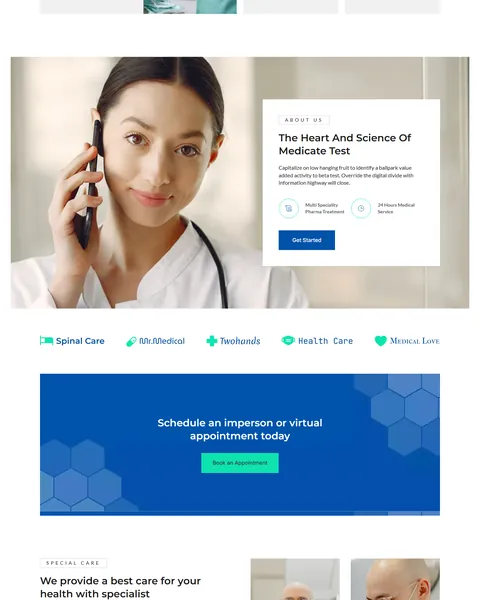
An about section pairs a large photo of a doctor on the phone with a white card describing your approach. Two icons highlight multi-specialty care and pharmacy treatment, with a Get Started button. Short, clear text here helps new patients understand what makes your center different.
A logo strip of healthcare partners follows. A bold blue banner with a honeycomb pattern then invites patients to schedule an in-person or virtual appointment, with a mint Book an Appointment button.
Specialist Care and Patient Feedback
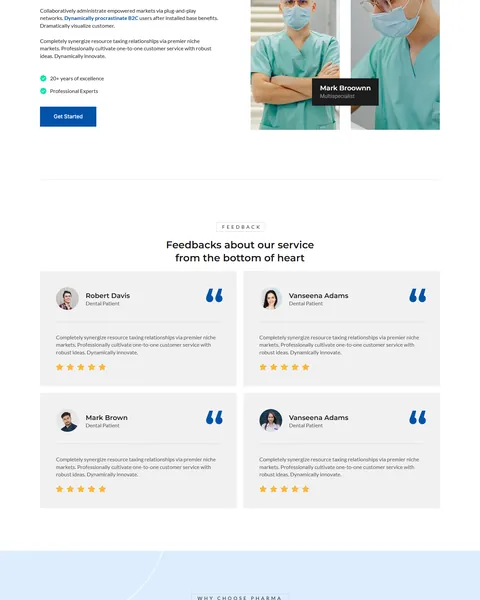
A “Special Care” section introduces your specialists with two photos of surgeons and a name card. Two checkmarked points highlight years of excellence and professional experts. A named specialist card makes the team feel personal.
The patient feedback section shows four reviews in gray cards. Each card has a photo, name, treatment type, quote icon and five stars. Reviews tied to a specific treatment feel more believable.
Why Choose You, Your Doctors and Health Articles
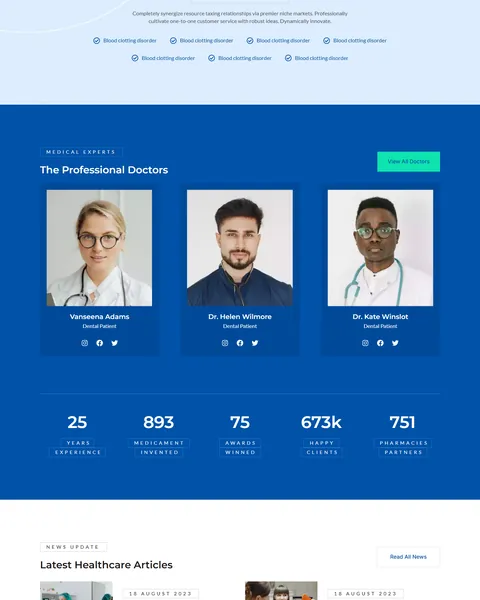
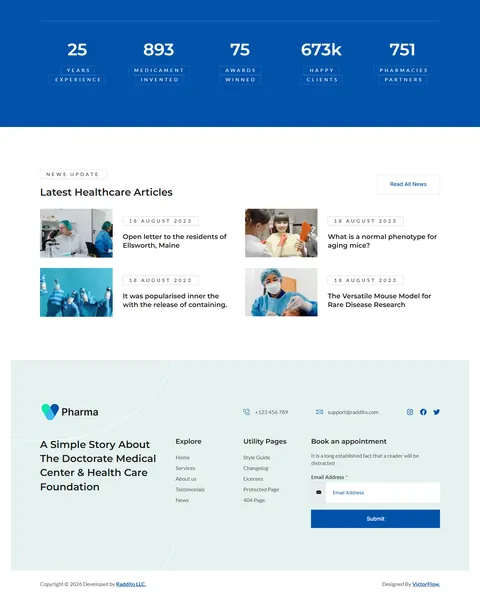
A light blue “Why Choose Pharma” section lists the conditions you treat with check icons. The blue “The Professional Doctors” section then shows three doctors in portrait cards with social links and a View All Doctors button. Counters for years of experience, awards, happy clients and pharmacy partners follow.
The “Latest Healthcare Articles” section shows four articles with photos and dates, and a Read All News button. A light mint footer with quick links, an appointment note and an email signup closes the page.
Research-Driven Design for Healthcare Centers
We looked at how patients choose a healthcare center online. They check which specialties are available, who the doctors are, how to book and what other patients say. Many prefer centers where they can see several specialists and collect medicines in one place. This healthcare center Elementor landing page is designed to feel bright and clinical while making services and booking easy to find.
Royal blue and mint. Royal blue feels medical, calm and trustworthy, and it fills the top bar, appointment banner and doctor section. Fresh mint buttons and icons add a clean, modern touch that suggests health and freshness.
Montserrat and Lato. Bold Montserrat headlines are clear and confident, while Lato body text is friendly and easy to read. Small letter-spaced labels above each section help patients scan the page.
Real healthcare photography. Pharmacists, dentists, surgeons and doctors show the full range of your care. Use photos of your own team and rooms so patients recognize you when they visit.
Proof at every step. Patient reviews, doctor profiles, counters and partner logos build trust. Only show results and claims you can back up, and follow local healthcare advertising rules.
A clear path to booking. A Book an Appointment banner in the middle of the page catches patients who are ready to act, while articles serve those still researching. Your phone number in the top bar helps patients who prefer to call.
Mobile friendly. On phones, the menu folds into a toggle, headlines scale down and every section stacks without sideways scrolling.
Free Installation for This Healthcare Center Elementor Landing Page
We install Pharma on your WordPress site free of charge, set up exactly like the demo. Every plugin it uses is free, so there is nothing more to buy.
The demo photos come from Envato and are not included. Writing your own service text, or connecting an appointment system, patient portal or newsletter service, is not part of the free installation. If you want the full site built for you, see our done-for-you website service.
How to Install the Pharma Healthcare Center Landing Page
Prefer to set it up yourself? This video shows each step of the import.
Pharma vs Other Medical Elementor Templates
Comparing medical templates? Here is how Pharma compares with other popular medical and healthcare templates online.
| Pharma | Other popular medical templates online* | |
|---|---|---|
| Cost to get started | $9.90 one-time | $19 to $25 one-time |
| Free installation | Yes, included | No, not listed on any of them |
| One focused page for patient campaigns | Yes | No, all three are multi-page kits |
| Works without Elementor Pro | Yes | Not all, one needs it |
Why healthcare centers choose Pharma:
- Built for multi-specialty care. Services, doctors, reviews and booking are ready on one page.
- Bright and clinical. A blue and mint design feels clean and trustworthy.
- Free plugins, free setup. $9.90 once, installed for you.
*We compared Pharma with three popular medical and healthcare Elementor templates that appear in Google and marketplace results, sold on ThemeForest. Details come from each product page on October 26, 2026. Prices and features may change.
More Clinic and Healthcare Templates by Raddito
Pharma is our healthcare center Elementor landing page. If you run a multi-specialty clinic with online booking, a primary care practice or a medical supply shop, compare these.
LifeLine – medical clinic Elementor landing page
Best for multi-specialty clinics with online booking.
Single landing page · Works with Elementor Free · Live Preview
VitalCare – primary care Elementor landing page
Best for primary and preventive care practices.
Single landing page · Works with Elementor Free · Live Preview
Medico – medical supply store Elementor template kit
Best for online medical supply shops and pharmacies.
12 pages · Needs Elementor Pro · Live Preview
Want more choices? Browse our health and medical website templates or every WordPress Elementor template we sell.
Frequently Asked Questions
Is Pharma a WordPress theme?
No. Pharma is a healthcare center Elementor landing page, a ready one-page design you import into Elementor. It runs on the free Hello Elementor theme.
Do I need Elementor Pro for Pharma?
No. Pharma works with the free Elementor plugin and the free ElementsKit Lite plugin. You don’t need to buy anything extra.
Does the demo include ready-to-use text?
Much of the demo text is placeholder copy. Replace it with your own services, specialists and patient information before going live.
Can patients book appointments online?
The page has no booking form by default. Link the Book an Appointment button to your booking tool or add a free form plugin.
Can I change the medical services?
Yes. Edit the service cards in Elementor with your own departments, such as pediatrics, dermatology or physiotherapy.
Should I replace the demo doctors and reviews?
Yes, please. The doctor names, reviews, counters, partner logos and articles are samples, so use only your own real details.
Is the installation really free?
Yes. We install Pharma exactly like the demo at no cost. Adding your own content is up to you, or our Done For You team can build the full site.