


Cookary is a recipe blog Bricks Builder template for WordPress, made for food bloggers, home cooks, healthy-eating creators and recipe websites with a growing collection. It includes a homepage, a filterable Recipes page, recipe archive and single recipe templates, and reader Account and Password Reset pages, plus search, header, footer and 404 templates.
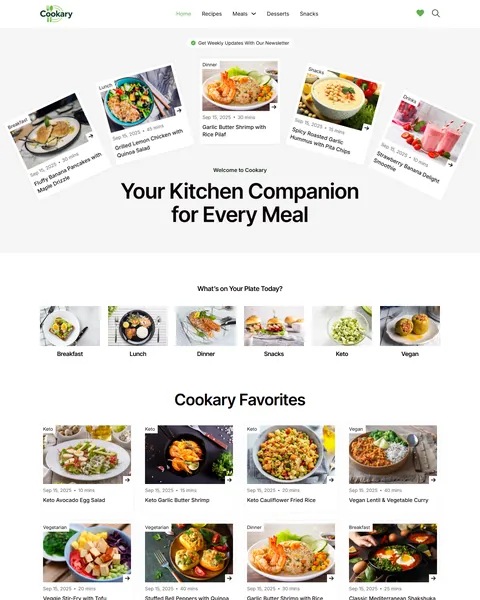
The demo opens with a playful fan of tilted recipe cards above the headline “Your Kitchen Companion for Every Meal”. A row of round meal icons asks “What’s on Your Plate Today?”,. Fresh green buttons, crisp white space and a deep forest-green footer let the food photos do the talking.
Cookary uses three free plugins: Advanced Custom Fields for recipe filters, Favorites for saved recipes and Ultimate Member for reader accounts. Bricks itself is a premium theme and is not included.

Quick Template Details
- Template Name: Cookary
- Template Type: Full website template kit
- Required Theme: Bricks (Premium, not included)
- Required Plugins: Advanced Custom Fields, Favorites and Ultimate Member (all free)
- Templates: 11, including Home, Recipes, recipe archive, single recipe, Account and Password Reset
- Demo Recipes: Included as a WordPress import file
- Responsive: Desktop, Tablet, Mobile
- Coding Required: No
Who Is This Recipe Blog Bricks Builder Template For?
- Food bloggers. A clean recipe layout with ingredients, steps and tips makes every post easy to follow in the kitchen.
- Healthy-eating creators. Ready Keto, Vegan, Vegetarian and Gluten-Free filters suit diet-focused recipe sites.
- Home cooks sharing family recipes. Simple categories such as Breakfast, Lunch, Dinner, Snacks and Desserts keep a growing collection tidy.
- Recipe sites building a loyal audience. Reader accounts, saved favorites and a newsletter bring visitors back every week.
- Bricks developers with food clients. Custom fields, taxonomies and filters are already wired up, which saves hours of setup.
Running a restaurant rather than a recipe blog? Our Flavor restaurant Bricks Builder landing page is a better fit.
See Every Page in the Cookary Recipe Blog Bricks Builder Template
Eleven demo pages are below. Click any page to open it in the live demo.
Recipe Filters Readers Actually Use
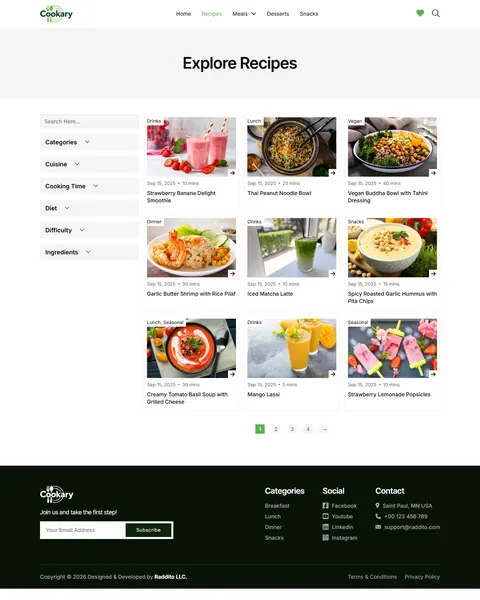
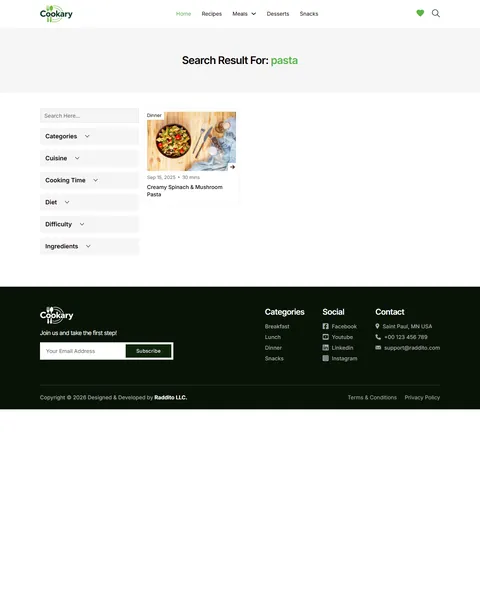
People rarely search a recipe site by title. They look for something quick, something vegan or something with the chicken already in the fridge. Cookary’s Explore Recipes page has a sidebar with a search box and six filter groups: categories, cuisine, cooking time, diet, difficulty and ingredients.
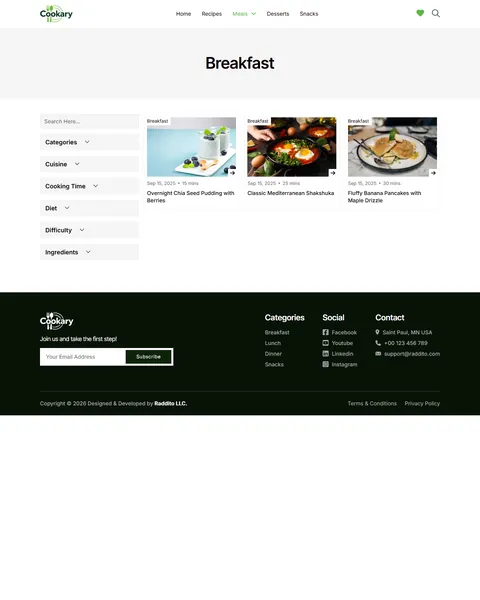
The filters come from custom taxonomies that are included as an Advanced Custom Fields import file, so they work right after setup. Each recipe category also gets its own archive page, which gives search engines more useful pages to index.
A Single Recipe Layout Built for the Kitchen
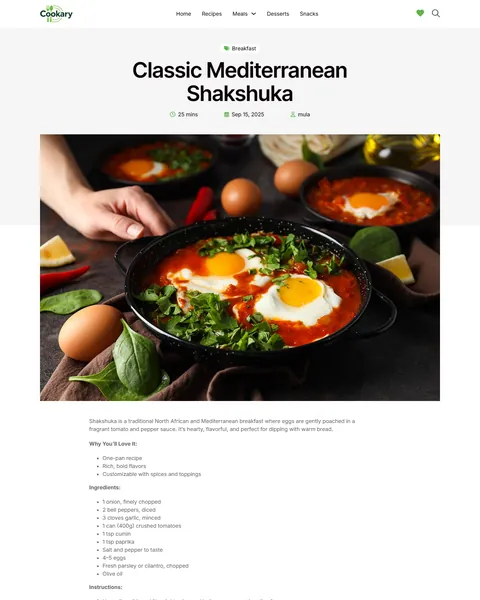
Each recipe opens with its category, title, cooking time, date and author, followed by share buttons and a large food photo. Below it, the content follows a clear order: a short intro, “Why You’ll Love It”, ingredients, step-by-step instructions, and tips and variations.
Readers can follow along on a phone propped up on the counter without scrolling past long stories. A “Log in to Bookmark This Post” link lets members save the recipe to their favorites. A Related Recipes row then suggests what to cook next from the same category.
A Homepage That Invites Browsing
After the hero, round meal icons link straight to Breakfast, Lunch, Dinner, Snacks, Keto and Vegan. A “Cookary Favorites” grid shows eight popular recipes with time and date. A “Recipe of the Month” banner then spotlights one dish with a short story and a View Details button.
A “Fresh & Seasonal” row, a “Never Miss a Recipe!” newsletter box and a “Top Cuisines” grid follow. The Meals menu opens a dropdown with a short description for each meal type, and a heart icon and search icon stay in the header on every page.
Reader Accounts and Saved Favorites
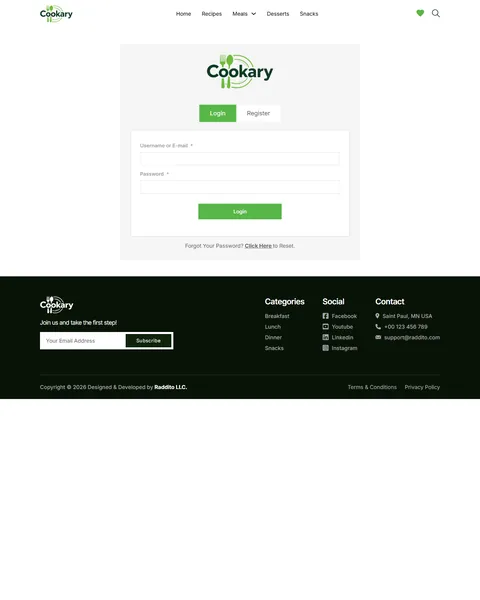
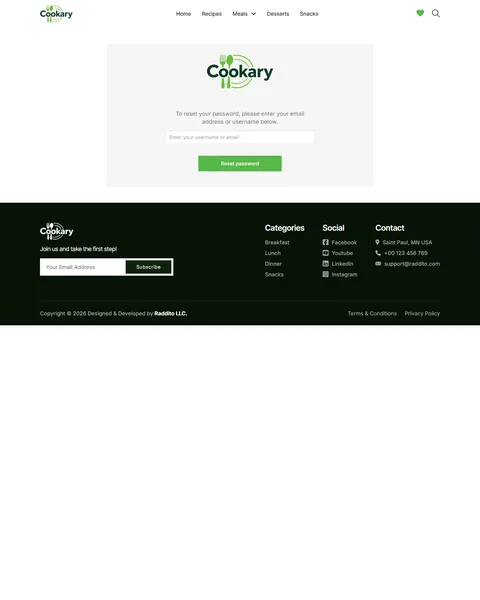
Loyal readers are a food blog’s most valuable asset. The Account page has Login and Register tabs powered by Ultimate Member, and a styled Password Reset page handles forgotten passwords. Once signed in, readers can bookmark recipes with the Favorites plugin and find them again later.
A search popup and a search results page with the same filter sidebar help readers find a dish from anywhere on the site. The forest-green footer repeats the newsletter signup with “Join us and take the first step!”, along with recipe categories, social links and contact details.
Research-Driven Design for Recipe Blogs
We looked at how home cooks use recipe sites. Most arrive from search with a specific need: a fast dinner, a diet-friendly meal or a way to use one ingredient. They scan the photo, check the cooking time and want the ingredients and steps without endless scrolling. Readers who find what they need come back and subscribe. This recipe blog Bricks Builder template is designed around that journey.
Fresh green and forest green. A bright leafy green, #58B749, marks buttons, links and active filters, and feels healthy and natural. A deep forest-green footer, #081307, grounds the page, while plenty of white space keeps every recipe card clean.
Inter Tight and Inter. Bold Inter Tight headlines are compact and modern, so long recipe names fit on two lines. Inter body text is very readable at small sizes, which matters for ingredient lists and steps.
Food photos first. Square recipe cards and wide single-recipe images give your photography the most space. Use bright, natural-light photos of your own dishes for the best results.
Time at a glance. Cooking time and date sit on every card, so readers can pick a 10-minute snack or a 2-hour weekend project instantly. Busy cooks decide in seconds whether a dish fits their evening.
Reasons to return. Saved favorites, member accounts and a newsletter in three places turn one-time visitors into regular readers.
Mobile friendly. On phones, the menu folds into a toggle, recipe grids drop to one or two columns and the filters stack above the results.
What’s Included With the Cookary Bricks Builder Template
- 11 Bricks templates. Home, Recipes, Account and Password Reset pages, plus single recipe, recipe archive, search results, 404, header, footer and a search popup.
- ACF taxonomies file. Cuisine, cooking time, diet, difficulty and ingredient taxonomies ready to import.
- Demo recipes. A WordPress import file with the sample recipes, so the grids fill up right away.
- Theme Style and color palette files. Global typography, buttons and the full Cookary color set.
- READ_ME guide and changelog. Setup steps, plugin links and the version history, with the latest update on September 28, 2025.
Need help with the template files? Our product support team can help. If you would rather have the whole food blog built with your own recipes and branding, see our done-for-you website service.
How to Import the Cookary Recipe Blog Bricks Builder Template
Install and activate Advanced Custom Fields, Favorites and Ultimate Member first, then follow these steps:
- In Bricks > Settings > General, enable custom breakpoints, SVG uploads and smooth scroll (CSS), then save.
- In the builder’s breakpoint settings, set Tablet Portrait to 1025px and Mobile Landscape to 768px.
- Add two custom breakpoints: “desktop_small” at 1260px and “tab_large” at 860px.
- Go to Bricks > Templates and import the templates.
- Import the Theme Style and set its condition to the entire website.
- Import the ACF taxonomies and the demo recipes so the filters and grids have content.
The video below walks through a full Bricks site import. It also shows WooCommerce steps, which you can skip because Cookary does not use WooCommerce.
Cookary vs Other Bricks Options for Recipe Blogs
Comparing ways to build a food blog in Bricks? Here is how Cookary compares with other popular options online.
| Cookary | Other popular Bricks template libraries online* | |
|---|---|---|
| Complete recipe blog website | Yes, ready to import | No, all three are libraries of sections |
| Recipe filters by diet, time and ingredient | Yes, six filter groups | Not mentioned on any of them |
| Single recipe layout with ingredients and steps | Yes | Not mentioned on any of them |
| Reader accounts and saved favorites | Yes | Not mentioned on any of them |
| Demo recipes to import | Yes | Not mentioned on any of them |
Why food bloggers choose Cookary:
- Built for recipes. Filters, recipe layouts and favorites are ready.
- Free plugins only. ACF, Favorites and Ultimate Member cost nothing.
- One payment. $19.90 once, with no yearly plan.
*We compared Cookary with two paid Bricks layout libraries and a free community Bricks template library, each listed on its own website. Details come from each product page on October 26, 2026. Prices and features may change.
More Food and Blog Templates by Raddito
Cookary is our recipe blog Bricks Builder template. If you run a podcast, a restaurant or a café, compare these Bricks options.
Podinflu – podcast Bricks Builder template kit
Best for podcasters and audio show hosts.
12 pages · Bricks with JetFormBuilder · Live Preview
Flavor – restaurant Bricks Builder landing page
Best for restaurants and fine dining.
Single landing page · Bricks with JetFormBuilder · Live Preview
Beanery – coffee shop Bricks Builder landing page
Best for cafés and specialty coffee shops.
Single landing page · No extra plugins · Live Preview
Want more choices? Browse our food and drink website templates or every WordPress Bricks Builder template we sell.
Frequently Asked Questions
Is Cookary a WordPress theme?
No. Cookary is a recipe blog Bricks Builder template, a set of layouts you import into Bricks. Bricks is the theme, and you need your own Bricks license.
Do I need ACF Pro?
No. The free Advanced Custom Fields plugin is enough. The recipe taxonomies are included as a file you import into ACF.
Can I add my own filters, such as “Budget” or “Occasion”?
Yes. Add a new taxonomy in ACF, assign it to your recipes and add a matching filter to the Recipes sidebar in Bricks.
Does Cookary add recipe schema for Google?
The template focuses on design. For recipe rich results, add schema with your SEO plugin or a recipe card plugin that supports it.
How do readers save recipes?
Signed-in readers click the bookmark link on any recipe. The Favorites plugin stores their list so they can come back to it on any device.
Can I turn off reader accounts?
Yes. Remove the Account link and the bookmark link, and you can deactivate Ultimate Member and Favorites if you don’t need them.
Are the demo photos and recipes included?
The sample recipes are included as an import file so you can test the layouts. The photos are placeholders, so replace them with your own.