


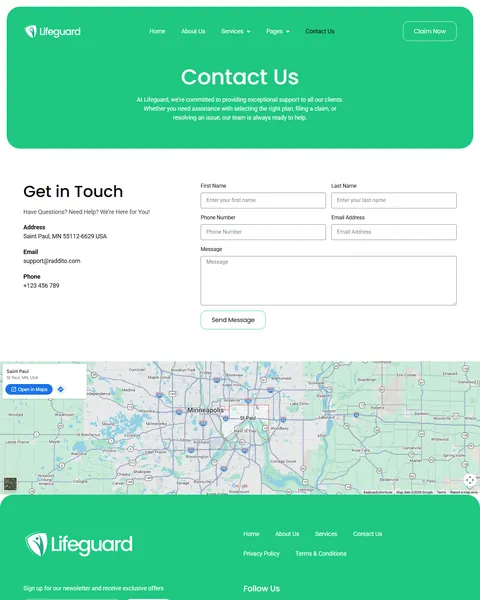
Life Guard is a medical insurance Elementor template kit for WordPress, designed for health insurance providers, medical coverage agencies and insurance consultants who help families choose a plan. It includes 11 page templates, including Services, Service Details, Claims Process, Claim Now, FAQ, Blog and Contact Us.
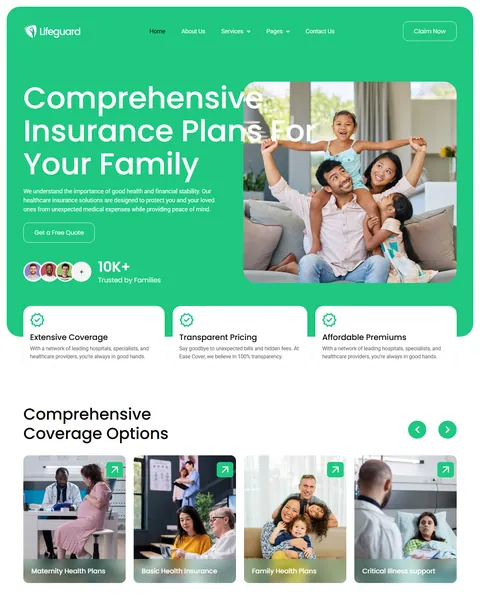
The demo opens on a bright green hero with the headline “Comprehensive Insurance Plans For Your Family” and a Get a Free Quote button. A happy family photo and a “10K+ Trusted by Families” badge sit beside it. Emerald green and white give your company a fresh, healthy and trustworthy look.
Life Guard is built with Elementor. Life Guard needs Elementor Pro, and we don’t provide paid plugins, so please have your Pro license ready before we begin. Our team installs the kit for you at no cost.

Quick Template Details
- Template Name: Life Guard
- Required Theme: Hello Elementor (Free)
- Elementor Pro Required: Yes
- Premium Plugins Required: Yes, Elementor Pro
- Page Templates: 11
- Forms: Elementor Pro Forms
- Responsive: Desktop, Tablet, Mobile
- Coding Required: No
Who Is This Medical Insurance Website Template For?
- Health and medical insurance providers. Basic health insurance, critical illness and maternity plans are ready to present as coverage options.
- Family health plan specialists. A full Family Health Plans page explains coverage, eligibility and how to enroll.
- Corporate and employee health benefits teams. Corporate health plans sit beside individual and family coverage.
- Travel and senior coverage providers. Travel health insurance and senior citizen plans are included on the Services page.
- Insurers that handle claims online. A Claim Now form lets policyholders file a claim from home, without a phone call.
Selling life, home or auto insurance rather than health plans? Our Trustins insurance company Elementor template kit is a better fit.
See Every Page in the Life Guard Medical Insurance Template
Click any page below to open it in the live demo.
An Online Claim Form With Document Upload
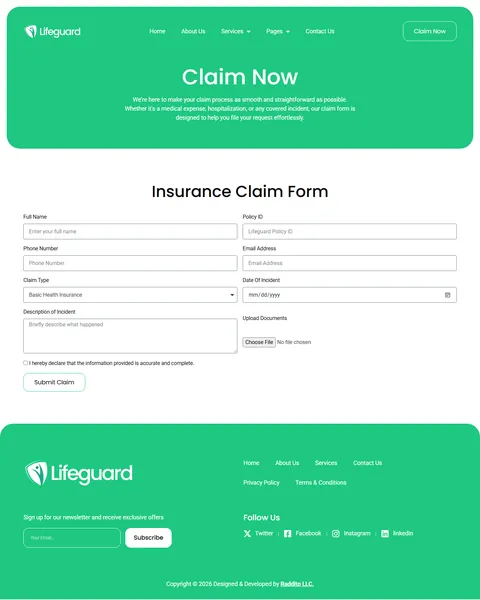
Most health insurance sites only explain claims. Life Guard lets policyholders start one. The Claim Now page holds an Insurance Claim Form with full name, policy ID, phone, email and a claim type menu that lists every plan. Fields for the date and a description of the incident follow.
An Upload Documents field accepts bills, prescriptions and reports, and a declaration checkbox confirms the details are accurate before the Submit Claim button. Your team receives everything in one message, which saves calls and back-and-forth emails. A “Claim Now” button in the header keeps this form one click away on every page.
A Step-by-Step Claims Process Page
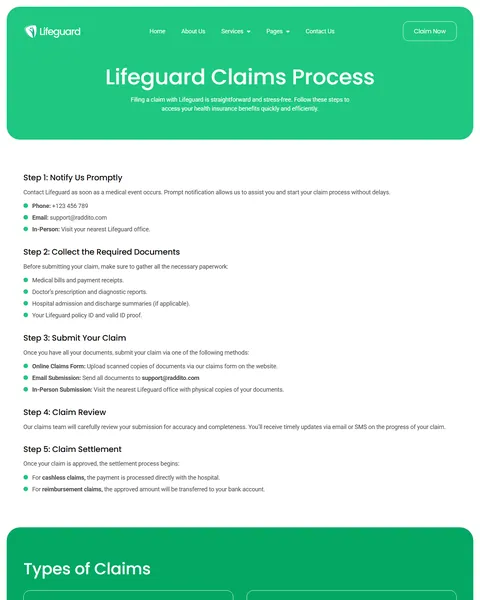
The Claims Process page walks policyholders through five steps: notify the insurer, collect the required documents, submit the claim, wait for review and receive the settlement. Each step lists clear details, such as the documents to gather and the three ways to submit them.
A “Types of Claims” section explains cashless claims at network hospitals and reimbursement claims for out-of-pocket treatment. “Track Your Claim” shows four ways to check progress, from SMS updates to an office visit. A short “Common Mistakes to Avoid” list and a help form close the page, so fewer claims arrive incomplete.
Eight Coverage Plans and a Detailed Plan Page
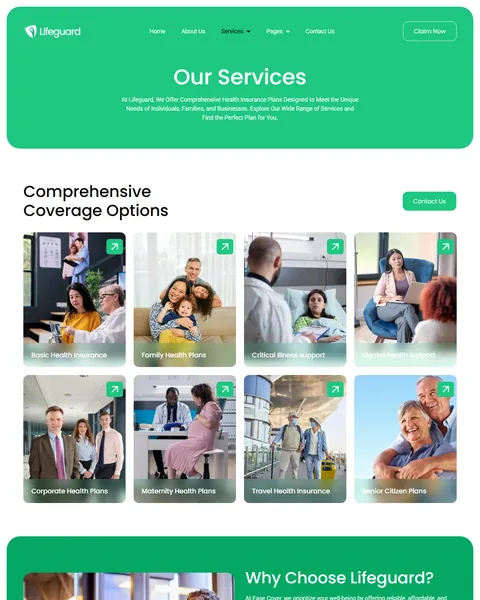
The Services page presents eight coverage options with photo cards: basic health insurance, family health, critical illness, mental health, corporate, maternity, travel health and senior citizen plans. A “Why Choose Lifeguard?” section highlights the hospital network, 24/7 support, hassle-free claims and affordable plans.
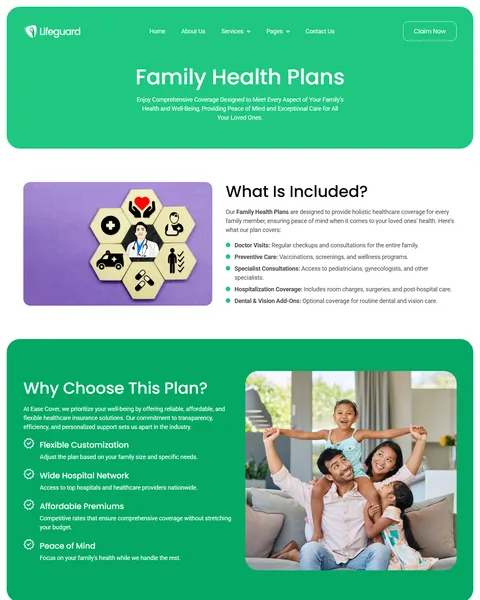
The Service Details page, shown with Family Health Plans, lists what is included, from doctor visits and preventive care to hospitalization and dental and vision add-ons. It then covers who the plan suits, eligibility rules and four enrollment steps. Five plan-specific questions, such as adding parents or covering emergency room visits, follow.
A Homepage, FAQ and Blog That Answer Questions Early
The homepage moves visitors from interest to a quote. After the hero, three cards cover extensive coverage, transparent pricing and affordable premiums, followed by a coverage carousel. A four-step “Simple Step for Get Insurance” section explains how to choose a plan, get a free quote, apply online and enjoy peace of mind. Your vision, mission, client reviews and a short FAQ follow.
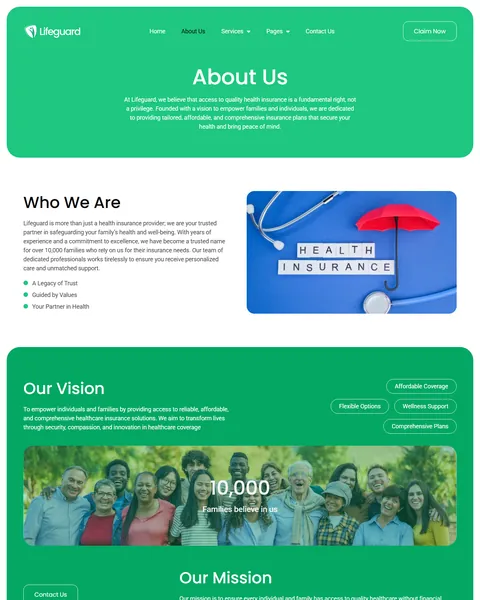
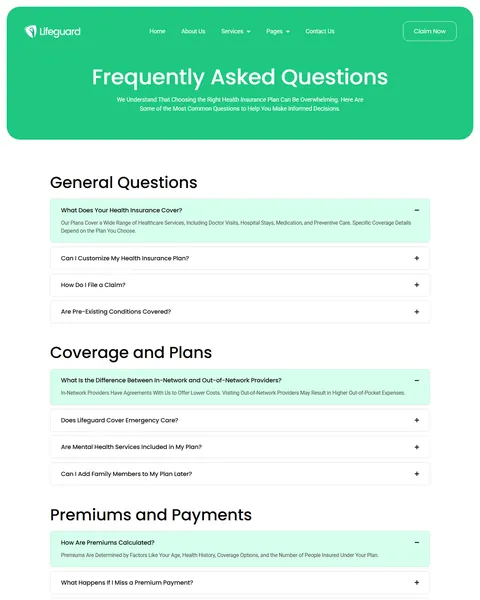
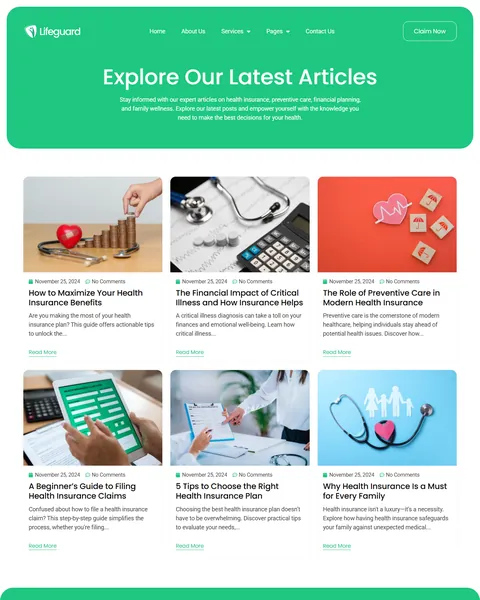
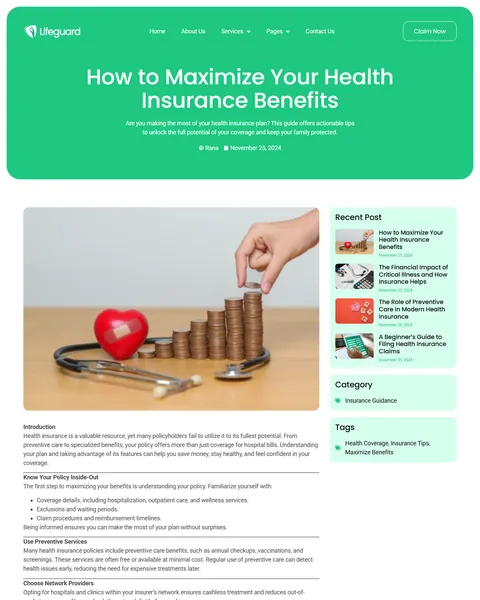
The FAQ page groups its answers under five headings: general questions, coverage and plans, premiums and payments, claims and support, and getting started. The blog shares six articles on choosing a plan, filing claims, preventive care and critical illness, with a recent posts sidebar, categories and tags. The About Us page adds your story, values and a 10,000 families counter.
Research-Driven Design for Medical Insurance Providers & Health Plan Agencies
We looked at how people shop for medical insurance online. Most feel unsure about coverage terms, waiting periods and claims, and many search right after a health scare or a life change, such as a new baby. They want plain answers, visible steps and a quick way to get a quote or file a claim. This medical insurance Elementor template kit is designed to feel friendly and clear while keeping every next step obvious.
Fresh emerald green. A bright emerald green fills the hero, page banners, section blocks and footer. It signals health and calm, and it sets your company apart from the dark blue many insurers use. White cards and soft grey backgrounds keep long pages easy to scan.
Clear, modern type. Life Guard uses Poppins for headings and Roboto for body text. Both are highly readable, so coverage details and claim steps stay easy to follow on any screen.
Real-life photography. Photos show families, parents with children, seniors and doctors with patients. Visitors see people like themselves, which makes insurance feel personal rather than corporate.
Steps instead of jargon. Numbered steps for getting insured and filing claims turn confusing processes into short, simple actions. Visitors always know what happens next.
Calls to action everywhere. Get a Free Quote, Claim Now and a “Ready to Secure Your Health Today?” banner keep the next step in view, so ready visitors never have to search for it.
Mobile friendly. On phones, the menu folds into a toggle, headlines scale down and every section stacks without sideways scrolling.
Free Installation for This Medical Insurance Elementor Template Kit
We install Life Guard on your WordPress site free of charge, set up exactly like the demo, once your Pro license is ready. Everything else it uses is free.
The demo photos are placeholders and are not included. Adding your own plans, policy terms, claim rules and articles, or connecting a quote engine, customer portal or CRM, is not part of the free installation. If you want the full site built for you, see our done-for-you website service.
How to Install the Life Guard Insurance Template Kit
Prefer to set it up yourself? This video shows each step of the import.
Life Guard vs Other Medical Insurance Elementor Template Kits
Comparing health insurance templates? Here is how Life Guard compares with other popular medical insurance kits online.
| Life Guard | Other popular medical insurance kits online* | |
|---|---|---|
| Free installation | Yes, included | No, not listed on any of them |
| Online claim form | Yes, with document upload | Not listed on any of them |
| Claims process page | Yes, five steps | Not listed on any of them |
| Plan page with eligibility and enrollment | Yes | Not listed on any of them |
| FAQ grouped by topic | Yes, five topics | Not listed on any of them |
Why insurers choose Life Guard:
- Built for health coverage. Plans from family to travel cover and a detailed plan page are ready.
- Claims made simple. Policyholders can read the steps and file online.
- Free setup. $19.90 once, installed for you.
*We compared Life Guard with three popular health and medical insurance Elementor template kits sold on ThemeForest, found through Google’s first page for medical insurance template kits. Details come from each product page on October 24, 2026. Prices and features may change.
More Insurance Templates by Raddito
Life Guard is our medical insurance Elementor template kit. If you run a health insurance agency, sell life insurance or offer many types of cover, compare these.
HealthGuard – health insurance Elementor template kit
Best for health insurance agencies and brokers.
10 pages · Needs Elementor Pro · Live Preview
Lifora – insurance agency Elementor template kit
Best for life insurance agents on Elementor Free.
12 pages · Works with Elementor Free · Live Preview
Trustins – insurance company Elementor template kit
Best for multi-line insurance companies.
9 pages · Needs Elementor Pro · Live Preview
Want more choices? Browse our finance and law website templates or every WordPress Elementor template kit we sell.
Frequently Asked Questions
Is Life Guard a WordPress theme?
No. Life Guard is a medical insurance Elementor template kit, a set of ready pages you import into Elementor. It runs on the free Hello Elementor theme.
Does Life Guard need a Pro license?
Yes. The claim form, contact forms, header and footer use Pro widgets. You need your own license before we install the kit.
Where do submitted claims go?
Claim Now submissions, including uploaded files, are emailed to the address you set in the form. You can also connect the form to a CRM or a spreadsheet.
Can I add a quote calculator or customer portal?
Not by default. The Get a Free Quote buttons link to a page you choose, so you can add a quote plugin or link to your existing portal.
Can I change the plans and coverage details?
Yes. Rename the plans, duplicate the Service Details page for each one, and update the claim type menu to match.
Can I use it for other types of insurance?
Yes, with edits. The claim pages work for any insurance line, but the photos and copy focus on health, so update them for auto, home or life cover.
Is the installation really free?
Yes. We install Life Guard exactly like the demo at no cost once your Pro license is ready. Adding your own plans and content is up to you, or our Done For You team can build the full site.