


SkillGro is an online course Bricks Builder template for WordPress, made for course creators, online academies, independent instructors and training companies. It comes with 16 pages, including All Courses, Instructors, Events, Registration, Shop, Cart and Search Results, plus a student dashboard template and four popups.
The demo opens with a bright, friendly hero: “Learning is What You Make of it. Make it Yours at SkillGro.” A smiling student holds her books beside a total-students badge, with Browse Courses and Watch Our Class Demo buttons below. Violet buttons, deep navy sections and sunny yellow highlights make the site feel energetic and trustworthy.
SkillGro uses three free plugins: Tutor LMS for courses, WooCommerce for the shop and JetFormBuilder for forms. Bricks itself is a premium theme and is not included.

Quick Template Details
- Template Name: SkillGro
- Template Type: Full website template kit
- Required Theme: Bricks (Premium, not included)
- LMS Plugin: Tutor LMS (Free)
- Ecommerce: WooCommerce (Free)
- Forms: JetFormBuilder (Free)
- Page Templates: 16, plus header, footer and 4 popups
- Responsive: Desktop, Tablet, Mobile
- Coding Required: No
Who Is This Online Course Bricks Builder Template For?
- Course creators. Sell your own courses with prices, levels, durations and an Add to Cart button on every course.
- Online academies with several teachers. An instructor grid and a detailed instructor profile help students choose who to learn from.
- Training companies. Events and event details pages promote workshops, seminars and live sessions with fees and seat counts.
- Coaches who also sell products. A WooCommerce shop with filters sells ebooks, workbooks and other study materials next to your courses.
- Bricks agencies building LMS sites. A ready Tutor LMS design saves days on client projects for schools and trainers.
Only need one page to sell a single language or test-prep course? Our FluencyPro English course Bricks Builder landing page is a better fit.
See Every Page in the SkillGro Online Course Bricks Builder Template
Fifteen demo pages are below. Click any page to open it in the live demo.

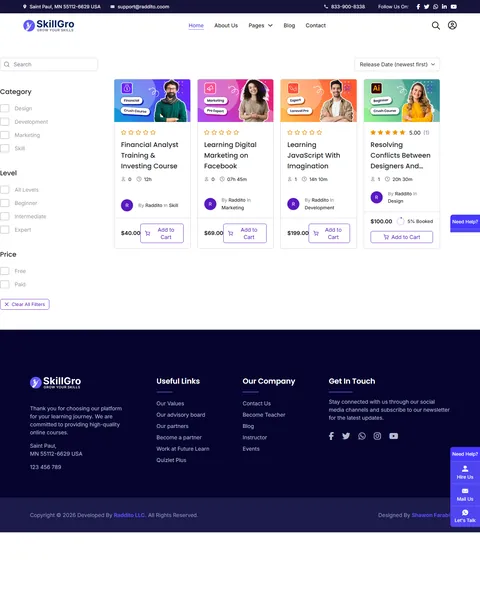
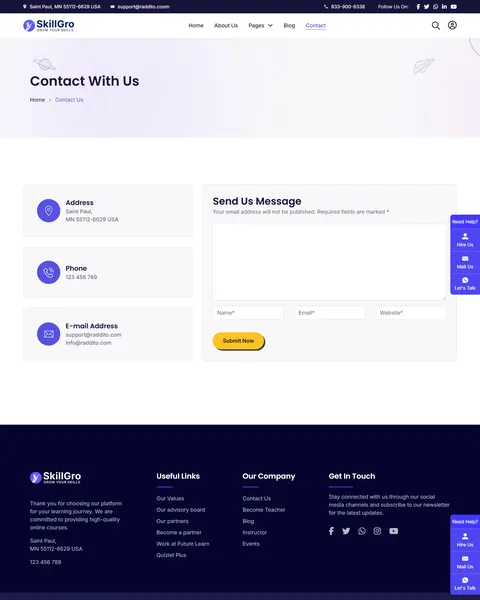
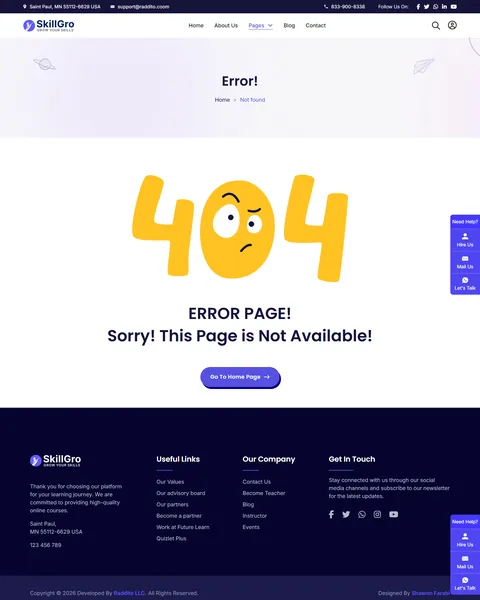
A Course Catalog Powered by Tutor LMS
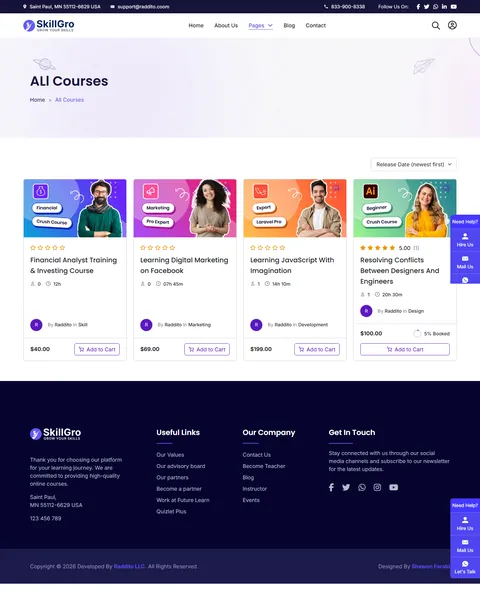
Tutor LMS is one of the most popular free LMS plugins, and SkillGro is built around it. The homepage shows a “Top Class Courses” section with tabs for Design, Business, Development and Skill, so visitors can filter by topic. The All Courses page adds sorting by date or title and shows the price, author, category and lesson hours of each course.
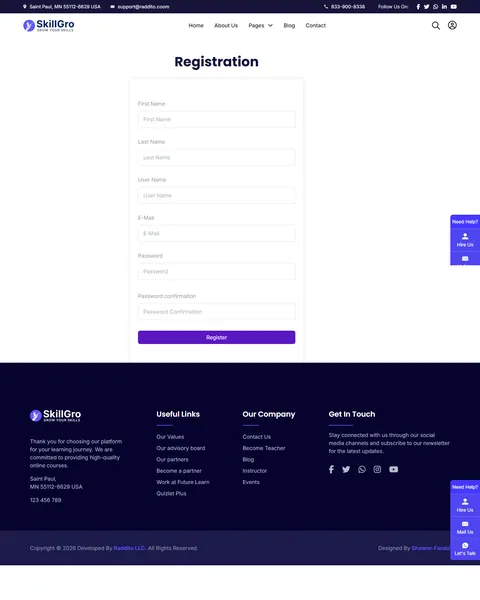
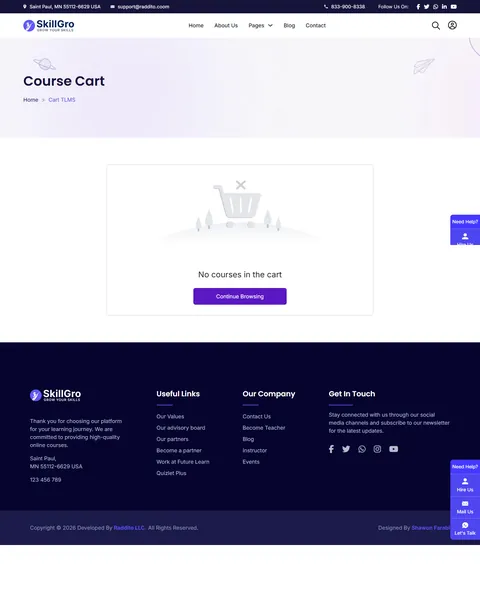
Each course page has tabs for course info and reviews, a “What Will You Learn?” list and the lesson outline. A sidebar shows the level, enrolled students, duration and last update. Learners register on a dedicated Registration page and sign in from a login popup, and a styled dashboard page and course cart are ready too.
Instructor Profiles That Build Trust
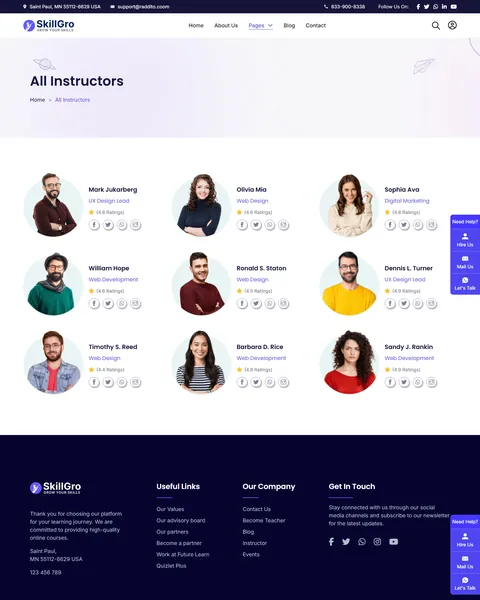
Students often pick a course because of the teacher. The All Instructors page shows nine teachers in a grid with photo, specialty, star rating and social links. A “Skilled Introduce” section repeats the best of them on the homepage.
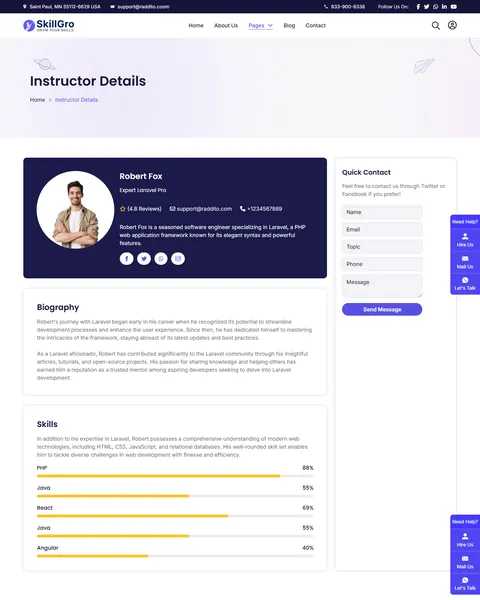
The Instructor Details page goes deeper. It holds a profile banner with email and phone, a full biography, skill bars and a quick contact form. Below that, every course by that instructor appears in one row, so a visitor who likes the teacher can enroll right away.
Events, Workshops and a Study Shop
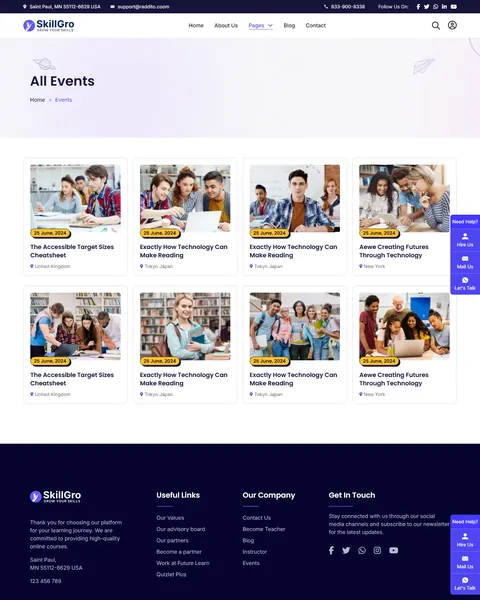
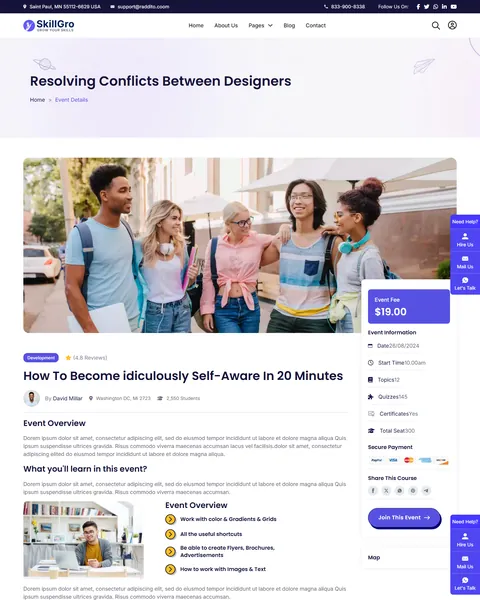
Live sessions keep learners engaged between courses. The Events page lists upcoming workshops in a card grid with date and city. The Event Details page adds an overview and a “What you’ll learn in this event?” list. A sidebar shows the event fee, date, start time, topics, quizzes, certificates and total seats, with a Join This Event button and a map.
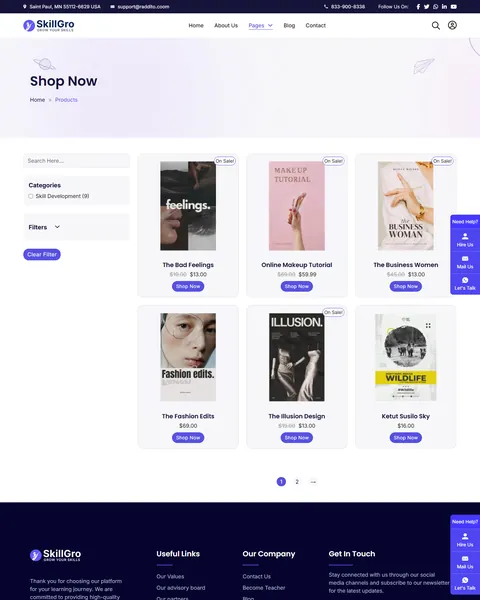
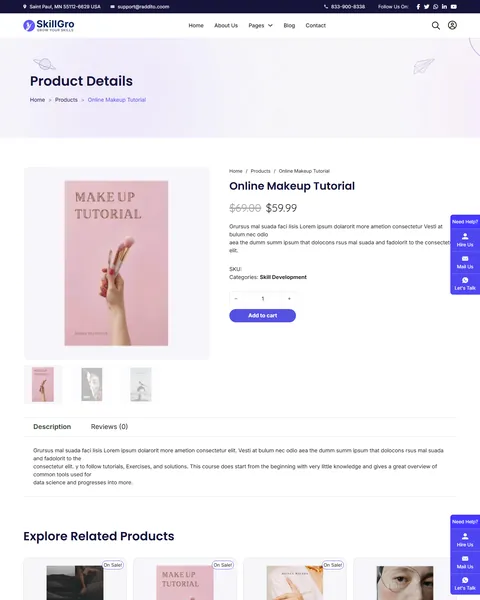
The Shop page uses WooCommerce with category, price range, stock and sale filters plus sorting. Sale badges show the old and new price. The product page has a gallery, quantity selector, description and review tabs and a related products row.
Home, About, Blog and Contact
Besides the hero, the homepage covers three benefits, a free workshop banner, active student counters, a newsletter signup and the latest blog posts. It closes with two calls to action: Become an Instructor and Become a Student.
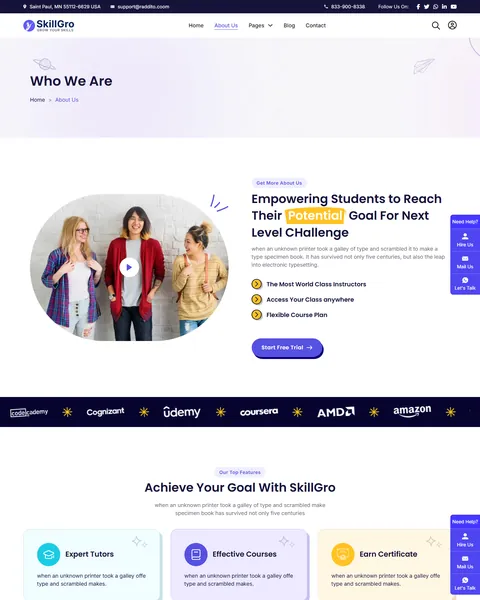
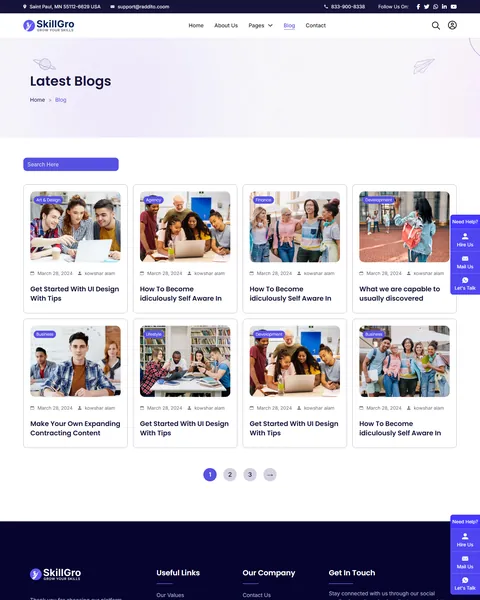
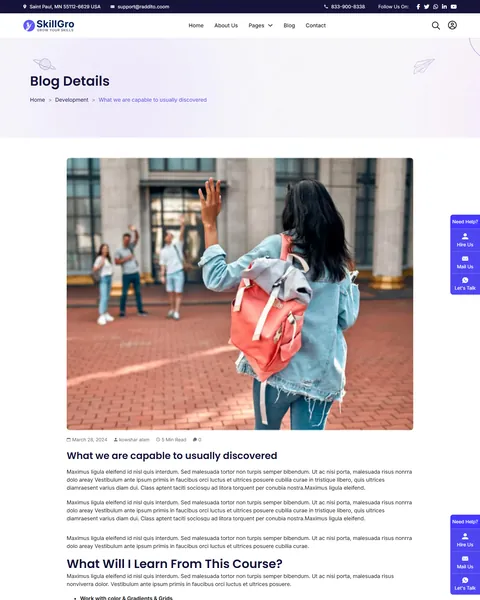
The About page explains your mission and repeats the benefits with a Start Free Trial button. The blog has a card archive and a single post layout with date, author and reading time. The Contact page lists address, phone and email beside a message form, and a search popup lets visitors find courses by keyword from any page.
Research-Driven Design for Online Course Websites
We looked at how adult learners pick an online course. Most compare several platforms before they pay. They want to see what they will learn, how long it takes, who teaches it and what other students say. Price matters, but trust and clarity decide most sign-ups. This online course Bricks Builder template puts those answers on every course and instructor page.
Violet, navy and sunny yellow. A violet primary color, #5751E1, marks every button and link, so the next step is always obvious. Deep navy footers and banners add weight, and yellow highlights on words like “What You” and “Courses” add a cheerful, youthful accent.
Poppins throughout. Bold Poppins headlines and clean Poppins body text feel modern and friendly. The rounded shapes stay readable on small screens, which matters because many students browse courses on their phones.
Real people in every section. Smiling students, instructor portraits and colorful course covers make the platform feel human. Each course cover pairs a bold topic label with a teacher photo, so the catalog looks consistent. Use photos of your own teachers and learners once you have them.
Proof before payment. Star ratings, enrolled student counts, instructor ratings and course reviews reduce doubt before checkout. A student who sees that others finished and liked a course is far more likely to enroll in it.
Clear paths for two audiences. Separate Become a Student and Become an Instructor calls to action let you grow both sides of your platform.
Mobile friendly. On phones, the menu folds into a toggle, course cards stack into one column and buttons stay large enough to tap.
What’s Included With the SkillGro Bricks Builder Template
- 27 Bricks templates. 16 pages, plus a student dashboard, checkout, shop archive, blog category archive, header, footer and four popups, including course search and a class video popup.
- Theme Style file. Global typography, buttons and spacing in one JSON file.
- Color palette file. The full SkillGro color set, ready to import into Bricks.
- Assets folder. The images and icons the templates reference.
- READ_ME guide and changelog. Setup steps, the plugin list and the version history. SkillGro is at version 2.0.0, updated October 13, 2025.
Need help with the template files? Our product support team can help. If you would rather have the whole academy built with your own courses and branding, see our done-for-you website service.
How to Import the SkillGro Online Course Bricks Builder Template
Install and activate Tutor LMS, WooCommerce and JetFormBuilder first. Then follow these steps:
- In Bricks > Settings > General, enable custom breakpoints, SVG uploads and smooth scroll (CSS), then save.
- In the builder’s breakpoint settings, set Tablet Portrait to 1025px and Mobile Landscape to 768px.
- Go to Bricks > Templates and import the templates zip file.
- Import the Theme Style and set its condition to the entire website.
- Publish at least one course in Tutor LMS so the course grids and course pages have content to show.
The video below shows a complete Bricks site import, including the WooCommerce setup.
SkillGro vs Other Bricks Options for Course Websites
Comparing ways to build an online course site in Bricks? Here is how SkillGro compares with other popular options online.
| SkillGro | Other popular Bricks course options online* | |
|---|---|---|
| Complete multi-page course website | Yes, ready to import | No, one is a single landing page and two are element add-ons |
| Instructor list and profile pages | Yes | Not mentioned on any of them |
| Events and event details pages | Yes | Not mentioned on any of them |
| Shop and product page for study materials | Yes, with WooCommerce | Not mentioned on any of them |
| Student registration page design | Yes | Not all, one offers only a form element |
Why course creators choose SkillGro:
- A whole academy, ready. Courses, teachers, events and a shop in one kit.
- Free plugins only. Tutor LMS, WooCommerce and JetFormBuilder cost nothing.
- One payment. $19.90 once, with no yearly plan.
*We compared SkillGro with a Bricks course landing page sold on Etsy and two free LMS add-ons for Bricks listed on their makers’ websites. Details come from each product page on October 26, 2026. Prices and features may change.
More Education Templates by Raddito
SkillGro is our online course Bricks Builder template. If you sell a single course, run a university or teach young children, compare these.
FluencyPro – English course Bricks Builder landing page
Best for language schools and test-prep tutors.
Single landing page · Bricks with JetFormBuilder · Live Preview
Acadex – university Elementor landing page
Best for colleges and universities promoting programs.
1 page · Works with Elementor Free · Live Preview
KinderNest – kindergarten Elementor template kit
Best for kindergartens and preschools.
13 pages · Works with Elementor Free · Live Preview
Want more choices? Browse our education website templates or every WordPress Bricks Builder template we sell.
Frequently Asked Questions
Is SkillGro a WordPress theme?
No. SkillGro is an online course Bricks Builder template, a set of layouts you import into Bricks. Bricks is the theme, and you need your own Bricks license.
Do I need Tutor LMS Pro?
No. SkillGro is set up with the free Tutor LMS plugin. You can upgrade to Pro later if you want features like certificates or content drip.
Can I sell courses with WooCommerce?
Yes. Tutor LMS can use WooCommerce for checkout, and the same store also sells books and study materials from the Shop page.
Why are the course grids empty after import?
Course grids show real Tutor LMS courses. Publish your courses first, and they will appear in every course section automatically.
Can I remove the shop or the events pages?
Yes. Each page is a separate Bricks template, so you can delete any page you don’t need and remove its menu link.
Are the demo images and texts included?
The images are placeholders and the demo text is sample copy. Replace them with your own photos, courses and instructor details before launch.
Is SkillGro still updated?
Yes. Version 2.0.0 was released on October 13, 2025, with fixes across the header, footer, video popup and newsletter in earlier updates.