


KinderNest is a kindergarten Elementor template kit for WordPress, designed for kindergartens, preschools and early learning centers. It includes 13 ready pages, including two homepages, Programs, Program Details, Admission, Events, Gallery and FAQ.
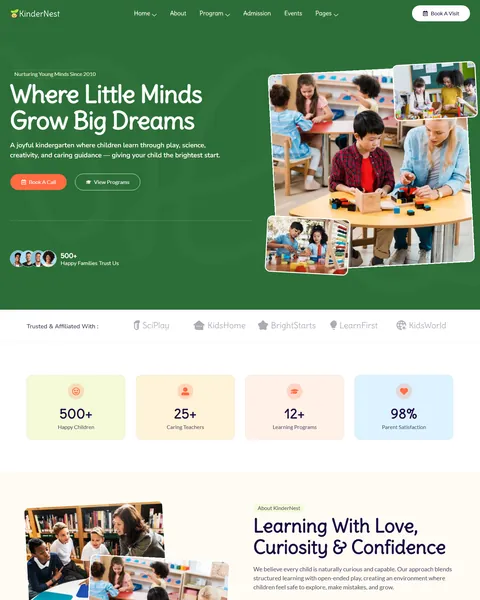
The demo opens with children gathered around their teacher under the headline “Where Little Minds Grow Big Dreams”, with a “Nurturing Young Minds Since 2010” tag above it. Book a Call and View Programs buttons sit below, beside a playful, tilted photo collage. Leaf green, warm coral and soft cream give your school a friendly, safe and cheerful look.
KinderNest runs on free plugins only: Elementor, ElementsKit Lite, MetForm and Qi Addons for Elementor. No Elementor Pro is needed, and our team installs it for you at no cost.

Quick Template Details
- Template Name: KinderNest
- Required Theme: Hello Elementor (Free)
- Elementor Pro Required: No
- Premium Plugins Required: No
- Page Templates: 13
- Forms: MetForm
- Responsive: Desktop, Tablet, Mobile
- Coding Required: No
Who Is This Preschool Website Template For?
- Kindergartens. A Kindergarten Readiness program and a full admission process help families prepare their child for primary school.
- Preschools and toddler programs. Toddler and Preschool programs cover ages one to three, with a detailed daily schedule.
- Early learning centers with STEM. A Pre-K Science program and a “Science & Discovery” learning pillar suit play-based STEM schools.
- Schools with after-school care and camps. After School Care and a Summer Camp are ready as programs.
- Schools with an active parent community. An Events page lists family days, art weeks and nature walks.
Running a pediatric clinic rather than a school? Our Pediya pediatric clinic template kit is a better fit.
See Every Page in the KinderNest Kindergarten Template
All 13 pages are below. Click any page to open it in the live demo.



An Admission Page That Answers Every Parent Question
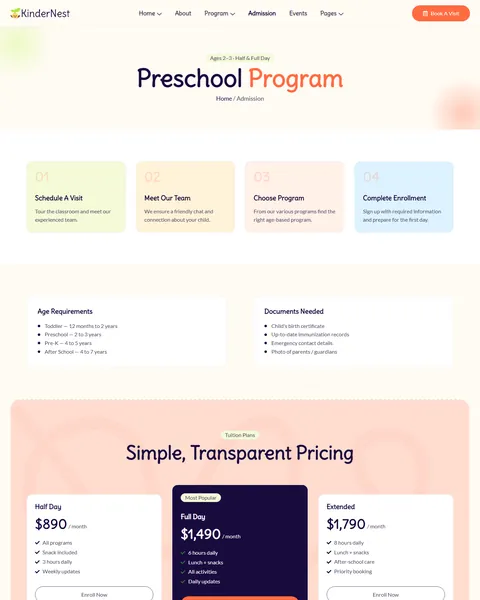
Choosing a kindergarten is a big decision, and parents want clear answers before they visit. KinderNest’s Admission page explains enrollment in four steps: schedule a visit, meet the team, choose a program and complete enrollment. Age requirements follow for toddler, preschool, Pre-K and after-school groups, with a list of documents parents need to bring.
A tuition section shows three monthly plans in the demo: Half Day at $890, Full Day at $1,490 and Extended at $1,790. Each plan lists daily hours, meals and updates. An application form asks for parent name, phone, email, the child’s age, the program of interest and a message. Families can apply in one visit to your site.
Six Programs and a Detailed Daily Schedule
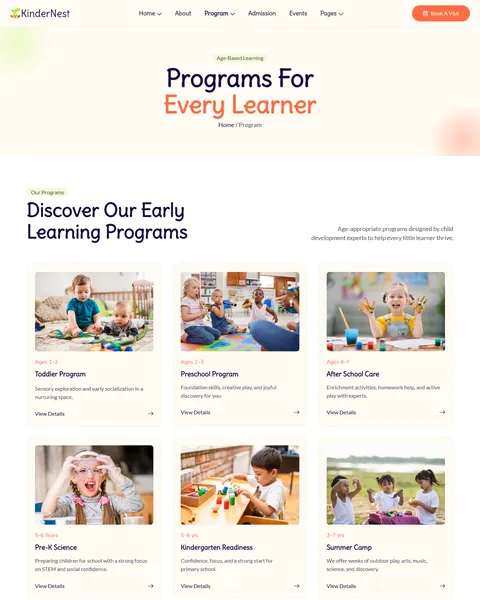
The Programs page shows six age-based programs: Toddler Program, Preschool Program, After School Care, Pre-K Science, Kindergarten Readiness and Summer Camp. Each card shows the age range and a short description. A “Day Full of Joy & Discovery” section follows with morning circle, story time, science fun, music, outdoor play and art.
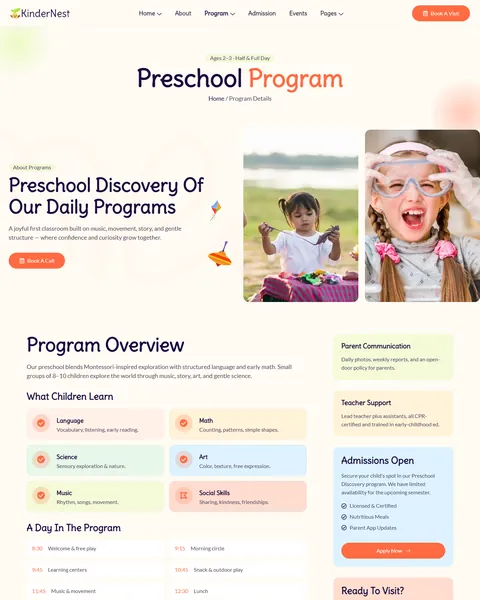
The Program Details page explains the preschool program in depth. It covers the program overview and small group sizes, then six learning areas: language, math, science, art, music and social skills. A “Day in the program” timeline runs from 8:30 welcome to 4:30 pickup. Parent communication, teacher support, an admissions box and a photo gallery complete the page.
Two Homepages, Events and a Photo Gallery
KinderNest includes two homepage layouts, so you can choose the style that fits your school. Both include the hero, counters, programs, learning approach and “Why Parents Trust KinderNest” section. The second layout uses a bold green hero, arranges the sections in a different order and adds a “Trusted & Affiliated With” logo row.
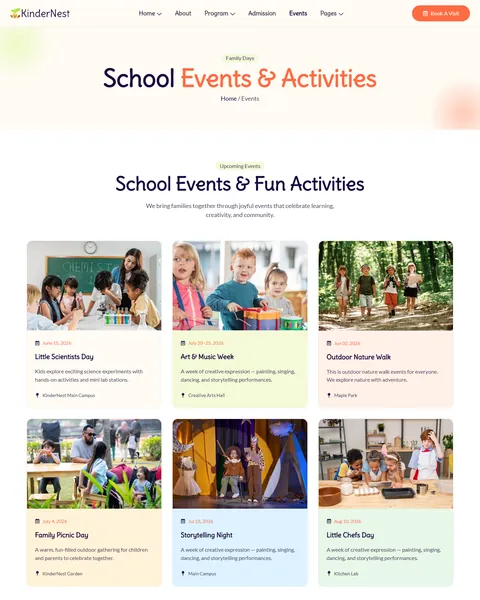
The Events page lists six school events with dates and locations, such as Little Scientists Day, Art & Music Week and a Family Picnic Day. The Gallery page shows “Moments of Joy & Learning” in photos, giving parents a feel for daily life in your classrooms.
About, FAQ, Contact and Parenting Tips
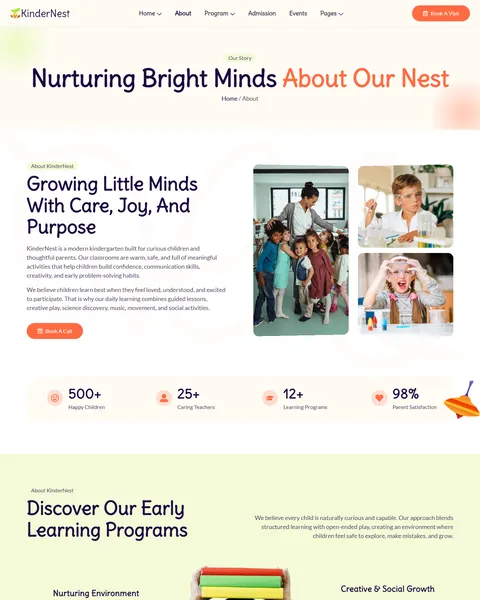
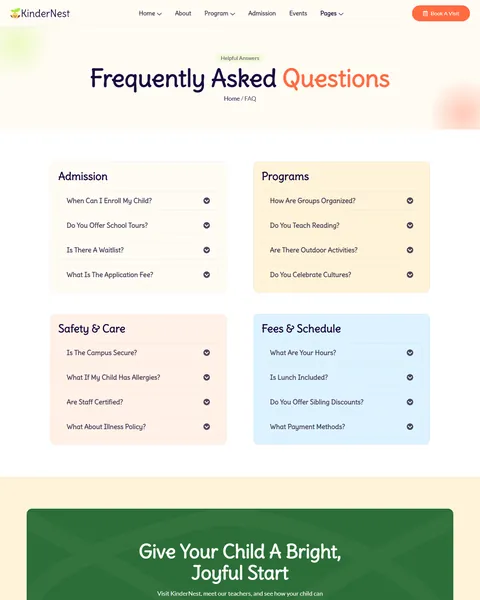
The About page tells your story, with counters for happy children, teachers, programs and parent satisfaction. Your mission, vision and values follow, then four teachers with their roles and experience. The FAQ page groups questions into admission, programs, safety and care, and fees and schedule.
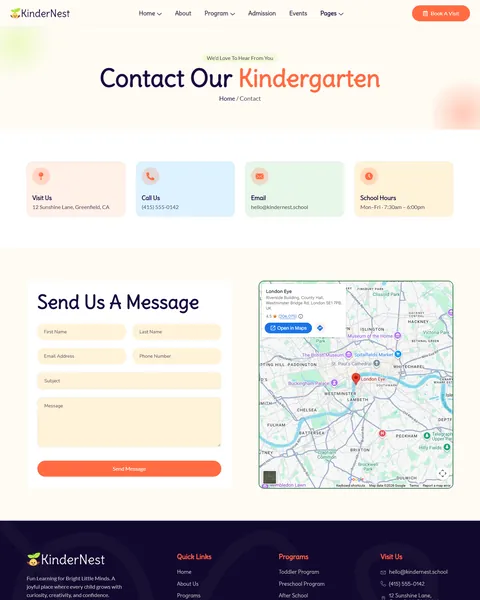
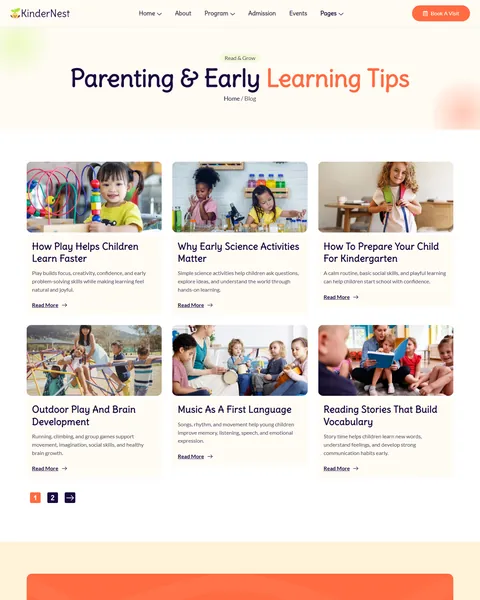
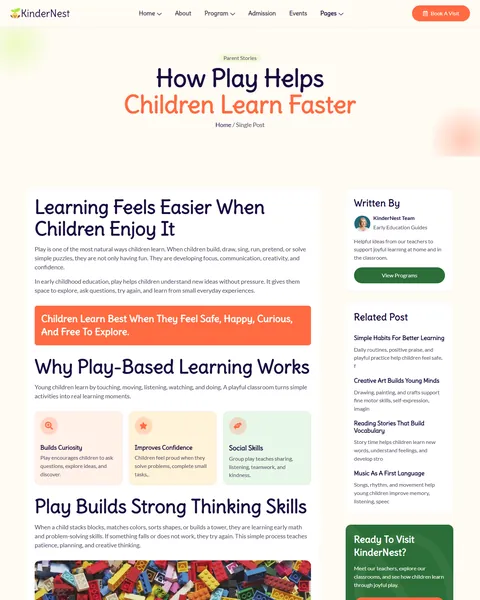
The Contact page offers a form with first and last name, email, phone, subject and message, beside your address, phone, email and school hours. The blog shares parenting and early learning tips, such as how play helps children learn faster and how to prepare a child for kindergarten.
Research-Driven Design for Kindergartens & Preschools
We looked at how parents choose a kindergarten online. They look for warmth and safety first, then qualified teachers, clear programs and honest fees. Many compare several schools on a phone in the evening. KinderNest’s design is built to feel caring and trustworthy from the first scroll.
Leaf green and warm coral. Leaf green buttons and the counter bar feel natural, calm and growing. Warm coral highlights the Book a Visit button and key actions. Soft cream, mint, light blue and peach sections keep the site cheerful without feeling childish.
Friendly, rounded type. Headlines use Delius, a rounded hand-drawn style, at up to 80px. Lato keeps body text clear and easy for parents to read.
Real classroom moments. Photos show children learning, playing and laughing with teachers. A tilted photo collage in the hero adds a playful touch and helps parents picture their own child there.
Safety and trust up front. Certified educators, a safe and secure campus, healthy nutrition and small groups appear early on the homepage.
A clear path to enroll. A Book a Visit button stays in the header, and “Give Your Child a Bright, Joyful Start” calls to action close many pages. Parents can book a tour the moment they feel ready.
Playful details. Small toy illustrations, rounded cards and soft shadows add charm. They make the site feel like a happy classroom while keeping the layout tidy and easy to scan.
Mobile friendly. On phones, the menu folds into a toggle, headlines scale to about 45px and every section stacks without sideways scrolling.
Free Installation for This Kindergarten Elementor Template Kit
We install KinderNest on your WordPress site free of charge, set up exactly like the demo. Every plugin it uses is free, so there is nothing more to buy.
The demo photos come from Envato and are not included. Adding your own programs, fees, teachers, events and blog posts, or connecting an enrollment or parent communication app, is not part of the free installation. If you want the full site built for you, see our done-for-you website service.
How to Install the KinderNest Kindergarten Template Kit
Prefer to set it up yourself? This video shows each step of the import.
KinderNest vs Other Kindergarten Elementor Template Kits
Comparing school templates? Here is how KinderNest compares with other popular kindergarten and preschool kits online.
| KinderNest | Other popular kindergarten kits online* | |
|---|---|---|
| Cost to get started | $19.90 one-time | $20 to $33 one-time |
| Free installation | Yes, included | No, not listed on any of them |
| Works without Elementor Pro | Yes | No, 1 of 3 needs it |
| Two homepage layouts | Yes | Not listed on any of them |
| Last updated | Recently updated | May 2023 to March 2025, or not listed |
Why schools choose KinderNest:
- Built for early learning. Programs, admission, events and a daily schedule are ready.
- Answers parent questions. Fees, documents and steps are clear before the first visit.
- Lower price, free setup. $19.90 once, installed for you.
*We compared KinderNest with three popular kindergarten Elementor template kits that appear on Google’s first page and ThemeForest search, all sold on ThemeForest. Details come from each product page on October 24, 2026. Prices and features may change.
More Kids and Family Templates by Raddito
KinderNest is our kindergarten Elementor template kit. If you run a kids school, a pediatric clinic or a baby care brand, compare these.
Bloomsy – kids school and daycare template kit
Best for kids schools and daycare centers with a Pro license.
10 pages · Needs Elementor Pro · Live Preview
Pediya – pediatric clinic template kit
Best for pediatric clinics and child health practices.
10 pages · Needs Elementor Pro · Live Preview
BabyHub – baby care Elementor landing page
Best for baby care and baby essentials brands.
Single landing page · Works with Elementor Free · Live Preview
Want more choices? Browse our education website templates or every WordPress Elementor template kit we sell.
Frequently Asked Questions
Is KinderNest a WordPress theme?
No. KinderNest is a kindergarten Elementor template kit, a set of ready pages you import into Elementor. It runs on the free Hello Elementor theme.
Does KinderNest need Elementor Pro?
No. It works with Elementor Free and three other free plugins: MetForm for the forms, ElementsKit Lite and Qi Addons for Elementor.
Where do applications go?
The admission form sends each application, including the child’s age and program, to your email through MetForm. You can add fields such as start date or allergies.
Can I change the tuition plans?
Yes. Every plan, price and feature on the Admission page is editable, or you can replace prices with a “contact us for fees” note.
Which homepage should I use?
Either one. Pick the layout you prefer and set it as your homepage in WordPress, then delete or keep the other.
Will KinderNest work for a daycare?
Yes. Rename the programs to infant care, toddler care and after-school care, and update the daily schedule to match your hours.
Is the installation really free?
Yes. We install KinderNest exactly like the demo at no cost. Adding your own content is up to you, or our Done For You team can build the full site.