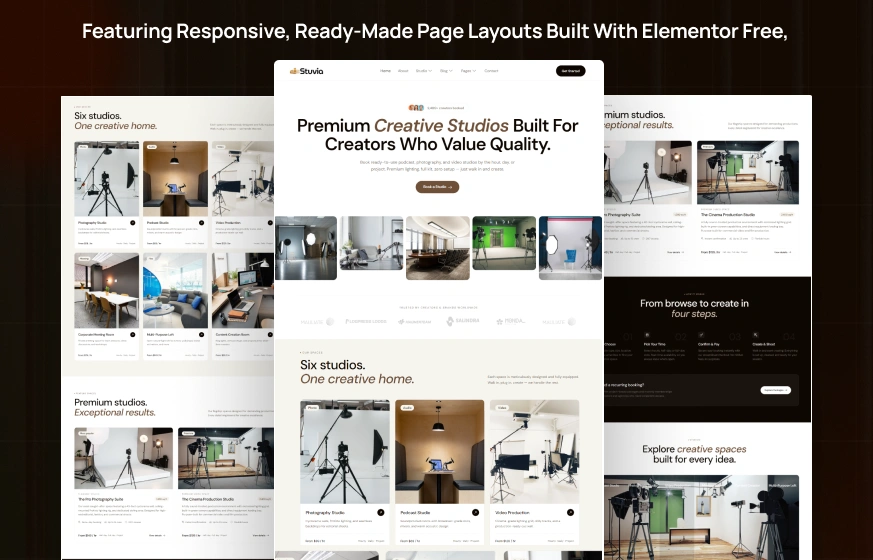
Stuvia is a studio rental Elementor template kit for WordPress, designed for photography studios, podcast studios and creative spaces that rent by the hour. It includes 12 ready pages, including Studios, Studio Details, Booking, Pricing, Gallery and FAQs, plus a 404 page.
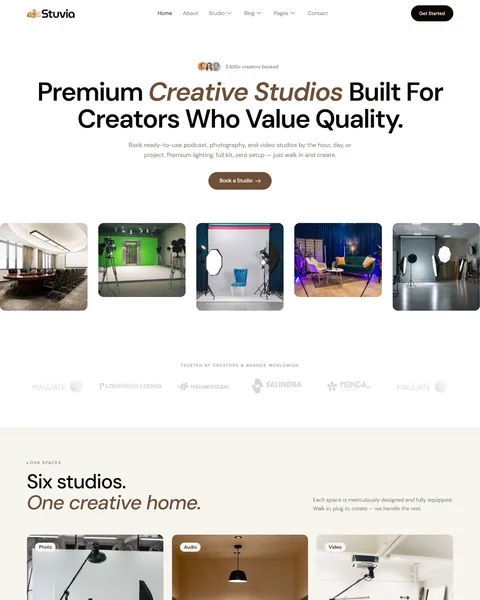
The demo opens on a clean, light page under the headline “Premium Creative Studios Built For Creators Who Value Quality”, with “Creative Studios” in brown italics. A Book a Studio button sits above a row of studio photos, from a green screen stage to a podcast lounge. Espresso brown, warm tan and soft cream give your space a calm, premium and creative look.
Stuvia runs on free plugins only: Elementor, ElementsKit Lite, Jeg Kit for Elementor and MetForm. No Elementor Pro is needed, and our team installs it for you at no cost.
Quick Template Details
- Template Name: Stuvia
- Required Theme: Hello Elementor (Free)
- Elementor Pro Required: No
- Premium Plugins Required: No
- Page Templates: 12
- Forms: MetForm
- Responsive: Desktop, Tablet, Mobile
- Coding Required: No
Who Is This Photography Studio Website Template For?
- Photography studio rentals. A full Photography Studio page covers daylight, backdrops, lighting gear and hourly, half-day and full-day rates.
- Podcast recording studios. A Podcast Studio with broadcast mics and acoustic treatment has its own pricing tab.
- Video and film production stages. A video studio with a lighting grid and cyc wall, plus a flagship cinema studio, suits production rentals.
- Multi-room creative spaces. Six studio types, from a content creation room to a multi-purpose loft, share one booking flow.
- Meeting and event venues. A corporate meeting room and a loft for workshops and brand events appeal to business clients.
Running a podcast show rather than renting studio space? Our Podexa podcast Elementor template kit is a better fit.
See Every Page in the Stuvia Studio Rental Template
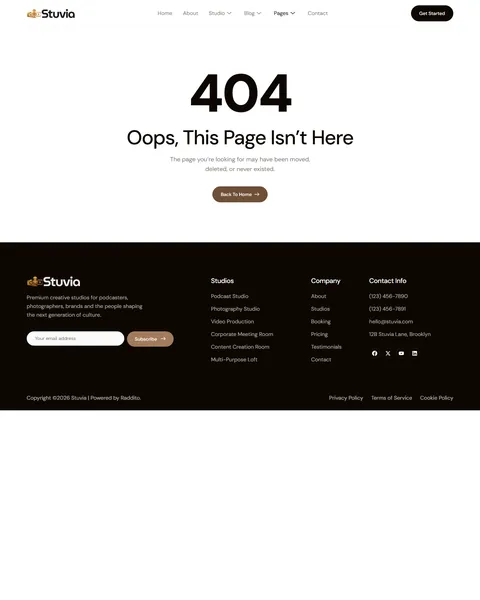
Here are all the pages, including the 404 page. Click any page to open it in the live demo.
Six Studios With Clear Hourly Rates
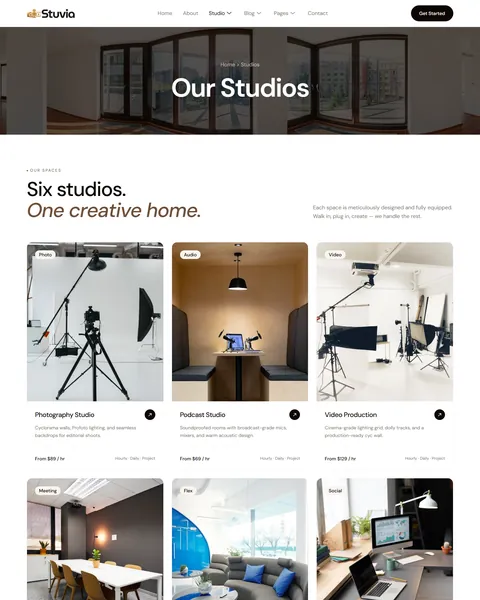
Creators shop for studios by type and price. Stuvia’s Studios page lists six spaces, each with a short description and a starting hourly rate in the demo. They include a Photography Studio from $89, a Podcast Studio from $69 and Video Production from $129. A Corporate Meeting Room, a Multi-Purpose Loft and a Content Creation Room from $39 complete the list.
A “What’s included” list follows with gigabit Wi-Fi, a coffee bar, pro camera kits, broadcast mics, cinema lighting, acoustic treatment, parking and an on-site host. A four-step “How It Works” section explains browsing, picking a time, confirming and creating. The homepage also highlights two flagship spaces with size, crew capacity and access details.
A Studio Details Page That Sells the Space
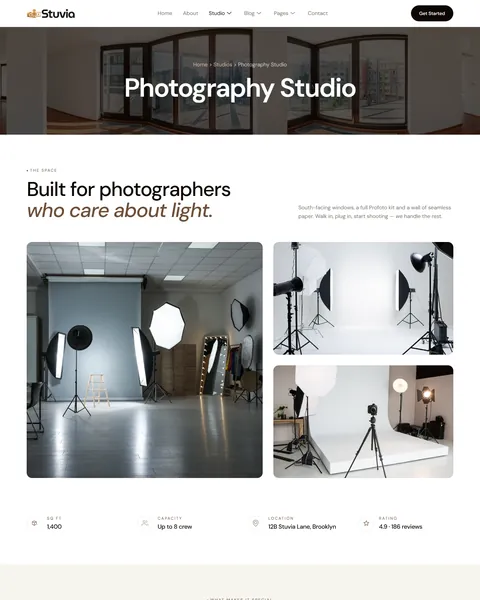
The Studio Details page shows one studio in depth. The demo Photography Studio lists its size, crew capacity, location and rating. Four highlights follow: south-facing daylight, nine paper backdrops, a professional strobe kit and an open shooting floor.
Three rates show hourly, half-day and full-day pricing with what each includes, from basic setup support to a dedicated producer. An “In the room” gear list covers strobes, modifiers, a tethering station and styling tools. Shared amenities, creator reviews and a booking FAQ complete the page, so visitors have everything they need before they reserve.
Pricing Tabs and a Simple Booking Request
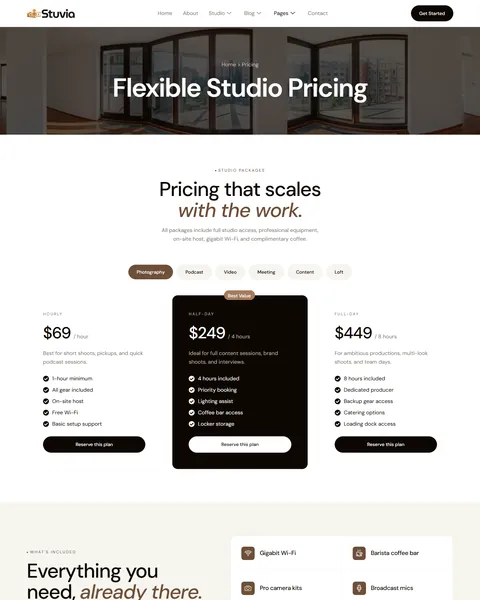
Different studios need different prices. The Pricing page uses tabs for photography, podcast, video, meeting, content and loft spaces. Each tab shows hourly, half-day and full-day plans, with Half-Day marked Best Value, so visitors compare options without leaving the page.
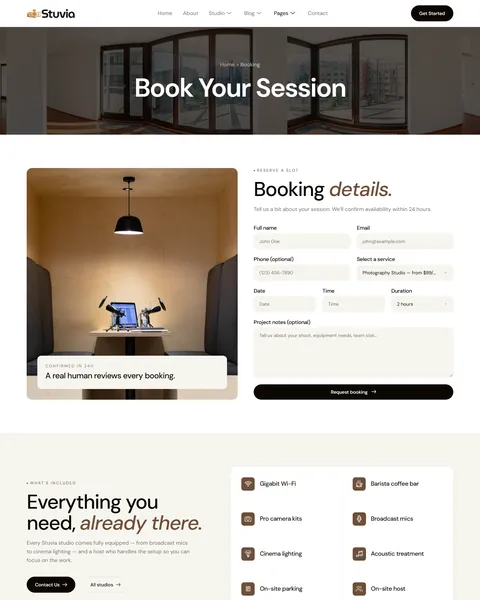
The Booking page asks for full name, email, phone, the studio, date, time, duration and project notes, such as team size or equipment needs. A “Confirmed in 24h” note sets clear expectations, and the studio amenities and booking FAQ sit below the form. Requests reach your email through MetForm, so you can confirm availability and send payment details.
About, Gallery, Reviews and Contact
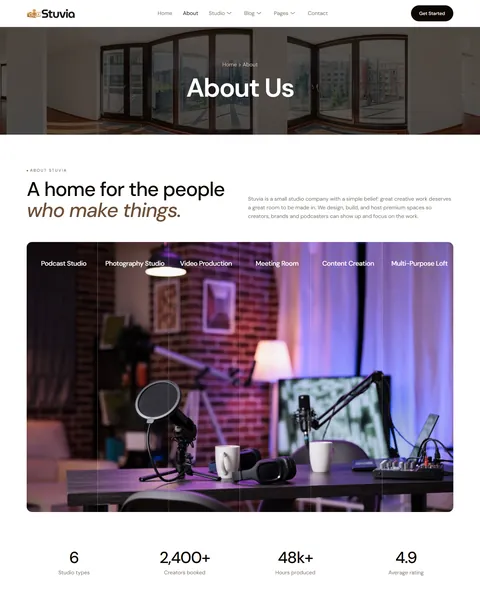
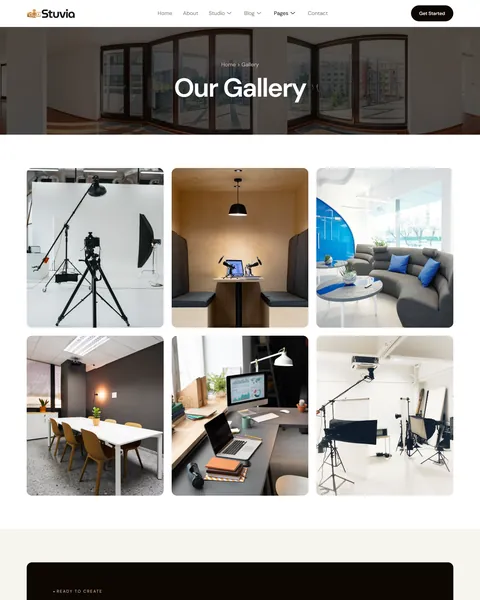
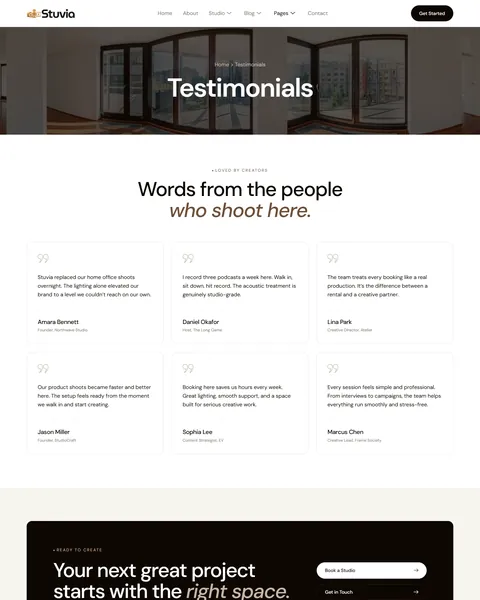
The About page tells your story, from a single podcast room to six studios. Counters, four beliefs such as hospitality first and honest pricing, a four-step timeline and four team members follow. The Gallery page shows your spaces in photos, and the Testimonials page shares six reviews from founders, podcast hosts and creative directors.
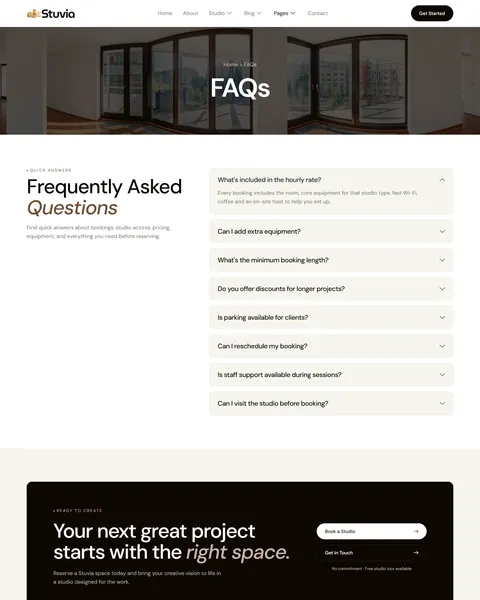
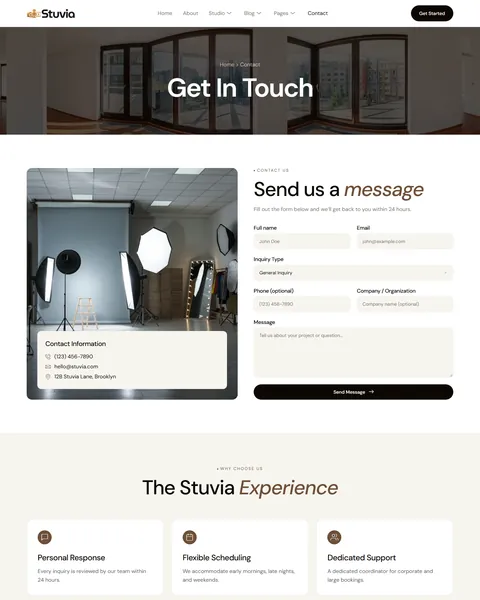
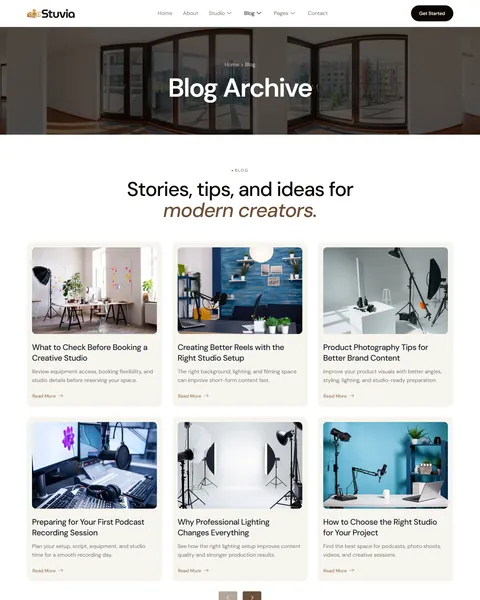
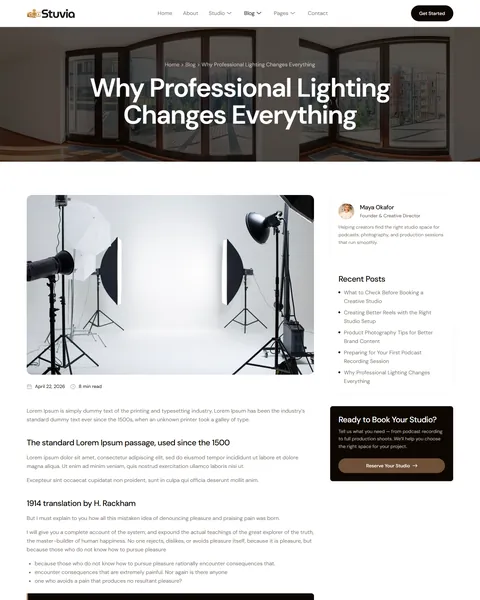
The FAQs page answers eight common questions, such as minimum booking length, rescheduling and studio visits. The Contact page offers a form with name, email, an inquiry type, phone, company and message, beside your phone, email and address. The blog shares creator tips, such as preparing for a first podcast recording and product photography basics.
Research-Driven Design for Studio Rentals & Creative Spaces
We looked at how creators and brands choose a studio to rent. They want to see the space, know the gear, compare prices and book without back-and-forth emails. Many book last-minute for a shoot or episode. Stuvia’s design is built to answer those questions quickly and make booking feel simple.
Espresso brown and warm tan. Espresso brown buttons and accents feel warm, crafted and premium. Warm tan and sand tones add softness. Soft cream sections keep pages light and let studio photos stand out.
Clean, modern type. Stuvia uses DM Sans throughout, with headlines up to 60px and key phrases in brown italics. It looks modern and friendly, which suits creators and brands alike.
The space is the star. Large photos with rounded corners show photo sets, green screens, podcast rooms and lofts. Visitors can picture their shoot, their lighting and their setup before they book.
Prices in plain sight. Starting rates on every studio card and tabbed pricing remove the need to email for a quote or wait for a reply.
Booking always within reach. A Get Started button stays in the header, and Book a Studio buttons and a “Ready to Create” call to action close many pages.
Social proof. A 2,400+ creators booked badge in the hero, a brand logo strip and creator reviews build trust quickly. First-time renters see that other creators already shoot here.
Mobile friendly. On phones, the menu folds into a toggle, headlines scale to about 36px and every section stacks without sideways scrolling.
Free Installation for This Studio Rental Elementor Template Kit
We install Stuvia on your WordPress site free of charge, set up exactly like the demo. Every plugin it uses is free, so there is nothing more to buy.
The demo photos come from Envato and are not included. Adding your own studios, rates, gear lists, gallery and blog posts, or connecting a live calendar or payment system, is not part of the free installation. If you want the full site built for you, see our done-for-you website service.
How to Install the Stuvia Studio Rental Template Kit
Prefer to set it up yourself? This video shows each step of the import.
Stuvia vs Other Studio Rental Elementor Template Kits
Comparing studio templates? Here is how Stuvia compares with other popular studio rental and creative space kits online.
| Stuvia | Other popular studio rental kits online* | |
|---|---|---|
| Cost to get started | $19.90 one-time | $24 to $30 one-time |
| Free installation | Yes, included | No, not listed on any of them |
| Works without Elementor Pro | Yes | Yes, all 3 |
| Pricing tabs for six studio types | Yes | Not listed on any of them |
| Testimonials page | Yes | Not listed on any of them |
Why studios choose Stuvia:
- Built for studio rentals. Studios, rates, gear and booking are already in place.
- Clear prices. Tabbed pricing shows every space and duration.
- Lower price, free setup. $19.90 once, installed for you.
*We compared Stuvia with three popular studio rental and creative space Elementor template kits that appear on Google’s first page and ThemeForest search, all sold on ThemeForest. Details come from each product page on October 24, 2026. Prices and features may change.
More Creative Templates by Raddito
Stuvia is our studio rental Elementor template kit. If you host a podcast, run a photography business or manage a coworking space, compare these.
Podexa – podcast Elementor template kit
Best for podcast shows, hosts and creator channels.
11 pages · Needs Elementor Pro · Live Preview
Rock – photography Elementor landing page
Best for photographers who need a one-page portfolio.
Single landing page · Needs Elementor Pro · Live Preview
Co-work – coworking space Elementor landing page
Best for coworking spaces and shared offices.
Single landing page · Built for Elementor · Live Preview
Want more choices? Browse our business and creative website templates or every WordPress Elementor template kit we sell.
Frequently Asked Questions
Is Stuvia a WordPress theme?
No. Stuvia is a studio rental Elementor template kit, a set of ready pages you import into Elementor. It runs on the free Hello Elementor theme.
Does Stuvia need Elementor Pro?
No. It works with Elementor Free and three other free plugins: MetForm for the forms, ElementsKit Lite and Jeg Kit for Elementor.
Does Stuvia include live online booking?
No. The booking form sends requests with date, time and duration to your email. For instant booking, link the buttons to your calendar or booking tool.
Can I change the studios and rates?
Yes. Every studio card, rate and pricing tab is editable, so you can list your own rooms and prices.
How do I add a new studio?
Duplicate the Studio Details page, update the photos, size, highlights, gear and rates, then add a card for it on the Studios page.
Will Stuvia work for a single photo studio?
Yes. Keep one studio, remove the other cards and pricing tabs, and focus the homepage on your space and gear.
Is the installation really free?
Yes. We install Stuvia exactly like the demo at no cost. Adding your own content is up to you, or our Done For You team can build the full site.