


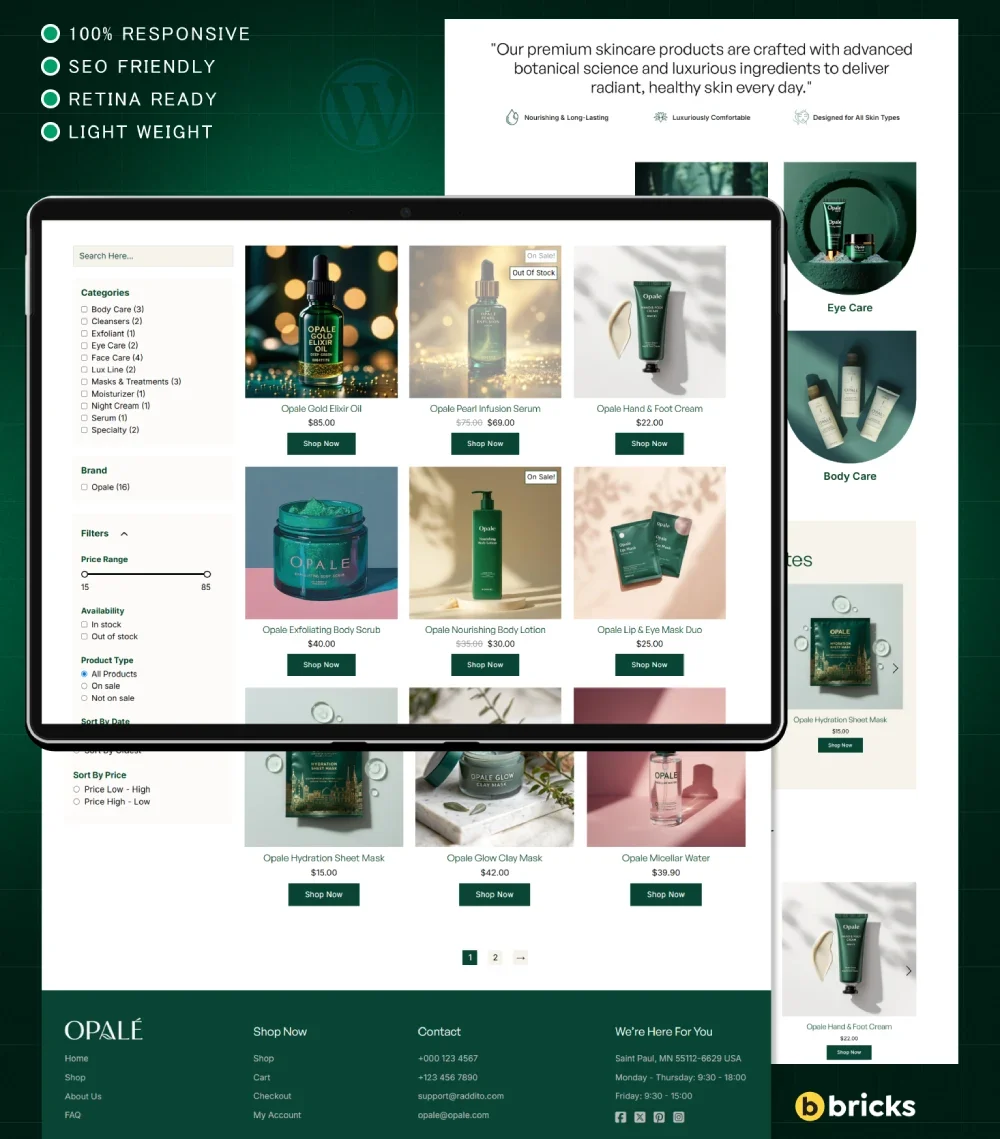
Opale is a skincare Bricks Builder template for WordPress and WooCommerce, made for skincare brands, natural cosmetics makers, beauty boutiques and dermatology product lines. It includes 14 pages, such as Shop, Category, Product, About Us, Testimonials, FAQ, Blog, Cart, My Account and Search Results, plus checkout and login templates.
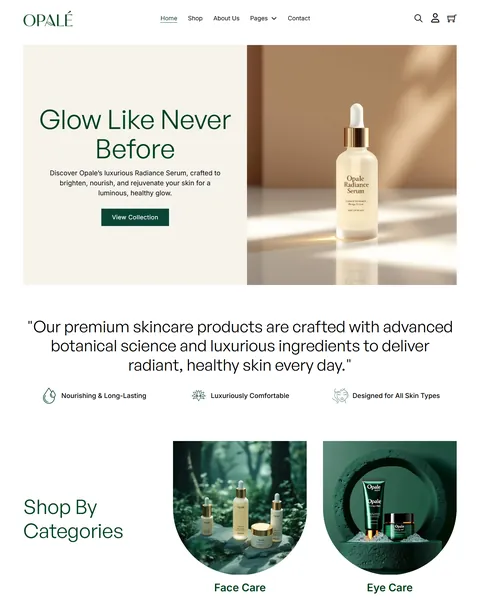
The demo opens with “Glow Like Never Before” beside a golden serum bottle in warm sunlight, with a View Collection button below. A brand promise and three benefit icons follow, then round category images for face, eye and body care. Deep botanical green, soft cream and warm golden tones give your brand a calm, natural and premium feel.
Opale needs only one free plugin, WooCommerce, and comes with sample products and blog posts you can import. Bricks itself is a premium theme and is not included.
Quick Template Details
- Template Name: Opale
- Template Type: Full ecommerce website template kit
- Required Theme: Bricks (Premium, not included)
- Required Plugin: WooCommerce (Free)
- Page Templates: 14, plus header and footer
- Sample Content: Products and blog posts as import files
- Fonts: General Sans (font file included) and Inter
- Responsive: Desktop, Tablet, Mobile
- Coding Required: No
Who Is This Skincare Bricks Builder Template For?
- Skincare brands. Serums, creams, masks and cleansers each have room to shine, with categories for face, eye and body care.
- Natural and clean beauty makers. Botanical green tones and ingredient-focused copy suit brands built on gentle, plant-based formulas.
- Beauty boutiques. Brand and category filters help shoppers browse several product lines in one store.
- Founder-led cosmetics companies. A Meet Our Founder story builds a personal connection with first-time buyers.
- Bricks developers building beauty stores. Styled shop, product, cart and account templates are ready for client projects.
Selling clothing and accessories instead? Our Threads clothing store Bricks Builder template kit is a better fit.
See Every Page in the Opale Skincare Bricks Builder Template
Fifteen demo pages are below. Click any page to open it in the live demo.
A Storefront That Feels Like a Spa
Skincare buyers want to feel calm and cared for before they spend. After the hero, Opale shows a short brand promise with three benefits: nourishing and long-lasting, luxuriously comfortable, and designed for all skin types. “Shop by Categories” follows with round photo tiles for face care, eye care, cleansers, masks and body care.
“Opale Featured Favorites” and “New Arrivals for Radiant Skin” each show products in a slider with price, sale price and a Shop Now button. A “Discover Every Opale Treasure” banner leads to the full collection, and an “Insights & Articles” row closes the homepage with four skincare guides.
Shop, Categories and Detailed Product Pages
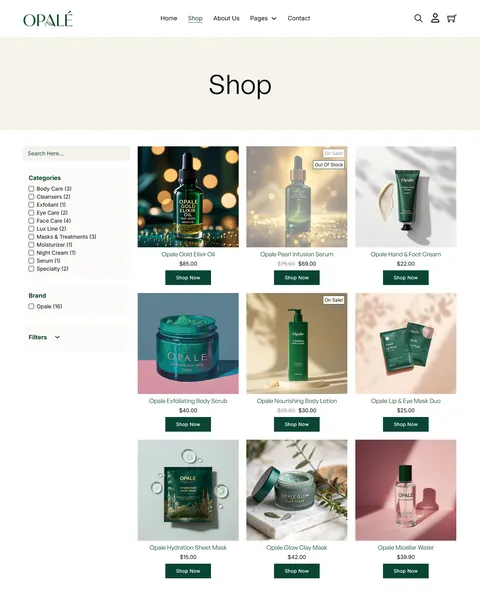
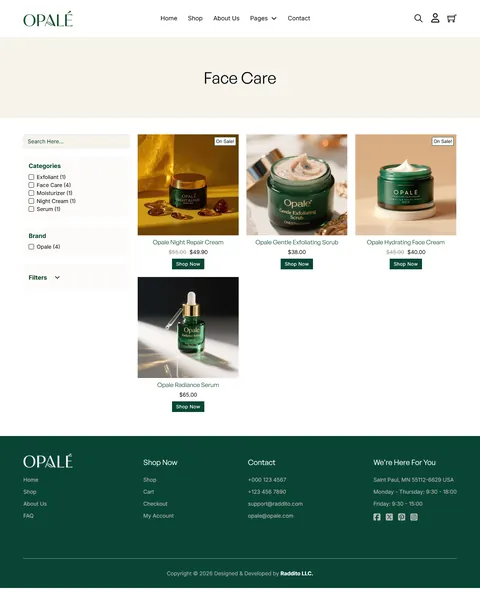
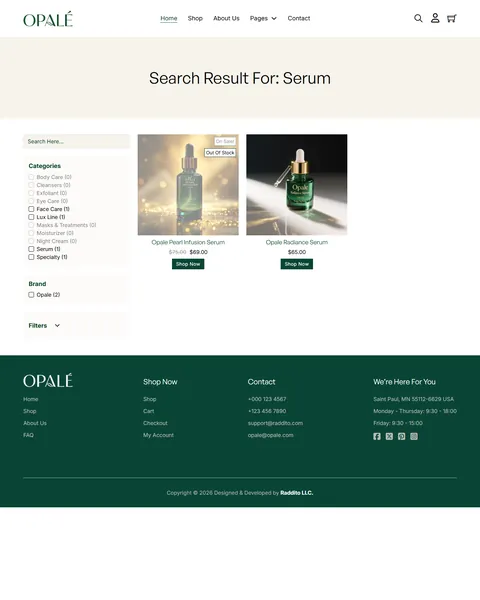
The Shop page and every category page share a clean layout. The sidebar has a product search, category and brand checkboxes and a filter menu, and products sit in a grid with sale badges. Five demo categories cover face care, eye care, cleansers, masks and treatments, and body care.
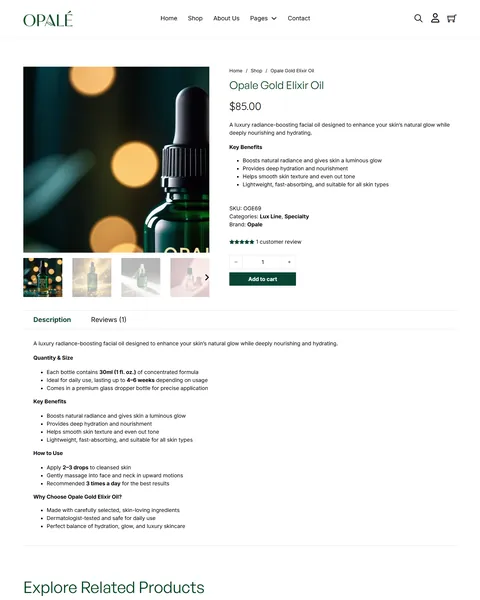
Product pages show a large image with a thumbnail gallery, price, short description, SKU, categories and brand. Description and Reviews tabs sit below, with room for key benefits, how to use and ingredients. An “Explore Related Products” slider keeps shoppers browsing, and a star rating appears once customers review a product.
Founder Story, Testimonials and FAQ
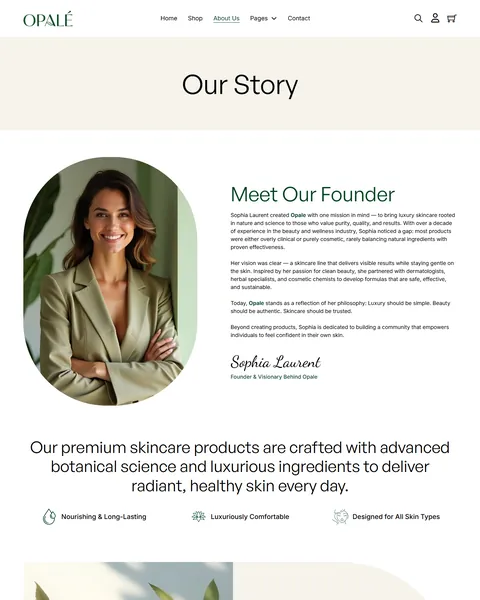
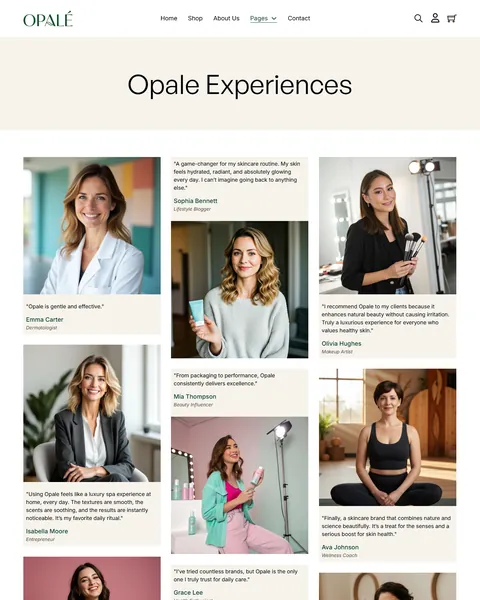
Trust matters more in skincare than in almost any other category, because buyers put the product on their skin. The About Us page tells the founder’s story with a portrait and signature. The Testimonials page shows “Opale Experiences” from dermatologists, makeup artists, bloggers and wellness coaches in quote cards.
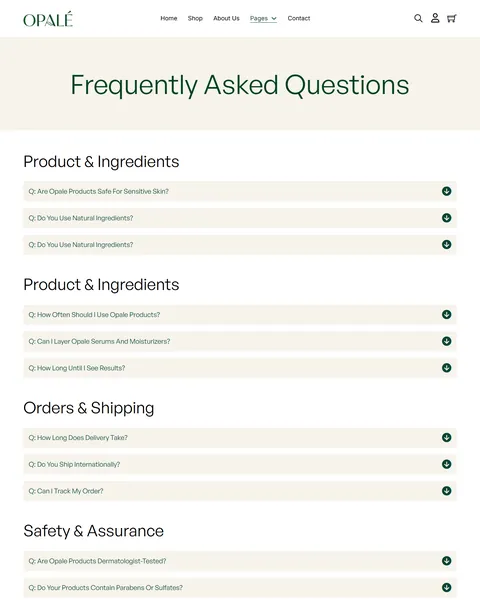
The FAQ page groups answers under Product & Ingredients, Orders & Shipping and Safety & Assurance. It already covers sensitive skin, natural ingredients, results timing, delivery, tracking, parabens and what to do about irritation. Clear answers reduce returns and support emails.
Blog, Contact and Checkout Pages
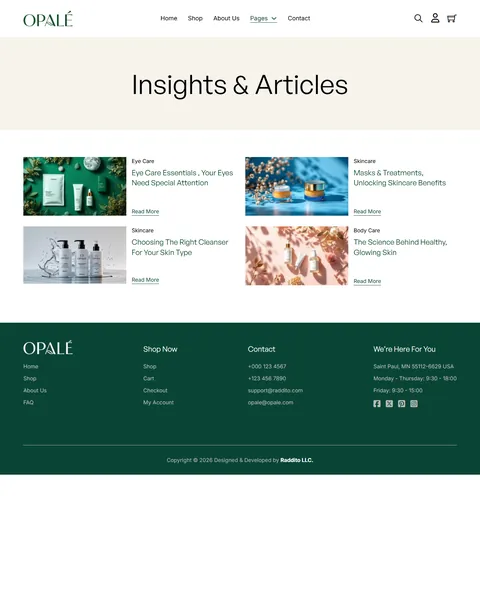
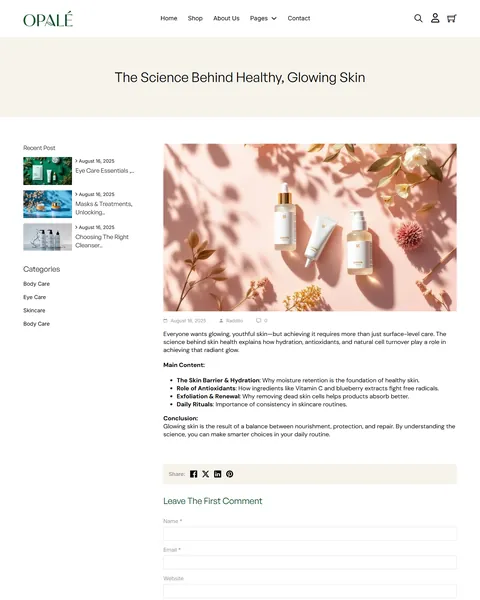
The “Insights & Articles” blog shows posts in a two-column grid, and single posts give guides like choosing the right cleanser a clean reading layout. Skincare content builds trust and brings in search traffic for questions buyers ask every day.
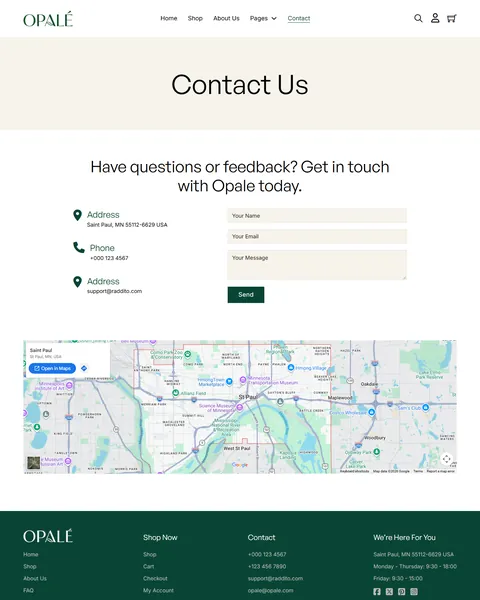
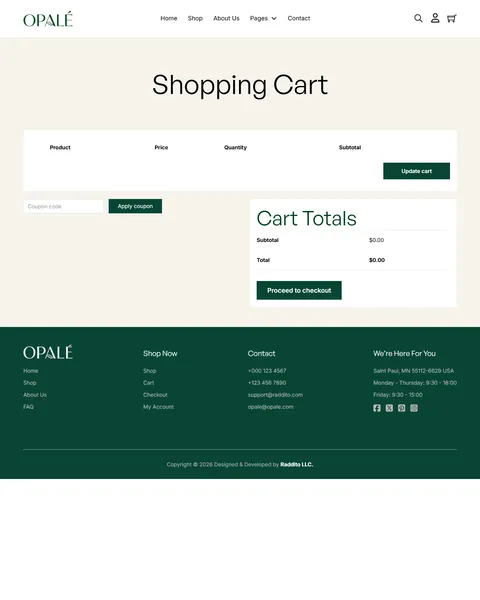
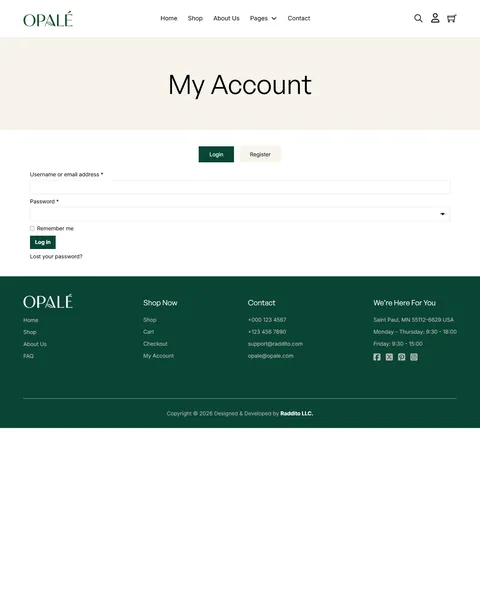
The Contact page lists address, phone and email next to a message form and an embedded map. Styled Cart, Checkout and My Account templates match the rest of the store, so the buying experience feels consistent from first click to payment.
Research-Driven Design for Skincare Brands
We looked at how people shop for skincare online. They can’t touch or test the product, so they lean on photos, ingredients, reviews and the brand story. Many have sensitive skin and worry about irritation. They want to know what a product does, how to use it and whether it suits their skin type. This skincare Bricks Builder template is designed to answer those questions in a calm, premium setting.
Botanical green and soft cream. Deep green, #094535, is used for buttons, headings and the footer. It feels natural, fresh and trustworthy. Soft cream, #F6F3EC, frames page titles and sections like the warm light of a spa.
General Sans and Inter. Large General Sans headings are light, elegant and modern. Inter body text keeps product details and ingredient lists easy to read. The General Sans font file ships with the kit.
Warm, sunlit product photography. Glass bottles and jars glow in natural light against neutral backdrops. Use the same style for your own products to keep the look consistent.
Proof before purchase. Expert testimonials, product reviews and a detailed FAQ reassure careful buyers, especially those with sensitive skin. A dermatologist quote or a real customer photo often matters more than any discount.
Calm, uncluttered layouts. Generous spacing, rounded category images and simple buttons make the store feel relaxing rather than pushy. Shoppers can focus on one product at a time.
Mobile friendly. On phones, the menu folds into a toggle, product sliders become swipeable and the shop filters stack above the products.
What’s Included With the Opale Bricks Builder Template
- 22 Bricks templates. 14 pages, plus checkout, a no-results search page, blog archive, blog category, account login, header and footer.
- Sample products and blog posts. WordPress import files that fill the store and blog right away.
- Theme Style and color palette files. Global typography, buttons and the full Opale color set.
- General Sans font file. The heading font used across the site.
- READ_ME guide and changelog. Setup steps and the version history, including an updated product page in version 1.0.1.
Need help with the template files? Our product support team can help. If you would rather have the whole store built with your own products and branding, see our done-for-you website service.
How to Import the Opale Skincare Bricks Builder Template
Install and activate WooCommerce first, then follow these steps:
- In Bricks > Settings > General, enable custom breakpoints, SVG uploads and smooth scroll (CSS), then save.
- In the builder’s breakpoint settings, set Tablet Portrait to 1025px and Mobile Landscape to 768px.
- Go to Bricks > Templates and import the templates zip file.
- Import the Theme Style and color palette, then set the style condition to the entire website.
- Optionally, import the sample products and blog posts from Tools > Import in WordPress.
The video below shows a complete Bricks site import, including the WooCommerce setup.
Opale vs Other Bricks Options for Skincare Stores
Comparing ways to build a beauty store in Bricks? Here is how Opale compares with other popular options online.
| Opale | Other popular Bricks store options online* | |
|---|---|---|
| Design made for skincare and cosmetics | Yes | No, none of them is made for beauty brands |
| Ready homepage, About and FAQ pages | Yes | Not all, two are libraries of sections |
| Testimonials page for expert reviews | Yes | Not mentioned on any of them |
| Styled shop, product, cart and account pages | Yes, all included | Not all, only one covers store pages |
| Sample products and blog posts to import | Yes | Not mentioned on any of them |
Why beauty brands choose Opale:
- Ready to sell. Every store page, plus story, reviews and FAQ.
- One free plugin. WooCommerce is all you need besides Bricks.
- One payment. $19.90 once, with no yearly plan.
*We compared Opale with a free WooCommerce starter kit shared on the Bricks community forum and two paid Bricks layout libraries sold on their own websites. Details come from each product page on October 26, 2026. Prices and features may change.
More Fashion and Beauty Bricks Templates by Raddito
Opale is our skincare Bricks Builder template. If you sell clothing or launch a single beauty product, compare these.
Threads – clothing store Bricks Builder template kit
Best for fashion boutiques and family clothing stores.
11 pages · Bricks with WooCommerce · Live Preview
Vogue – fashion ecommerce Bricks Builder template kit
Best for apparel brands with a bold editorial style.
11 pages · Bricks with WooCommerce · Live Preview
Beauty – cosmetics brand Bricks Builder landing page
Best for a single beauty product or launch.
Single landing page · Bricks · Live Preview
Want more choices? Browse our fashion and beauty website templates or every WordPress Bricks Builder template we sell.
Frequently Asked Questions
Is Opale a WordPress theme?
No. Opale is a skincare Bricks Builder template, a set of layouts you import into Bricks. Bricks is the theme, and you need your own Bricks license.
Which plugins do I need?
Only WooCommerce, which is free. The contact form, sliders, FAQ and shop filters use built-in Bricks elements.
Can I import the demo products?
Yes. The kit includes WooCommerce sample products and blog posts, so you can test every layout before adding your own items.
Can I sell subscriptions or bundles?
Yes. Add a WooCommerce extension for subscriptions or product bundles. The product templates will display them with your store’s styling.
Where do I add ingredients and how-to-use details?
Add them to the product description in WooCommerce. The Description tab on each product page displays them in a clear, readable layout.
Can I change the green color?
Yes. Edit the colors in the imported Theme Style and palette, and buttons, headings and the footer update across the store.
Should I replace the founder story and testimonials?
Yes, please. The founder, testimonials and reviews are samples, so use only your own story and real customer feedback.