


Vogue is a fashion store Bricks Builder template for WordPress and WooCommerce, made for clothing brands, streetwear and athleisure labels, women’s fashion boutiques and accessory shops. It includes 11 store pages: Home, Shop, New Arrivals, Featured, Deals, Category, Product, Cart, My Account, Search Results and 404, plus checkout, login, header, footer and two popups.
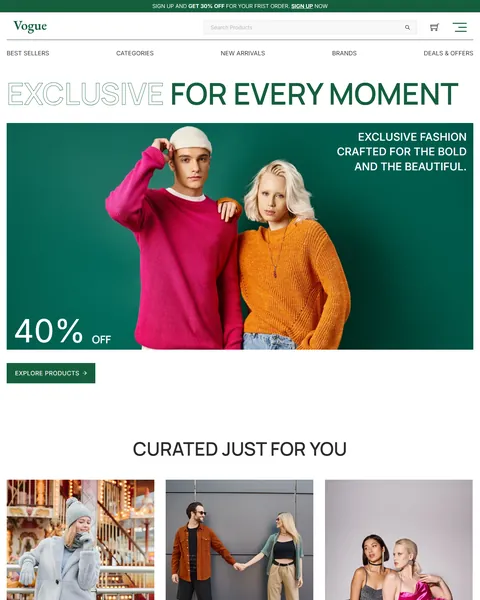
The demo opens with an oversized headline, “Exclusive for every moment”, above a bright photo of two models in colorful knitwear and a big “40% OFF” badge. An Explore Products button sits below. Forest green, crisp white and bold color-blocked product shots give your brand a confident, editorial look.
Vogue needs only one free plugin, WooCommerce, and comes with demo products you can import. Bricks itself is a premium theme and is not included.

Quick Template Details
- Template Name: Vogue
- Template Type: Full ecommerce website template kit
- Required Theme: Bricks (Premium, not included)
- Required Plugin: WooCommerce (Free)
- Page Templates: 11, plus header, footer and 2 popups
- Demo Products: Included as a WooCommerce import file
- Responsive: Desktop, Tablet, Mobile
- Coding Required: No
Who Is This Fashion Store Bricks Builder Template For?
- Clothing brands. Large editorial images and uppercase headlines suit labels that want to look like a fashion magazine.
- Streetwear and athleisure labels. Ready categories such as Street Style Picks and Athleisure Favorites fit casual and sporty collections.
- Women’s fashion boutiques. Party Ready Looks, Winter Wardrobe and Women collections help shoppers browse by mood and season.
- Accessory shops. Bags, jewelry and makeup sets look striking on bright, color-blocked backgrounds.
- Stores that run frequent sales. A signup notice bar, sale badges, a Deals page and a Hot Sale banner keep promotions front and center.
Prefer a softer, more playful clothing store style? Our Threads clothing store Bricks Builder template kit is a better fit.
See Every Page in the Vogue Fashion Store Bricks Builder Template
Thirteen demo pages are below. Click any page to open it in the live demo.
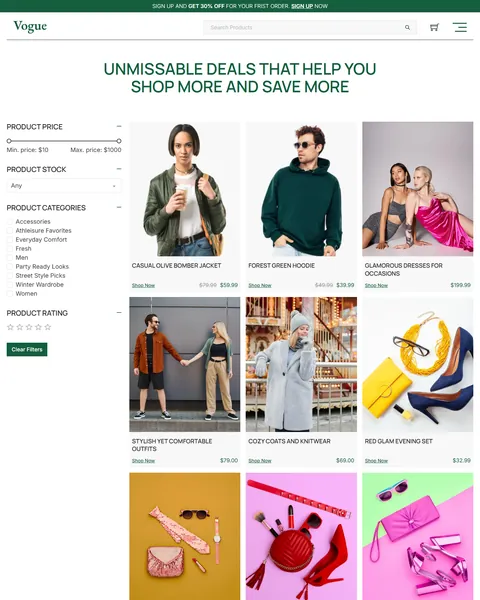
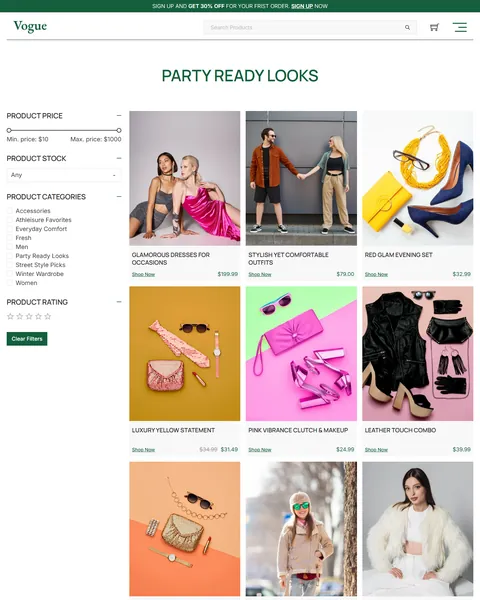
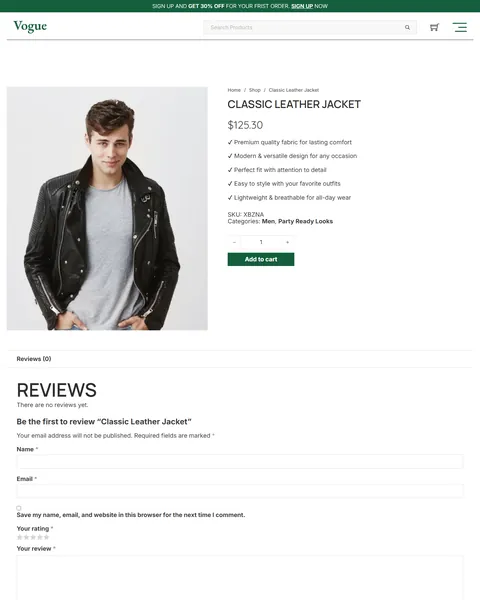
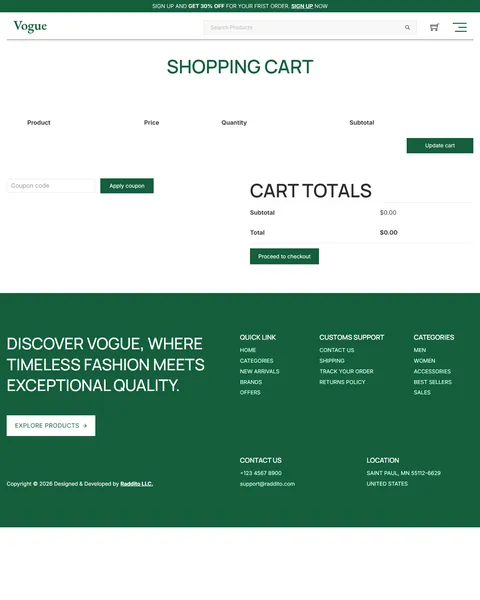
A Homepage Full of Promotions
Fashion shoppers respond to fresh drops and limited offers. After the hero, “Curated Just For You” shows three lifestyle photos. “Top Picks of the Season” then filters products by All, Men, Women, Accessories and Sale in one tabbed grid.
A “Hot Sale: Up to 50% Off!” banner with two “Special Editions” cards adds urgency, followed by “Explore Our Trending Categories” with six collection tiles. “Fresh Picks of the Season” and a “Shop the Full Sale Collection” call to action close the page, with Instagram and Pinterest links in the footer.
Six Ready Collections and Smart Filters
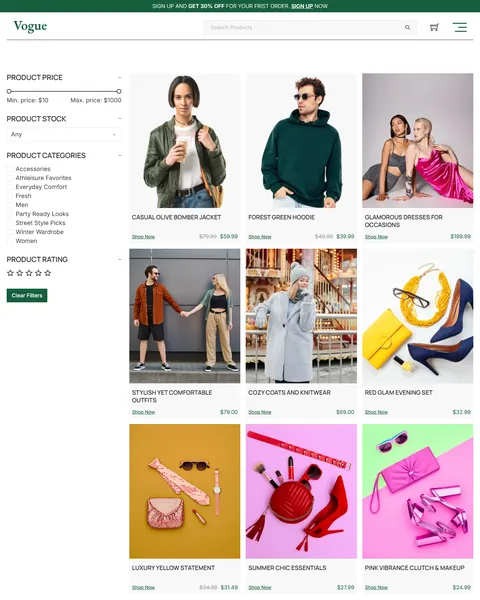
The demo groups products into collections such as Winter Wardrobe, Street Style Picks, Party Ready Looks, Everyday Comfort, Accessories and Athleisure Favorites. Each one has its own archive page, which you can link from menus, ads and emails.
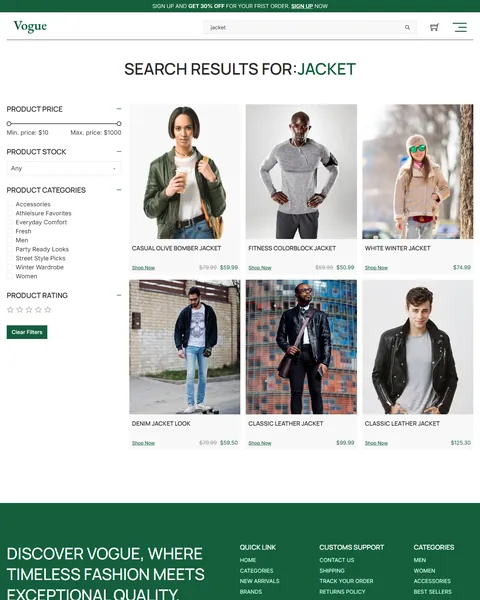
Every shop and collection page shares a filter sidebar with a price range slider, stock status, product categories and star rating. Shoppers can narrow a large catalog quickly, and the Clear Filters button resets everything in one click.
New Arrivals, Featured and Deals Pages
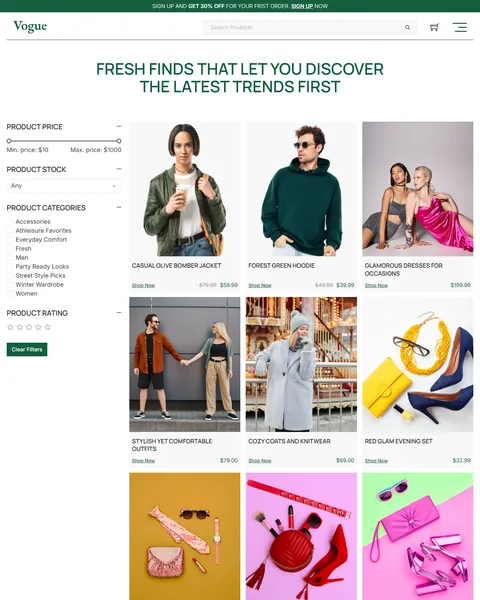
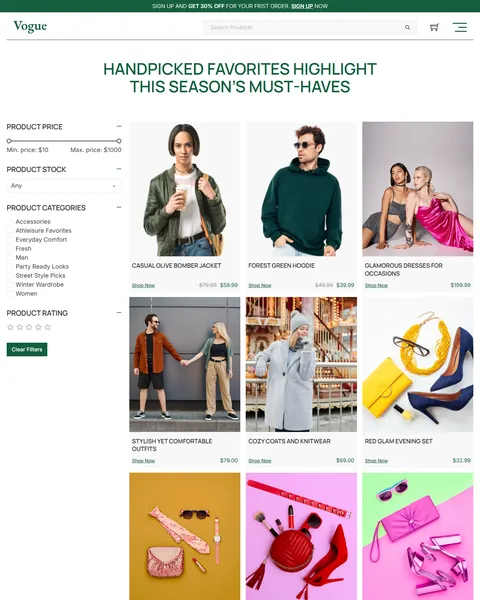
Three extra collection pages make your store feel alive. “Fresh Finds That Let You Discover the Latest Trends First” shows new arrivals. “Handpicked Favorites Highlight This Season’s Must-Haves” shows featured items, and “Unmissable Deals That Help You Shop More and Save More” gathers every discount.
Product pages show a large image, the price with any sale saving, a short benefits checklist, SKU and categories, and an Add to cart button. A reviews section with a star rating form sits below, ready to fill up as customers buy.
Header, Menus and Account
A thin green notice bar at the very top invites visitors to sign up for 30% off their first order. Below it, the header holds a product search bar, a cart icon and a menu icon that opens a full menu popup.
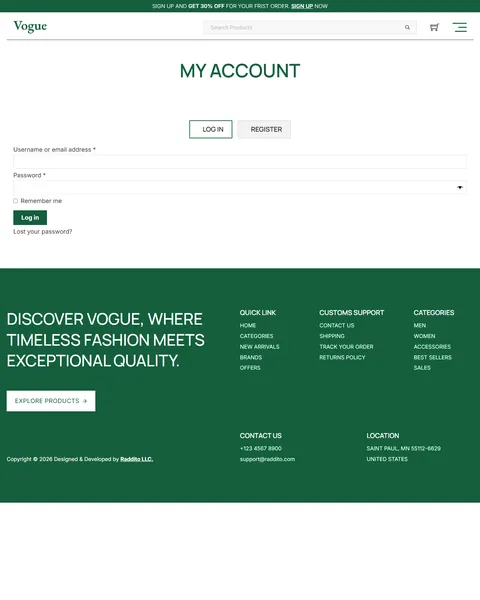
On the homepage, a secondary menu links to Best Sellers, Categories, New Arrivals, Brands and Deals and Offers. Styled Cart, Checkout and My Account pages with Log In and Register tabs match the rest of the store, and a dark green footer closes every page.
Research-Driven Design for Fashion Stores
We looked at how people shop for clothes and accessories online. They browse visually, chase new arrivals and deals, and filter by price, size and style. Brand image matters a lot, because shoppers want clothes that match how they see themselves. This fashion store Bricks Builder template is designed to look like a premium brand while making browsing and buying quick.
Forest green and white. A deep forest green, #155F3D, is used for headings, buttons, the notice bar and the footer. It feels rich and confident, and it stands out from the black and white look of most fashion stores. Clean white space lets products take center stage.
Manrope and Inter. Large, uppercase Manrope headlines feel bold and editorial, like a magazine cover. Inter body text keeps prices, filters and product details easy to read.
Color-blocked product photography. Accessories on bright yellow, pink and orange backdrops and models on clean studio walls create an energetic, scroll-stopping catalog. Shoot your own products the same way for a consistent look.
Always a reason to buy. A signup discount, sale badges, a Deals page and limited-time banners keep promotions visible without cluttering the design.
Fast filtering. Price, stock, category and rating filters on every collection help shoppers find the right item before they lose interest. Fewer dead ends mean more items in the cart.
Mobile friendly. On phones, the menu opens as a popup, product grids drop to fewer columns and filters stack above the products. Most fashion browsing now happens on a phone.
What’s Included With the Vogue Bricks Builder Template
- 16 Bricks templates. Home, Shop, New Arrivals, Featured, Deals, Category, Product, Cart, My Account, Search Results and 404, plus checkout, account login, header, footer, a menu popup and a promotional popup.
- Demo products. A WooCommerce import file that fills the store right away.
- Theme Style file. Global colors, typography and buttons in one JSON file.
- Assets folder. The images the templates reference.
- READ_ME guide and changelog. Setup steps and the version history, including the new notice bar elements.
Need help with the template files? Our product support team can help. If you would rather have the whole store built with your own products and branding, see our done-for-you website service.
How to Import the Vogue Fashion Store Bricks Builder Template
Install and activate WooCommerce first, then follow these steps:
- In Bricks > Settings > General, enable custom breakpoints, SVG uploads and smooth scroll (CSS), then save.
- In the builder’s breakpoint settings, set Tablet Portrait to 1025px and Mobile Landscape to 769px.
- Go to Bricks > Templates and import the templates zip file.
- Import the Theme Style and set its condition to the entire website.
- Import the demo products from Tools > Import in WordPress and link the menu popup to the header icon.
The video below shows a complete Bricks site import, including the WooCommerce setup.
Vogue vs Other Bricks Options for Fashion Stores
Comparing ways to build a fashion store in Bricks? Here is how Vogue compares with other popular options online.
| Vogue | Other popular Bricks store options online* | |
|---|---|---|
| Design made for fashion brands | Yes | No, none of them is made for fashion |
| Ready homepage with sale banners and collections | Yes | Not all, two are libraries of sections |
| New Arrivals, Featured and Deals pages | Yes | Not mentioned on any of them |
| Filters for price, stock, category and rating | Yes | Not all, only one covers store pages |
| Same design also sold for Elementor | Yes | No, not on any of them |
Why fashion brands choose Vogue:
- Editorial look. Bold type and big images make products shine.
- One free plugin. WooCommerce is all you need besides Bricks.
- One payment. $19.90 once, with no yearly plan.
*We compared Vogue with a free WooCommerce starter kit shared on the Bricks community forum and two paid Bricks layout libraries sold on their own websites. Details come from each product page on October 26, 2026. Prices and features may change.
More Fashion and Beauty Templates by Raddito
Prefer Elementor? Vogue is also available as a clothing store Elementor template kit with the same look. If you want a different style or sell beauty products, compare these Bricks options.
Threads – clothing store Bricks Builder template kit
Best for family clothing stores and denim brands.
11 pages · Bricks with WooCommerce · Live Preview
Opale – skincare Bricks Builder template kit
Best for skincare and natural cosmetics brands.
14 pages · Bricks with WooCommerce · Live Preview
Beauty – cosmetics brand Bricks Builder landing page
Best for a single beauty product or launch.
Single landing page · Bricks · Live Preview
Want more choices? Browse our fashion and beauty website templates or every WordPress Bricks Builder template we sell.
Frequently Asked Questions
Is Vogue a WordPress theme?
No. Vogue is a fashion store Bricks Builder template, a set of layouts you import into Bricks. Bricks is the theme, and you need your own Bricks license.
Which plugins do I need?
Only WooCommerce, which is free. The filters, tabs, sliders and popups use built-in Bricks elements.
Can I import the demo products?
Yes. The kit includes a WooCommerce demo products file, so you can see every collection and filter working before adding your own items.
Does the 30% off notice bar work automatically?
No. It is a design element. Create the matching coupon in WooCommerce and link the Sign Up link to your newsletter or account page.
Can I add size and color filters?
Yes. Add size and color attributes to your products in WooCommerce, then add matching Bricks filter elements to the sidebar.
Can I change the green color?
Yes. Update the colors in the imported Theme Style, and headings, buttons, the notice bar and the footer change across the store.
Should I replace the demo photos and products?
Yes, please. The images are placeholders and the product text is sample copy, so use your own photos and real product details.