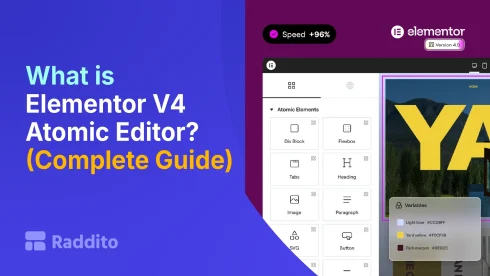
What is Elementor V4 Atomic Editor? (Complete Guide)
- Jahidul Islam Faisal
Reading Time: 3 Minutes
What is Elementor V4 Atomic Editor? (Complete Guide)
- Jahidul Islam Faisal
Reading Time: 3 Minutes
If you’ve used Elementor before, you probably know the trade-off: it’s incredibly easy to design pages visually, but things can get messy fast.
Duplicated styles, inconsistent layouts, bloated code… it adds up.
That’s exactly what Elementor V4’s Atomic Editor is designed to fix.
In this guide, you’ll learn what the Atomic Editor is, how it works, why it matters, and whether it’s worth using right now.
What is Elementor V4 Atomic Editor?
The Atomic Editor is Elementor’s new design system-based builder introduced in V4.
Instead of building pages with isolated sections and widgets, it introduces a structured, reusable system based on:
- Components – reusable design blocks
- Classes – shared styling rules
- Variables – global design values (colors, spacing, typography)
Think of it like moving from “drag-and-drop chaos” to a clean, scalable design system, similar to tools like Webflow.
Why Elementor Introduced the Atomic Editor
Before V4, Elementor had some common issues:
- Styling had to be repeated manually
- Changes didn’t scale across the site
- Pages could become heavy and slow
- No true design system workflow
The Atomic Editor solves this by making everything modular and reusable.
Instead of editing 20 buttons individually, you update one class, and everything updates instantly.
Core Concepts Explained
To understand Atomic Editor, you need to grasp three key ideas:
1. Components (Reusable Blocks)
Components are pre-built sections or elements that you can reuse across your website.
Examples:
- Hero sections
- Pricing tables
- Buttons
- Testimonials
Once you create a component:
- You can reuse it anywhere
- Update it once – changes everywhere
This is a game-changer for agencies and large websites.
2. Classes (Global Styling System)
Classes let you apply consistent styles across multiple elements.
For example:
- A “Primary Button” class
- A “Heading Large” class
If you update the class:
- All elements using it update automatically
This eliminates inconsistent design and saves tons of time.
3. Variables (Design Tokens)
Variables are global values you define once and reuse everywhere.
Examples:
- Primary color
- Font sizes
- Spacing units
Change a variable – your entire site updates instantly.
This is how modern design systems work.
Key Benefits of the Atomic Editor
Here’s why this update matters:
1. Faster Workflow
- Reuse components instead of rebuilding
- Edit once – apply everywhere
2. Cleaner Design System
- No more random styling
- Everything follows a structured approach
3. Better Performance
- Less duplicated code
- More efficient page structure
4. Scalable for Large Projects
- Perfect for agencies and multi-page sites
- Easier maintenance over time
Atomic Editor vs Traditional Elementor
| Feature | Traditional Elementor | Atomic Editor |
|---|---|---|
| Reusability | Limited | High |
| Styling | Per element | Global (classes) |
| Consistency | Manual | Automatic |
| Performance | Can be heavy | More optimized |
| Learning Curve | Easy | Moderate |
In short: Atomic Editor is more powerful, but requires a mindset shift.
Real Example (Why It Matters)
Let’s say you have:
- 30 pages
- 50 buttons
Old Way:
You update each button manually
Atomic Way:
- Change the “Primary Button” class
- Done in seconds
Limitations (Be Honest)
The Atomic Editor is powerful, but not perfect yet:
- Still evolving (V4 is relatively new)
- Learning curve for beginners
- Some features may feel incomplete
- Not all workflows are fully refined
It’s a big shift, especially if you’re used to classic Elementor.
Who Should Use Elementor V4?
Best for:
- Freelancers building multiple sites
- Agencies managing client projects
- Designers who want a system-based workflow
Maybe not ideal for:
- Total beginners
- One-page quick builds
- Users who prefer simplicity over structure
Final Thoughts
Elementor V4’s Atomic Editor is a major evolution, not just an update.
It moves Elementor closer to modern web design tools by introducing:
- Reusability
- Consistency
- Scalability
While it’s not perfect yet, it’s clear where things are heading.
Book Your Free 30-Minute Chat!
Pick a time that works for you – we’re flexible.
Let’s talk about how we can make things easier, together.