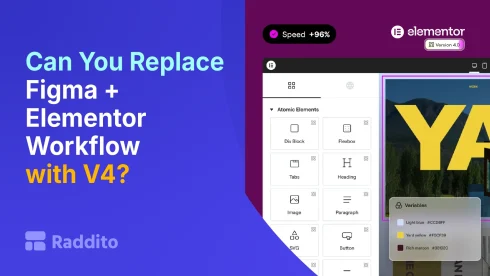
For years, the standard workflow for building websites looked like this:
Design in Figma – Build in Elementor
It worked, but it also created friction:
- Double work (design + build)
- Time-consuming revisions
- Gaps between design and development
Now with Elementor V4’s Atomic Editor, a new question is emerging:
Can you skip Figma entirely and design directly in Elementor?
Let’s break it down honestly.
Quick Answer
Yes… but not always.
- For simple to mid-level projects – Yes, you can replace Figma
- For complex, collaborative design work – Not fully yet
Why This Question Exists
Before V4, Elementor wasn’t built for structured design.
- No true design system
- Limited global control
- Hard to maintain consistency
That’s why tools like Figma were essential.
What Changed in Elementor V4
The Atomic Editor introduces:
- Classes – reusable styling
- Variables – global design tokens
- Components – reusable layouts
This makes Elementor behave more like a design tool.
Where Elementor V4 Can Replace Figma
1. Landing Pages
For:
- Marketing pages
- Simple websites
- Quick client projects
You can:
- Design directly in Elementor
- Build at the same time
Why it works:
- Faster workflow
- No handoff needed
- Instant live preview
2. Solo Designers & Freelancers
If you:
- Work alone
- Don’t need complex approvals
- Want speed over process
Elementor V4 is enough.
3. Rapid Prototyping
You can:
- Build real pages instead of static designs
- Show clients live versions
This often replaces wireframing entirely.
Where Figma Still Wins
1. Complex UI/UX Design
Figma is still better for:
- App interfaces
- Complex interactions
- Detailed UX flows
Elementor is not a full UX design tool.
2. Team Collaboration
Figma excels at:
- Real-time collaboration
- Comments and feedback
- Version control
Elementor doesn’t match this yet.
3. Design Exploration
In Figma, you can:
- Quickly test multiple variations
- Create design systems visually
- Experiment freely
Elementor is more structured and less flexible for ideation.
Figma + Elementor vs Elementor V4 Alone
| Workflow | Pros | Cons |
|---|---|---|
| Figma – Elementor | Clear process, great collaboration | Slower, double work |
| Elementor V4 Only | Fast, efficient, live design | Less flexible for complex design |
The Real Shift (This Is Important)
Elementor V4 doesn’t fully replace Figma…
But it reduces the need for it.
Instead of:
- Designing everything first
- Then building
You can:
- Design and build at the same time
Real-World Scenarios
Scenario 1: Freelancer Building a Landing Page
Skip Figma
Build directly in Elementor
Scenario 2: Agency Working with Clients
Use Figma for:
- Wireframes
- Client approvals
Then build in Elementor
Scenario 3: Startup MVP Website
Use Elementor only
Launch faster
Hybrid Workflow (Best of Both Worlds)
Many professionals will use a hybrid approach:
- Use Figma for:
- Wireframes
- Structure
- Client collaboration
- Use Elementor for:
- Final design
- Development
This balances speed and control.
The Trade-Off
Replacing Figma means:
You gain:
- Speed
- Simplicity
- Faster iteration
You lose:
- Advanced design control
- Collaboration features
- Deep UX capabilities
Final Verdict
Elementor V4 can replace Figma in many cases, but not all.
Replace Figma if:
- You build simple or medium websites
- You work solo
- You want speed
Keep Figma if:
- You work in teams
- You design complex interfaces
- You need structured design processes
Final Thought
The Atomic Editor is blurring the line between:
- Design tools
- Website builders
And that’s a big shift.
We’re moving toward a future where:
Design and development happen in one place.