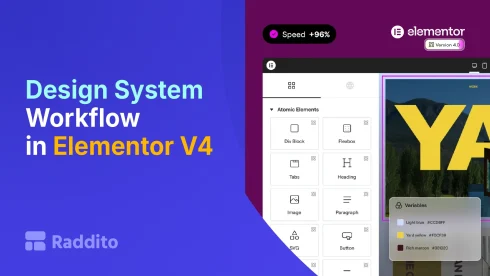
With Elementor V4, the biggest shift isn’t just new features, it’s a new way of thinking.
You’re no longer building pages one by one.
You’re building a design system that controls your entire website.
If that sounds complex, don’t worry, this guide will walk you through a simple, practical workflow you can follow every time.
What Is a Design System (In Simple Terms)?
A design system is a structured way to manage:
- Colors
- Typography
- Spacing
- Components
Instead of designing everything manually, you:
Define rules once – reuse everywhere
Why This Matters in Elementor V4
Before V4:
- You styled elements individually
- Designs became inconsistent
- Updates were time-consuming
Now with the Atomic Editor:
- You use Variables, Classes, and Components
- Everything is connected
This makes your workflow faster, cleaner, and scalable.
The Perfect Design System Workflow
Follow this exact order for best results:
Step 1: Define Variables (Your Foundation)
Start by setting global design values.
What to define:
- Primary color
- Secondary color
- Background colors
- Font sizes
- Spacing units
Example:
- Primary Color = Blue
- Spacing = 16px base
Why this matters:
Change one variable – your entire site updates.
This is the backbone of your system.
Step 2: Create Global Classes
Now build reusable styles using those variables.
Essential classes:
Typography:
.heading-xl.heading-md.text-body
Buttons:
.btn-primary.btn-secondary
Layout:
.section-padding.container-width
Best practice:
Each class should have one responsibility.
This keeps your system flexible.
Step 3: Build Core Components
Now combine classes into reusable sections.
Examples:
- Hero section
- Feature blocks
- Testimonials
- CTA sections
Key idea:
Components = real building blocks of your pages
You’ll reuse these everywhere.
Step 4: Assemble Pages Using Components
Now instead of designing from scratch:
You just stack components:
- Hero
- Features
- Testimonials
- CTA
Result:
- Faster page creation
- Consistent design
- Less manual work
Step 5: Optimize & Refine
After building your page:
- Adjust spacing using variables
- Improve consistency via classes
- Refine layouts inside components
This keeps your system clean and scalable.
How Everything Connects
Here’s the full chain:
- Variables – control values
- Classes – control styles
- Components – control layout
Together, they create a fully connected system.
Real Example
Let’s say you want to:
Change your brand color
Old Workflow:
- Edit every element manually
New Workflow:
- Update one variable
- Entire site updates instantly
Common Mistakes to Avoid
Skipping Variables
Leads to inconsistent design
Creating too many classes
Keep them simple and reusable
Designing pages first
Always build the system first
Overcomplicating components
Keep them modular
Who This Workflow Is For
Perfect for:
- Freelancers
- Agencies
- Multi-page websites
- Long-term projects
Not ideal if:
- You’re building a quick one-page site
- You don’t need scalability
Old vs New Workflow
| Task | Old Elementor | V4 Design System |
|---|---|---|
| Styling | Manual | Global |
| Reusability | Limited | High |
| Updates | Slow | Instant |
| Consistency | Hard | Automatic |
| Scalability | Poor | Excellent |
Final Thoughts
The biggest upgrade in Elementor V4 isn’t just features…
It’s the shift to a design system mindset.
Once you follow this workflow:
- Your builds become faster
- Your designs stay consistent
- Your projects scale effortlessly