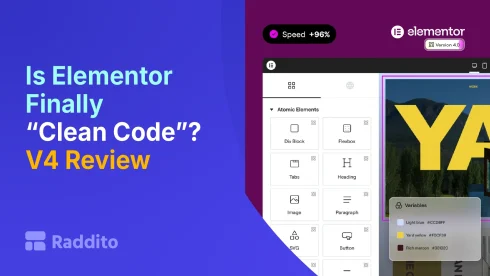
Is Elementor Finally “Clean Code”? (V4 Atomic Editor Review)
- Jahidul Islam Faisal
Reading Time: 3 Minutes
Is Elementor Finally “Clean Code”? (V4 Atomic Editor Review)
- Jahidul Islam Faisal
Reading Time: 3 Minutes
For years, Elementor has faced one major criticism:
“It creates bloated, messy code.”
And honestly… that criticism wasn’t wrong.
But with Elementor V4 and the new Atomic Editor, things are changing.
So the big question is:
Is Elementor finally producing “clean code”? Or is it just better than before?
Let’s break it down honestly.
What Does “Clean Code” Even Mean?
Before judging Elementor, let’s define the term.
In web development, “clean code” usually means:
- Semantic HTML structure
- Minimal, non-redundant CSS
- Lightweight JavaScript
- No unnecessary wrappers or divs
- Fast loading performance
Tools like Webflow and Bricks Builder are often praised for this.
The Old Elementor Problem
Before V4, Elementor had some real issues:
- Excessive nested divs
- Repeated inline styles
- Heavy DOM size
- Large CSS/JS files
This led to:
- Slower load times
- Poor Core Web Vitals
- Frustration among developers
That’s why many people avoided it for performance-focused projects.
What Changed in Elementor V4?
The Atomic Editor introduces a more structured system:
1. Reusable Classes
- Instead of repeating styles
- You define them once and reuse
Reduces duplicated CSS
2. Variables (Design Tokens)
- Global colors, spacing, typography
- One change updates everything
Eliminates scattered styling values
3. Components (Reusable Blocks)
- No more copy-pasting sections
- Centralized updates
Cleaner and more maintainable structure
4. Improved DOM Structure
- Fewer unnecessary wrappers (in many cases)
- More efficient layout handling
Smaller, more optimized page output
So… Is the Code Actually Clean Now?
The Good News
Elementor V4 is significantly cleaner than before:
- Less duplicated CSS
- Better structure with Atomic system
- More consistent styling
- Reduced DOM complexity (in many cases)
It’s a real improvement, not just marketing.
The Reality Check
It’s not “clean code” in the strictest sense.
Compared to builders like:
- Webflow
- Bricks Builder
Elementor still:
- Generates more markup
- Loads more assets
- Depends on WordPress + plugins
So while it’s cleaner… it’s not the cleanest.
V4 vs Previous Versions
| Aspect | Old Elementor | Elementor V4 |
|---|---|---|
| CSS Duplication | High | Reduced |
| DOM Size | Heavy | Improved |
| Reusability | Limited | High |
| Maintainability | Hard | Much easier |
| Performance | Weak | Better |
The difference is noticeable, especially on larger sites.
Real-World Impact
Here’s what you’ll actually notice:
Before V4:
- Slower pages
- Hard-to-manage styles
- Repetitive work
With V4:
- Faster editing workflow
- More consistent design
- Better performance (if optimized properly)
But performance still depends on:
- Hosting quality
- Plugin usage
- Optimization setup
Who Benefits the Most?
Agencies & Freelancers
- Easier maintenance
- Faster updates
- Cleaner structure across projects
Designers
- More control with classes and variables
- Closer to modern design systems
Developers
- Still may prefer alternatives
- But Elementor is now more acceptable than before
Where Elementor Still Falls Short
Even with V4:
- Not as lightweight as developer-first builders
- Still relies on WordPress ecosystem
- Some legacy structure remains
- Performance isn’t “automatic”, needs optimization
It’s improved, but not perfect.
Final Verdict
So… is Elementor finally “clean code”?
Short answer: No, but it’s much closer than ever.
What’s True Now:
- Elementor V4 is cleaner
- It’s more structured
- It’s more scalable
What’s Still True:
- It’s not the cleanest option
- It’s not fully optimized out of the box
The Honest Take
Elementor has moved from:
“Messy and bloated”
to:
“Reasonably clean and improving fast”
And that’s a big deal.
What Should You Do?
If you’re using Elementor:
- Start using Atomic features (classes, variables, components)
- Avoid old messy workflows
- Optimize performance (hosting, caching, minimal plugins)
That’s how you get the best results.
Final Thought
Elementor V4 isn’t perfect, but it’s evolving in the right direction.
And for many users:
It’s now “clean enough” to be a serious contender.
Book Your Free 30-Minute Chat!
Pick a time that works for you – we’re flexible.
Let’s talk about how we can make things easier, together.