
This guide features a simple and easy-to-follow tutorial video that you may want to watch, walking you through the process of importing an Elementor template into your WordPress site. It’s designed for beginners and assumes you have a basic WordPress installation. The entire process can be completed in just a few minutes, allowing you to set up professional-looking landing pages without coding.
Prerequisites
Before diving in, ensure you have:
- A WordPress site set up and accessible.
- The Elementor template package downloaded (typically a ZIP file containing a JSON template and a README file).
- Administrative access to your WordPress dashboard.
Step 1: Extract the Template Package and Review the README
- Download the Elementor template package if you haven’t already.
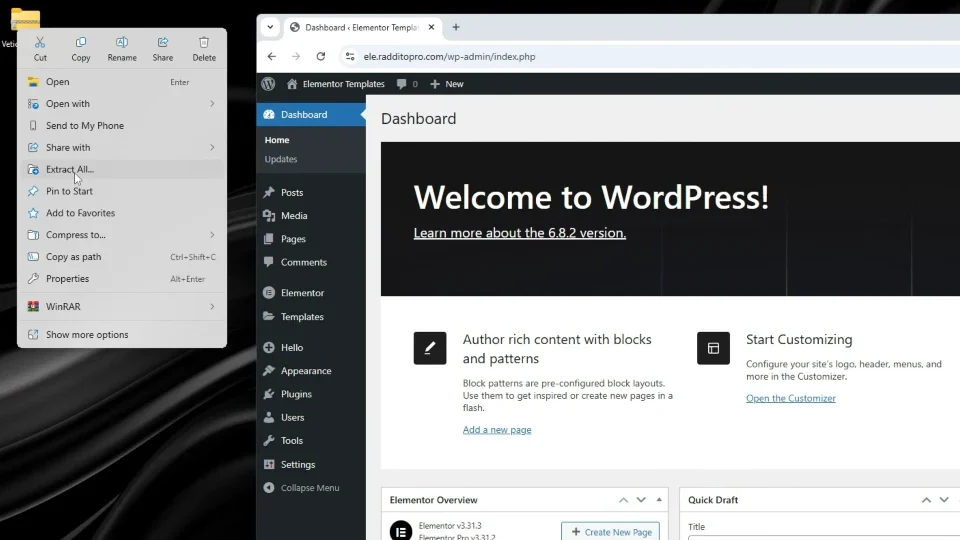
- Extract the ZIP file on your computer to access the contents.
- Open and read the README file included in the package. It provides specific setup details, such as required themes and plugins, to ensure compatibility.
Tip: The README is crucial. It outlines any custom requirements for the template you’re importing.
Step 2: Install and Activate the Recommended Theme
- Log in to your WordPress dashboard.
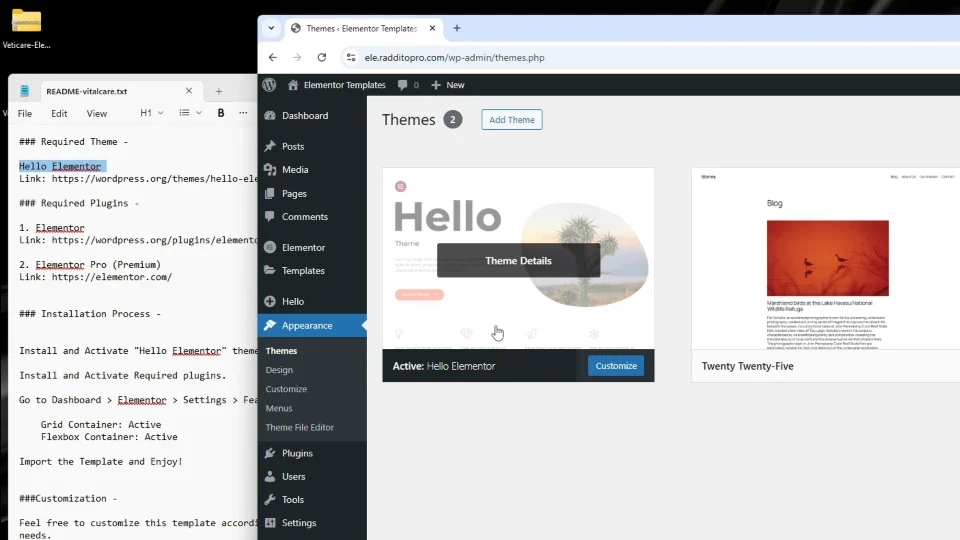
- Navigate to Appearance > Themes.
- Click Add New and search for “Hello Elementor” (the recommended lightweight theme for Elementor).
- Install and activate it.
Tip: Hello Elementor is optimized for speed and compatibility with Elementor, preventing styling conflicts from other themes.
Step 3: Install and Activate Required Plugins
- Go to Plugins > Add New in your dashboard.
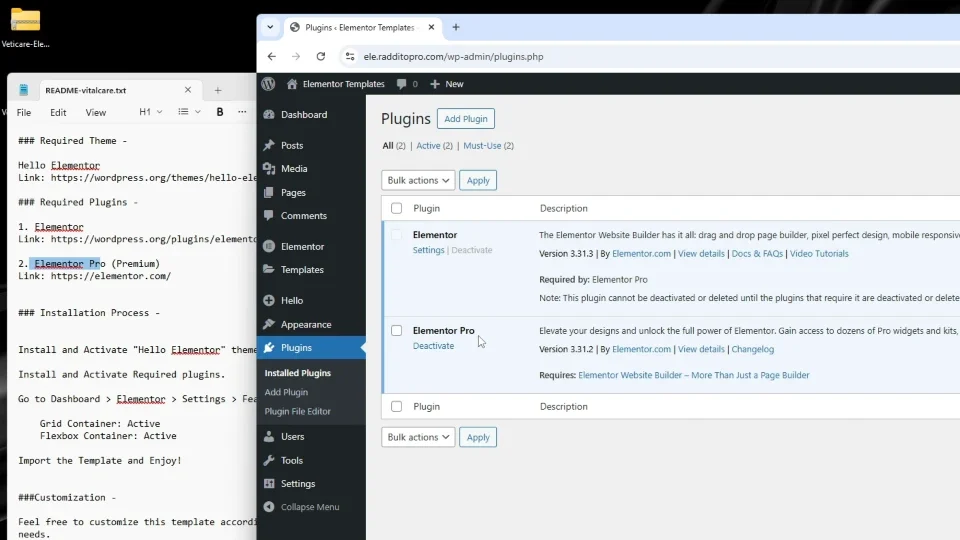
- Search for and install “Elementor” (the free version) if not already installed.
- Install “Elementor Pro” (you’ll need a license for this).
- Activate both plugins. For Elementor Pro, connect and activate your license key as prompted.
Tip: Elementor Pro unlocks advanced features like theme building and premium widgets, which many templates rely on. Ensure it’s properly licensed to avoid functionality issues.
Step 4: Adjust Recommended Settings
- Refer back to the README file for any specific WordPress or Elementor settings.
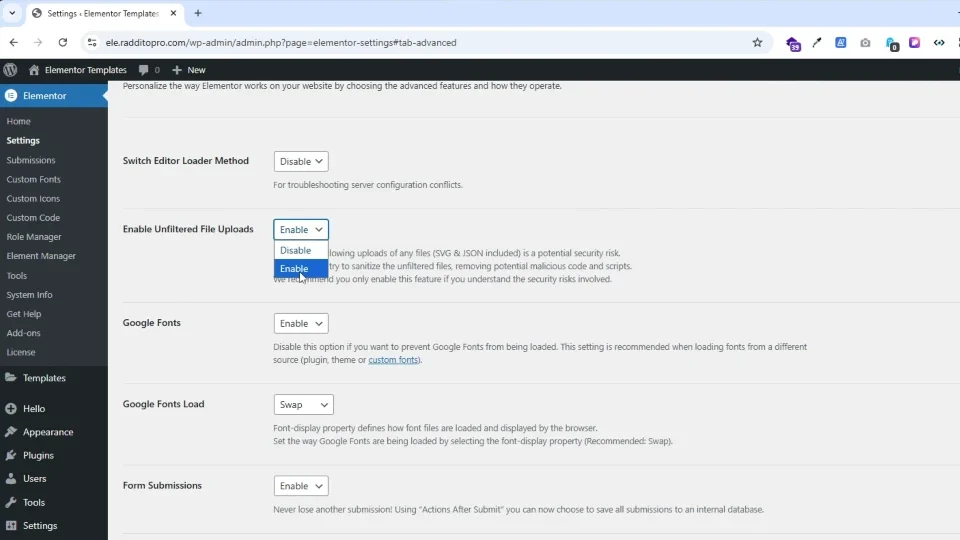
- In the WordPress dashboard, go to Elementor > Settings and adjust options like page layout, CSS print method, or editor loader if recommended (e.g., enable full-width layouts or disable conflicting features).
Tip: These tweaks optimize your site for the template, such as ensuring proper display on mobile devices or integrating with other plugins.
Step 5: Import the JSON Template File
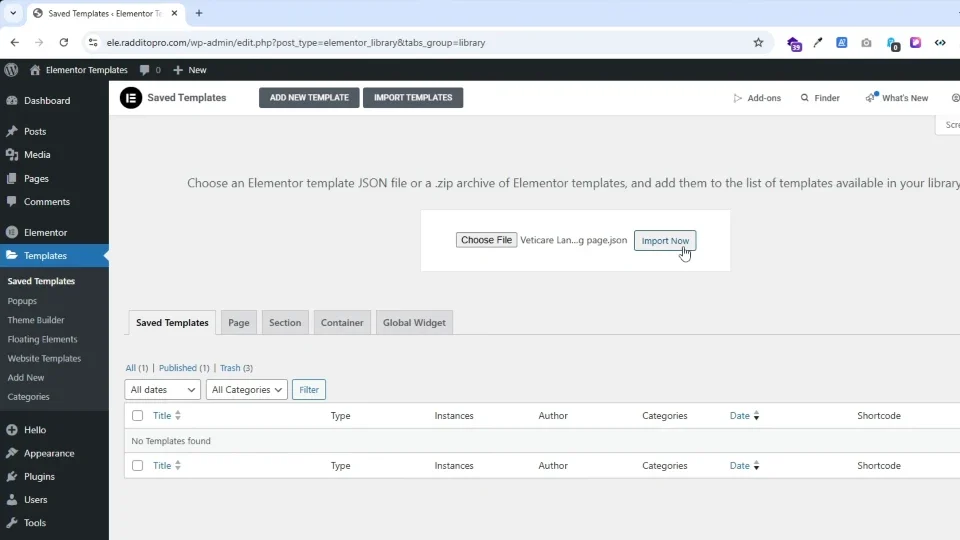
- In the WordPress dashboard, navigate to Templates > Saved Templates (or Elementor > My Templates).
- Click Import Templates.
- Select the JSON file from your extracted package and upload it.
- Wait for the import to complete. Elementor will process the file and add the template to your library.
Tip: If you encounter issues like a blank page during import, check Elementor’s advanced settings (e.g., switch editor loader method) for troubleshooting.
Step 6: Customize and Publish the Landing Page
- Once imported, go to Pages > Add New or edit an existing page.
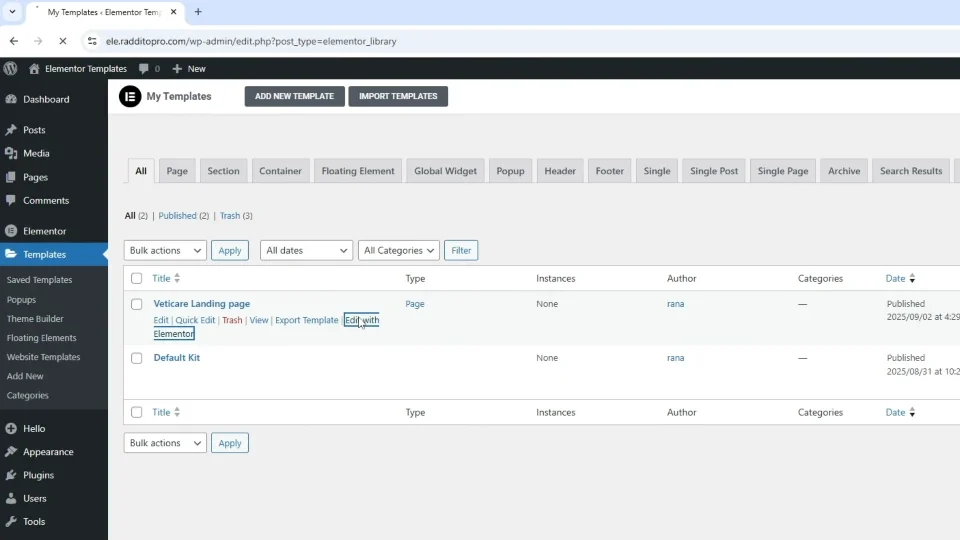
- Click Edit with Elementor.
- In the Elementor editor, insert the imported template via the template library.
- Customize elements using the drag-and-drop interface. Change text, images, colors, or layouts to fit your needs.
- Preview and publish the page when ready.
Tip: Elementor’s intuitive editor makes customization easy for beginners. Save drafts frequently and test on different devices.
Final Thoughts
With these steps, your landing page should be live and ready to use. This method leverages Elementor’s powerful tools to create stunning sites quickly. If you run into any issues, contact us for support or refer to the video for visual guidance. Happy editing!
Resources (Used in Video)

For more premium templates, visit: Raddito.net
For official Elementor documentation, visit their support site for advanced troubleshooting.
Tutorial Video: WordPress Elementor Landing Page Template Import Process (Step-by-Step Tutorial)