
This step-by-step guide has a simple and easy tutorial video you may want to watch, which demonstrates how to quickly set up a professional WordPress site using an Elementor template kit. It’s particularly useful for niches like healthcare or business, allowing beginners to launch a modern, responsive site without building from scratch.
Prerequisites
Before starting the import process, ensure the following:
- You have a fresh, blank WordPress installation with no existing pages or templates to avoid conflicts.
- Download the template kit files after purchasing from Raddito. These typically come as a ZIP package.
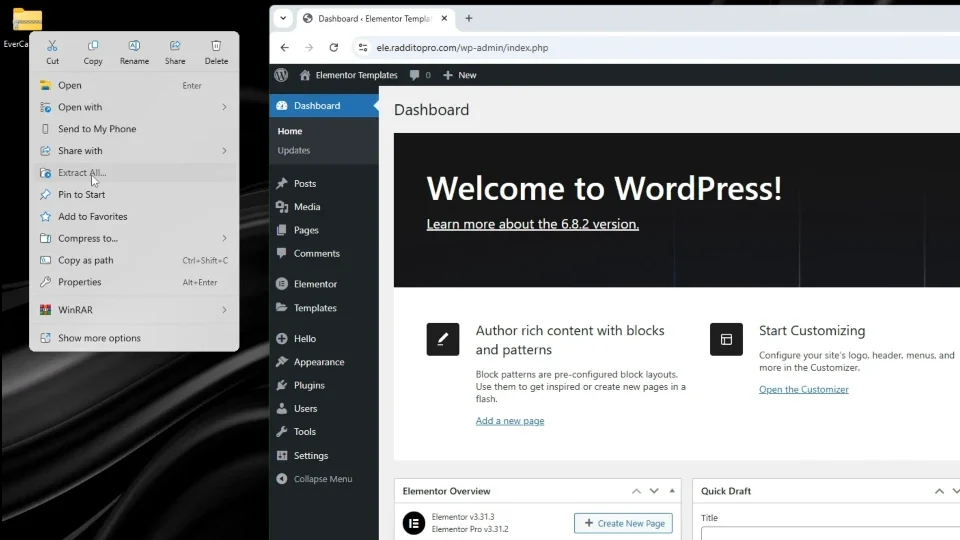
- Extract the downloaded package on your computer to access the import files and any accompanying documentation.
- Review the readme file included in the package. It contains essential instructions specific to the template.
Additionally, you’ll need:
- The Hello Elementor theme (free and lightweight, optimized for Elementor).
- Elementor plugin (free version) with Elementor Pro activated for full functionality.
These steps help ensure a smooth import without compatibility issues.
Step-by-Step Instructions
Step 1: Download and Prepare the Template Files
Obtain your template kit from the source (e.g., via purchase). Unzip the package to reveal the import ZIP file and the readme document. Carefully read the readme for any template-specific notes or requirements.
Step 2: Install and Activate Required Theme and Plugins
Log in to your WordPress dashboard.
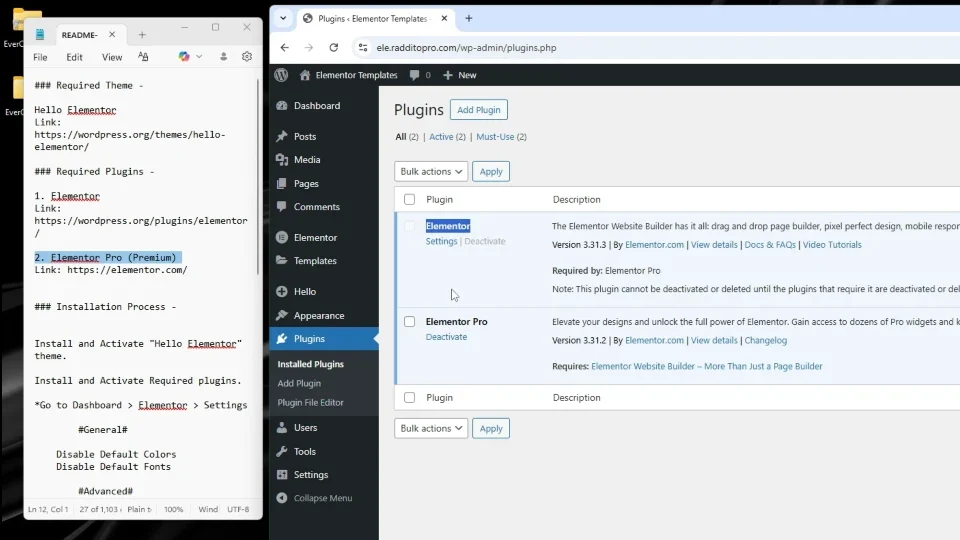
- Go to Appearance > Themes, search for “Hello Elementor,” install, and activate it.
- Navigate to Plugins > Add New, search for “Elementor,” install, and activate it. Ensure Elementor Pro is also activated if your template requires advanced features.
Step 3: Configure Elementor Settings
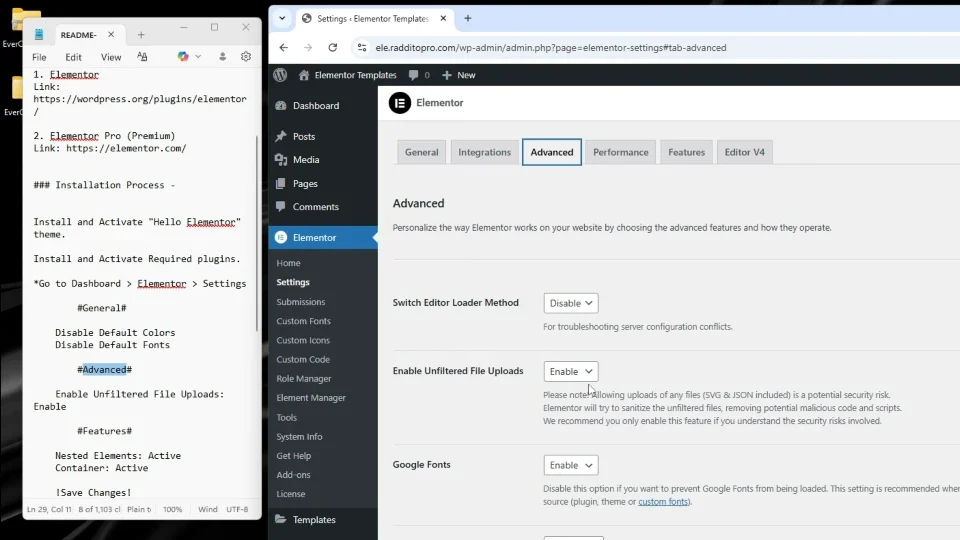
In the dashboard, go to Elementor > Settings.
- Under the General tab: Enable “Disable default colors” and “Disable default fonts” to allow the template’s styles to take precedence. Save changes.
- Under the Advanced tab: Enable “Unfiltered file uploads” to permit importing larger or complex files. Save changes.
Note: Features like nested elements and containers are usually enabled by default, so no further action is needed here.
Step 4: Import the Template Package
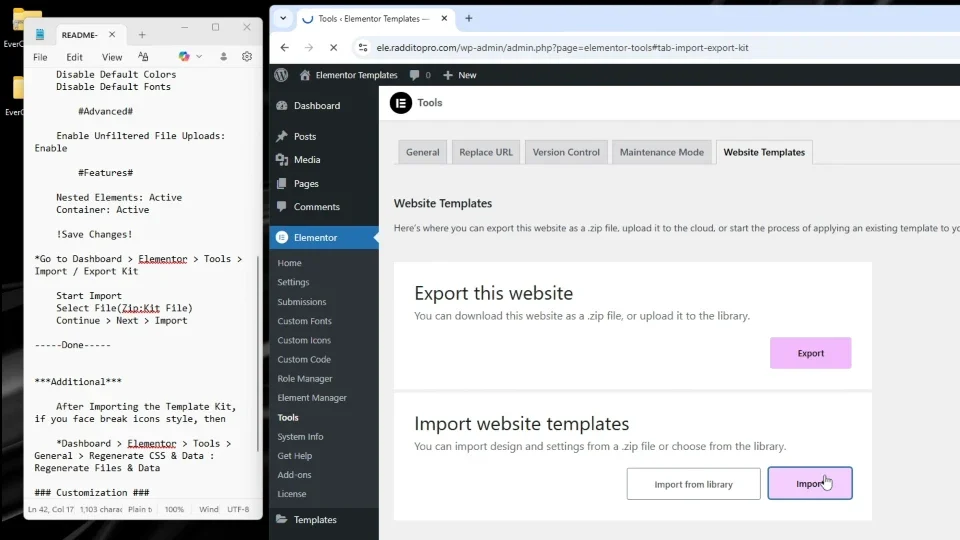
Still in the dashboard, go to Elementor > Tools.
- Select the import option and choose the ZIP file from your extracted package.
- Proceed with the import. This process will populate your site with the full template, including pages, layouts, and content.
Final Check
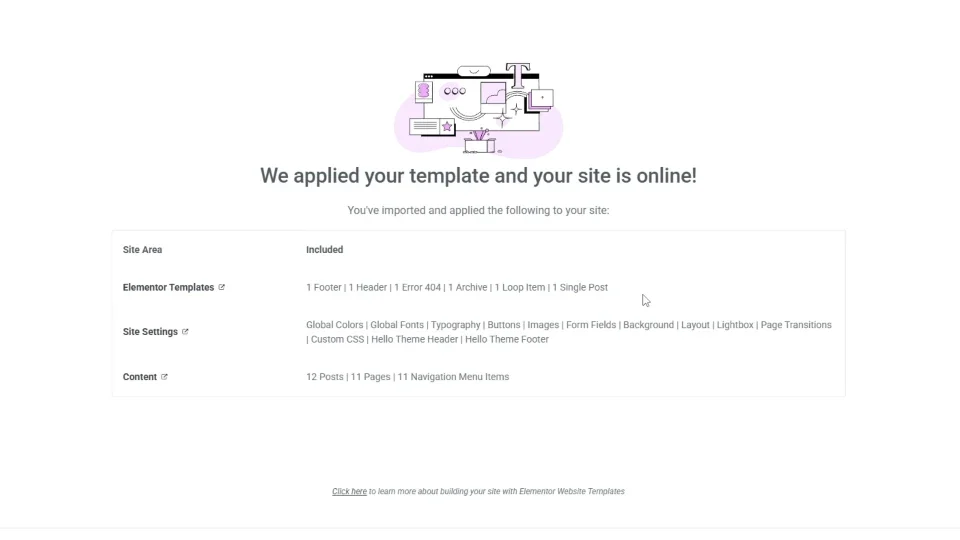
- Apply and Verify Demo Content
Once the import completes, check your site’s pages (under Pages > All Pages) to confirm the demo content and layouts have been applied successfully. Visit your site’s frontend to preview the results. - Customize Your Site
Use Elementor’s drag-and-drop editor to modify elements as needed. Edit any page by clicking “Edit with Elementor” to tweak text, images, or layouts for your specific needs.
Tips for Success
- Always follow the readme file’s guidance, as it may include template-specific tweaks.
- This method is ideal for quick setups, enabling you to launch a conversion-focused website in minutes.
- After import, test responsiveness on different devices and optimize images for faster loading.
- If you’re new to Elementor, explore its library for additional widgets and blocks to enhance your site.
Potential Issues and Troubleshooting
- Import Failures: Ensure “Unfiltered file uploads” is enabled; otherwise, large ZIPs may not upload. Check your server’s file size limits if issues persist.
- Style Conflicts: Disabling default colors and fonts prevents overrides from WordPress or Elementor defaults.
- You shouldn’t face any major issues, but if the import doesn’t apply correctly, try re-importing on a clean site or consulting our support.
Resources (Used in Video)
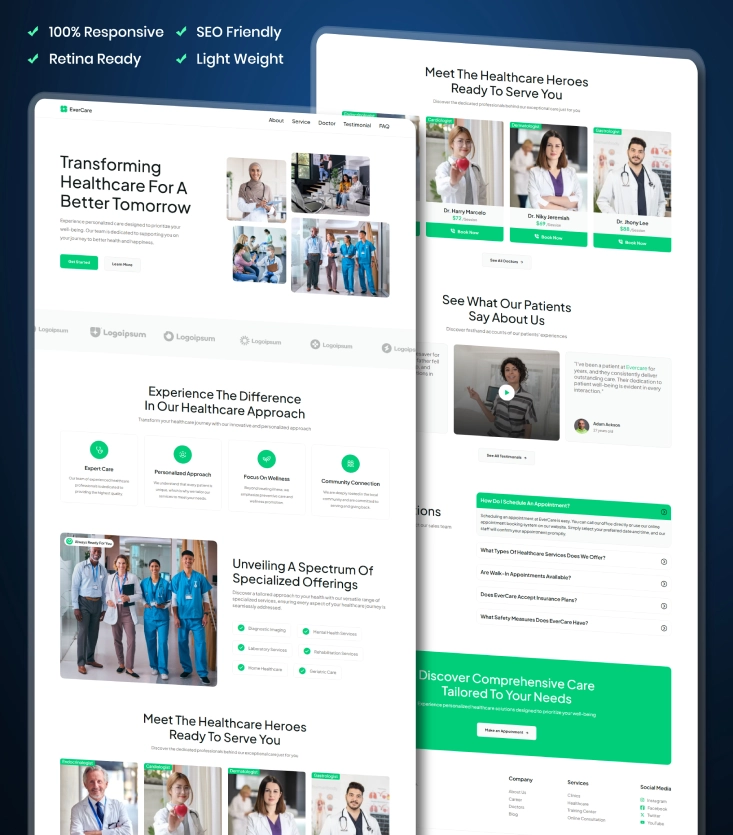
Evercare
Health Care and Hospital Elementor WordPress Template Kit for Full Website
For more premium templates, visit: Raddito.net
For official Elementor documentation, visit their support site for advanced troubleshooting.
If you encounter any issues or need help with customization, feel free to contact us for more details!
Tutorial Video: WordPress Elementor Full Website Template Import Process Step-by-Step