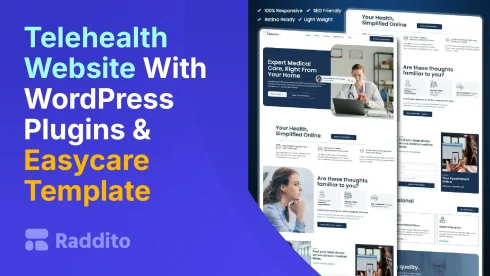
Starting a telehealth site feels overwhelming. You need a pro look without coding skills. Here’s the fix: Use WordPress, Elementor, and Raddito’s Easycare template. Follow this step-by-step guide. Easycare acts as the design backbone. It gives clean, modern layouts. Add plugins for chat, booking, and secure forms. Launch fast.
What Do You Need to Get Started?
Gather basics first. This sets a strong base.
Why Choose WordPress for Telehealth?
WordPress powers many sites. It’s flexible and free. Ideal for healthcare with plugins.
- Buy a domain.
- Pick HIPAA-compliant hosting.
- Install WordPress via host dashboard.
Raddito specializes in WordPress templates. We make it simple.
How to Install WordPress?
Easy setup. Most hosts offer one-click installs.
- Log into your hosting account.
- Find the WordPress installer.
- Set site name and admin details.
- Launch and log in.
This takes minutes. Now, build on it.

Easycare
Telemedicine & Telehealth Service Elementor WordPress Landing Page Template
How to Add Elementor?
Elementor is a drag-and-drop builder. It powers Easycare.
Why Use Elementor?
No code needed. Create custom pages fast.
- Go to Plugins in dashboard.
- Search “Elementor”.
- Install and activate.
- Start editing pages.
Easycare is built for Elementor. Seamless fit.
How to Import Easycare Template?
Easycare is your design core. It’s premium from Raddito.
What Makes Easycare Special?
Responsive and telehealth-ready. Modern UI/UX.
- Visit raddito.net.
- Buy and download Easycare.
- Upload via Templates in dashboard.
- Import and apply to pages.
Tailwind CSS ensures style. Customize easily.
What Plugins Enhance Telehealth Features?
Plugins add functions. Focus on chat, booking, secure forms.
Which for Booking?
Use Bookly or Amelia. They handle appointments.
- Install Bookly from plugins.
- Set up calendars.
- Embed in Easycare pages via Elementor.
Patients book smoothly.
What About Chat?
CometChat or LiveChat for real-time help.
- Add plugin.
- Configure widgets.
- Place on site.
Boosts engagement.
How to Add Secure Forms?
WPForms with HIPAA add-on. Protects data.
- Install WPForms.
- Enable HIPAA.
- Build forms in Elementor.
Easycare integrates them perfectly.
Raddito’s expertise ensures all works together.
FAQs
A premium template from Raddito. Built for telehealth with Elementor.
No. Drag-and-drop with Elementor and plugins.
Use compliant hosting and plugins like WPForms.
Yes. Edit sections easily. Fits your brand.
Go to raddito.net. Explore free and premium templates today.