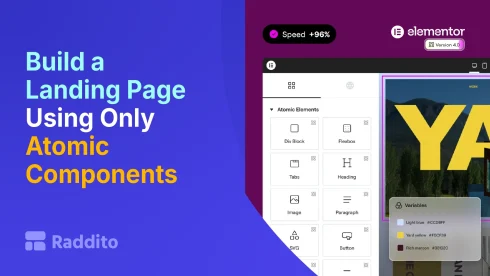
Build a Landing Page Using Only Atomic Components (Step-by-Step Guide)
- Jahidul Islam Faisal
Reading Time: 3 Minutes
Build a Landing Page Using Only Atomic Components (Step-by-Step Guide)
- Jahidul Islam Faisal
Reading Time: 3 Minutes
With Elementor V4’s Atomic Editor, you’re no longer just dragging widgets onto a page.
You’re building a system of reusable components.
In this guide, you’ll learn how to build a complete landing page using only Atomic Components, the right way.
By the end, you’ll understand how to create faster, cleaner, and scalable pages.
What You’ll Build
We’ll create a simple but high-converting landing page with:
- Hero section
- Features section
- Testimonials
- Call-to-action (CTA)
- Footer
The key difference: everything will be built as reusable components, not one-off sections.
Before You Start (Important Setup)
Before building components, set up your system:
1. Define Variables
Create global values for:
- Primary color
- Secondary color
- Font sizes
- Spacing
This ensures consistency from the start.
2. Create Base Classes
Set up reusable styles like:
.btn-primary.heading-xl.text-body.section-padding
These will power your components.
Step 1: Create the Hero Component
What to include:
- Headline
- Subheadline
- CTA button
- Background image or color
How to build:
- Add a container
- Apply your spacing class
- Add heading + text
- Apply your typography classes
- Add button with
.btn-primary
Save it as a Component (Hero Section)
Step 2: Build the Features Component
Layout:
- 3 columns
- Icon + title + description
Best practice:
- Use the same class for all feature cards
- Keep spacing consistent using variables
Save as Component (Features Section)
Step 3: Create Testimonials Component
Include:
- User image
- Name
- Quote
Pro tip:
- Use a reusable card structure
- Apply consistent typography classes
Save as Component (Testimonial Block)
Step 4: Build the CTA Component
Goal:
Drive conversions.
Include:
- Strong headline
- Short supporting text
- CTA button
Tip:
Reuse your existing button class and spacing system.
Save as Component (CTA Section)
Step 5: Create the Footer Component
Include:
- Logo
- Links
- Copyright text
Tip:
Keep it simple and reusable across pages.
Save as Component (Footer)
Step 6: Assemble the Landing Page
Now the fun part:
Instead of designing from scratch:
Just insert your components in order:
- Hero
- Features
- Testimonials
- CTA
- Footer
Done.
The Real Power (Why This Matters)
Now let’s see what happens when you update things:
Change a Button Style
- Update
.btn-primaryclass - All buttons across all components update instantly
Change Brand Color
- Update variable
- Entire page updates automatically
Update a Section Layout
- Edit component
- Changes apply everywhere
This is the Atomic workflow advantage.
Common Mistakes to Avoid
Building directly on the page
Always create components first
Ignoring classes
Don’t style elements individually
Not using variables
Avoid hard-coded values
Pro Tips (Level Up Fast)
- Start with a design system first, not the page
- Reuse components across multiple projects
- Keep components modular and simple
- Name classes clearly (e.g.,
btn-primary, notblue-button)
Final Result
You now have:
- A fully structured landing page
- Reusable components
- A scalable design system
And you built it faster than the old Elementor workflow.
Final Thoughts
With Elementor Atomic Editor, the goal is not just to design pages…
It’s to build systems that scale.
Once you switch to this mindset:
- Your workflow becomes faster
- Your designs become consistent
- Your projects become easier to manage
Book Your Free 30-Minute Chat!
Pick a time that works for you – we’re flexible.
Let’s talk about how we can make things easier, together.