


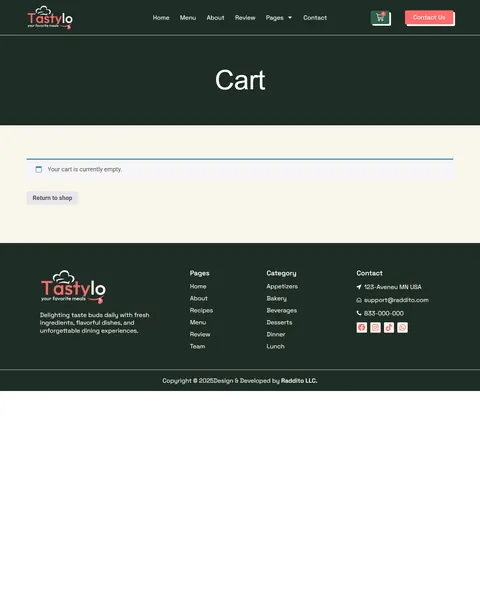
Tastylo is a cloud kitchen Elementor template kit for WordPress, designed for delivery-only restaurants, ghost kitchens, meal prep brands and food businesses that take orders online. It includes 12 page templates, including Menu, Recipes, Single Recipe, Team, Team Single, Review, Cart and Checkout, built for WooCommerce.
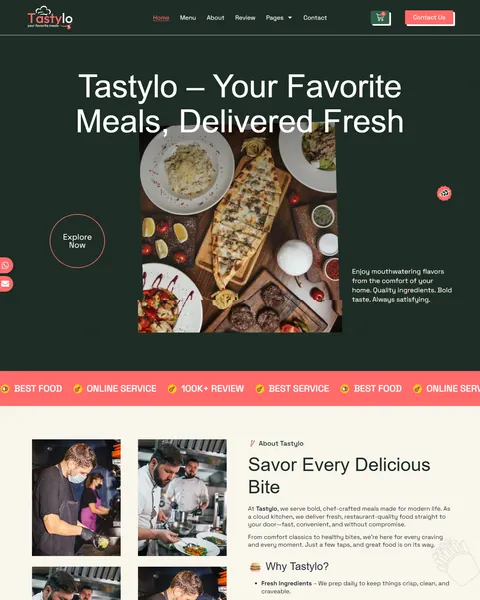
The demo opens on a dark green hero with the headline “Tastylo – Your Favorite Meals, Delivered Fresh” over a spread of plated dishes. A scrolling coral strip below promises best food, online service and 100K+ reviews. Forest green, coral and sunny yellow give your kitchen a fresh, lively and appetizing look.
Tastylo uses Elementor, WooCommerce and the free Marquee Addons for Elementor plugin. Tastylo needs Elementor Pro, and we don’t provide paid plugins, so please have your Pro license ready before we begin. Our team installs the kit for you at no cost.

Quick Template Details
- Template Name: Tastylo
- Required Theme: Hello Elementor (Free)
- Elementor Pro Required: Yes
- Premium Plugins Required: Yes, Elementor Pro
- Page Templates: 12
- Forms: Elementor Pro Forms
- Responsive: Desktop, Tablet, Mobile
- Coding Required: No
Who Is This Cloud Kitchen Website Template For?
- Cloud kitchens and ghost kitchens. The copy speaks to delivery-first kitchens with no storefront or dining room.
- Restaurants adding online ordering. Dishes have prices and Add to Cart buttons, so customers can order straight from the menu.
- Meal prep and healthy bowl brands. Rice bowls, Buddha bowls and wraps fit lunch and dinner categories.
- Bakeries and dessert delivery shops. Croissants, muffins, lava cakes and dessert jars have their own categories.
- Chef-led food brands. A Team Single page puts your head chef and their signature style in the spotlight.
Need a single-page site for a sit-down restaurant instead? Our Savorium luxury restaurant Elementor template is a better fit.
See Every Page in the Tastylo Cloud Kitchen Template
Click any page below to open it in the live demo. Checkout opens once a dish is in the cart.
A Menu Customers Can Order From
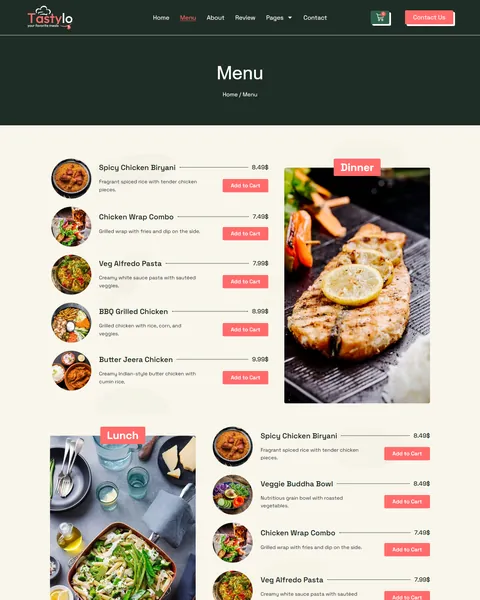
Tastylo turns your menu into an online shop. The Menu page groups dishes into lunch, dinner, desserts, bakery, appetizers and beverages. Each item shows a round photo, a short description, the price and an Add to Cart button, with a large food photo beside each group.
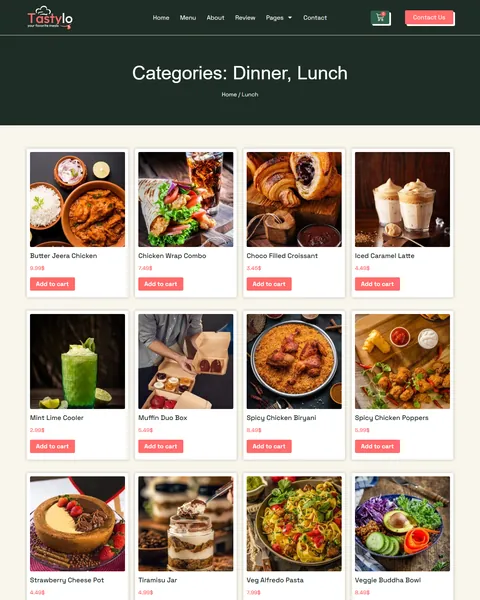
Category pages, such as Lunch, show dishes in a clean card grid with prices and Add to Cart buttons. A WooCommerce cart and checkout complete the order. The homepage adds a “Fresh Picks for Every Craving” section with lunch, dinner and dessert tabs, plus “Explore By Category” links for quick browsing.
Recipe Pages That Bring Customers Back
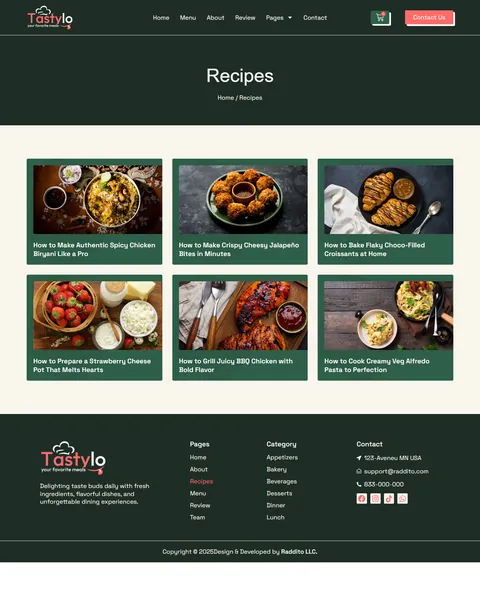
Recipes give food lovers a reason to visit even when they are not ordering. The Recipes page shows six recipe cards, from spicy chicken biryani and cheesy jalapeño bites to chocolate croissants and creamy Alfredo pasta.
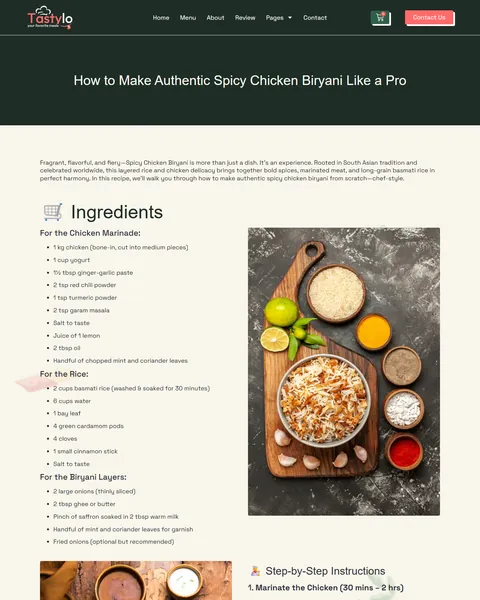
The Single Recipe page is laid out like a real cookbook page. It lists ingredients in groups, numbered step-by-step instructions, serving suggestions, chef’s tips and a final word, with a large photo beside the ingredients. Related recipes follow. Recipes can also help your site appear in searches for the dishes you sell, and each one can link to the matching item on your menu.
Team and Chef Pages That Build Trust
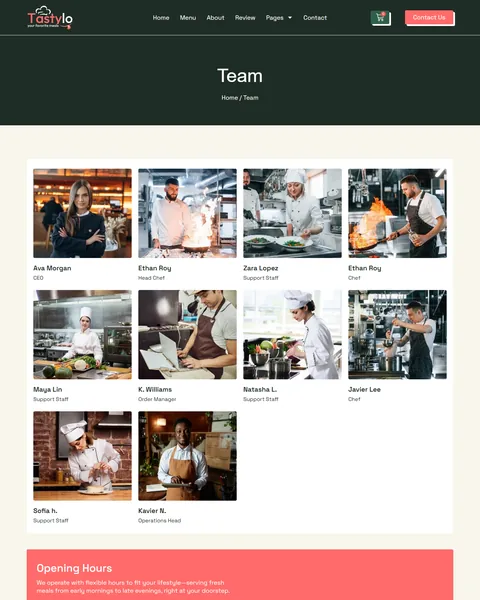
A cloud kitchen has no dining room, so customers never see who cooks their food. Tastylo fixes that. The Team page introduces ten people with photos, from the CEO and chefs to an order manager and an operations head, with your opening hours below.
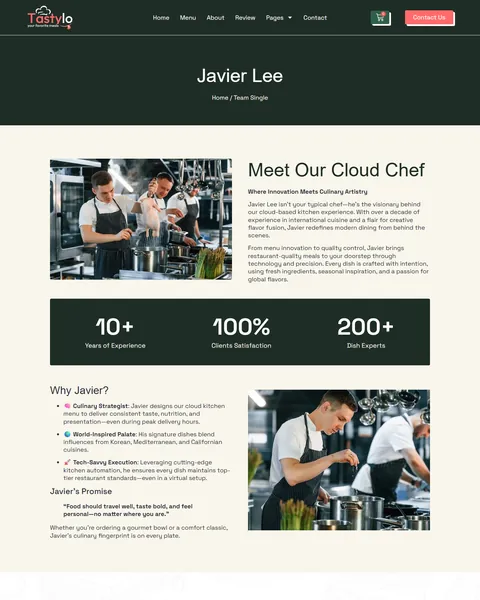
The Team Single page, shown with the head chef, tells their story under the heading “Meet Our Cloud Chef”. Three counters follow, plus a “Why Javier?” list and a short promise quote. Use it for your own chef or founder, and duplicate it for anyone else customers should meet.
A Review Page, About Page and Contact
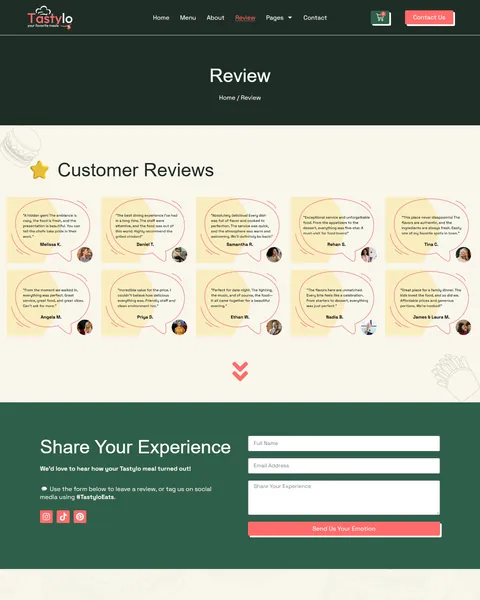
The Review page shows ten customer reviews in speech-bubble cards with names and photos. A “Share Your Experience” form below invites new reviews, and social links encourage customers to tag your brand. Fresh reviews help new visitors trust a kitchen they cannot visit.
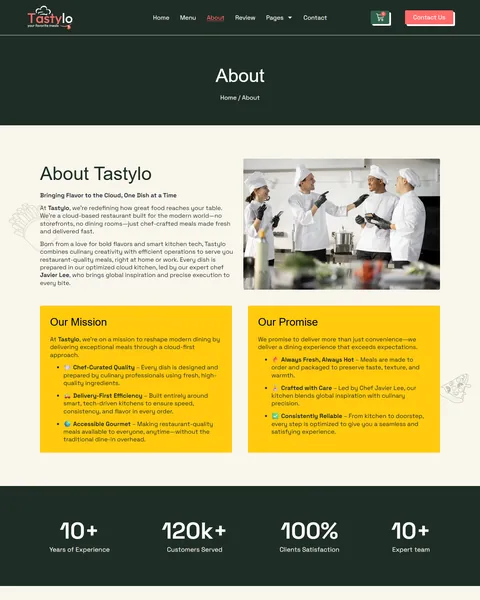
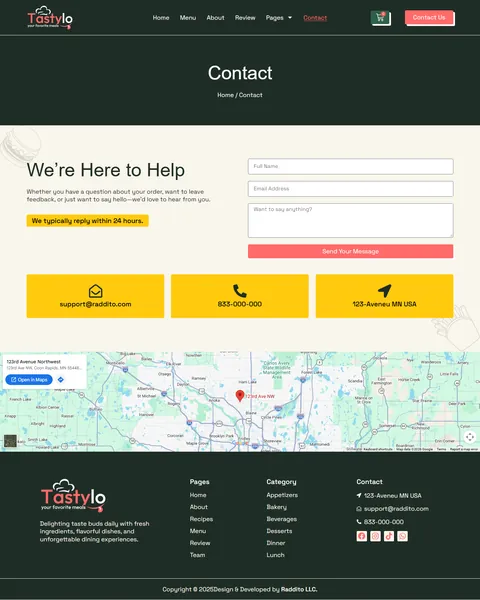
The About page explains your cloud kitchen story, your mission and your promise in two bright yellow cards, with counters for experience, customers served and satisfaction. The Contact page offers a simple form, your email, phone and address in three cards, and a map. A newsletter signup and an Instagram feed appear on key pages.
Research-Driven Design for Cloud Kitchens & Food Delivery Brands
We looked at how people order food online. They are hungry, they decide fast and they choose with their eyes. Most order on a phone, scroll the menu, check prices and want to reach the cart in a few taps. This cloud kitchen Elementor template kit is designed to make every dish look tempting while keeping ordering quick and simple.
Forest green, coral and yellow. A deep forest green fills the hero, page banners and footer, which makes food photos pop. Coral buttons and a coral marquee strip add energy, while sunny yellow cards and warm cream backgrounds feel friendly and fresh.
Playful, modern type. Tastylo pairs the elegant Gambarino display font for headings with Space Grotesk for body text. Together they feel stylish but casual, like a modern food brand people want to order from again.
Food-first photography. Large, colorful photos show plated dishes, bowls, desserts and chefs at work. Round dish photos on the menu make every item easy to spot, even on a small phone screen.
Order from anywhere. Add to Cart buttons sit on the homepage, menu and category pages, so customers can order as soon as something catches their eye. A cart icon in the header keeps checkout close.
Real people behind the food. Chef profiles and customer review cards add a human touch that delivery apps rarely offer, which builds loyalty for your own brand.
Mobile friendly. On phones, the menu folds into a toggle, headlines scale down and every section stacks without sideways scrolling.
Free Installation for This Cloud Kitchen Elementor Template Kit
We install Tastylo on your WordPress site free of charge, set up exactly like the demo, once your Pro license is ready. WooCommerce and Marquee Addons for Elementor are free.
The demo photos are placeholders and are not included. Adding your own dishes, prices, recipes and team, or setting up payment gateways, delivery zones, taxes and order notifications, is not part of the free installation. If you want the full site built for you, see our done-for-you website service.
How to Install the Tastylo Cloud Kitchen Template Kit
Prefer to set it up yourself? This video shows each step of the import.
Tastylo vs Other Cloud Kitchen and Food Delivery Elementor Kits
Comparing food delivery templates? Here is how Tastylo compares with other popular cloud kitchen and food delivery kits online.
| Tastylo | Other popular food delivery kits online* | |
|---|---|---|
| Free installation | Yes, included | No, not listed on any of them |
| WooCommerce cart and checkout | Yes | Listed on 1 of 3 |
| Recipe pages | Yes, recipes and a single recipe layout | Not listed on any of them |
| Chef profile page | Yes | Not listed on any of them |
| Customer review page with a form | Yes | Not listed on any of them |
Why food brands choose Tastylo:
- Built for delivery. An orderable menu, categories and a cart are ready.
- More than a menu. Recipes, chef pages and reviews keep customers coming back.
- Free setup. $19.90 once, installed for you.
*We compared Tastylo with three popular cloud kitchen and food delivery Elementor template kits found through Google’s first page, sold on ThemeForest and a template subscription site. Details come from each product page on October 24, 2026. Prices and features may change.
More Restaurant and Food Templates by Raddito
Tastylo is our cloud kitchen Elementor template kit. If you need a simple one-page site for a restaurant or cafe, compare these.
Savorium – luxury restaurant Elementor template
Best for fine dining restaurants that take reservations.
1 page · Works with Elementor Free · Live Preview
Beanery – coffee shop Elementor template
Best for cafes and coffee shops that need one page.
1 page · Works with Elementor Free · Live Preview
Maido – fast food restaurant Elementor landing page
Best for fast food and takeaway restaurants.
1 page · Needs Elementor Pro · Live Preview
Want more choices? Browse our food and drink website templates or every WordPress Elementor template kit we sell.
Frequently Asked Questions
Is Tastylo a WordPress theme?
No. Tastylo is a cloud kitchen Elementor template kit, a set of ready pages you import into Elementor. It runs on the free Hello Elementor theme.
Does Tastylo need a Pro license?
Yes. The shop layouts, forms, header and footer use Pro widgets. You need your own license before we install the kit.
Can customers order food for delivery or pickup?
Yes. Orders go through WooCommerce. Set up delivery zones and fees or local pickup in WooCommerce shipping settings after installation.
Can I add sizes, spice levels or extra toppings?
Yes. Use WooCommerce variations for sizes and spice levels. For paid extras like toppings, add a free product add-ons plugin.
Can I connect delivery apps or a POS?
Not by default. Many POS and delivery platforms offer WooCommerce plugins, so you can connect yours after installation.
Can I change my opening hours and menu categories?
Yes. Opening hours are editable text, and menu categories are WooCommerce categories you can rename, add or remove.
Is the installation really free?
Yes. We install Tastylo exactly like the demo at no cost once your Pro license is ready. Adding your own dishes and content is up to you, or our Done For You team can build the full store.